Whether you’re an e-commerce seller, social media creator, or professional photographer, you need the right background remover tool to make your images look more aesthetically pleasing. While countless tools are flooding the market, choosing the right one has become more challenging than ever. This comprehensive guide will walk you through everything you need to know to select the perfect bg remover for your specific needs.
Understanding Background Remover Technology:
A background remover is an AI powered tool that automatically detects and separates subjects from their backgrounds in images. Modern solutions use advanced machine learning algorithms trained on millions of photos to identify edges, colors, and textures with remarkable precision. This technology has evolved significantly, making what once required hours in Photoshop now possible in seconds.
The best background-removal tools in 2026 leverage sophisticated AI models that handle complex scenarios, from fine hair strands to transparent fabrics and intricate product details. Understanding how these tools work helps you evaluate which one will serve your purposes best.
Key Features to Look For:
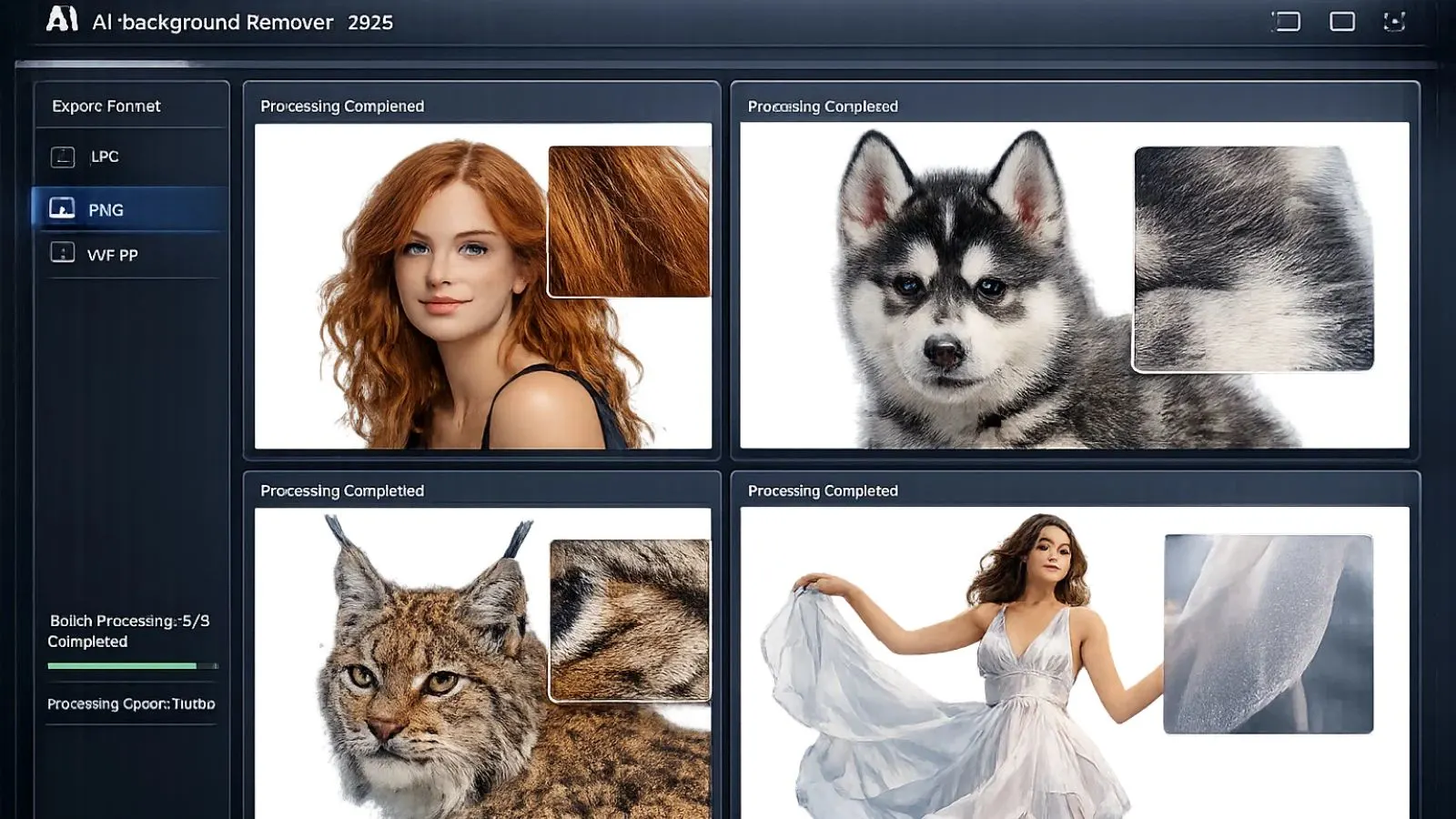
When evaluating a tool for removing image background, several critical features should guide your decision. First, accuracy matters tremendously. The tool should cleanly separate your subject from the background without leaving rough edges or removing parts of your main subject. Look for solutions that handle difficult elements like hair, fur, and transparent objects effectively.
Processing speed is another crucial factor. If you’re handling large volumes of images, you need a bg remover that delivers results quickly. Batch processing capabilities become essential when dealing with product catalogs or multiple photo shoots.
The ability to remove background from image files in various formats (JPG, PNG, WEBP) ensures compatibility with your existing workflow. Additionally, check whether the tool offers a transparent background maker feature, allowing you to export images with transparent backgrounds for maximum flexibility.
Free vs. Paid Background Removers:
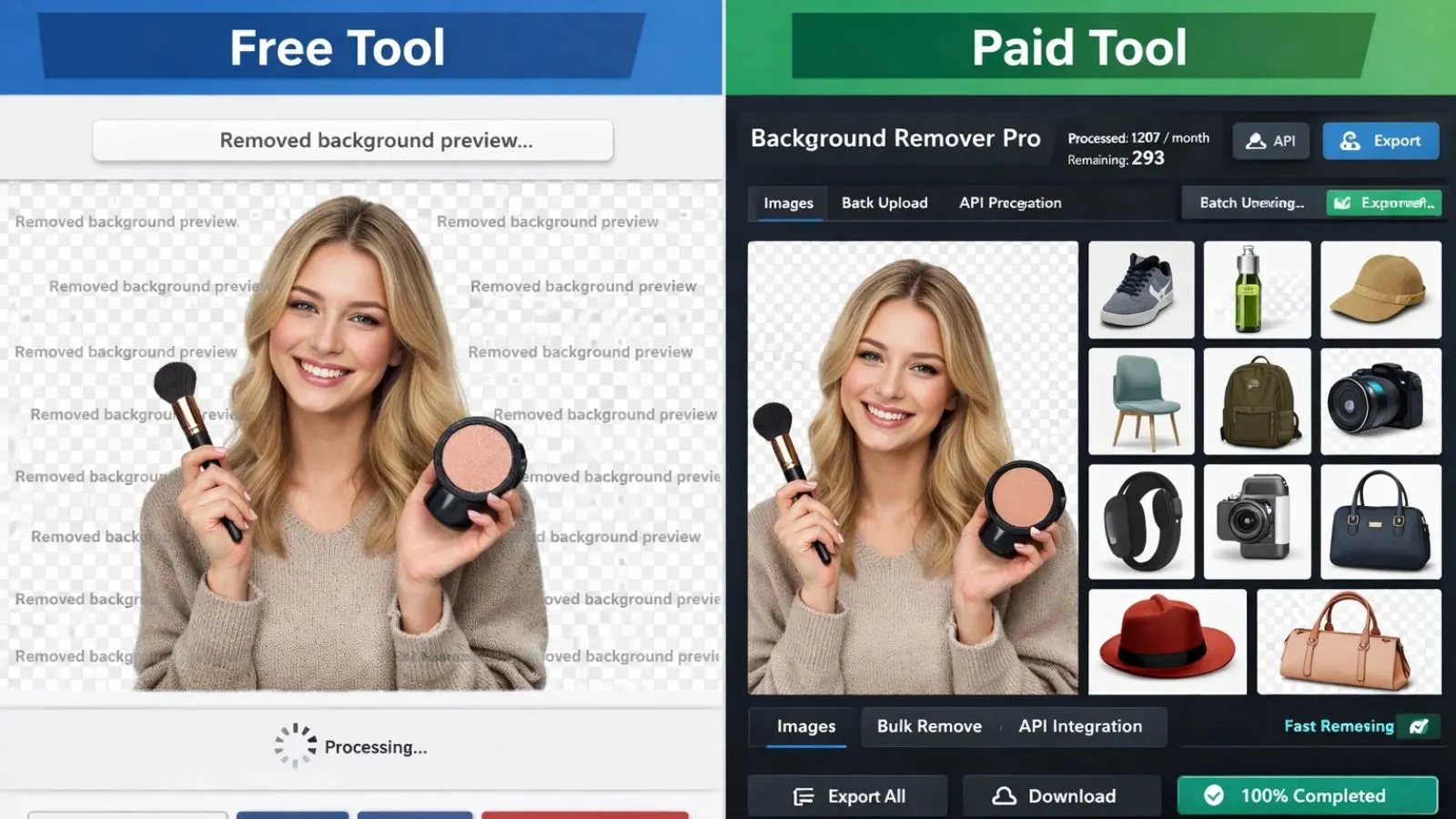
The market offers both background removal tools with free options and premium solutions. Free tools typically work well for occasional use and simple images. They’re perfect if you need to remove bg from a handful of photos each month. However, they often come with limitations like lower resolution outputs, watermarks, or restricted processing volumes.
Paid solutions justify their cost through advanced features like bulk processing, API access, higher resolution outputs, and professional-grade accuracy. For businesses and professionals who regularly need to remove background from their images, the time saved and quality delivered by premium tools quickly offset the investment.
Consider your volume and quality requirements. If you’re processing dozens or hundreds of images weekly for commercial purposes, a professional online background removing tools with subscription or credit-based pricing will prove more economical than struggling with free tool limitations.
Evaluating Different Tool Types:
Background remover tools come in several varieties, each suited to different workflows. Web-based solutions offer convenience and accessibility without requiring downloads or installations. You can make an image transparent directly in your browser, making these ideal for quick edits or working across multiple devices.
Desktop applications provide offline functionality and often include more advanced editing capabilities. Mobile apps cater to on-the-go editing needs, perfect for social media creators and field photographers. API integrations enable automated workflows for e-commerce platforms and high-volume operations.
Understanding which type fits your workflow helps narrow your options significantly. A freelance designer might prefer a versatile web tool, while an e-commerce business with thousands of SKUs would benefit from an API-driven solution.
Special Considerations for E-commerce:
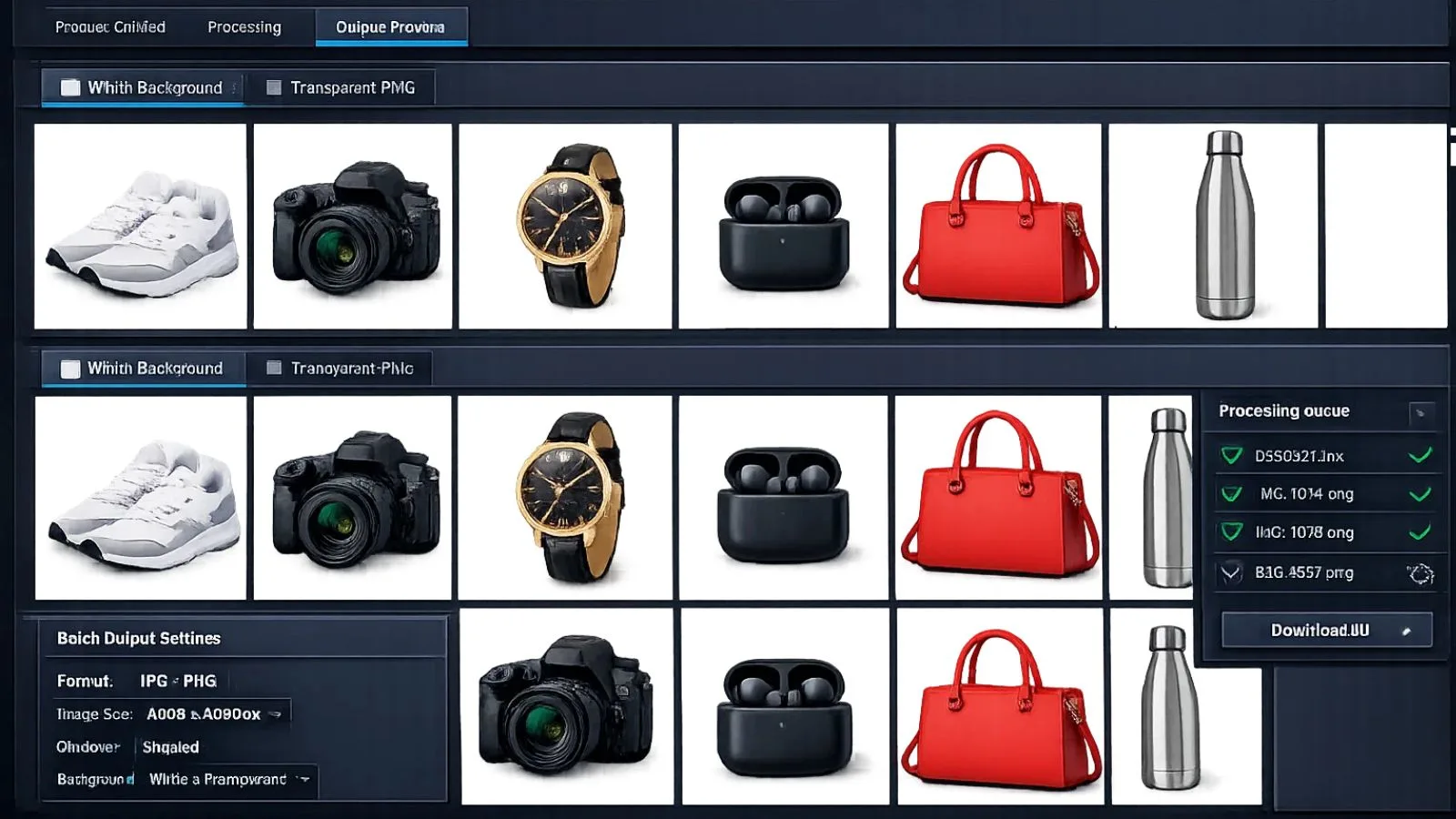
E-commerce sellers have unique requirements when choosing a background remover. Consistency across product images is paramount; your background removal tool should deliver uniform results that maintain your brand’s visual identity. The ability to replace backgrounds with specific colors or templates ensures your product listings look professional and cohesive.
For marketplace sellers on platforms like Amazon, eBay, or Shopify, look for tools that can create transparent image files meeting platform requirements. Many marketplaces demand pure white backgrounds or transparent backgrounds for product images. Your chosen background removal software should handle these specifications effortlessly.
Batch processing becomes non-negotiable when managing large product catalogs. Tools that can process multiple images simultaneously with consistent quality save countless hours. Additionally, features like shadow creation, color correction, and automatic cropping enhance product presentation without requiring separate tools.
Streamlining Your Workflow with AI Tools:
While choosing the right background remover is crucial, maximizing your overall productivity often requires exploring complementary AI tools. This is where comprehensive platforms can make a significant difference in your creative process.
Discover AI-Powered Solutions at SaasTrac:
SaasTrac AI Agents offers a curated directory of over 1,000+ powerful AI tools designed to enhance your creative and business workflows. Beyond background removal, the platform features specialized tools for AI image editing, content creation, design automation, and productivity enhancement.
If you’re exploring powerful AI tools for image creation and editing, SaaSTrac makes the discovery process simple. Its well-organized directory helps you quickly find and compare innovative AI-powered solutions for your creative needs—all without requiring a signup.
With detailed insights and easy browsing, SaaSTrac streamlines the way you build your ideal AI toolkit. Now, let’s take a closer look at some standout software solutions.
Here are some tools you might want to check having background removal capabilities.
Recraft V3:
Recraft V3 is a powerful AI design platform that blends precision with creativity, enabling users to generate high-quality vector illustrations, icons, and marketing visuals using simple text prompts. Built for designers, marketers, and growing brands, Recraft V3 transforms ideas into crisp, editable graphics within seconds—no advanced design skills required.
What sets Recraft V3 apart is its ability to produce pixel-perfect, scalable vector outputs that are ready for branding, web design, and social media use. With its intuitive interface and intelligent AI engine, it streamlines creative workflows, helping teams move from concept to polished visual assets faster and more efficiently.
Shakker:
Shakker is a mobile-first AI art agent that brings creativity directly into your chats. With no downloads or complex setup required, users can simply describe their ideas on WhatsApp and receive high-quality, ready-to-use visuals within seconds. From imaginative characters to brand-ready graphics, Shakker makes professional art creation effortless and accessible from anywhere.
In the context of background removal tools, Shakker highlights how AI-powered platforms are simplifying visual workflows. Just as it eliminates technical barriers in design, modern background removal SaaS tools remove the hassle of manual editing—helping creators, marketers, and businesses produce clean, polished visuals instantly with minimal effort.
Dora AI:
Dora AI is an AI-powered web design platform that transforms simple text prompts into fully responsive, visually immersive websites. With built-in animations, 3D elements, and dynamic layouts, it helps users create standout digital experiences without writing a single line of code.
For creators working with product visuals or clean design assets, pairing Dora AI also provides options for removing backgrounds—ensuring distraction-free images that blend seamlessly into modern web layouts. Just describe your vision, and Dora AI brings it to life with precision, creativity, and speed.
Testing and Quality Assessment:
Before committing to any software, thorough testing is essential. Upload various types of images to evaluate performance, such as simple product shots, portraits with complex hair, images with transparent elements, and photos with challenging lighting conditions. This comprehensive testing reveals how the tool handles real-world scenarios you’ll encounter.
Pay attention to edge quality. Zoom in on the results to check for jagged edges, color fringing, or missing details. A professional background remover should produce smooth, natural-looking cutouts even around difficult areas like curly hair or delicate jewelry.
Test the tool’s ability to handle different subject types. Some bg removers excel with products but struggle with people, or vice versa. Ensure your chosen solution performs consistently across all image types you regularly work with.
Integration and Workflow Compatibility:
Consider how a background remover integrates with your existing tools and processes. If you use design software like Adobe Creative Suite, Canva, or Figma, look for tools offering plugins or seamless file export. API availability matters if you’re building automated workflows or integrating background removal into your website or application.
Cloud storage integration can streamline your process significantly. Tools that connect with Google Drive, Dropbox, or other storage services eliminate tedious file management. Similarly, direct integration with e-commerce platforms or social media management tools can save valuable time.
Workflow efficiency often depends on these integrations more than the tool’s standalone capabilities. A slightly less powerful bg remover that fits perfectly into your existing ecosystem may serve you better than a feature-rich solution that creates friction in your workflow.
Budget Considerations and ROI:
Pricing models vary widely among bg remover tools. Some charge per image, others offer monthly subscriptions, and many provide credit-based systems. Calculate your typical monthly volume to determine which pricing structure offers the best value.
Consider the time savings when evaluating cost. If a tool saves you 15 minutes per image and you process 100 images monthly, that’s 25 hours saved. Factor in your hourly rate to understand the real return on investment. Often, what seems expensive becomes economical when you account for productivity gains.
Look for free trial periods or money-back guarantees. These allow you to verify the tool meets your needs before a financial commitment. Many premium background remover solutions offer limited free tiers that let you test thoroughly before upgrading.
Future-Proofing Your Choice:
Technology evolves rapidly, so choose a background remover that’s actively maintained and updated. Check the company’s update history and roadmap. Tools that regularly add features and improve AI models will serve you better long-term than stagnant solutions.
Consider the company’s stability and user base. Established tools with large user communities are more likely to continue improving and less likely to suddenly disappear. Read reviews and case studies to understand how others in your industry use the tool.
Scalability matters too. Even if you’re starting small, select a tool that can grow with your needs. Options that offer both individual and team plans, or that can scale from occasional use to high-volume processing, protect your investment as your requirements evolve.
Making Your Final Decision:

Choosing the best background remover ultimately depends on aligning tool capabilities with your specific needs. Create a shortlist based on your must-have features, then test each thoroughly with your actual images. Consider factors like ease of use, customer support quality, and community resources available.
Don’t rush the decision. Invest time in proper evaluation, and the right background remover will serve you for years and significantly impact your productivity and output quality. Remember that the most expensive option isn’t always the best choice; the ideal tool balances features, performance, ease of use, and value for your specific situation.
The landscape of AI-powered image editing continues to advance rapidly. Stay informed about new developments, but don’t chase every new tool. Once you find a reliable bg remover that meets your needs, master it thoroughly to maximize your efficiency and results.
Conclusion:
Selecting the right background remover in 2026 requires careful consideration of your workflow, volume requirements, and quality standards. Whether you need a simple online background remover for occasional use or a sophisticated solution with API access for enterprise-level automation, options exist for every need and budget.
Focus on tools that deliver consistent quality, integrate smoothly with your existing workflow, and offer the processing speed your projects demand. By evaluating accuracy, features, pricing, and scalability, you’ll find the perfect bg remover to elevate your photo editing capabilities.
FAQ’s:
Q1: Can free background removers match paid tools in quality?
Ans: Free background removers work well for basic images and occasional use, but paid solutions typically offer superior accuracy, especially with complex subjects like hair or transparent objects.
Q2: How long does it take to remove a background?
Ans: Modern AI-powered background removers process most images in 3-5 seconds. Processing time may vary based on image size and complexity, but even high-resolution photos rarely take more than 10-15 seconds with quality tools.
Q3: Do I need design skills to use a background remover?
Ans: No design experience is necessary. Today’s background remover tools are designed for users of all skill levels, offering one-click removal with automatic subject detection. Most tools also include simple editing options for refining results if needed.
Q4: What image format is best for transparent backgrounds?
Ans: PNG format is the standard for images with transparent backgrounds. It preserves transparency data and maintains image quality without compression artifacts. Most background removers automatically export as PNG when creating transparent images.