Spending hours trying to design a logo can be frustrating, especially if you don’t know Photoshop or Illustrator. Hiring a designer is expensive, and DIY tools often appear cheap or generic. That’s where an AI logo generator comes in. It turns your brand name and style ideas into a professional, unique logo in minutes—no design skills needed.
You can customize fonts, colors, and icons to ensure your logo perfectly reflects your brand. Whether you’re a small business owner, marketer, or just exploring AI tools, this solution saves time, money, and headaches. Finally, you get a sleek, polished logo that makes your brand look professional without any stress.
What Is An AI Logo Generator?
A logo is the face of any brand. It’s the first thing people notice, and it decides whether your business looks professional or forgettable. But let’s be real—business logo design often feels like a headache. Hiring a designer costs a lot, and learning design software takes forever. This is where AI tools change the game.
An AI logo generator is a smart tool that uses artificial intelligence to create logos for you. You type in your brand name, choose colors, icons, and styles you like, and the AI does the rest. In minutes, you get multiple logo options that actually look polished and professional. It’s fast, affordable, and fun, perfect for small businesses, marketers, or anyone curious about AI.
The coolest part? You don’t need to be creative or techy. These tools give you complete control to tweak and customize designs until they match your vision. Plus, they’re accessible online, so you can experiment anytime. Platforms like the SaasTrac AI Agent Directory even list the best AI tools in one place, making it easier to find the right logo generator for your brand. With an AI logo generator, you skip the stress and still end up with a design that stands out.
How Logo Design Affects Your Brand?
A logo is way more than just a symbol; it’s the heartbeat of your brand. The first thing people notice about your business is often your logo, and that tiny design can shape how they feel about you. A good logo builds trust, makes your brand memorable, and provides the right vibes. A bad one, though, can make your business look cheap or unprofessional. That’s why paying attention to your logo is a big deal. And now, thanks to tools like an AI logo generator, creating a strong brand identity is easier than ever.
How Logo Design Affects Your Brand?
1. First Impressions Matter
Your logo is often the first thing customers see. A clean, professional design shows you’re serious about your business, while a sloppy one can instantly turn people away.
2. Builds Trust and Credibility
Consistency is key. A logo that appears everywhere—your website, social media, and packaging—helps customers feel familiar with your brand. Familiarity leads to trust.
3. Recognition and Recall
Think of the brands you remember instantly—Nike, Apple, McDonald’s. That’s the power of a strong logo. A well-made design sticks in people’s minds and makes your brand easy to recall.
4. Emotional Connection
Logos aren’t just visuals; they carry emotions. Colors, fonts, and shapes all spark feelings. A playful logo can appear fun, while a bold one feels powerful. That’s how you connect beyond just products.
5. Cost and Time Efficiency with AI
Traditional design takes time and money. But modern tools and business logo makers let you create unique, professional designs in minutes without spending a fortune.
How an AI Logo Generator Works?
Logos are everywhere—on websites, social media, packaging, and even T-shirts. But how do modern tools actually create them? That’s where an AI logo generator comes in. Instead of starting from scratch, these tools use artificial intelligence to design logos instantly.
You give the AI some details, like your business name, industry, colors, or even a short text prompt, and within seconds, you see a bunch of unique designs on your screen. Think of it like a super-smart business logo creator that knows what shapes, fonts, and layouts look good together. You save time, cut costs, and still get a polished design that makes your brand look professional.
1. Input Your Brand Info
First, you tell the tool what you need. It could be as simple as your brand name and industry, or as detailed as specific colors, styles, and icons. For example, type “Horse in Saddle Club,” and the AI knows to generate logos with horse-related visuals.
2. Generate and Explore Options
The AI then creates different logo designs using its knowledge of thousands of fonts, layouts, and symbols. You instantly get multiple variations, all customized to fit your request.
3. Customize Your Design
Not every design will be perfect at first. That’s where you come in. You can adjust fonts, switch colors, or tweak layouts until the logo matches your vision. This mix of AI speed and human creativity gives you the best results.
4. Final Touch and Branding
Once you choose your favorite design, the AI prepares high-quality logo files ready for websites, marketing materials, or packaging. The result is a professional-looking logo created in minutes, without the long wait or high costs of traditional design.
The secret is balance. An AI logo generator gives you a head start with quick, professional ideas, but your creative input makes the final design truly unique. It’s not about replacing designers—it’s about saving time while still building a brand identity that feels real and memorable.
How to Choose an AI logo Generator?
Choosing the right tool to design your brand’s identity is a big deal. Not every AI logo generator works the same, and picking the wrong one can leave you with generic, forgettable designs. A logo isn’t just decoration, it’s your brand’s face. That’s why finding the right tool matters, whether you’re a startup, marketer, or just curious about AI-powered design. Think of it as choosing a creative partner that helps you nail your vision for professional company logo design without wasting time or money.
Things to Check Before Choosing an AI Logo Generator
1. Quality of Designs
Look for tools that create logos with variety and style. The best generators provide you with clean, professional drafts that feel unique instead of generic.
2. Customization Options
The right tool should let you have fun with fonts, colors, icons, and layouts. A free generator might be fun to try, but they often lack flexibility. Go for a tool that allows full customization.
3. Easy to Use
Nobody wants to spend hours figuring out software. Select an AI logo generator with a smooth interface, quick load times, and fast results. The simpler it feels, the more fun logo-making becomes.
4. Export & Compatibility
Always check what file formats you can download. The best tools export transparent files and vector formats, so you can use your logo anywhere, on websites, packaging, or ads.
5. Smarter AI Features
Advanced AI tools learn from your inputs and adapt to your style. A paid tool with strong AI models is usually worth it because it helps you create logos that align better with your brand identity.
At the end of the day, an AI logo generator should save you time, give you options, and make logo design easy instead of overwhelming. The right choice can turn your ideas into a logo that people remember.
Now that you know how to choose the best logo generators, let’s explore the best tools-
Best AI Logo Generator Tools
Finding the best AI logo generator can feel overwhelming with so many options. Your logo is the face of your brand, and the right tool can make creating a professional, memorable design effortless. Whether you’re launching a startup, building a personal brand, or running a small business, AI logo generators help turn your ideas into polished visuals in minutes. A smart AI tool understands your style, industry, and vibe, and helps you craft a standout company logo design without any design skills.
Top AI Logo Generators You Should Know
1. LogoAI
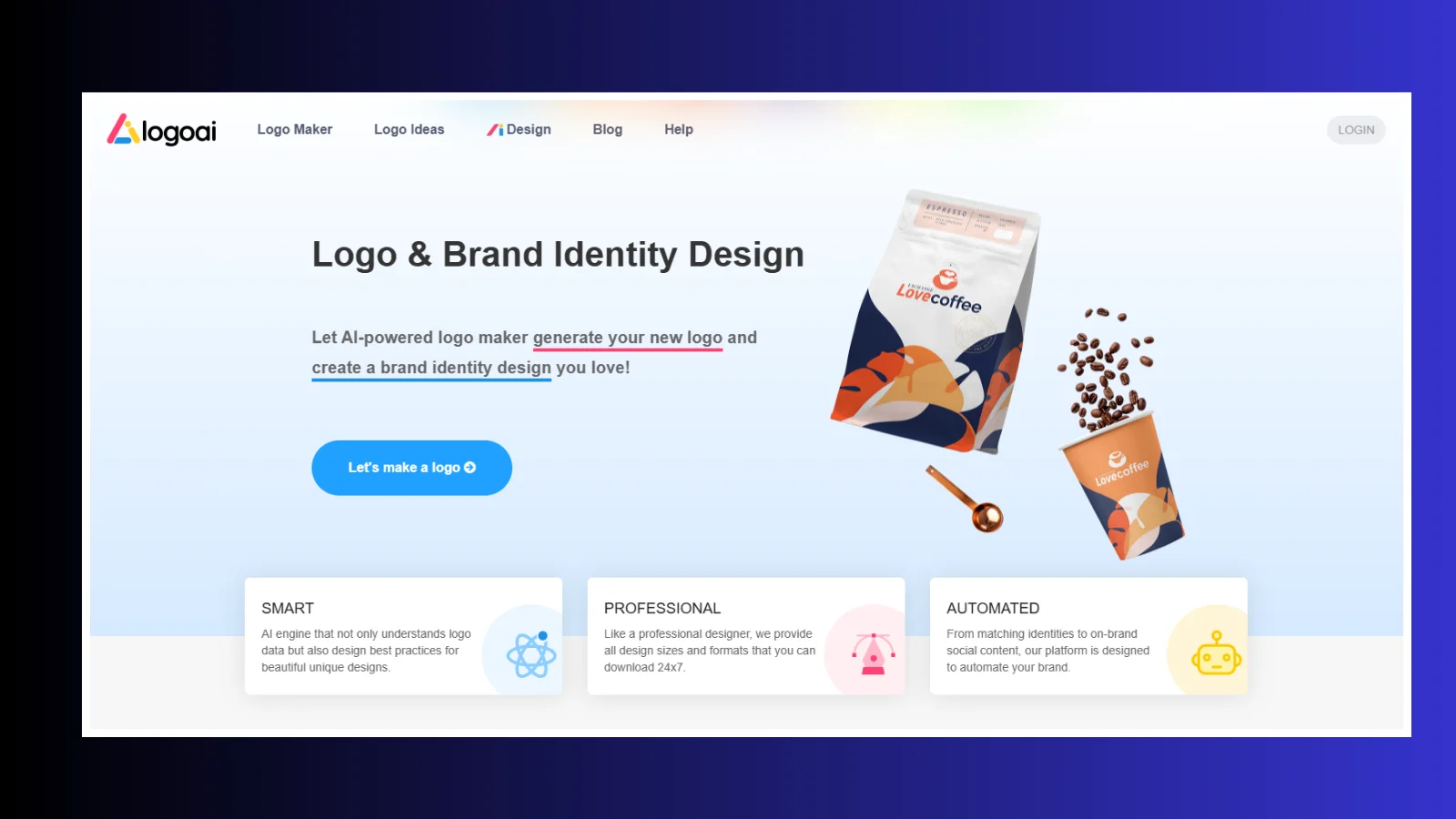
LogoAI is perfect if you want a professional logo in minutes. You enter your brand name, select your style and preferences, and the AI generates unique, original logos. Beyond just the logo, LogoAI provides a complete brand kit, including matching business cards, color palettes, and social media assets. It’s ideal for entrepreneurs, content creators, and small businesses that want a polished digital identity without hiring a designer.
2. Logo Maker by Namecheap
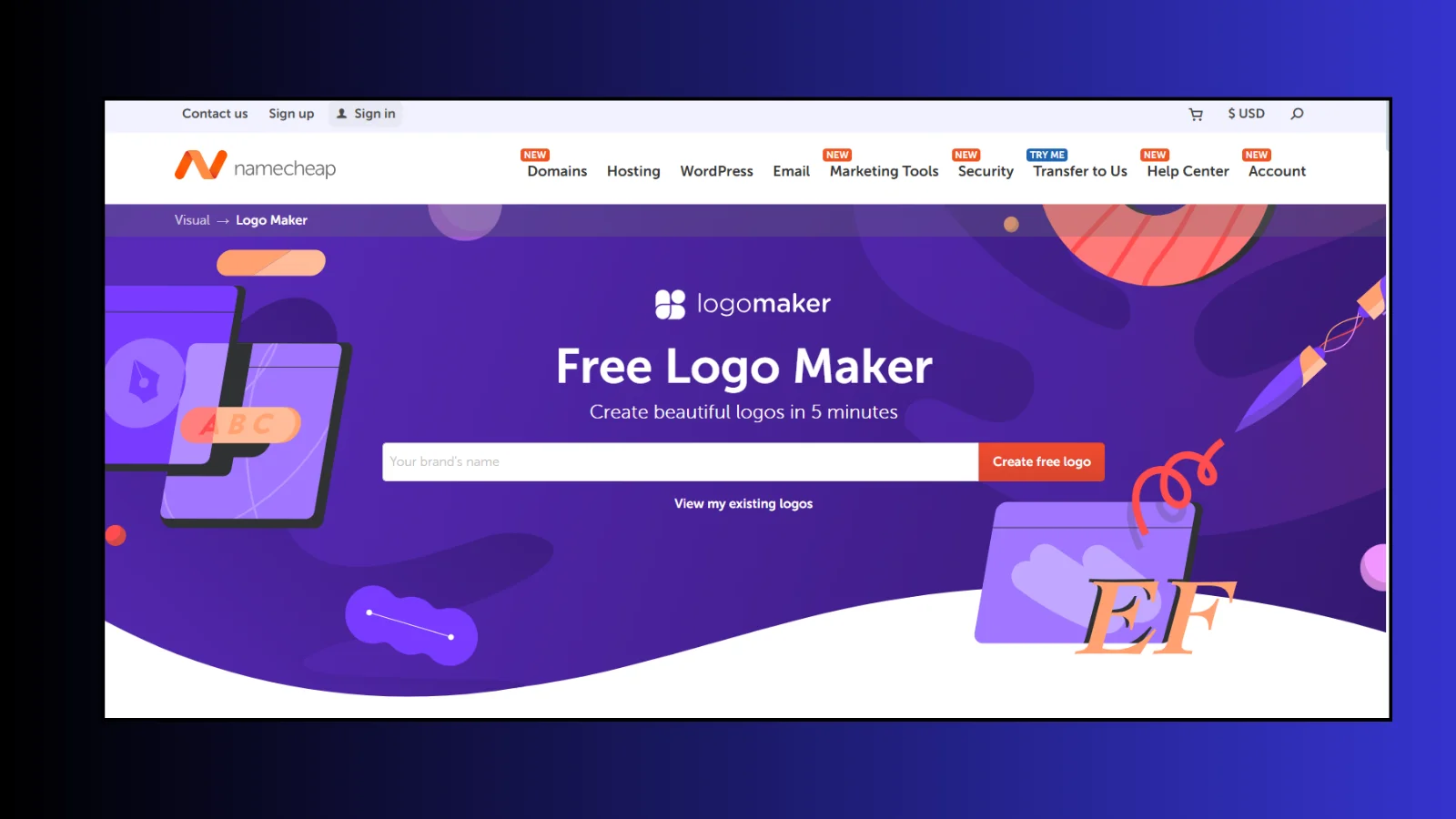
This tool is beginner-friendly and completely free for users. It creates logos based on your business name and style preferences, and you can easily customize icons, fonts, colors, and layouts. Namecheap helps you download high-resolution PNG and SVG files, ready for websites, social media, or merchandise. It’s suitable for startups, freelancers, and small businesses hunting for quick, professional branding without the cost or complexity.
3. Looka

Looka combines AI with smart customization options. It generates logos tailored to your brand values. It allows you to see them on products like business cards, T-shirts, and digital media. You can also access a full branding kit. It includes social media templates and marketing visuals. Looka is appropriate for businesses that want consistent, professional branding while saving time and avoiding expensive design services.
4. Ideogram AI
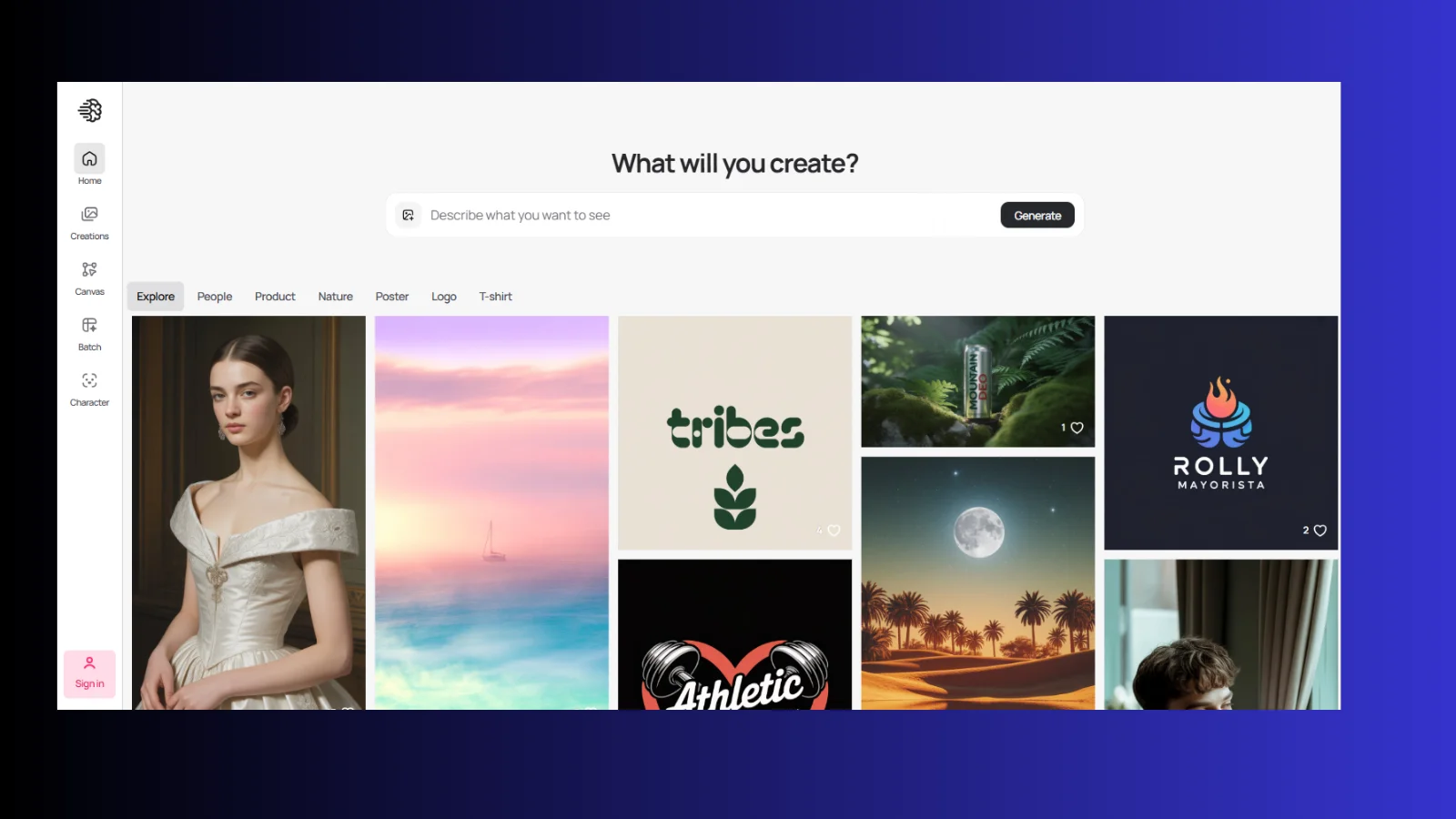
Ideogram AI focuses on creating high-quality visuals with integrated text. While it’s more than a logo maker, it’s great for content creators, marketers, and small businesses who need images and logos with text included. You can customize fonts, colors, and layouts and preview designs on marketing materials or social posts. Ideogram AI is ideal for anyone wanting creative, eye-catching visuals without relying on complex design software.
5. Adobe Free Logo Maker
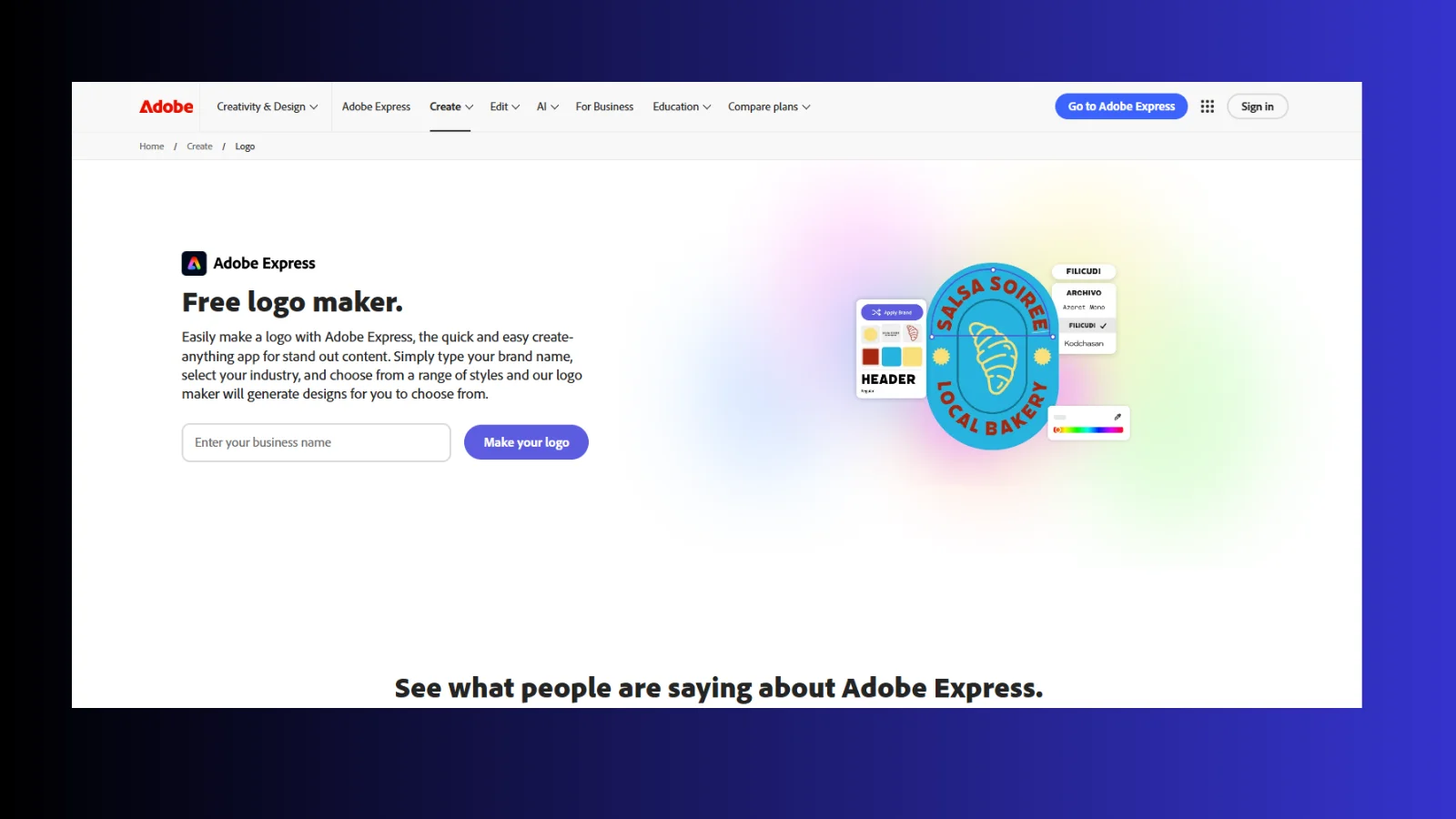
Adobe Free AI Logo Maker is simple, intuitive, and backed by Adobe’s trusted design tools. You enter your brand name, choose your industry, and the AI instantly generates unique logo options. It also offers animated logos, smart font suggestions, and multiple file formats for web or print. This tool is perfect for entrepreneurs and small businesses who want a professional, polished logo quickly, without any design experience.
These AI logo generators save time, reduce costs, and make professional logo creation accessible to everyone. Whether you’re starting fresh, refreshing your brand, or experimenting with creative ideas, the right AI tool gives you a strong, polished visual identity that sticks.
Wrapping Up
Choosing the right logo can feel like a huge task, but an AI logo generator makes it fast, easy, and creative. These tools help anyone—from entrepreneurs and marketers to content creators—turn ideas into professional, polished logos in minutes. With AI handling the heavy lifting, you can experiment with colors, fonts, layouts, and even get full brand kits without hiring a designer.
Remember, the best results come when you combine AI speed with your personal touch. The right AI logo generator not only saves time and money but also ensures your brand looks consistent, memorable, and ready to stand out. Start exploring, customize your designs, and give your brand the face it deserves.
Frequently Asked Questions-
Q: Who can use an AI logo generator?
Anyone! Entrepreneurs, small business owners, marketers, content creators, and freelancers can use it to design logos quickly and affordably.
Q: Can I customize the logos?
Yes. Most AI logo generators let you adjust fonts, colors, icons, layouts, and even download different versions to match your brand style.
Q: Can I update my logo later?
Yes. Many AI logo platforms save your designs so you can revisit and tweak them anytime.