The use of video is rapidly increasing in how much engagement it receives on the internet, and video attracts users’ attention more quickly than both text and images. By 2026, there will be no denying the impact videos have on businesses, marketers, and creators when it comes to marketing, educating, or entertaining.
High-quality videos help engage viewers’ attention, increase conversions, build trust with viewers, and enhance brand visibility. Video production has been revolutionized by modern AI-based software tools, such as Vidnoz AI and Synthesia, because they significantly reduce the amount of manual effort required to create a full-length video, automate complex video editing tasks, allow for the production of professional-grade videos in less time than before and provide creators with an opportunity to tell their stories while AI completes the repetitive aspects of creating the final product.
The process of selecting the video editing software to use is critical to successful creation. Using the proper video editing software will produce measurable improvements in the amount of time and quality of video produced, and engage users. For example, a new video creator using free video editing software will be able to produce a video faster than a professional creator using premium video editing software because they chose to use the proper tool for creating videos.
Understanding Different Types Of Video Editing Tools
A webcam recorder captures live footage directly from your computer or laptop. This tool helps create tutorials, webinars, presentations, and personal videos with minimal setup. For content creators, it provides authenticity and allows real-time interaction with the audience. Recording high-quality webcam footage forms the foundation for any professional video project.
How A Webcam Video Recorder Enhances Live Content Creation?
Unlike standard recording software, a webcam video recorder enables creators to record high-resolution videos with integrated audio. Tools like Swapface from SaasTrac allow live face swapping and effects, which make live content visually engaging and interactive. Such tools improve audience retention and create more memorable experiences.
Introduction to AI screen recorder For Tutorials And Presentations
An AI screen recorder captures all on-screen activity while offering intelligent editing suggestions. This is particularly useful for creating instructional videos, software demonstrations, or product walkthroughs. AI enhancements like automatic cropping, noise reduction, and scene highlights save significant editing time while producing professional results.
Tools Highlight: InVideo & Lumen5 For quick AI-driven video creation
AI-driven platforms like InVideo and Lumen5 allow creators to convert scripts, blogs, or ideas into visually compelling videos almost instantly. InVideo provides ready-made templates and media libraries, while Lumen5 transforms written content into motion graphics. These tools are ideal for marketers, bloggers, and educators who want fast, high-quality video production.
Free vs Paid Video Editing Software
Free options provide a cost-effective way to start video creation. Platforms like Lumen5 offer intuitive interfaces, stock assets, and basic editing tools for beginners. Free video editing software allows creators to experiment, learn editing techniques, and produce professional-looking videos without a financial commitment.
Why investing in the best video editing software like Wondershare Virbo can skyrocket your content
Premium tools such as Wondershare Virbo provide advanced features like AI-assisted editing, cinematic templates, and export options in multiple formats. These platforms allow creators to maintain consistency in style, improve visual appeal, and produce content that stands out. Investing in professional software enhances production speed, quality, and viewer engagement.
Features Comparison: Free vs Paid
Video content captivates audiences faster than any other medium, and the right tools make it effortless.
Templates
Free video editing software offers a limited selection of templates, which is enough to get started, but can feel repetitive as you create more content. Paid video editing software provides an extensive library of templates, including cinematic, marketing, and social media-ready designs, giving you endless options to make your videos unique and professional.
AI Automation
With free video editing tools, AI automation is minimal, so you must manually adjust scenes, transitions, and effects. Paid software, however, comes with advanced AI automation, such as scene detection, motion tracking, and smart editing suggestions, which drastically speeds up your workflow and elevate the production quality.
Export Quality
Free software usually limits you to standard resolution exports, which works for casual sharing but may not look sharp on large screens or professional platforms. Paid tools support HD and 4K exports, ensuring your videos are crisp, polished, and visually striking across all devices and social media platforms.
Customer Support
When using free video editing software, support often comes from community forums or tutorials, which can be helpful but slow if you face issues. Paid software offers dedicated customer support, so you get fast, reliable assistance from experts, ensuring your projects stay on track without unnecessary delays.
Advanced Effects
Free tools provide only basic effects and transitions, limiting your ability to create cinematic or eye-catching videos. Paid software includes professional-grade effects and transitions, enabling you to add motion graphics, color grading, and dynamic animations that make your content stand out and grab attention.
Leverage powerful video editing software and SaasTrac AI tools to create stunning content that drives success.
AI-Powered Video Tools To Boost Productivity
AI-powered video tools streamline editing, compression, and conversion, helping creators save time, maintain quality, and produce professional content efficiently.
How An AI Video Compressor Like Basedlabs AI Saves Storage Without Losing Quality
Large video files can slow down uploads and take up valuable storage space. AI video compressors such as BasedLabs AI reduce file sizes while keeping resolution, color accuracy, and audio quality intact. This allows creators to share content faster, optimize videos for social media platforms, and manage storage efficiently, without sacrificing professional standards.
Using an AI Video Converter Like Neets.AI for Multiple Formats
Different platforms require different video formats for optimal playback. AI video converters like Neets.AI make it easy to convert videos for YouTube, Instagram, TikTok, and more without manual adjustments. The AI ensures that output maintains high quality across all devices, making your content ready for distribution anywhere.
Quick Tips for Choosing the Right Video Converter
- Ensure compatibility with multiple video formats to cover all platforms.
- Prioritize tools that preserve the original video’s quality during conversion.
- Choose AI-powered converters that automate processes and reduce editing time.
- Look for integrated solutions within your video editing software for smoother, faster workflows.
By incorporating AI-powered compressors and converters into your workflow, creators can maximize efficiency, maintain video quality, and focus on producing engaging content setting the stage for professional, polished results in every project.
Step-By-Step Guide To Editing Videos Like A Pro
Mastering video creation begins with a clear workflow record, edit, compress, and convert efficiently for professional results.
Step 1: Record Your Content with a Webcam Recorder
- Use a webcam recorder to capture clear, high-quality footage.
- Ensure proper lighting, a clean background, and clear audio.
- Tools like VidMe allow instant recording and integrate AI features to simplify later editing.
2: Edit Your Footage with AI-Powered Tools
- Use Synthesia to turn scripts into talking videos automatically.
- Enhance videos with TopView for viral marketing effects and engaging visuals.
- AI tools reduce manual work, improve efficiency, and help maintain a professional look.
3: Compress and Convert Videos Efficiently
- Compress your videos using BasedLabs AI to save storage without losing quality.
- Convert videos into multiple formats with Neets.AI for YouTube, Instagram, TikTok, and other platforms.
- A streamlined workflow ensures your content is ready for all platforms while maintaining consistent quality.
Following these steps ensures your content is polished, engaging, and ready for every platform. To make this process even more efficient and professional, creators can leverage powerful SaasTrac AI tools. These tools streamline every stage of video production from scripting and recording to editing, compression, and final output, saving time and enhancing quality.
Recommended Tools For Every Content Creator
When it comes to creating high-quality videos efficiently, SaasTrac AI tools provide a complete suite of solutions for every stage of production. Here’s a detailed look at the top tools:
1. Vidnoz AI – Smart AI Video Creator for Engaging Content
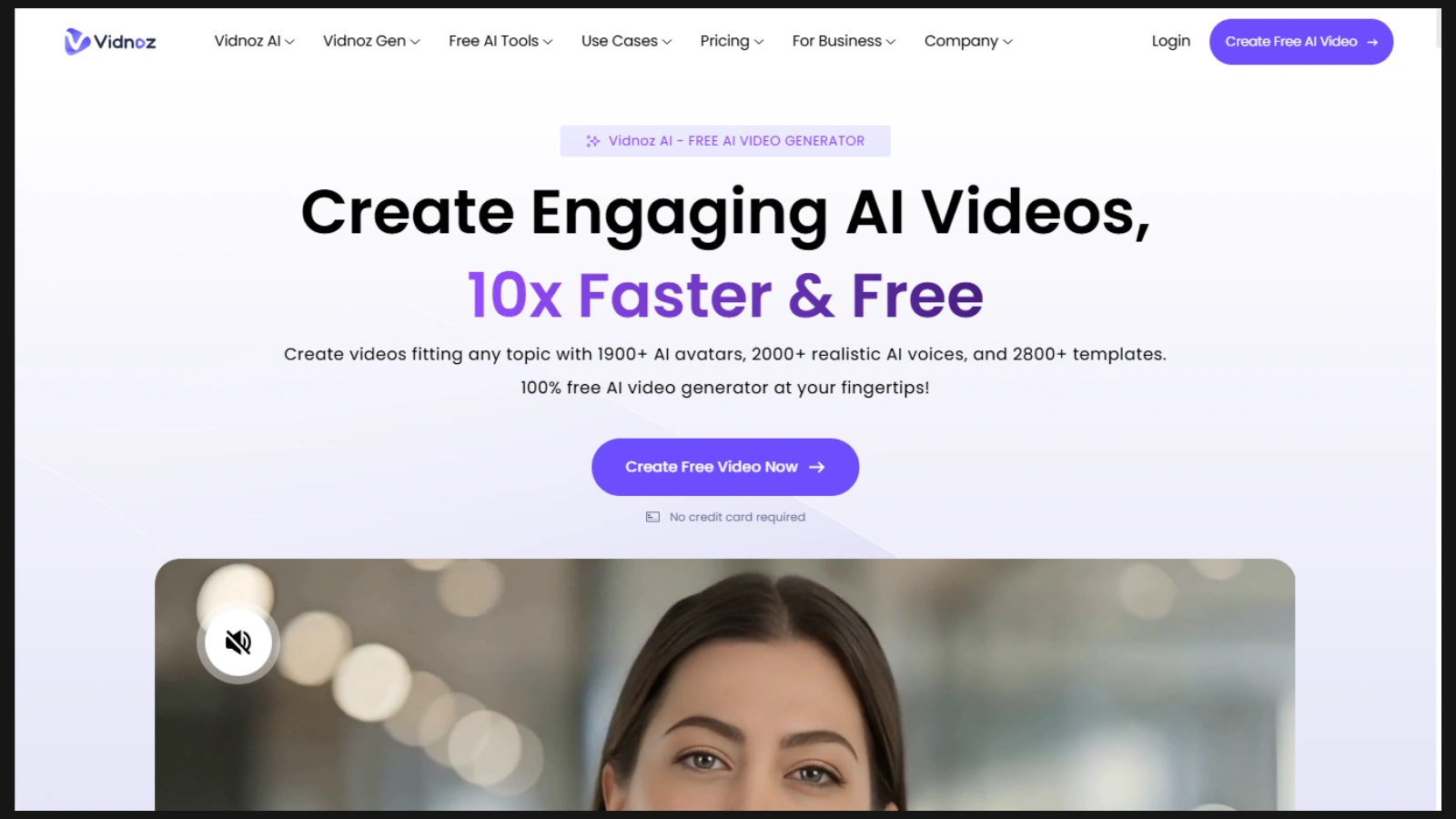
Vidnoz AI helps creators generate videos quickly from text or ideas. Its AI analyzes your script and automatically produces professional-looking videos with smooth transitions, visuals, and audio. This tool is perfect for marketers, educators, and social media creators who want to produce engaging content without spending hours on manual editing.
2. Synthesia – Turn Text into Talking Videos Instantly
Synthesia allows you to create videos featuring AI avatars that speak your text in natural, lifelike voices. This eliminates the need for filming yourself or hiring actors. It’s ideal for explainer videos, tutorials, and marketing campaigns, enabling creators to deliver professional video presentations with minimal effort.
3. InVideo – Craft Stunning Videos Instantly

InVideo is designed for speed and creativity. With a vast library of templates, stock footage, and effects, you can transform your ideas into polished videos in minutes. It’s perfect for social media campaigns, promotional content, and quick tutorials where time and quality matter.
4. Lumen5 – Turn Your Text into Videos in No Time
Lumen5 specializes in converting blog posts, articles, or scripts into visually compelling videos. Its AI automatically matches visuals with text, creating motion graphics that grab attention. Lumen5 is perfect for content marketers and educators who want to repurpose written content into engaging video formats.
5. Wondershare Virbo – Pro-Level Marketing Video Studio
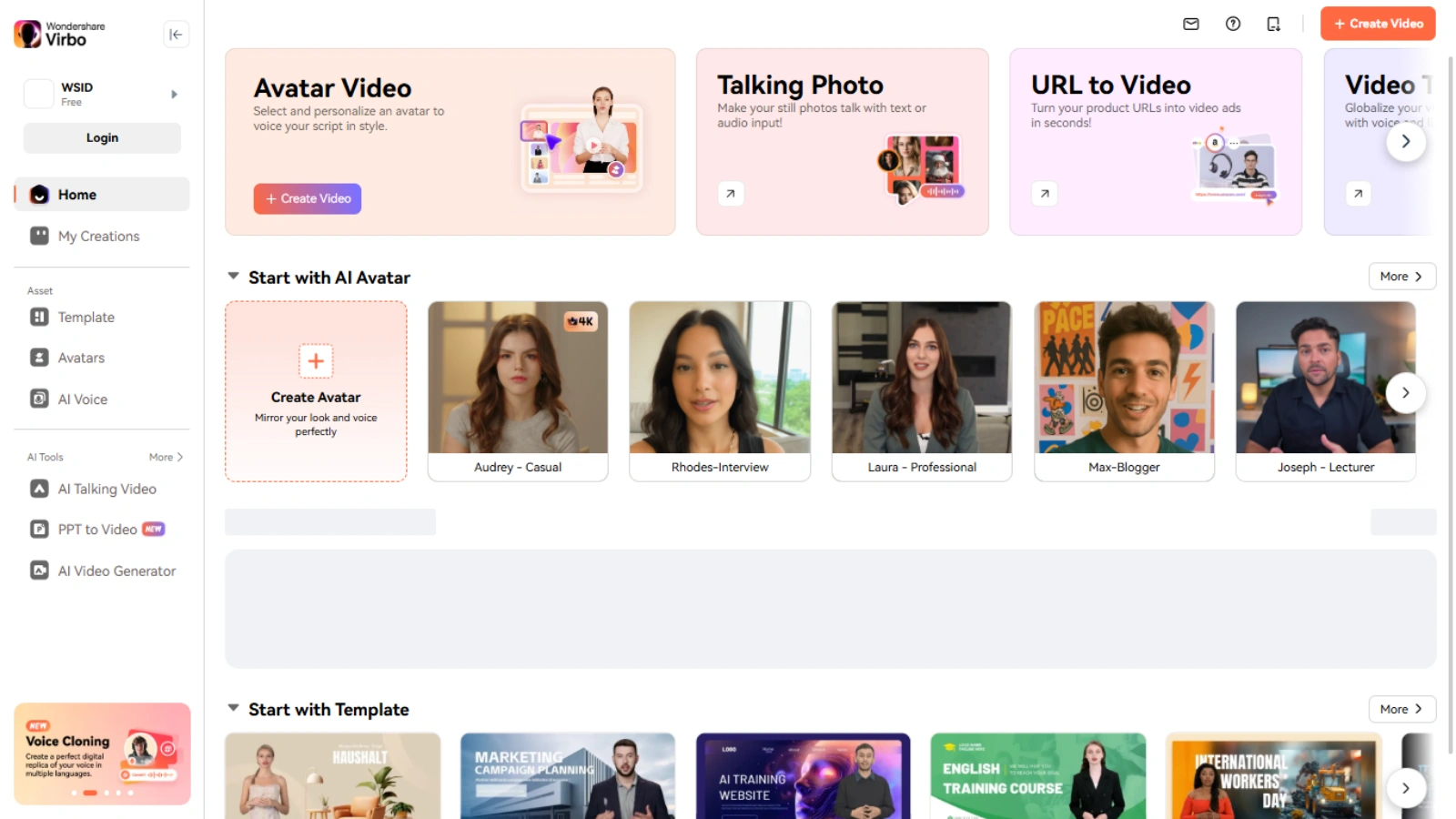
Wondershare Virbo offers professional-grade editing features, cinematic templates, and AI-assisted automation. Creators can produce high-quality marketing videos with advanced effects, color grading, and transitions. This tool is especially useful for brands and agencies aiming to elevate their video campaigns.
6. TopView – Create Viral Marketing Videos Effortlessly
TopView focuses on creating highly shareable, viral-ready videos. Its AI enhances content with motion graphics, attention-grabbing effects, and optimized layouts for social media platforms. Marketers can use TopView to maximize engagement and ensure their content stands out.
7. BasedLabs AI – Create Stunning Visuals, Videos & Audio with a Few Clicks

BasedLabs AI is an all-in-one powerhouse for compressing, converting, and optimizing videos. It reduces file size without compromising quality and supports multiple output formats for different platforms. Creators can also enhance audio and visual elements, ensuring their content looks and sounds professional across all channels.
Using these SaasTrac AI tools, creators can streamline every stage of video production, from scripting and recording to editing, compression, and final output. They save time, enhance quality, and allow creators to focus on storytelling rather than technical details.
Conclusion
AI and modern video editing software have transformed content creation. Tools like Vidnoz AI, Synthesia, InVideo, and Wondershare Virbo allow creators to produce professional-quality videos quickly. Incorporating webcam recorders, AI screen recorders, and AI-powered compressors or converters ensures videos meet platform standards and engage audiences effectively.
Using SaasTrac AI Agents streamlines every step of video creation, from recording to final export, helping creators save time and maximize impact. Investing in the right video editing software now can elevate your content, increase engagement, and drive measurable success.
FAQs
Q1: Which video editing software is best for beginners?
Ans: Tools like Lumen5 and InVideo provide intuitive interfaces and ready-made templates ideal for beginners.
Q2: Can AI video converters reduce file size without losing quality?
Ans: Yes, BasedLabs AI and Neets.AI compress and convert videos efficiently without affecting resolution or audio quality.
Q3: Do I need a webcam recorder for professional videos?
Ans: Yes, a webcam recorder ensures authentic, high-quality footage for tutorials, live sessions, and presentations.
Q4: What features make the best video editing software?
Ans: Look for AI automation, easy interface, high-quality export options, integration with recording tools, and compression/conversion capabilities.
Q5: Can SaasTrac AI Agents improve video production workflow?
Ans: Absolutely. SaasTrac tools like Vidnoz AI, Synthesia, and TopView streamline video creation, automate repetitive tasks, and enhance output quality.