
Customer expectations today are higher than ever. People want quick answers, 24/7 availability, and support that actually understands their problems. For many businesses, meeting these expectations with only human support teams can be difficult and expensive.
This is why many companies are turning to AI agents for customer service. These AI-powered systems can handle common queries, assist customers instantly, and support human agents when conversations become more complex.
Earlier, businesses relied mostly on basic chatbots that followed fixed scripts. While helpful, they often struggled with real conversations. Today, modern Customer Service AI solutions are far more advanced. They can understand context, respond intelligently, and provide a smoother support experience.
As technology improves, AI agents for customer service are becoming a key part of how companies manage support and deliver better customer experiences.
The Evolution of Customer Support: From Chatbots to AI Agents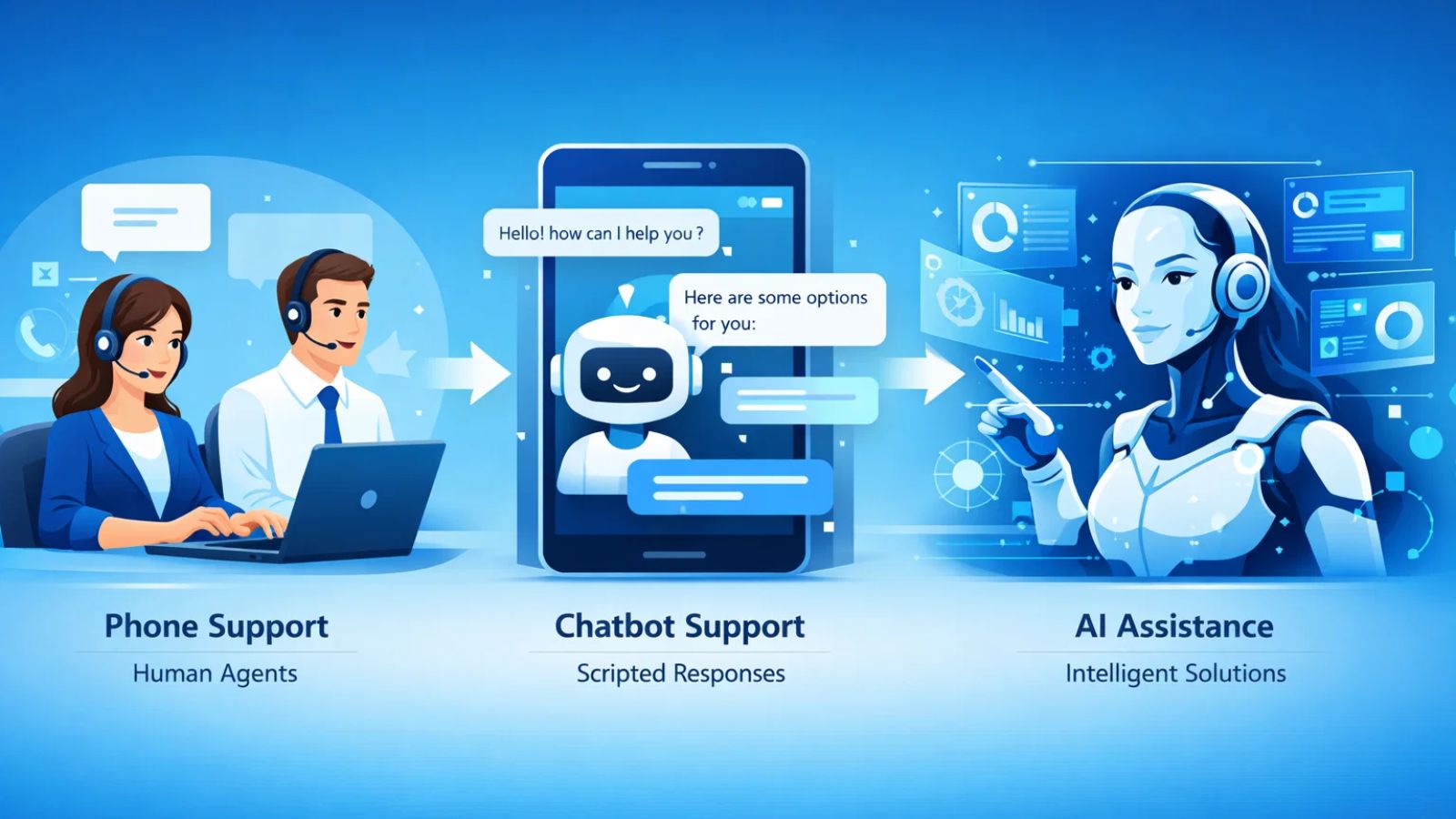
Customer support has evolved significantly over the years. Initially, businesses relied entirely on human agents through phone calls and emails. While this approach worked, it often led to long wait times and limited availability, especially when support teams were small.
To solve this problem, companies started using chatbots. These bots could answer simple questions like order status, refund policies, or business hours. However, traditional bots worked on predefined scripts. If a customer asked something slightly different from the programmed questions, the bot often failed to provide a useful answer. This limitation made early AI customer service systems feel frustrating for many users.
Advances in artificial intelligence have changed this landscape. Modern AI for customer service can understand natural language, analyze context, and hold more meaningful conversations with users. Instead of following rigid flows, these agents can interpret customer intent and respond more intelligently.
Another key improvement is their ability to learn from past interactions. Many customer service AI tools can analyze previous conversations, identify common problems, and improve responses over time. This allows businesses to offer faster and more accurate support without increasing the size of their support teams.
Because of these improvements, many companies are now moving beyond simple chatbots and adopting AI agents for customer service that can handle more complex support tasks while still providing a smooth customer experience.
How AI Agents for Customer Service Actually Work
At a basic level, AI agents for customer service are designed to understand customer questions and provide relevant responses instantly. They combine technologies like natural language processing, machine learning, and automation to handle conversations in a more intelligent way.
When a customer asks a question, the AI first analyzes the message to understand the intent. Instead of looking for exact keywords like older bots did, modern AI in customer service systems interprets the meaning behind the query. This allows them to respond more naturally and accurately.
Once the intent is identified, the AI searches for the most relevant information from its knowledge base, help center articles, or past interactions. The system then generates a response that helps the customer solve their issue or guides them to the next step.
Many customer service AI tools also integrate with business systems such as CRM platforms, ticketing systems, and order management tools. This allows the AI agent to check order details, update tickets, or route complex issues to a human agent when needed.
Because of this combination of understanding, automation, and integration, AI for customer service can handle a large volume of queries while still maintaining a helpful and consistent support experience
Key Benefits of Using AI Agents for Customer Service
Businesses are increasingly adopting AI for customer service because they solve several common support challenges. From faster responses to reduced workload for support teams, these systems offer multiple advantages.
- 24/7 Customer Support
Customers expect help whenever they need it, not just during business hours. AI agents for customer service can operate around the clock, ensuring that users receive immediate responses even at night or during weekends.
- Faster Response Times
Long wait times are one of the biggest frustrations in customer support. With AI customer service, common queries can be answered instantly, helping customers get the information they need without delays.
- Reduced Support Costs
Hiring and training large support teams can be expensive. By handling repetitive questions and simple tasks, AI agents allow businesses to reduce operational costs while still maintaining high-quality support.
- Scalability During High Demand
Customer queries often increase during product launches, sales events, or seasonal spikes. Many customer service AI tools can handle thousands of conversations simultaneously, making it easier for businesses to scale support without hiring additional staff.
- Better Support for Human Agents
AI is not meant to replace support teams entirely. Instead, AI in customer service helps human agents focus on more complex or sensitive issues while the AI handles routine queries.
Because of these benefits, many organizations are integrating AI for customer service into their support strategy to improve both efficiency and customer satisfaction.
Common Use Cases of AI Agents in Customer Support
Businesses across different industries are using AI for customer service to handle a wide range of support tasks. These AI-powered systems are especially useful for managing repetitive queries and assisting customers quickly.
Answering Frequently Asked Questions
One of the most common uses of AI agents for customer service is handling FAQs. Customers often ask about return policies, pricing, account access, or product details. AI agents can instantly provide accurate answers without requiring a human agent.
Order Tracking and Account Assistance
Many companies integrate AI with their internal systems so customers can check order status, update account details, or retrieve invoices directly through chat. This makes AI customer service more convenient for users and reduces the workload for support teams.
Troubleshooting Common Problems
AI agents can guide customers through basic troubleshooting steps. For example, they can help users reset passwords, fix login issues, or configure a product by providing step-by-step instructions.
Lead Qualification and Sales Support
Support conversations often turn into sales opportunities. Some customer service AI tools can identify potential leads, answer product questions, and guide customers toward the right plan or product.
Smart Ticket Routing
When a problem requires human assistance, AI for customer service can collect the necessary information and route the issue to the correct support agent. This helps reduce back-and-forth communication and speeds up resolution times.
Because of these practical applications, AI agents for customer service are becoming a valuable tool for businesses that want to improve efficiency while delivering better support experiences.
Popular AI Agents for Customer Service
Many businesses are now using specialized tools to deploy AI agents for customer service quickly without building everything from scratch. Several platforms help companies automate conversations, resolve support tickets, and assist customers across chat, email, and other channels.
Here are some notable Customer Service AI tools featured on the platform you shared.
1. Decagon AI
Decagon AI helps companies build intelligent support agents that understand workflows and customer issues more effectively. It allows teams to design AI agents that learn from past interactions and continuously improve their responses.
The platform supports multiple communication channels like chat, voice, email, and SMS, which makes it easier for businesses to offer consistent support across different touchpoints. It also includes analytics tools to track metrics such as resolution time and customer satisfaction.
2. Duckie
Duckie is designed to go beyond answering questions by actually completing tasks for customers. Instead of only responding to queries, the AI can perform actions such as processing refunds, updating order details, and creating support tickets automatically.
It also offers a no-code workflow builder, allowing support teams to design automated processes without needing engineering help. This makes it a practical solution for businesses looking to automate repetitive support tasks.
3. Forethought
Forethought focuses on using generative AI to automate support operations. The platform helps businesses manage tickets, prioritize requests, and generate suggested responses for support agents.
By analyzing incoming queries and understanding intent, it can reduce response times while helping teams maintain consistent communication with customers.
Challenges and Limitations of AI Agents in Customer Service
While AI agents for customer service offer many benefits, they are not perfect. Businesses still need to consider certain limitations when implementing AI-powered support systems.
Limited Understanding in Complex Situations
Even advanced AI can sometimes struggle with highly complex or emotional customer issues. If a conversation requires empathy or deep problem-solving, human agents are still better equipped to handle it. This is why most companies combine AI with human support teams.
Dependence on Quality Data
The effectiveness of AI for customer service depends heavily on the data they are trained on. If the knowledge base or training data is incomplete, the AI may provide incorrect or unhelpful responses.
Initial Setup and Integration
Implementing Customer Service AI often requires integration with tools like CRM systems, help desks, or knowledge bases. For some businesses, this setup process can take time and planning.
Customer Trust and Experience
Some customers still prefer speaking with human agents, especially when dealing with sensitive issues. Businesses using AI in customer service must ensure that customers can easily escalate a conversation to a human when necessary.
Continuous Monitoring and Improvement
AI systems require regular updates and monitoring to maintain accuracy. Many customer service AI tools improve over time, but they still need businesses to refine workflows and update knowledge sources.
Despite these challenges, most companies find that AI agents for customer service significantly improve efficiency when implemented alongside human support teams.
The Future of AI Agents for Customer Service
The role of AI for customer service is expected to grow rapidly as businesses continue adopting automation and AI technologies. What started as simple chatbots is now evolving into intelligent systems capable of managing large parts of the customer support process.
One major trend is the shift toward more personalized support. Future AI agents for customer service will be able to analyze customer history, preferences, and previous interactions to deliver responses that feel more tailored and relevant. This will make support interactions smoother and more efficient.
Another development is deeper integration with business systems. As AI customer service platforms connect with CRM tools, payment systems, and product databases, AI agents will be able to resolve issues without needing multiple human touchpoints. This means faster resolutions and fewer support tickets for teams to manage.
Conclusion
Customer support is changing quickly as businesses adopt smarter technologies to meet growing customer expectations. While traditional chatbots helped automate simple tasks, modern AI for customer service goes much further by understanding conversations, solving problems, and assisting customers in real time.
By using advanced customer service AI tools, companies can provide faster responses, reduce support workloads, and deliver support that is available around the clock. At the same time, these systems work best when combined with human agents who can handle complex or sensitive situations.
As AI in customer service continues to improve, more organizations will rely on intelligent automation to manage support operations efficiently. Businesses that start exploring AI agents for customer service today will be better positioned to deliver the fast, personalized support experiences that customers now expect.
FAQs
- What are AI agents for customer service?
AI agents are automated systems that interact with customers, answer questions, and help resolve support issues using artificial intelligence and natural language processing. - How are AI agents different from chatbots?
Traditional chatbots follow predefined scripts, while AI agents for customer service can understand context, learn from past interactions, and provide more intelligent responses. - Can AI completely replace human customer support agents?
No. Most businesses use AI to handle repetitive queries while human agents focus on complex or sensitive customer issues.