Overall Value:
WebCatalog solves the chaos of modern web-based work. If you juggle 20+ browser tabs, multiple logins for Gmail, Slack, or social media accounts, and constantly lose track of what’s open where, WebCatalog turns that mess into a clean, organized desktop experience. Each app runs in its own secure sandbox, preventing cross-site tracking and session conflicts. With a free plan to start and Pro at just $5/mo, the value is hard to beat.
WebCatalog Review:
Key Features:
- Website-to-Desktop App Conversion: Turn any web app into a dedicated desktop app with its own window, dock/taskbar icon, and independent session, works with any URL.
- Multi-Account Management: Stay logged into multiple accounts for the same service (e.g., 3 Gmail accounts, 2 Slack workspaces) simultaneously without session conflicts.
- Spaces: Group related apps into isolated workspaces by project, client, or workflow. Each Space runs independently for focused, distraction-free work.
- Cloud Sync & Backup: Sync profiles, bookmarks, and settings across all your computers automatically.
- Privacy & Security: Each app runs in a secure sandbox with built-in ad/tracker blocking, preventing cross-site tracking. Supports app lock with password or Touch ID.
- Bundled Suite: Includes WebCatalog Desktop, Singlebox (multi-account browser), Switchbar (smart link handler), Tabby Browser, and Atlas (customizable new tab dashboard).
- Curated App Catalog: Browse and install from thousands of pre-configured desktop apps, or create custom apps from any URL.
Features:
- Turn any website into a standalone desktop app in 2 clicks
- Run multiple accounts for the same service simultaneously
- Organize apps into Spaces by workflow, client, or project
- Secure sandboxed sessions with ad/tracker blocking
- Cloud sync across all your Mac and Windows devices
- Menu bar/tray access with keyboard shortcuts
- Set apps as the default email client or link handler
- Unified notifications across all your apps
- App lock with password or Touch ID
- Customizable layouts, icon theming, and color mode sync
- 21+ language support
- Integrates with Gmail, Slack, Discord, ChatGPT, Notion, Google Drive, and thousands more
Use Cases:
- Freelancers managing multiple client accounts across Gmail, Slack, and project tools
- Social media managers switching between brand profiles without logging in/out
- Developers organizing dev tools, staging environments, and dashboards into Spaces
- Remote workers separating personal and work apps on the same machine
- Agencies maintaining isolated client workspaces with shared team access
- SaaS support teams handling multiple customer dashboards simultaneously
- Anyone drowning in 20+ browser tabs who wants a cleaner desktop
Technical Overview:
- Platform: Mac and Windows desktop application
- Architecture: Electron-based with secure sandboxed sessions per app
- Input: Any website URL or curated app catalog selection
- Output: Standalone desktop apps with independent sessions, notifications, and dock presence
- Usage: Free (Basic) or subscription-based (Pro/Business)
- Security: Sandboxed sessions, ad/tracker blocking, app lock, GDPR compliant
 Turn websites into desktop apps.
FAQs
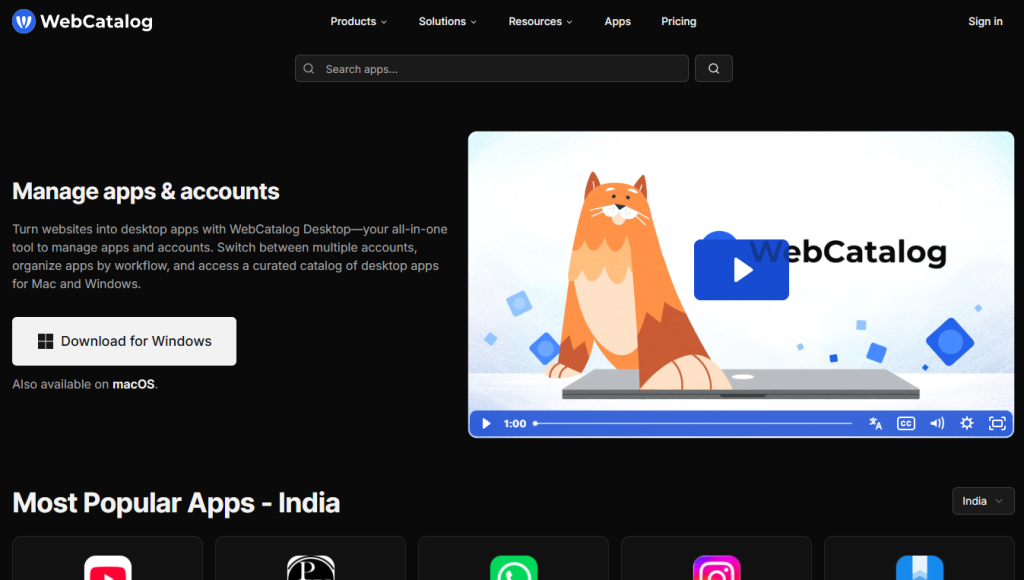
WebCatalog is a desktop app that turns any website into a standalone desktop application with its own window, session, and dock icon, helping you manage multiple accounts and organize your workflow without browser tab overload.
WebCatalog is available for Mac and Windows.
Yes, WebCatalog lets you run multiple simultaneous sessions for the same app, perfect for managing several Gmail, Slack, or social media accounts at once.
Yes, the Basic plan is free. Pro starts at $5/mo (annual billing) with unlimited apps, Spaces, cloud sync, and ad/tracker blocking.
Every plan includes WebCatalog Desktop, Singlebox, Switchbar, Tabby Browser, and Atlas, a complete productivity suite.
Conclusion:
WebCatalog is the go-to solution for anyone overwhelmed by browser tabs and multiple account logins. By turning web apps into dedicated desktop apps with isolated sessions, organized Spaces, and cross-device sync, it delivers a cleaner, faster, and more focused work experience. At $5/mo for Pro, it’s one of the most affordable productivity upgrades you can make, especially if you’re a freelancer, agency, or remote worker juggling dozens of web tools daily.
🔗 Get started with WebCatalog → Turn your browser chaos into an organized desktop.
Top Alternatives

Shift
Multi-account browser for managing apps and emails in one window

Rambox
Workspace organizer for unifying messaging and web apps

Station
Smart browser for focused work across web apps

Franz
Messaging app aggregator for managing multiple chat services