Overall Value:
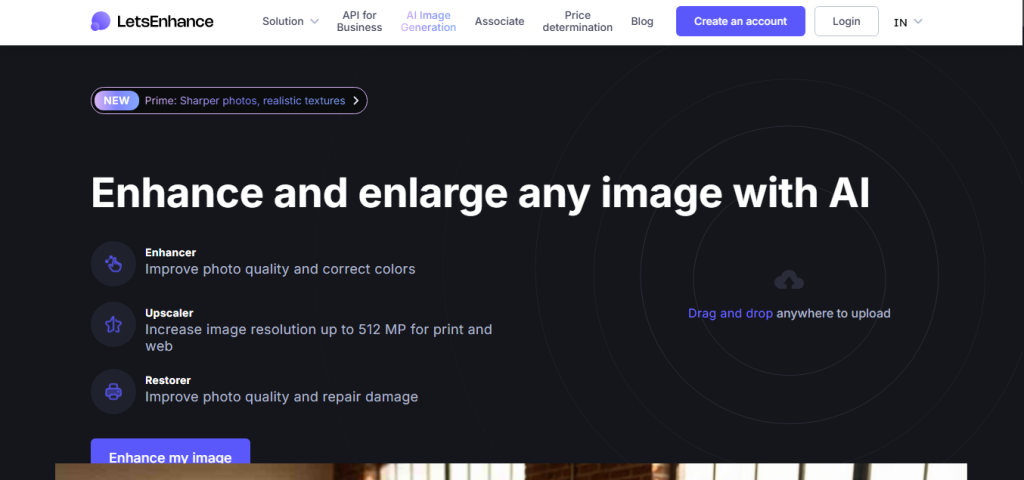
Let’s Enhance is the AI image upscaler built for photographers, e-commerce sellers, designers, and anyone who needs to take a low-resolution image to print-ready quality without it looking over-processed or fake. Where most tools simply stretch pixels or apply heavy sharpening filters, Let’s Enhance uses six specialised neural networks each trained for a different content type to intelligently reconstruct detail that wasn’t there in the original.The result is upscaling that keeps skin looking like skin, fur looking like fur, and fabric textures intact rather than smudged into a flat tone.
Let’s Enhance Review:
Key Features:
- Six Specialized AI Models Ultra for high-end photography, Prime for skin & fine texture, Old Photo for restoration, Digital Art for AI-generated images and anime, plus models tuned for illustrations and product shots
- Up to 16x Upscaling Scale images from 2x to 16x; outputs reach 256MP (personal) or 500MP (business)
- Auto Light & Color Correction Automatically adjusts brightness and color balance during the upscale process for cleaner, more natural results
- Background Removal Remove image backgrounds in a single click, with inputs and outputs supported up to 16 megapixels
- Chat Editor Describe edits in plain language before upscaling adjust lighting, change colors, modify elements using a prompt-based editing interface
- Fully Browser-Based No installation, no downloads. Works on any device with an internet connection
- Batch Processing Process multiple images simultaneously on Starter plans and above
- API Access Integrate upscaling into custom applications and automated pipelines (Pro+); bulk processing available via Claid.ai (built by the same team)
- Print Optimization Ensures images hit 300 DPI at any output size for professional print use
- Credits Roll Over Unused monthly credits carry forward on all paid personal plans
Use Cases:
- Prepare low-resolution photos for large-format print or billboard use
- Enhance e-commerce product images for sharper, more professional listings
- Restore old or damaged photos with the dedicated Old Photo AI model
- Upscale AI-generated artwork and illustrations without introducing artifacts
- Batch-process real estate photos for consistent, high-quality listings
- Enlarge thumbnails or compressed web images to full print-resolution quality
- Integrate automated image upscaling into a product or workflow via API
Technical Overview:
- Platform: Web-based; no software installation required; works across all modern browsers
- AI Models: Prime, Ultra, Old Photo, Digital Art, and additional content-specific super-resolution models
- Upscaling Range: 2x to 16x
- Input Limit: Up to 64 megapixels or 50MB per image (all plans)
- Output Limit: Up to 256MP (personal plans) | Up to 500MP (business plans)
- Additional Features: Background removal (up to 16MP), Chat Editor, auto color/light correction, batch processing
- API: Available on Pro+ via letsenhance.io; bulk/enterprise processing via Claid.ai
- Credit System: 1–10 credits per image depending on output size; most standard upscales cost 1–2 credits
- Offline Mode: Not available; requires an active internet connection
 Let’s Enhance 10 free credits, no card required
FAQs
Let’s Enhance is a cloud-based AI image upscaler and enhancer that uses six specialised super-resolution models to enlarge images up to 16x resolution, while reconstructing realistic detail, fixing color balance, and optionally removing backgrounds all directly in the browser.
Yes. You receive 10 credits on sign-up with no credit card required. Most standard upscales cost 1–2 credits, so you can test the platform meaningfully across several images and all AI models before deciding whether to upgrade.
Standard sharpening increases contrast at edges but doesn’t add new detail. Let’s Enhance uses generative AI to reconstruct texture skin pores, fabric grain, fur strands, fine lines that wasn’t captured in the original image. The result is more detail, not just more contrast.
Yes, and it’s one of the primary use cases. The AI models handle product shots with consistent texture and sharpness, and batch processing on Starter+ plans means you can process an entire catalogue without uploading images one by one.
Choose based on your content type: Prime for portraits and lifestyle photography; Ultra for maximum-quality photography; Old Photo for restoring scanned or damaged images; Digital Art for AI-generated images, illustrations, and anime.
Conclusion:
Let’s Enhance earns its place as one of the most capable AI image upscalers available in 2026. Its combination of six content-specific AI models, upscaling up to 16x, auto light and color correction, and a fully browser-based workflow makes it practical for everyone from individual photographers to e-commerce teams and agencies. The free tier is genuinely usable not a teaser and paid plans are priced to match the value rather than a premium brand tax. If you need images that look sharper and more professional without the heavy-handed “AI-enhanced” look that plagues lesser tools, Let’s Enhance is the one to try first.
Top Alternatives

TopazLabs
Desktop-based upscaler for professional photographers

Canva AI Enhancer
Integrated into Adobe Creative Cloud

Adobe Firefly
Lightweight upscaling built into Canva

Magnific
Creative-focused generative upscaler with stylistic controls