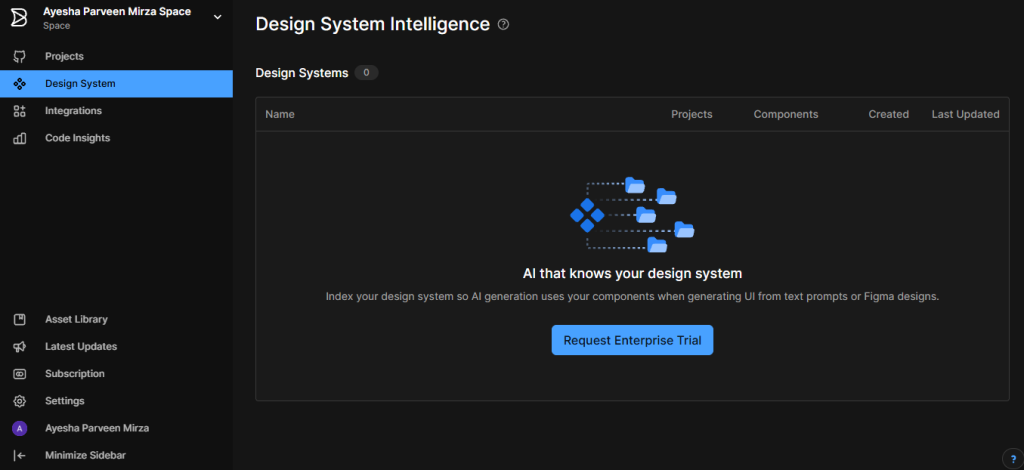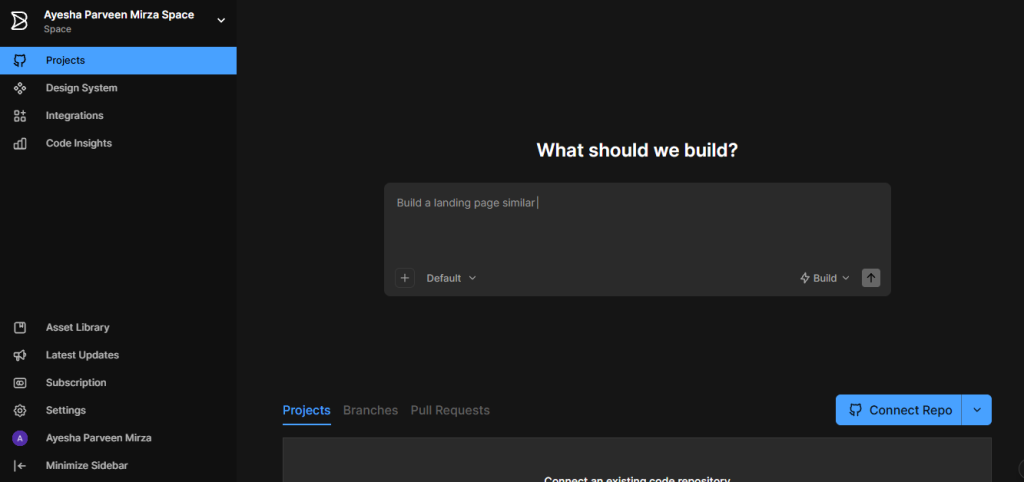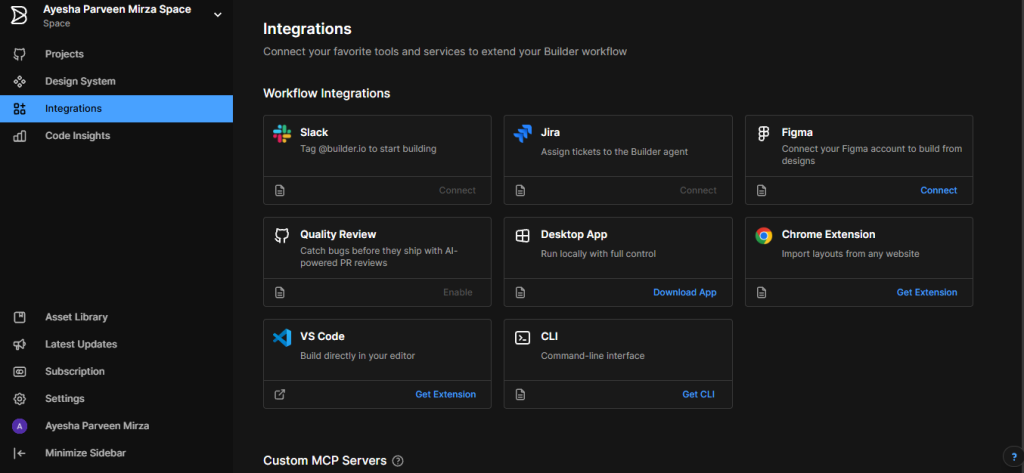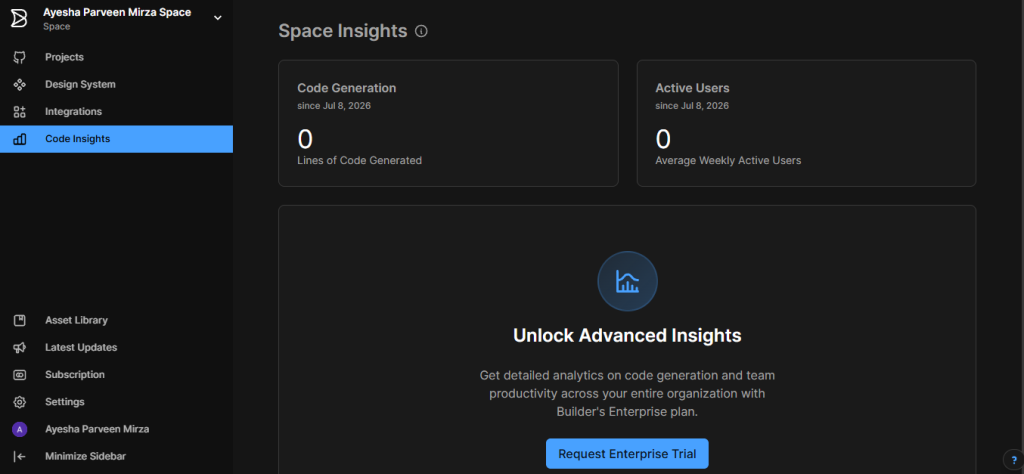
You’ve probably landed here because your team’s design-to-code handoff is broken, your marketing team can’t ship page changes without a developer, or you’re trying to figure out whether Builder.io’s Fusion actually produces production-usable code or just gets you 70% of the way there and leaves your engineers cleaning it up. Those are the right questions. Builder.io’s core pitch is a platform where designers, PMs, and engineers all work on the same codebase through the same AI agent.t Fusion reads your components, design tokens, and patterns, then generates code that fits your system rather than inventing its own. Whether that workflow delivers the speed improvement Builder.io advertises depends heavily on how well-organized your Figma files are, how mature your design system is, and whether your team is willing to give an AI agent branch-level access to your production repository.
🔗 Try Builder.io Free No Credit Card Required → https://builderio.partnerlinks.io/e96vcegbwdhr
Why Trust SaaSTrac?
This review is built from Builder.io’s own product pages, blog, pricing page (verified May–June 2026), Fusion 1.0 launch post (November 2025), and Visual Copilot documentation, plus independent reviews from UIBakery (April 2026), VP0 Journal (July 2026), AIIDEList (June 2026), FindMyAITool, ToolRadar (May 2026), SixtythirtyTen (February 2026), and the official Builder.io vs. Figma Make comparison (May 2026). Pricing figures vary across sources; some cite Pro at $19/user/month, others at $30 or $49 because Builder.io runs two separate products (Fusion and Publish) with separate pricing. We flag this throughout. Always confirm current plan pricing, credit allocations, and product-specific feature availability directly on builder.io/pricing before purchasing.
What Builder.io Is
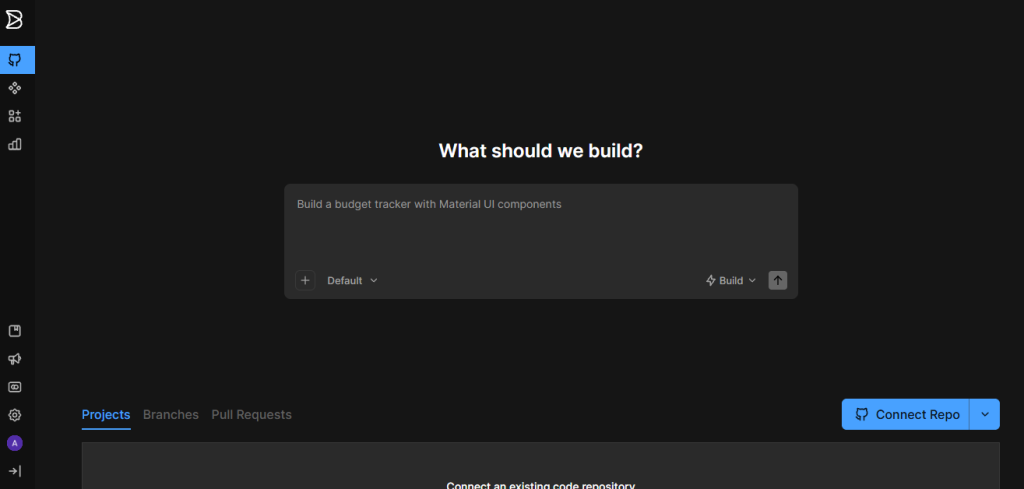
Builder.io is an AI-powered collaborative development platform built around two distinct products that address different parts of the frontend development workflow. Fusion is the AI Visual IDE, an agent-native platform that connects to your GitHub, GitLab, Bitbucket, or Azure DevOps repository and generates production-ready code using your actual components, design tokens, and design system patterns. Publish is the headless Visual CMS and a drag-and-drop content editor that lets marketing and content teams build, manage, and A/B test page experiences across any frontend framework without writing code.
The platform’s technical core is Visual Copilot Builder.io’s AI-powered Figma-to-code pipeline trained on over two million data points that transforms Figma design structures into code hierarchies and maps Figma elements to your existing design system components, rather than generating generic HTML and CSS. Fusion extends Visual Copilot into a full collaborative IDE: PMs can tag @Builder.io in Slack to turn ideas into actions, Jira tickets become branches and pull requests automatically, designers can edit visual layouts in real time, and every change happens on an isolated Git branch so the main codebase stays untouched. Builder.io has converted over 10 million designs into production features through Fusion. It is SOC 2 Type 2 compliant and does not use customer data for AI model training.
What You Get (and What You Don’t)
Feature | What’s Included | Limitations |
Fusion (AI Visual IDE) | AI agent that reads your codebase, components, design tokens, and Figma design system; generates production-ready code on isolated Git branches; connects to GitHub, GitLab, Bitbucket (Azure DevOps on Enterprise); supports any modern frontend framework | Fusion produces approximately 75% of the way to finished code; per independent reviewers, developer refinement is required; output quality depends heavily on Figma file organization and design system maturity |
Visual Copilot (Figma-to-Code) | AI-powered Figma plugin that converts designs to production code in your framework; maps Figma styles to your CSS custom properties and design tokens; integrates with VS Code, Cursor, Windsurf, and Builder Fusion directly | Figma file organization quality directly affects output quality; the MCP server approach (“Figma data into Cursor”) is a different, less visual workflow than Visual Copilot + Fusion |
Publish (Visual CMS) | Headless CMS with drag-and-drop visual editor; works across any frontend framework (React, Next.js, Vue, Svelte, and more); A/B testing; content scheduling; localization; structured data; no-code page building for marketing teams | Publish and Fusion are separate products with separate pricing; teams need to evaluate which product they need, or both, before choosing a plan |
AI Agent Credits | Free: 15 credits/day (60/month cap); Pro and Team: 500 credits/user/month (resets monthly); pay-as-you-go for additional credits on Pro and Team; credit rollovers on paid plans | Credit-based AI is not unlimited; heavy Fusion agent use (Slack-to-PR, Jira-to-branch, complex generations) drains monthly allocations faster than lighter prompt-to-code usage; monitor consumption carefully |
Git Integration | Direct connection to GitHub, GitLab, and Bitbucket on Free/Pro/Team; Azure DevOps on Enterprise; every Fusion change generates a pull request against your production repo running your CI/CD and test suite | Azure DevOps requires Enterprise plan; Git connection gives the AI agent branch-level access to your repository review permissions before connecting sensitive codebases |
MCP Server Integration | Built-in MCP servers on Pro and Team; custom MCP servers on Team and above; Builder MCP exposes design system documentation and Builder context to AI coding assistants for on-brand component generation | Custom MCP servers (Team plan) are required for proprietary tools; built-in MCP servers cover common workflows on Pro |
Slack and Jira Integration | Tag @Builder.io in Slack to turn ideas into actions; Jira ticket assignment triggers autonomous branch and PR creation via Fusion (Team plan) | Slack and Jira AI agent integration available on Team plan only; not included on Free or Pro |
VS Code Extension | Full Fusion capability in VS Code: pull Figma designs, generate components using your design system, AI-powered editing without switching contexts | Extension is a complement to the platform, not a standalone product; requiresan active Builder.io account |
Role-Based Collaboration | Free: admin-only role; Pro: admin + developer + designer + editor roles; Team: full role suite with commenting, peer reviews, and approvals | Multi-role collaboration (designer, developer, editor separation) requires at minimum the Pro plan |
A/B Testing and Analytics | Built into Publish for content and page experience optimization | A/B testing available on Publish product; verify current plan-level availability on builder.io/pricing |
SDK and Framework Support | Works with any modern frontend framework: React, Next.js, Vue, Angular, Svelte, Qwik, and more; no vendor lock-in by design | Framework-agnostic design means setup requires developer involvement for initial SDK integration; not a no-code tool for developers starting from zero |
Security and Compliance | SOC 2 Type 2 compliant; AI training opt-out available on Team plan and above; customer data not used for AI model training | AI training opt-out requires Team plan not available on Free or Pro; teams with sensitive codebases should review MCP permissions and repository access before connecting |
Builder.io goes deep on a specific and genuinely hard problem: connecting the entire product team (designers, PMs, engineers, and AI agents) to the same real codebase and design system, so changes in Figma become pull requests and Slack ideas become branches without manual handoff. The friction points to watch: Fusion produces roughly 75% of production-ready code and requires developer refinement; the credit model is not unlimited and heavy agent use drains allowances faster than expected; Fusion and Publish are separate products with separate pricing, which creates complexity when evaluating total cost; and multi-role collaboration and Slack/Jira integration require the Team plan rather than the lower-cost Pro tier.
Pricing: What You Actually Pay
Builder.io runs two separate products, Fusion (AI Visual IDE) and Publish (Visual CMS), each with its own pricing. Plans are per-user, per-space. Both products share the same plan tier names (Free, Pro, Team, Enterprise) but with different feature sets per product. Pricing below reflects the most recently verified rates (May–June 2026) from the live Builder.io pricing page and independent sources. Confirm current per-product pricing directly on builder.io/pricing before purchasing.
Plan | Price | What’s Included |
Free | $0/user/month | Up to 5 users; 15 Agent credits/day (60/month cap); Git provider connection; Figma plugin; VS Code extension; admin-only role; both Fusion and Publish exploration |
Pro | ~19–30/user/month (billing period and product affect rate) | Everything in Free; 500 Agent credits/user/month with rollovers; pay-as-you-go for additional credits; 30-day activity history; built-in MCP servers; admin, developer, designer, and editor roles; standard support |
Team | ~$49/user/month | Everything in Pro; AI training opt-out; Builder Agent in Slack and Jira (autonomous PR creation from tickets); custom MCP servers; commenting and peer reviews; up to 20 users per space |
Enterprise | Custom | Everything in Team; Azure DevOps integration; advanced security; SSO; dedicated support; unlimited users; custom contracts |
Real-world cost context: Pro plan pricing is cited as $19/user/month by some sources (UIBakery, April 2026), $30/user/month by AIIDEList (June 2026), and $49/user/month by FindMyAITool, reflecting the fact that Fusion and Publish have different Pro rates, and that pricing has been updated. VP0 Journal (July 2026) notes $19/user as the approximate Pro price for most teams designing in Figma. Builder.io’s own pricing FAQ states: “Plan features, pricing, and limits are subject to change.” Use the live pricing page at builder.io/pricing with your specific product selection (Fusion, Publish, or both) to get the current per-user rate before budgeting.
Worth checking before you subscribe: the Free plan is a genuine evaluation tier up to 5 users, Git connection, Figma plugin, VS Code extension, and real Agent credit access (15/day) with no credit card. The practical ceiling for Fusion evaluation is that 15 credits/day (60/month) limits the depth of agent work you can test before needing to upgrade. For teams evaluating whether Fusion’s code output fits their design system, the Free plan is enough for meaningful initial testing. For teams evaluating the Slack-to-PR and Jira-to-branch autonomous agent workflows, those features require the Team plan.
AI Agent-Native Visual IDE vs. Traditional CMS or AI Code Editor: The Core Trade-Off
Builder.io’s core argument is that an AI agent deeply integrated with your existing codebase, design system, Git workflow, Slack, and Jira, rather than a standalone AI that generates generic code you then adapt,t delivers better output and faster shipping for teams. VP0 Journal (July 2026) puts it plainly: Builder.io is worth it for teams that design in Figma and want clean design-to-code with Visual Copilot. The May 2026 comparison with Figma Make confirms the structural advantage: Builder’s per-user Agent Credits model scales more cleanly when the whole team is building together, and the platform’s codebase-awareness means generated components follow your actual patterns rather than inventing new ones. The trade-off shows up in two consistently flagged places: independent reviewers estimate Fusion produces approximately 75% of production-ready code and requires developer refinement to close the gap (SixtythirtyTen, February 2026, citing direct testing), and the platform’s complexity two products, credit-based AI, separate pricing, multiple integration layers creates a steeper learning curve than single-purpose tools like Cursor or Webflow.
Who Builder.io Is Built For
Builder.io’s practical value depends on whether the design-to-code handoff and team collaboration bottleneck is the problem you’re actually trying to solve:
- Product and engineering teams with a mature design system: who want AI to generate code that uses their existing components, tokens, and patterns rather than producing generic output they have to refactor into their system.
- Designers using Figma who currently hand off to developers: who want Visual Copilot to convert designs to production-ready code in their team’s framework, eliminating the handoff loop and reducing implementation time from sprints to hours.
- PMs and product teams using Jira and Slack: who want to assign a ticket or tag @Builder.io in Slack and have Fusion autonomously create a branch, generate the implementation, and open a pull request against the real codebase without developer involvement in the initial build.
- Marketing and content teams needing page publishing independence: who want to build, iterate, and A/B test landing pages, campaign pages, and content experiences through the Publish Visual CMS without opening a code PR for every copy change or layout adjustment.
- Multi-framework development teams: who work across React, Next.js, Vue, Angular, Svelte, and other modern frameworks and want one AI development platform that works with all of them rather than a framework-specific tool.
- Enterprise teams with security and compliance requirements: who need SOC 2 Type 2 compliance, AI training opt-out, role-based access with granular permissions, and Git-based change management with CI/CD integration as non-negotiable requirements.
What Are the Downsides of Using Builder.io?
- Fusion produces approximately 75% of production-ready code developer refinement is required: Multiple independent reviewers (SixtythirtyTen, February 2026; AIIDEList, June 2026) consistently note that Fusion gets most of the way there but does not eliminate developer involvement for production-quality output. Output quality also depends heavily on how well-organized your Figma files are and how mature your design system is.
- Two products, two pricing structures, one confusing evaluation process: Fusion (AI IDE) and Publish (Visual CMS) are separate products with different pricing, different features, and different use cases. Teams evaluating Builder.io need to identify which product they need, or both, before the pricing math makes sense. Multiple review sources cite different Pro plan prices because they’re comparing different products.
- AI usage is credit-based and not unlimited: Free plan: 15 credits/day (60/month cap). Pro and Team: 500 credits/user/month. Heavy Fusion agent use, Slack-to-PR workflows, complex generations, and frequent Jira ticket processing drain monthly credit allocations faster than lighter usage. Pay-as-you-go top-ups are available on paid plans, but cost scales with usage volume.
- Slack and Jira autonomous agent integration requires the Team plan: The most compelling Fusion workflow tagging @Builder.io in Slack or assigning a Jira ticket and having Fusion autonomously generate a branch and PR is available on Team (~$49/user/month) only. Pro users get the visual IDE and Figma integration but not the autonomous ticket-to-PR pipeline.
- Learning curve rated complex by independent reviewers: ToolRadar (May 2026) rates Builder.io’s learning curve as a noted con alongside complex pricing. Teams without an established Figma-based design system and Git workflow will spend more time setting up the platform than shipping with it.
Builder.io vs. Webflow, Framer, or Cursor: Where Each One Wins
Category | Builder.io | Webflow | Framer | Cursor |
Best for | AI agent-native collaborative development: designers, PMs, and engineers all working on the same real codebase via Fusion; marketing content publishing via Publish CMS | Visual website building and CMS for designers who want production sites without code; strong for marketing sites and landing pages | Interactive design and prototyping with code-based components; strong for designer-developer overlap on marketing and portfolio sites | AI code editor for individual developers; fastest AI-assisted coding in existing codebases; single-user IDE rather than team platform |
Starting price | Free (5 users, 60 Agent credits/month); Pro from ~19–30/user/month | Starter free; paid from $14/month (site plans) | Free; paid from $5/month | Free; Pro $20/month; Business $40/user/month |
Codebase integration | ✓ Connects to your GitHub/GitLab/Bitbucket repo; generates PR on your branches | ✗ Webflow-hosted only; export to code is limited | Partial exports React; limited codebase connection | ✓ Reads your codebase; AI editing within VS Code |
Figma-to-code | ✓ Visual Copilot trained on 2M+ data points; maps to your design system | ✗ | Partial imports from Figma; less design-system-aware | Via MCP server (“Figma data into Cursor”); less visual pipeline |
Design system awareness | ✓ Reads your components, tokens, and patterns | ✗ | Limited | Via MCP context; not automatic |
Headless CMS | ✓ Publish product; works with any framework | ✓ Webflow CMS; Webflow-hosted only | ✗ | ✗ |
AI agent (Slack/Jira to PR) | ✓ Team plan; autonomous branch and PR from tickets | ✗ | ✗ | ✗ |
Multi-framework support | ✓ React, Next.js, Vue, Angular, Svelte, Qwik, and more | ✗ Webflow-specific output | React primarily | ✓ Any framework |
A/B testing | ✓ Publish product | ✓ | ✗ | ✗ |
SOC 2 Type 2 | ✓ | ✓ Enterprise | Limited | ✓ |
Free plan | ✓ 5 users, real Git connection | ✓ Limited | ✓ | ✓ |
Neither wins outright for every team. If your primary need is a no-code website builder and hosted CMS for a marketing site without a developer-managed codebase, Webflow’s design-to-hosted-production workflow is simpler to set up. If you want the fastest AI-assisted code editing for an individual developer in an existing codebase, Cursor’s single-user IDE experience is faster to start. If your need is connecting designers, PMs, and engineers to the same production codebase through a shared AI agent with Figma-to-code that respects your design system, Slack/Jira integration that generates real PRs, and a headless CMS that gives marketing teams publishing independence, Builder.io is the most complete platform in that category.
Is Builder.io Worth It?
Likely worth it if:
- Your team has an established Figma-based design process and a modern frontend codebase (React, Next.js, Vue, or similar) where design-to-code handoff is a recurring bottleneck consuming developer hours
- You want an AI agent that generates code using your actual design system components and tokens, not generic HTML/CSS that has to be refactored to fit your patterns after the fact
- You need marketing or content teams to publish and A/B test page experiences independently without opening developer PRs for every layout or copy change the Publish CMS handles that without touching production code
- Your team uses Slack and Jira, and you want to test autonomous ticket-to-PR generation from AI agents without building the integration yourself (Team plan)
- You want SOC 2 Type 2 compliance, Git-based change management, and AI training opt-out as non-negotiable enterprise requirements
- You want to evaluate the platform with a real Git connection, Figma plugin, and VS Code extension before paying anything. The Free plan provides all three for up to 5 users
Probably not the right fit if:
- Your Figma files are disorganized, or your design system is immature.e Fusion’s code output quality depends heavily on the quality of the design context it receives, and a poorly structured Figma file produces inconsistent results regardless of how good the AI is
- You need truly unlimited AI agent usage without credit-based metering. Builder.io’s Agent Credit model means heavy Fusion use adds cost beyond the base plan through pay-as-you-go top-ups.
- You want the autonomous Slack-to-PR and Jira-to-branch workflow on a budget under $49/user/month; those features are Team plan only
- You are a solo developer or individual freelancer who wants fast AI coding assistance.ce Cursor’s single-user IDE is faster to start, cheaper, and better suited for individual developer workflows.
- You want a fully hosted no-code website builder without Git repository management. Webflow’s simpler hosted approach has less setup overhead for pure marketing site use cases.
The verdict: Builder.io is a well-regarded and genuinely differentiated collaborative AI development platform that solves a problem most competing tools only partially address: connecting the entire product team to one real codebase through a shared AI agent, with Figma-to-code that respects your design system and autonomous ticket-to-PR workflows that eliminate handoff bottlenecks. More than 10 million designs have been converted to production features through Fusion. The trade-offs are real: Fusion produces approximately 75% of production-ready code and requires developer refinement, the two-product pricing structure is complex to evaluate, and the most powerful autonomous agent features require the Team plan. For product and engineering teams with a mature Figma design system, a modern frontend codebase, and a design-to-code handoff that currently costs developer hours, Builder.io is the most complete AI-native collaborative development platform available in 2026.
Builder.io Pros:
- Fusion reads your actual codebase, design system components, and Figma design tokens to generate code that fits your patterns, not generic output you have to refactor
- Visual Copilot trained on 2M+ Figma-to-code data points maps Figma elements directly to your existing component library and CSS design tokens
- Every Fusion change happens on an isolated Git branch and generates a pull request against your production repo, running your CI/CD, your tests, and reviewable by your team
- Autonomous ticket-to-PR: Assign a Jira ticket or tag @Builder.io in Slack and Fusion creates the branch, generates the implementation, and opens the PR without manual handoff (Team plan)
- Framework-agnostic React, Next.js, Vue, Angular, Svelte, Qwik, and more; no vendor lock-in by design
- Publish headless Visual CMS lets marketing teams build, iterate, and A/B test pages independently without developer involvement
- Free plan with up to 5 users, real Git connection, Figma plugin, and VS Code extension;n no credit card required
- SOC 2 Type 2 compliant; AI training opt-out on Team and above; customer data never used for AI model training
- 10M+ designs converted to production features through Fusion; rated 4.6/5 across review platforms
Builder.io Cons:
- Fusion produces approximately 75% of production-ready code; developer refinement is required to close the gap; output quality is directly dependent on Figma file organization and design system maturity
- Two products (Fusion and Publish) with separate pricing create evaluation complexity; always verify which product you need and check the live pricing page for per-product rates.
- AI usage is credit-based and not unlimited;d heavy Fusion agent use drains monthly Agent Credit allocations faster than lighter usage; pay-as-you-go top-ups add cost beyond the base plan.n
- Slack and Jira autonomous agent integration (ticket-to-PR) available on Team plan (~$49/user/month) only; not included on Free or Pro.
- Learning curve noted as a con by independent reviewers (ToolRadar, May 202)); teams without a mature Figma design system and established Git workflow face longer setup time before seeing speed benefits.
 Figma to Production PRs with One AI Agent.
FAQs
For product and engineering teams with a Figma-based design process, a modern frontend codebase, and a design-to-code handoff that currently costs developer time, independent reviewers and the platform’s 10M+ converted designs suggest yes, particularly on the Pro plan for teams using Visual Copilot and Fusion for Figma-to-code workflows.
The free plan is $0 for up to 5 users. Pro is approximately 19–30/user/month (varies by product:t Fusion vs. Publish and billing period). Team is approximately $49/user/month. Enterprise is custom. Pricing varies across sources because Fusion and Publish have different rates;s always verify the current per-product price on builder.io/pricing before purchasing.
Fusion is Builder.io’s AI Visual IDE; it connects to your codebase, design system, and Figma to generate production code on Git branches and integrates with Slack and Jira for autonomous ticket-to-PR workflows.
An Agent credit is Builder’s unified usage metric for generative AI operations; one credit covers one unit of agent work (a Figma-to-code conversion, a generation, a Jira-to-PR operation, or a visual edit). Free plan: 15 credits/day with a 60/month cap. Pro and Team: 500 credits/user/month with monthly rollovers. Additional credits available as pay-as-you-go top-ups on paid plans. Credits reset monthly on the subscription anniversary date.
Webflow (for no-code visual website building and a hosted CMS without Git repository management), Cursor (for individual developers wanting the fastest AI-assisted code editing in an existing codebase without team collaboration features), and Framer (for designers wanting interactive prototyping and React-based sites with code-level control but less production-codebase integration) are the most commonly cited alternatives depending on whether you prioritize hosted simplicity, individual developer speed, or design-centric prototyping over full-team production-codebase integration.