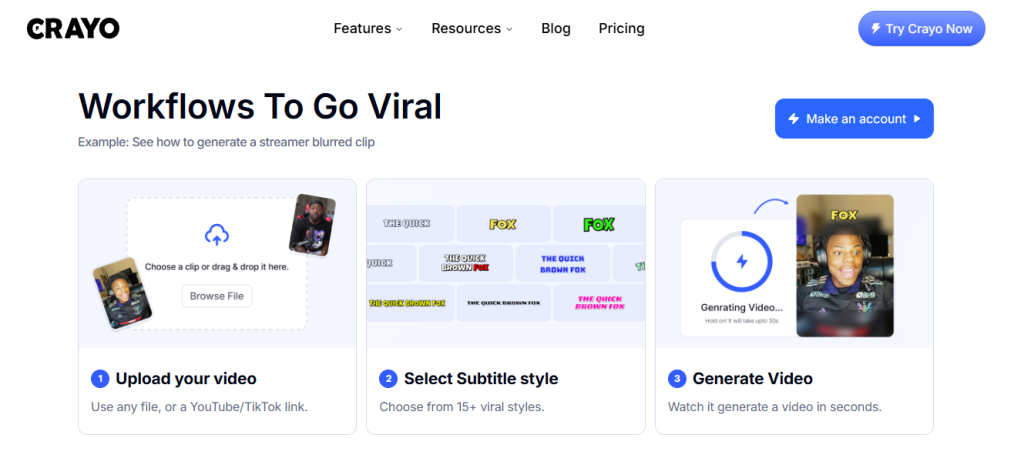
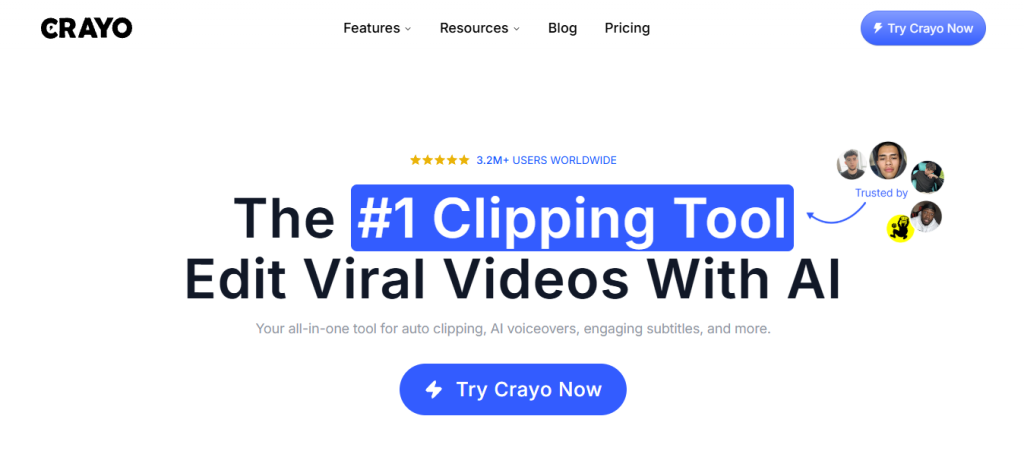
You’ve probably landed here because you’re spending too long editing short-form videos manually or you’re running a faceless channel and need to produce clips at a volume that manual editing simply can’t sustain. That’s exactly the position Crayo is built for: not a general-purpose video editor, not a platform for long-form content, but a purpose-built AI workflow engine for the specific formats that go viral on TikTok, YouTube Shorts, and Instagram Reels Reddit stories, fake text conversations, streamer clips, podcast clips, and split-screen content produced in seconds rather than hours. Whether that’s worth paying for depends on which formats you create, how many videos you post per week, and whether your current bottleneck is editing time or content ideas.
🔗 Try Crayo AI plans from $13/month
Why Trust SaaSTrac?
This review is built from Crayo AI’s own product and pricing pages, published creator testimonials, and the platform’s publicly documented feature set. We haven’t run a private speed benchmark or output quality test on this account, so workflow credit consumption rates, export quality, and voiceover accuracy reflect what the company publishes and what verified users report not a private timed test. Pricing figures are taken directly from crayo.ai/pricing at the time of writing. Note that Crayo does not offer a free plan or a refund policy credits reset monthly and do not roll over. These are the most important terms to understand before subscribing.
What Is Crayo AI?
Crayo AI is a short-form video platform built by creators, for creators co-founded by Musa Mustafa, who describes going viral for himself and for some of the most popular content creators on the internet, and building Crayo to solve the scaling problem that manual editing creates when you’re running high-output channels. The platform is organized around two types of tools: Workflows (AI-automated video types that generate a finished clip from your input in seconds) and Tools (individual AI capabilities you use inside your own editing flow).
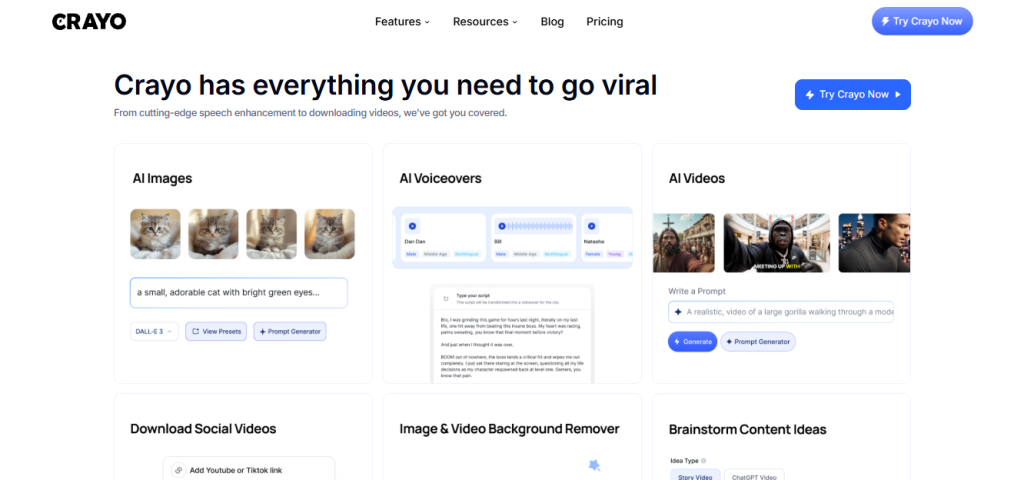
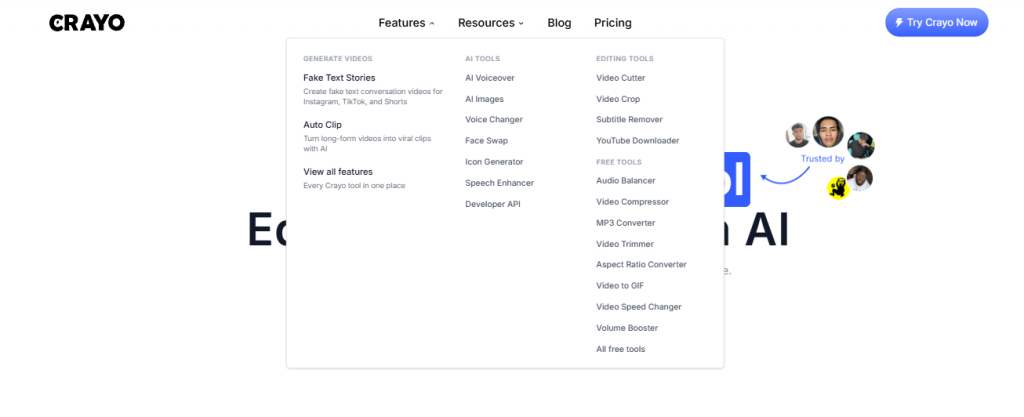
Workflows cover the formats that drive most faceless channel revenue: Reddit Story Videos, Fake Text Videos, Auto Clip (for long-form to short-form clipping), Split-Screen Videos, Streamer Videos, and Quick Subtitles. Tools cover the production layer: AI Voiceovers, AI Images, Voice Changer, Face Swap, Speech Enhancer, Vocal Remover, Subtitle Remover, Background Remover, Icon Generator, and a YouTube/TikTok downloader. Free utility tools Video Compressor, Video Trimmer, MP3 Converter, Aspect Ratio Converter, Video to GIF, Volume Booster, Audio Balancer round out the platform. Used by 3.2M+ creators. Built by the same team that has generated billions of views across faceless channels.
What You Get (and What You Don’t)
Feature | What’s Included | Limitations |
Workflow Credits | AI-automated video generation Reddit stories, fake texts, auto clip, split-screen, streamer clips, quick subtitles each output costs 1 workflow credit | Credits reset monthly and do not roll over; one-time top-up credits are separate from monthly allowance |
Export Minutes | The total length of video you can generate per month a 1-minute video exported 40 times = 40 export minutes | Export minute limits are separate from workflow credits; both can constrain output volume independently |
AI Voiceovers | AI-generated voiceovers for your video content 30 to 180 minutes per month depending on plan | Voiceover minutes are a separate limit from export minutes and workflow credits |
AI Images | AI-generated images for thumbnails, overlays, and visual assets 100 to 500 per month | Image generation is credit-free (not billed from workflow credits) separate monthly allowance |
Reddit Story Videos | Auto-generate full Reddit story videos from any Reddit post background, voiceover, captions, and styling applied automatically | Quality of the story content depends on the Reddit source material; creative selection is the creator’s job |
Fake Text Videos | Generate fake text conversation videos a top-performing format on TikTok and YouTube Shorts | Fake text content is generated from your input; verify platform terms of service for commercial use of this format on each platform |
Auto Clip | Upload a long-form video (or YouTube/TikTok link) and auto-generate short clips from the best moments | Auto clip quality depends on source video clarity and content structure; review clips before publishing |
Face Swap | Swap faces in videos available on all paid plans | Verify platform terms of service for face swap use; not for deceptive or harmful content |
Speech Enhancer | Improve audio quality on imported clips reduce background noise and improve clarity | Processing quality scales with source audio severely degraded audio may still require additional tools |
Background Remover | Remove image and video backgrounds AI-powered, no green screen required | Available on all paid plans; video background removal quality varies with subject complexity |
Social Tracker | Track performance of social accounts 1 to 10 accounts depending on plan | Hobby tracks 1 account; Clipper tracks 3; Pro tracks 10 |
Free Tools | Video Compressor, MP3 Converter, Video Trimmer, Aspect Ratio Converter, Video to GIF, Video Speed Changer, Volume Booster, Audio Balancer all free, no account required | Free tools are utility-only; no AI processing or workflow automation |
Refund Policy | None no refunds issued on any plan | Cancel anytime; plan remains active until end of billing cycle |
No Free Plan | No free tier all plans are paid | The free tools are available without an account but do not include any workflow or AI features |
The takeaway: Crayo is structured around two separate credit systems workflow credits (per video generated) and export minutes (per minute of video exported) plus separate monthly limits on voiceovers and AI images. Understanding all four limits before you choose a plan is the key to picking the right tier. A creator who makes 50 short Reddit story videos per month at 1 minute each needs 50 workflow credits and 50 export minutes Hobby covers the credits but not the export minutes (40/month). That kind of gap is worth working out before you subscribe.
Pricing: What You Actually Pay
Crayo uses a three-tier model Hobby, Clipper, Pro billed annually with a 30% saving versus monthly. There is no free plan and no refund policy.
Plan | Annual Price | Monthly Equivalent | Workflow Credits | Export Minutes | Voiceover Minutes | AI Images | Storage | Social Accounts |
Hobby | $160/year | $13/month | 50/month | 40 min/month | 30 min/month | 100/month | 25GB | 1 account |
Clipper | $327/year | $27/month | 150/month | 120 min/month | 120 min/month | 300/month | 100GB | 3 accounts |
Pro | $664/year | $55/month | 250/month | 240 min/month | 180 min/month | 500/month | 500GB | 10 accounts |
Real-world cost context: the Clipper plan at $27/month is the most popular tier 150 workflow credits and 2 hours of export per month covers a daily posting schedule for most single-channel operators. For agencies or creators running multiple channels, Pro at $55/month unlocks 250 workflow credits, 4 hours of export, and social tracking for up to 10 accounts the realistic floor for multi-channel or client work.
Worth checking before you subscribe: workflow credits and export minutes are separate limits that can both constrain your output independently. A workflow credit generates a video; an export minute covers the length of video you export. If you create lots of short clips (under 1 minute), your export minutes will last longer than if you’re exporting 3–5 minute videos. Map your typical video length and weekly posting frequency against both limits before choosing a plan. Annual billing saves 30% monthly pricing is not prominently displayed but is approximately 43% higher than the annual equivalent. Crayo does not offer refunds; cancel anytime and access continues until the end of the billing cycle.
AI Workflow Automation vs. Manual Short-Form Editing: The Core Trade-Off
Crayo’s core argument is that a platform built specifically around the viral short-form formats that actually generate views Reddit stories, fake texts, streamer clips, split-screen beats a general video editor for creators whose entire output is short-form content, because the automation removes the editing step entirely rather than making it faster. Musa, co-founder and CMO, describes it as the tool he “wished he had when he started” clipping for some of the biggest creators on the internet. James (a Crayo user) called Reddit story generation “most worth it subscription I have.” Brandon noted the image generator alone “saves me from needing multiple subscriptions for different AI models.” Dave highlighted that the automation lets him “focus on finding the clips and trends” rather than formatting.
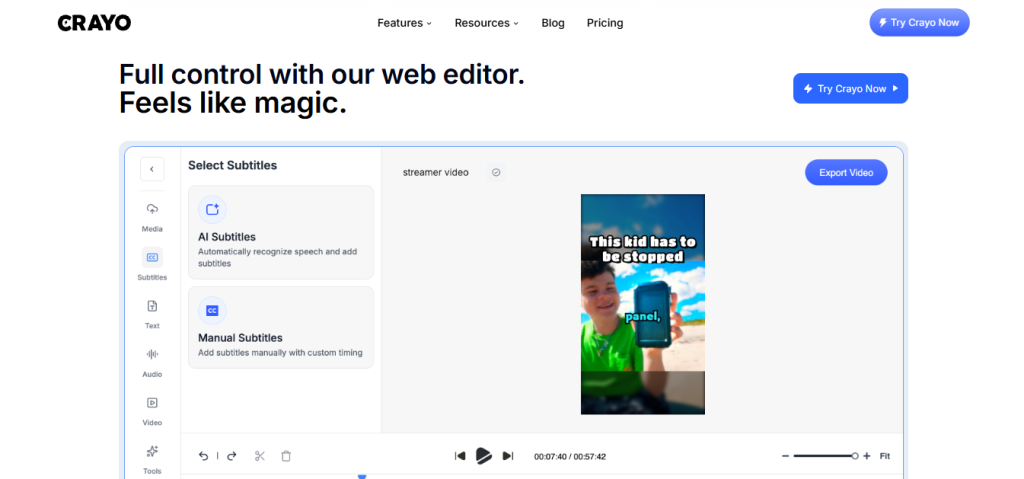
The trade-off shows up in one place consistently: Crayo is not a general-purpose video editor and is not designed for long-form content, documentary work, or anything that requires frame-level creative control. The advanced web editor gives more control than the automated workflows, but creators who need DaVinci Resolve or Premiere Pro-level precision will find Crayo’s editing depth insufficient for that kind of work. For the specific use case it’s built for high-volume faceless short-form content on TikTok, YouTube Shorts, and Instagram Reels no competing tool matches its combination of format-specific automation, AI tools, and creator-focused utility features at its price point.
Who Crayo AI Is Built For
Crayo’s practical value depends almost entirely on whether your content format matches the workflows it automates:
- Faceless channel operators running Reddit story, fake text, or brainrot channels on YouTube Shorts and TikTok who need to produce 1–5 clips per day without spending hours in an editor.
- Clippers cutting the best moments from long-form streams, podcasts, or YouTube videos into short clips for distribution across platforms, using Auto Clip to automate the selection and formatting step.
- Streamers turning their own long-form stream recordings into highlight clips for TikTok and YouTube Shorts without a dedicated editor.
- Podcast producers generating short clips from long-form podcast episodes with auto captions and formatting for social distribution.
- Agencies managing multiple creator clients using the Pro plan’s 250 workflow credits, 10 social accounts tracking, and 500GB storage to manage multiple channels from one dashboard.
- Solo creators scaling output who want to go from 3 videos per week to daily posting without hiring an editor, using Crayo’s automated workflows to fill the volume gap.
- Brainrot content creators building split-screen, dual-audio, and visually stimulating content formats that match current short-form virality patterns.
What Are the Downsides of Using Crayo AI?
No free plan and no refund policy. Crayo is a paid subscription from the first month, and the no-refund policy means there’s no financial safety net if the tool doesn’t fit your workflow after subscribing. The free utility tools (compressor, trimmer, converter) let you experience the interface before paying, but they don’t give you access to any workflow or AI features.
Two separate credit systems can catch creators off guard. Workflow credits (per video generated) and export minutes (per minute of video length) are independent limits. A creator who hits their export minute ceiling before using all their workflow credits or vice versa loses the unused allocation at the end of the billing cycle, since credits reset monthly and don’t roll over.
Not a general-purpose video editor. Crayo is purpose-built for short-form viral formats. Creators whose content includes long-form educational videos, cinematic production, or anything requiring frame-level precision will find the editing depth insufficient and need a separate tool for that work.
Monthly credits reset with no rollover. Subscription credits reset at the start of each billing cycle. Irregular posting months travel, illness, seasonal slowdowns mean wasted allocation with no credit carryover to the following month. One-time top-up credits are separate and don’t expire with the subscription cycle, but they add to the cost.
Annual billing is the only clearly promoted option. The pricing page leads with annual rates, which are significantly lower than monthly billing. Monthly pricing exists but requires a click to reveal the monthly equivalent worth factoring in if you want flexibility before committing to an annual contract.
Crayo AI vs. Alternatives: Where Each One Wins
Category | Crayo AI | CapCut | OpusClip | Descript |
Best for | Faceless channel operators and clippers who need format-specific automated workflows at volume | General short-form editing for individual creators strongest mobile editing experience | Long-form to short-form auto clipping with AI highlight detection | Transcript-based video editing for podcasters and talking-head content creators |
Free plan | ✗ No free plan | ✓ Generous free tier | ✓ Limited free tier | ✓ Limited free tier |
Reddit story automation | ✓ | ✗ | ✗ | ✗ |
Fake text video automation | ✓ | ✗ | ✗ | ✗ |
Auto clip (long to short) | ✓ | Partial | ✓ (core feature) | Partial |
AI voiceovers | ✓ | ✓ | ✓ | ✓ |
Face swap | ✓ | ✓ | ✗ | ✗ |
Background remover | ✓ | ✓ | ✗ | ✗ |
Social account tracker | ✓ (1–10 accounts) | ✗ | ✗ | ✗ |
Refund policy | ✗ No refunds | N/A | Varies | Varies |
Starting paid price | $13/month (annual) | Free / $9.99/month | Free / $9/month | Free / $24/month |
Built for volume output | ✓ Core design | Partial | Partial | ✗ |
Neither wins outright they suit fundamentally different creator workflows. If you primarily need a mobile editor with a generous free tier for occasional short-form content, CapCut wins on accessibility and cost. If AI-powered auto clipping from long-form is your primary need, OpusClip is purpose-built for that specific workflow. If you need transcript-based video editing for podcasts and talking-head content, Descript is the purpose-built tool. If your primary output is faceless short-form content at volume Reddit stories, fake texts, streamer clips, brainrot Crayo’s automated workflows cover that ground better than any of the alternatives above.
Is Crayo AI Worth It?
Likely worth it if:
- You run a faceless YouTube Shorts or TikTok channel using Reddit stories, fake text conversations, or streamer clip formats, and you’re spending more than 2–3 hours per week on editing those formats manually
- You’re a clipper, podcaster, or streamer who needs to turn long-form content into short clips consistently and wants the selection and formatting automated rather than done manually
- The Clipper plan at $27/month covers your posting volume 150 workflow credits and 2 hours of export is the realistic daily-posting threshold for a single channel
- An agency or multi-channel operator who needs to manage 3–10 social accounts with consistent short-form output from one platform
Probably not the right fit if:
- You’re still testing your content strategy and aren’t ready to commit to a paid annual subscription without a free trial or refund option
- Your content includes long-form videos, cinematic production, or anything requiring frame-level precision Crayo is not a replacement for DaVinci Resolve or Premiere Pro
- You post infrequently enough (fewer than 10–15 videos per month) that the credit limits on Hobby represent significant wasted allocation on slower months
- You need a free tier to evaluate whether AI-automated short-form workflows fit your style before paying
The verdict: Crayo AI is a well-regarded, purpose-built short-form video platform that does exactly what it’s designed to do automate the production of viral short-form content formats at a volume that manual editing can’t match. The trade-offs are real and worth understanding before subscribing: no free plan, no refunds, dual credit systems that reset monthly, and a feature set that’s deliberately narrow rather than general-purpose. For faceless channel operators, clippers, and high-output solo creators who are already certain about their content format and posting volume, Crayo is one of the most cost-effective and feature-complete platforms in the short-form video automation category.
Crayo AI Pros:
- Format-specific automated workflows Reddit stories, fake texts, auto clip, split-screen, streamer clips generated in seconds, not hours
- All Crayo tools included on every plan no feature gating by tier, only usage limits (credits, export minutes, voiceover minutes)
- AI voiceovers, AI images, face swap, speech enhancer, background remover, and social tracker in one subscription
- 9 free utility tools (compressor, trimmer, converter, GIF maker, speed changer, volume booster, audio balancer) available without an account
- Crayo-generated content is fully owned by the creator commercially monetizable on all platforms
- Multi-language support generate voiceovers and captions in most languages
- Annual billing saves 30% versus monthly Clipper at $27/month is competitive with general video editors that don’t include viral format automation
- Built and used by creators who have generated billions of views the platform is designed from genuine short-form production experience
Crayo AI Cons:
- No free plan and no refund policy financial commitment from the first day with no safety net if the tool doesn’t fit your workflow
- Dual credit systems (workflow credits + export minutes) reset monthly with no rollover unused allocation is lost at cycle end
- Not a general-purpose video editor frame-level control, long-form editing, and cinematic production require a separate tool
- Annual billing is the clearly promoted option monthly pricing requires an extra click and is approximately 43% higher than the annual equivalent
- No desktop app browser-based only, which means no offline editing and no native integration with local file management workflows
 Reddit stories, fake texts & viral clips in seconds.
FAQs
For faceless channel operators, clippers, and high-output solo creators who are already producing Reddit stories, fake text videos, or streamer clips, user testimonials and the platform’s 3.2M+ user base suggest yes particularly at the Clipper plan ($27/month annual) which covers daily posting for most single-channel operators.
Hobby at $13/month (billed annually at $160/year), Clipper at $27/month ($327/year), Pro at $55/month ($664/year). Annual billing saves 30% vs. monthly. No free plan. No refund policy cancel anytime and access continues until end of billing cycle. Confirm current pricing at crayo.ai/pricing.
No Crayo does not offer a free plan or a free trial with workflow or AI features. Nine free utility tools (video compressor, trimmer, MP3 converter, aspect ratio converter, video to GIF, video speed changer, volume booster, audio balancer) are available without an account, but none include AI workflow automation or video generation features.
No subscription workflow credits, export minutes, voiceover minutes, and AI image allowances all reset at the start of each new billing cycle. Unused credits are lost. One-time top-up credits purchased separately from the monthly subscription do not expire on the billing cycle and are maintained separately from your monthly allowance.
CapCut (for a generous free tier and strong mobile editing for individual creators), OpusClip (for AI-powered auto clipping from long-form content as the primary use case), Descript (for transcript-based editing for podcasters and talking-head video creators), and InVideo AI (for a broader AI video generation platform with a free tier and more general-purpose templates) are the most commonly cited alternatives depending on whether free access, auto clipping depth, transcript editing, or format breadth is the primary priority.