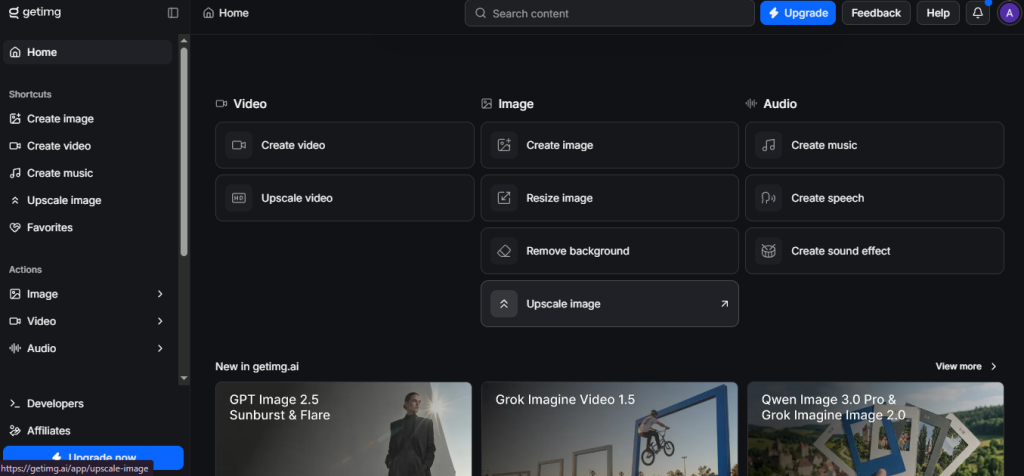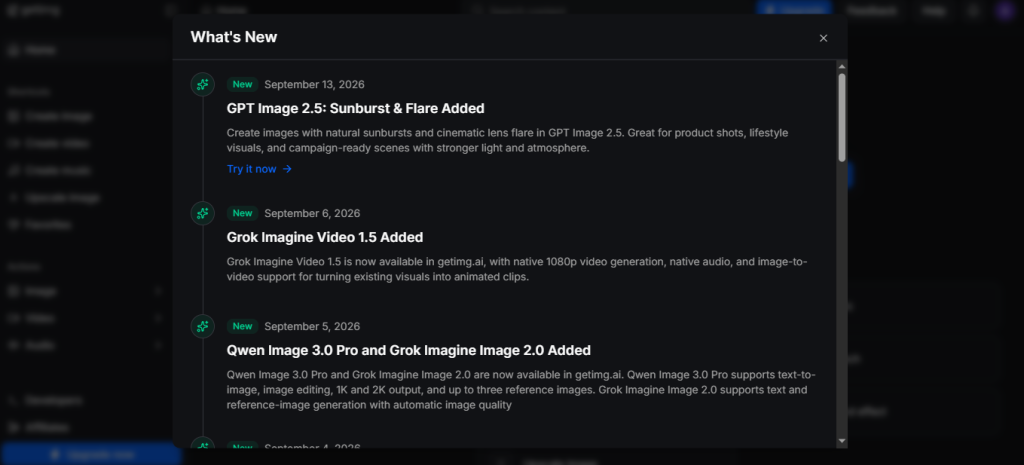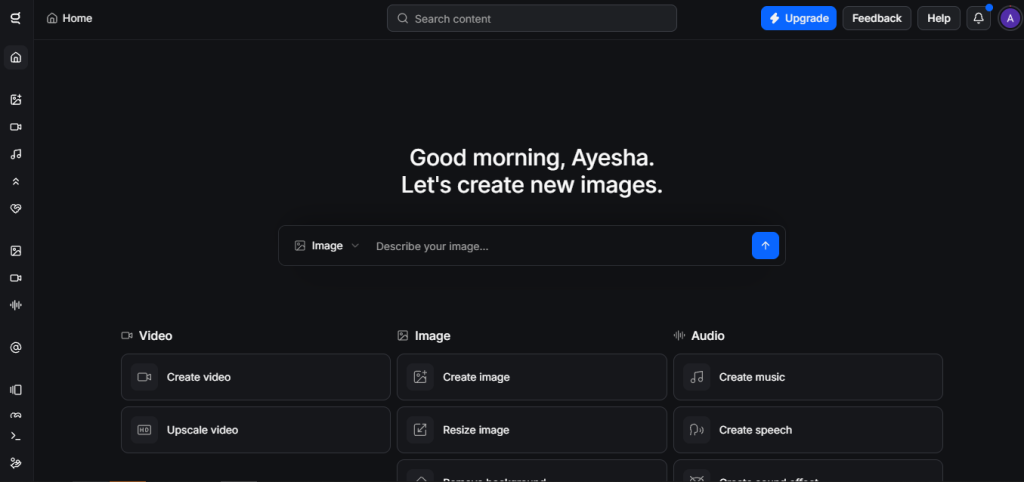
You’ve probably landed here because you’ve outgrown a single-model image generator and want to know whether Getimg.ai actually delivers on its “everything in one place” promise or whether it’s another platform that does a lot of things adequately and nothing particularly well. That’s the right question. Getimg.ai’s core pitch is access to 60+ AI models, LUX.2, Seedream 5.0, GPT Image 1.5, Stable Diffusion variants, and more, alongside editing tools, video generation, custom model training, and an API, all under one credit-based subscription. Whether that breadth pays off depends on how many of those capabilities you actually need and whether the credit model works out cheaper than the single-purpose tools you’re currently stacking.
🔗 Try Getimg.ai Free: 100 Credits/Month, No Credit Card Required → https://getimg.ai/ref/zt8AyHd0f
Why Trust SaaSTrac?
This review is built from Getimg.ai’s own product and features pages, independent reviews from Cybernews, Technected, CreativeToolsAI, Plisio, Lovart, and BestFreeAITools, and verified user feedback from Techjockey. Pricing figures are cross-referenced across multiple 2026 sources and flagged where they vary; always confirm current pricing directly on getimg.ai before purchasing, as credit allocations and plan structures have changed with the platform’s 2.0 overhaul in late 2025 and early 2026.
What Getimg.ai Is?
Getimg.ai is a browser-based AI creative platform that consolidates text-to-image generation, AI image editing, image-to-video conversion, real-time generation via AI Canvas, and custom model training into a single workspace without software installation. Rather than locking users into one generation engine the way Midjourney or DALL-E 3 does, Getimg.ai provides access to 60+ AI models under one roof: FLUX.2 (Pro/Flex/Max variants), Seedream 5.0 Lite, GPT Image 1.5, Nano Banana 2, Ghibli Diffusion, Qwen Image, and a deep catalogue of community models. Users get a free account in under 60 seconds: enter a prompt, set aspect ratio and style, click Generate, and results appear in seconds. Getimg.ai is reported to be 2–3x faster than Midjourney on comparable generations.
The platform recorded 3.58 million monthly website visits as of April 2024 and now generates over 1 million images daily. Its latest 2.0 platform overhaul in late 2025 to early 2026 retired legacy Stable Diffusion 1.5 and SDXL models and discontinued DreamBooth fine-tuning, shifting focus to a more curated model lineup with improved generation speed, text rendering, and video capabilities. It’s built for content creators, digital marketers, graphic designers, startup founders, developers building image pipelines, and anyone who needs professional-quality visuals fast without the steep learning curve of professional design software.
What You Get (and What You Don’t)
Feature | What’s Included | Limitations |
Text-to-Image Generation | 60+ AI models including FLUX.2, Seedream 5.0 Lite, GPT Image 1.5, Nano Banana 2, Ghibli Diffusion, Qwen Image; photorealistic, artistic, and anime styles; 4–15 seconds per image; up to 4096×4096px output | Model availability varies by plan; FLUX 1 uses more credits per generation than standard models (100 credits = 16 FLUX images vs. 100 standard images) |
AI Image Editor | Inpainting (edit specific zones without regenerating the whole image), outpainting (extend canvas to 9 aspect ratios via Resize Image action), background removal, background replacement, upscaling to 2x resolution, style transformation, image restoration | Advanced editing features not included on the free plan; editing runs on the same credit system as generation |
AI Canvas | Real-time generation canvas for moodboarding, collage creation, and complex scene building shows updates as you sketch or type; one of the platform’s most-praised workflow features | Available on paid plans; free plan access varies. Confirm on the live pricing page |
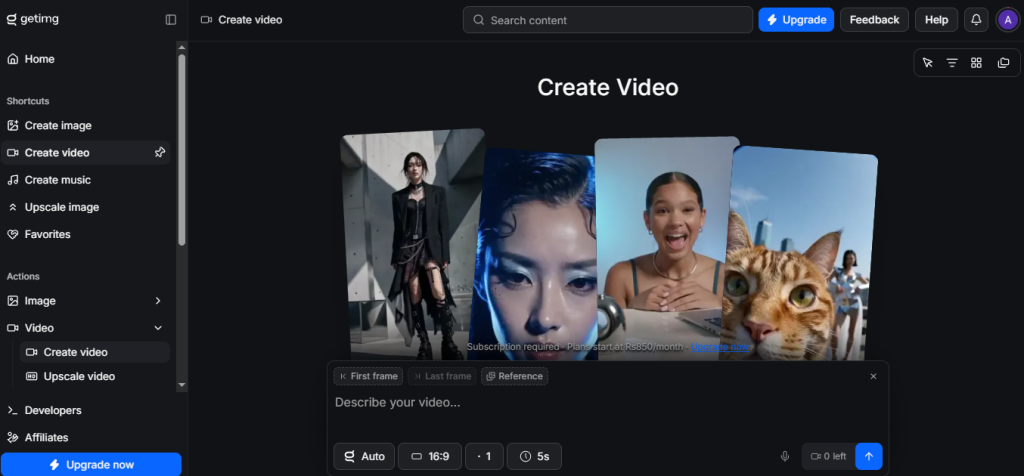
Image-to-Video | Transform static images into animated video clips using 9+ video AI models including Seedance, Kling, and Wan; smooth motion graphics from still photos | Image-to-video available on Starter plan and above; Basic plan may have limited video generations |
Custom Model Training | DreamBooth integration for training AI models on your own image datasets (10–20 sample images); produces consistent character, style, or brand-aligned outputs across generations | DreamBooth fine-tuning discontinued as of 1 March 2026 per Plisio review; verify current model training availability directly on getimg.ai before purchasing if this is a key requirement |
ControlNet | Advanced pose, depth, and line-guided generation using reference images for precise output control | Available on paid plans; requires more advanced prompting knowledge to use effectively |
Character & Style Consistency | Accept a reference image and reuse the look across multiple generated outputs; solves the prompt-to-image consistency problem | Consistency tools are most effective with high-quality reference images |
REST API | Programmatic access to most generation capabilities; Stable Diffusion model support; per-call pricing for automated pipelines | API documentation described by reviewers as “workable rather than excellent”; developer integration requires technical setup |
Team Collaboration | Share generations, prompts, and saved presets across a small workspace | Team features available on higher-tier plans; not included on free or Basic plans |
Commercial Rights | Full commercial licensing included on all paid plans from day one | Free plan does not include commercial rights; paid plan required for client work, advertising, or commercial output |
The takeaway: Getimg.ai goes deep on breadth: 60+ models, editing, video, canvas, API, and team tools in one workspace rather than trying to be the best at any single generation style. For creators who currently pay for Midjourney, a separate editor, a background remover, and an upscaling tool individually, Getimg.ai frequently consolidates all of that into one credit-based subscription at a lower total cost. The friction points to watch: DreamBooth fine-tuning was discontinued in early 2026 (verify current training availability if that’s a key workflow), the free plan doesn’t include editing features or commercial rights, and credit consumption varies significantly between models, particularly FLUX.
Pricing: What You Actually Pay
Getimg.ai uses a credit-based subscription model across five tiers. Credits are consumed per generation or edit. Plans reset monthly with the subscription cycle. Annual billing saves 20% across all paid tiers.
Plan | Price (Monthly) | Price (Annual) | Credits / What’s Included |
Free | $0 | $0 | 100 credits/month (~100 standard images or ~16 FLUX images); basic generation only; no editing features, no video, no commercial rights; no credit card required |
Basic | ~$12/month | ~$9.60/month | 3,000 credits/month; commercial rights; lossless image format; most editing features; up to 3,000 standard images or ~500 FLUX images |
Starter | ~$29/month | ~$23/month | 12,000 credits/month; all Basic features; increased batch size; up to 20 video creations/month |
Hobby / Core | ~$30–$49/month | ~$25–$39/month | 24,000+ credits/month; all Starter features; priority support; team collaboration; access to all features |
Plus / Pro | ~$60–$99/month | ~$50–$79/month | Maximum credits; highest priority processing; team workspace; API access; all features |
Real-world cost context: For the Core tier at ~$30/month, independent reviewers calculate approximately 300 high-quality images at ~$0.10 per image compared to DALL-E 3 at ~$0.17 per image and Midjourney Standard at $30/month with variable usable output. Annual billing brings the Entry/Basic plan to approximately $8–9.60/month, making it one of the lowest-cost commercial AI image generators with editing tools included. Pricing figures across sources vary meaningfully; some cite the Basic plan at $9, others at $12. Always confirm the live pricing page at getimg.ai before purchasing.
Worth checking before you subscribe: the free plan is the right starting point 100 credits monthly with no credit card allows genuine evaluation of generation quality before committing. The critical limitation is that editing features, video generation, commercial rights, and AI Canvas are not included on the free tier. For any creator doing client work or commercial output, the Basic plan ($12/month) is the practical minimum for commercially usable files.
Model Breadth vs. Single-Engine Depth: The Core Trade-Off
Getimg.ai’s core argument is that access to 60+ curated AI models, each with different strengths for photorealism, anime, illustration, concept art, and stylized output, in one workspace beats committing to a single generation engine that performs well for some prompts and inconsistently for others. Independent reviewers at Cybernews, Technected, and CreativeToolsAI consistently cite generation speed (2–3x faster than Midjourney), model variety, and the editing tools being built in rather than bolted on as the platform’s standout strengths. The trade-off shows up in two places: the platform’s 2.0 overhaul in early 2026 retired several community-favourite models (SD 1.5, SDXL) and discontinued DreamBooth fine-tuning, which frustrated users who depended on those specific capabilities. And credit consumption varies enough between models that heavy FLUX users will find their monthly allocation depleted significantly faster than standard-model users.
Who Getimg.ai Is Built For
Getimg.ai’s practical value depends on how many of its tools sit inside your actual workflow:
- Content creators and social media managers: generating platform-specific images in correct aspect ratios (9:16, 16:9, 4:5, 1:1, and more) fast, with background removal and resizing built into the same workspace.
- Digital marketers and ad teams: producing high-volume ad creative, product visuals, and social assets at scale without a separate stock photography subscription or freelance designer dependency.
- Graphic designers and illustrators: using inpainting and outpainting to extend and modify existing artwork rather than regenerating full scenes from scratch, with ControlNet for pose and composition control.
- Startup founders and small business owners: creating brand visuals, product mockups, and marketing assets without a design team, using reference-image style consistency tools to keep output on-brand.
- Developers and technical teams: integrating AI image generation into production pipelines via the REST API without building their own model infrastructure.
- Video creators and animators: using image-to-video to animate stills for social content, ads, or presentation assets using 9+ video AI models including Kling and Wan.
What Are the Downsides of Using Getimg.ai?
- DreamBooth custom model training discontinued in early 2026: As of 1 March 2026, DreamBooth fine-tuning was discontinued per multiple independent reviewers. If custom model training on your own image dataset is a core requirement, verify current availability directly on getimg.ai before subscribing; this was previously one of the platform’s most-cited advantages.
- Credit consumption varies significantly between models: FLUX models consume credits at approximately 6x the rate of standard models (16 FLUX images vs. 100 standard images per 100 credits). Heavy FLUX users will deplete monthly allocations faster than the plan’s credit count suggests.
- Free plan excludes editing, video, and commercial rights: The free tier is genuinely useful for evaluating generation quality but excludes the features that differentiate Getimg.ai from simpler free generators: inpainting, outpainting, AI Canvas, image-to-video, and commercial licensing all require a paid plan.
- API documentation rated “workable rather than excellent”: Developers integrating Getimg.ai via the REST API consistently note that documentation is functional but not as developer-friendly as some competing platforms. Budget additional setup time for API integrations.
- Pricing inconsistency across sources: Multiple review sources cite different figures for the same tiers. Always confirm current pricing, credit allocations, and plan features directly on the live getimg.ai pricing page before purchasing.
Getimg.ai vs. Midjourney, DALL-E 3, or Leonardo AI: Where Each One Wins
Category | Getimg.ai | Midjourney | DALL-E 3 | Leonardo AI |
Best for | All-in-one AI creative toolkit: generation, editing, video, API, and team tools in one credit-based workspace | High-quality artistic image generation with strong community and Discord-based workflow | OpenAI ecosystem integration, prompt adherence, and text rendering in images | Versatile generation with strong community models and detailed control options |
Starting cost | Free (100 credits/month, no credit card); paid from ~$12/month | $10/month (Basic, ~200 fast generations) | Pay-per-use (~$0.04–$0.08 per image via API); $20/month ChatGPT Plus for in-app access | Free tier available; paid from $10/month |
Model variety | 60+ models including FLUX.2, Seedream 5.0, GPT Image 1.5, Ghibli Diffusion | Single proprietary model (Midjourney v7) | GPT Image 1.5 (DALL-E backend) | 50+ models including Stable Diffusion variants and proprietary models |
Built-in editing | ✓ Inpainting, outpainting, background removal, upscaling, style transfer | ✗ Vary/Remix only; no true editing suite | Limited (edit mode in ChatGPT) | ✓ Canvas and editing tools available |
Image-to-video | ✓ 9+ video models (Seedance, Kling, Wan) | ✗ | ✗ | Limited |
REST API | ✓ Available on paid plans | ✗ (no public API for direct generation) | ✓ OpenAI API | ✓ API available |
Commercial rights | ✓ All paid plans | ✓ Paid plans | ✓ | ✓ Paid plans |
Generation speed | 4–15 seconds; 2–3x faster than Midjourney (reported) | 30–60 seconds on fast mode | Seconds (in ChatGPT); API varies | Variable by model |
Free plan | ✓ 100 credits/month, no credit card | ✗ No free tier | ✗ No standalone free tier | ✓ Free tier with daily limits |
Neither wins outright for every creator. If your primary need is the highest possible artistic image quality with a strong community and iterative Discord workflow, Midjourney remains the benchmark. If you need OpenAI ecosystem integration and best-in-class text rendering, DALL-E 3 has structural advantages. If you want the broadest creative toolkit generation, editing, video, canvas, API, and team collaboration in one workspace at a price competitive with a single-model tool, Getimg.ai is the strongest all-in-one option in its category.
Is Getimg.ai Worth It?
Likely worth it if:
- You’re currently paying for Midjourney plus a separate editor, background remover, and upscaling tool. Getimg.ai frequently replaces all four at lower combined cost.
- You need 60+ AI models including FLUX.2, Seedream 5.0, GPT Image 1.5, and stylized options like Ghibli Diffusion in one workspace without switching platforms for different output styles
- You want to evaluate generation quality with a genuine free tier before committing to 100 credits monthly with no credit card and no time limit
- You need commercial-grade output for client work, advertising, or product visuals included on all paid plans from the Basic tier upward
- You need image-to-video, AI Canvas real-time generation, or REST API access without a separate platform subscription
Probably not the right fit if:
- Custom model training on your own image dataset via DreamBooth was a core workflow requirement: discontinued in early 2026; verify current alternatives directly on getimg.ai
- You are a heavy FLUX model user and need to understand your realistic credit consumption before choosing a plan: 100 credits produce ~16 FLUX images vs. ~100 standard images
- You want the highest possible single-model artistic quality rather than model breadth. Midjourney’s proprietary model produces more stylistically consistent high-end results for that specific use case
- You need developer-grade REST API documentation comparable to the OpenAI API. Getimg.ai’s API is functional but reviewed as less polished than OpenAI’s implementation
The verdict: Getimg.ai is a well-regarded, genuinely comprehensive AI creative platform that earns its place as one of the most versatile all-in-one image generation tools available in 2026. Its combination of 60+ models, built-in editing suite, image-to-video, AI Canvas, commercial licensing from the Basic plan, and a REST API for developers gives it a depth that single-model platforms don’t match. The early 2026 platform overhaul removed some legacy features that loyal users depended on, and the credit model requires careful math for FLUX-heavy workflows. For creators who need everything in one workspace and want to move faster than Midjourney’s queue at a lower total cost than stacking multiple specialist tools, Getimg.ai is the most complete option in its category.
Getimg.ai Pros:
- 60+ AI models in one workspace including FLUX.2, Seedream 5.0 Lite, GPT Image 1.5, Nano Banana 2, and Ghibli Diffusion; no switching platforms for different output styles
- 2–3x faster generation than Midjourney on comparable prompts (independently reported)
- Built-in editing suite: inpainting, outpainting, background removal, upscaling, style transfer, and image restoration included rather than requiring a separate tool
- Image-to-video using 9+ video AI models (Seedance, Kling, Wan) without a separate video platform subscription
- AI Canvas for real-time generation, moodboarding, and complex scene building directly in the browser
- Free plan with 100 credits/month and no credit card; genuine evaluation tier, not a limited preview
- Commercial rights included on all paid plans from Basic upward; no additional licensing fee for client or advertising work
- REST API for developer and pipeline integrations on paid plans
- Annual billing saves 20% across all tiers; Entry/Basic plan reduces to approximately $8–9.60/month annually
Getimg.ai Cons:
- DreamBooth custom model training discontinued as of 1 March 2026; verify current model training availability before purchasing if this is a key requirement
- FLUX models consume credits at approximately 6x the rate of standard models; heavy FLUX users should model their actual monthly credit consumption before choosing a plan
- Free plan excludes editing features, image-to-video, AI Canvas, and commercial rights. Commercial-grade output requires at least the Basic paid plan
- REST API documentation rated “workable rather than excellent” by developer reviewers; additional setup time required for production integrations
- Pricing figures vary across independent review sources; always verify current plan pricing, credit allocations, and feature availability directly on the live getimg.ai pricing page
 AI models, editing, video & API, all in one.
FAQs
For creators who currently use multiple separate AI tools a generator, an editor, a background remover, an upscaler independent reviewers consistently find Getimg.ai consolidates most of those workflows at lower combined cost.
The free plan is $0 with 100 credits/month and no credit card required. Paid plans start at approximately $12/month (Basic, 3,000 credits) rising through Starter (~$29/month, 12,000 credits), Core (~$30–$49/month), and Pro/Plus (~$60–$99/month).
Yes. Getimg.ai offers 100 credits per month on the free plan with no credit card and no time limit, enough for 100 standard image generations or approximately 16 images using the FLUX model. The free plan does not include editing features, image-to-video, AI Canvas, or commercial rights. It is a genuine evaluation tier rather than a time-limited trial.
DreamBooth fine-tuning, previously one of Getimg.ai’s most-cited features, was discontinued on 1 March 2026 as part of the platform’s 2.0 overhaul. Verify whether alternative custom training options have been introduced by checking the current features page on getimg.ai directly before purchasing if model training is a core requirement.
Midjourney (for highest-quality single-model artistic generation with a strong Discord community), DALL-E 3 via ChatGPT or OpenAI API (for best-in-class text rendering and OpenAI ecosystem integration), and Leonardo AI (for a versatile alternative with strong community models and generation controls) are the most commonly cited alternatives depending on whether you prioritize artistic quality, ecosystem fit, or model control depth.