You’ve probably landed here because you’re trying to figure out if Julius AI can genuinely replace hours of spreadsheet work, or if it’s another chatbot that stumbles once your data gets messy. That’s a fair question, because Julius’s whole value case rests on how well it handles real business data, not clean demo datasets, and that’s where it’s worth looking past the marketing page.
🔗 Try Julius AI
Why Trust SaaSTrac?
This review is built from Julius AI’s own pricing and product pages, plus independent, hands-on write-ups and verified user reviews aggregated across multiple sources. We haven’t personally run a paid subscription on this account, so anything about day-to-day accuracy, message limits in real use, or support responsiveness reflects what independent reviewers and verified users report, not a private hands-on test. Pricing details for Julius have shifted more than once as the product has grown, so we’ve flagged where sources disagree rather than presenting one figure as fixed.
What Julius AI Is
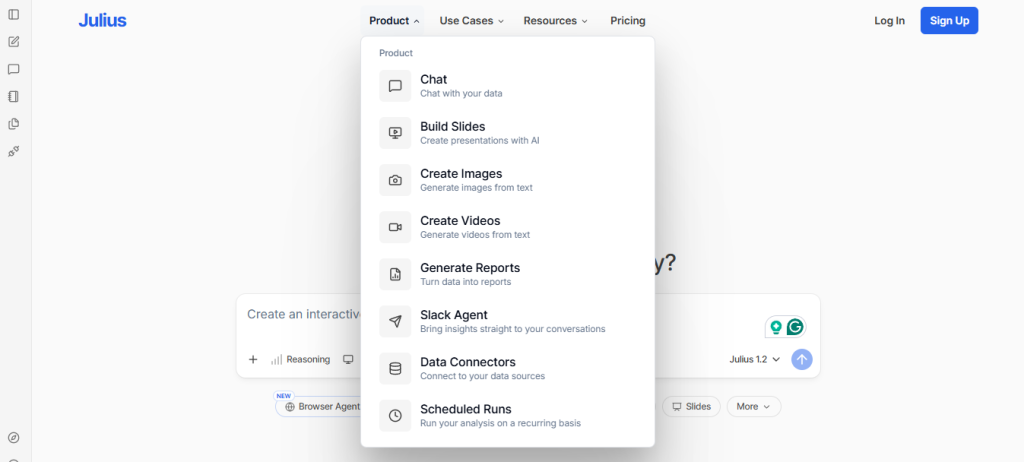
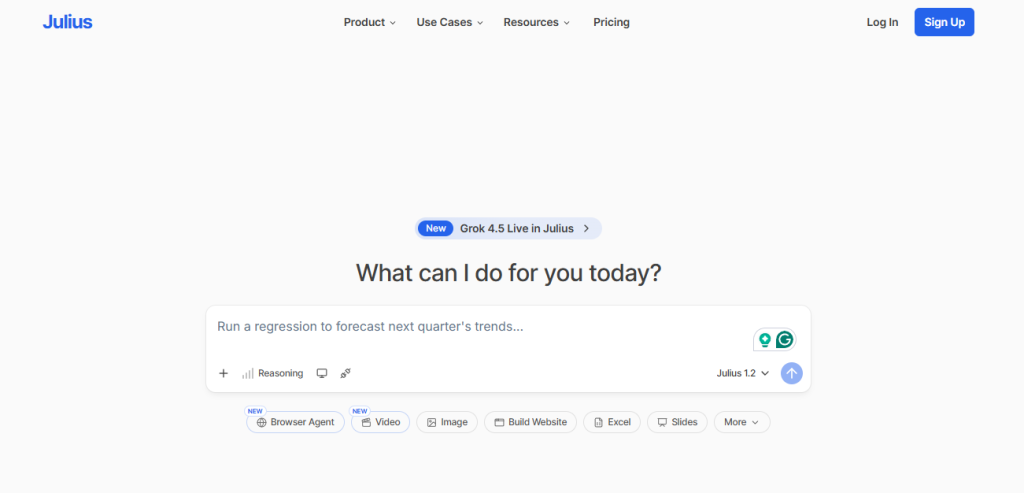
Julius AI is a cloud-based, conversational AI data analyst. You upload a file, CSV, Excel, JSON, PDF, or even an image of a table, or connect a live database, then ask questions in plain English. Julius interprets the question, writes the underlying Python or R code, runs it, and returns charts, statistics, and explanations, with the option to inspect or edit the generated code if you want to verify it. It’s grown from a simple “chat with your spreadsheet” tool into a broader workspace with Notebooks for repeatable analysis, live database connectors, and team collaboration. It’s aimed at non-technical business users, marketers, founders, researchers, and students who need quick analysis without a dedicated data analyst, rather than teams needing enterprise-scale BI or highly customized dashboards.
What You Get (and What You Don’t)
Feature | What’s Included | Limitations |
Natural Language Analysis | Ask questions in plain English; Julius writes and runs the code, returns results with explanations | Can misread ambiguous column names or vague prompts, per independent testing |
Data Visualization | 40+ interactive chart types (bar, line, scatter, heatmap, pie, and more), auto-suggested chart types | Charts are strong for standard business reporting, not built for highly custom design work |
Statistical & Predictive Analysis | T-tests, chi-square, ANOVA, regression, forecasting, basic machine learning via natural language | Complex modeling still needs a specialized tool or a data scientist for high-stakes work |
Notebooks | Build a repeatable analysis workflow once, rerun it automatically as new data comes in | Notebook-building has a real learning curve for non-technical users at first |
Live Database Connectors | PostgreSQL, Snowflake, BigQuery, Supabase, Google Drive, OneDrive, Google Ads, Stripe | Gated to paid tiers; free and entry plans are file-upload only |
Security & Compliance | SOC 2 Type II certified, GDPR compliance reported in progress | Entirely browser-based; no offline analysis without an internet connection |
The takeaway: Julius goes deep on making standard data analysis accessible to non-coders, and independent reviewers consistently say it delivers on that for everyday business questions. It is not a replacement for a dedicated data science team on high-stakes modeling, and it’s browser-dependent by design. If your work is exploratory analysis, recurring reports, and business-question answering, that’s exactly its lane. If you need enterprise-grade, highly customized dashboards, you’ll likely still want a tool like Tableau or Power BI alongside it.
Pricing: What You Actually Pay
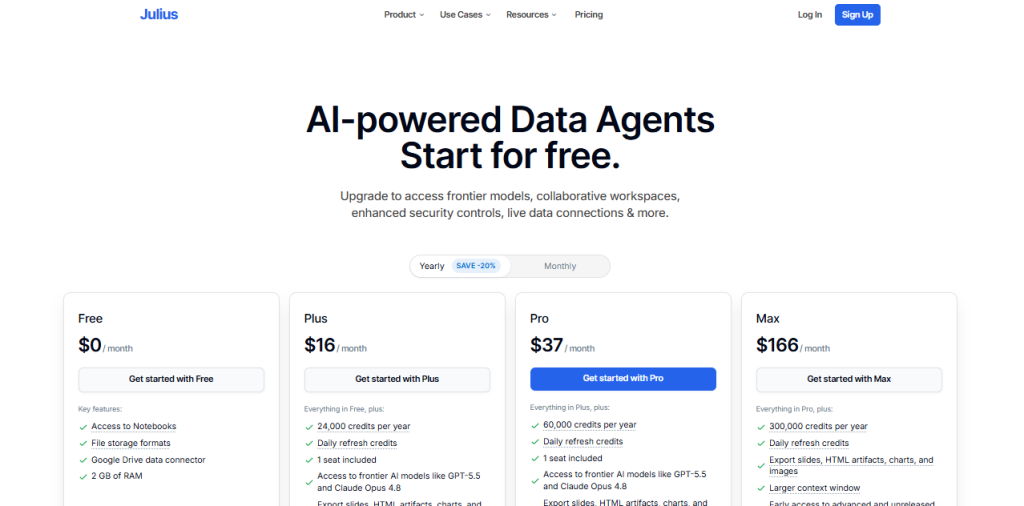
Julius uses a freemium, message-based model with an entry tier that’s genuinely useful for testing, but tight for real work.
Plan | Price | What’s Included |
Free | $0/mo | 15 messages/month (does not roll over), file upload analysis, core chart and stats features |
Plus | ~$20/mo | Around 250 messages/month, file-upload analysis, suited to a few sessions per week |
Pro | $45/mo (~$37/mo billed annually) | Unlimited messages, live database connectors, Notebooks, longer context window for holding more data per session |
Business/Team | Reported from ~$70/seat/mo up to ~$375/mo | Centralized billing, premium support, highest input-length limits for large teams and datasets |
Real-world cost context: a typical analysis session burns through 10–15 messages in under an hour, so the Free plan is best treated as a preview rather than a working tool, and Plus users running daily analysis will likely hit the message ceiling by the second week of the month. The jump from individual plans to Business/Team pricing is steep by several accounts, so budget for that gap before scaling a team onto Julius. Students and educators get a reported 50% discount across all paid tiers, and annual billing saves roughly 15% once you’ve confirmed the tool fits your workflow.
Worth checking before you subscribe: pricing and plan names have changed as Julius has grown (some sources reference a “Lite” or “Standard” tier alongside Plus and Pro), so confirm current tier names and message limits on julius.ai/pricing directly before committing, and treat the 14-day refund window as your real trial period rather than the Free plan’s 15 messages.
Accessibility vs. Depth: The Core Trade-Off
Independent, hands-on reviews are consistent on Julius’s core strength: removing the coding barrier for business users who’d otherwise depend on someone else for every analysis. Reviewers who tested it on real client datasets report the forecasting and statistical features hold up well for everyday business questions, sometimes surprisingly so. The trade-off shows up at the edges: complex regression, custom machine learning, or highly specialized modeling still benefit from a dedicated data scientist or specialized tool, and results on ambiguous or messy real-world data still need human review before being trusted for a high-stakes decision.
Integrations for Data Work
Julius’s practical value depends heavily on which data sources it can reach directly rather than requiring manual file exports:
- Live database connectors — PostgreSQL, Snowflake, BigQuery, and Supabase for querying production data directly, available on Pro and above.
- Cloud storage and marketing platforms — Google Drive, OneDrive, Google Ads, and Stripe connectors for pulling data without manual uploads.
- Collaboration tools — reported Slack connectivity and shareable Notebooks for team-based analysis.
- File format support — CSV, Excel, JSON, PDF, images of tables, and existing Python/R/Jupyter notebooks.
There’s no indication of an open API for fully custom integrations beyond the listed connectors, most workflows run through the built-in connector list.
What Are the Downsides of Using Julius AI?
- Free plan is a preview, not a working tool. 15 messages a month, non-rolling, is enough to explore the interface but not to test it on a real use case.
- Message limits can bite even on paid tiers. Plus users doing daily analysis are likely to hit the 250-message ceiling before the month ends.
- Steep jump to team pricing. The gap between individual plans and Business/Team tiers is significant, and needs budgeting for in advance.
- Not built for high-stakes modeling. Complex regression, forecasting, or custom ML still benefit from specialized tools or a human data scientist.
- Fully browser-based. No offline analysis, which can be a real limitation in certain work environments.
Julius AI vs. ChatGPT’s Advanced Data Analysis: Where Each One Wins
Category | Julius AI | ChatGPT Plus (Advanced Data Analysis) |
Best for | Teams whose primary daily task is data analysis | Users who want a versatile assistant that also happens to analyze data |
Starting price | Free (15 msgs/mo), paid from ~$20/mo | $20/mo flat |
Live database connectors | Yes, on Pro tier and above | No native live database connectors |
Notebooks / repeatable workflows | Yes, purpose-built for recurring reports | Limited; not designed around repeatable data workflows |
Chart variety | 40+ interactive chart types | Solid but more general-purpose |
Primary focus | Data analysis as the core product | General-purpose assistant with data analysis as one feature |
Neither tool “wins” outright they solve different problems. If data analysis is your primary daily task and you want live database connections and repeatable Notebooks, Julius’s specialization is the draw. If you want one flat-priced assistant that also drafts emails, writes code, and handles general questions alongside occasional data work, ChatGPT covers more ground from a single subscription.
Is Julius AI Worth It?
Likely worth it if:
- You spend hours each week building reports in spreadsheets and don’t have a dedicated data analyst
- You want to connect live databases (Snowflake, PostgreSQL, BigQuery) rather than constantly re-uploading files
- You need recurring reports (monthly sales, weekly marketing dashboards) that refresh automatically via Notebooks
- You’re a student, researcher, or non-technical business user who wants analysis without learning to code
Probably not the right fit if:
- Your work requires enterprise-scale, highly customized dashboards or role-based access controls
- You need advanced, high-stakes statistical modeling that should be reviewed by a data scientist
- You want a tool usable offline or outside the browser
- You’re comparing purely on lowest cost for a small, occasional-use team, where the Free plan’s limits will frustrate quickly
The verdict: Julius AI is a genuinely capable AI data analyst that independent, hands-on reviewers consistently say delivers on its core promise: turning plain-English questions into real analysis without code. The trade-offs are real but narrow, message limits that bite sooner than expected, a steep jump to team pricing, and a ceiling on how far it should be trusted for high-stakes modeling. For the audience it’s built for (business users, marketers, and researchers doing standard analysis and recurring reporting), it’s reported to pay for itself in recovered time within the first month.
Julius AI Pros:
- Natural language interface that genuinely works for standard analysis, no Python, R, or SQL required
- 40+ interactive chart types, generated and suggested automatically based on your data and question
- Notebooks turn one-time analysis into a repeatable, auto-refreshing workflow for recurring reports
- Live database connectors (Snowflake, PostgreSQL, BigQuery, and more) eliminate the stale-spreadsheet problem
- SOC 2 Type II certified, with a 14-day refund window to properly trial paid tiers
Julius AI Cons:
- Free plan’s 15 messages/month is a preview, not enough for a real evaluation
- Paid tier message limits (Plus especially) can run out faster than expected for daily users
- Steep pricing jump from individual plans to Business/Team tiers
- Not a substitute for a data scientist on complex, high-stakes modeling
- Entirely browser-based; no offline analysis capability
 Chat with your data
FAQs
For business users, marketers, and researchers who spend hours weekly in spreadsheets without a dedicated analyst, independent reviews consistently say yes, it pays for itself in recovered time quickly.
Free includes 15 messages per month. Plus runs around $20/month for roughly 250 messages. Pro is $45/month (about $37/month billed annually) with unlimited messages and database connectors.
Yes, but it’s best treated as a preview: 15 non-rolling messages per month is enough to test the interface, not to run a real analysis project.
For standard business analysis, exploratory work, and recurring reports, reviewers say yes, it handles the bulk of everyday needs well.
ChatGPT’s Advanced Data Analysis, Tableau, Microsoft Power BI, and Hex are the most commonly cited alternatives, depending on whether you need a general-purpose assistant, enterprise BI dashboards, or deeper custom analytics.