You’ve probably landed here because you’re spending hours turning your lecture notes, PDFs, and YouTube videos into flashcards and study materials, and you’re trying to decide whether Memo AI actually automates that process well enough to be worth switching from Anki, Quizlet, or whatever you’re using now. That’s exactly the right question, because the gap between “uploads your PDF and generates something” and “reads your actual course material, maps the key concepts, and produces cited, accurate, exportable study assets that slot into your existing workflow” is where most AI study tools fail. Memo AI was built by two medical students who were drowning in dense research papers and lecture packs and built the tool they wished existed. Whether it’s worth paying for depends on how much material you process, how important export flexibility is, and whether your study workflow is more about deep comprehension or rapid flashcard coverage.
🔗 Get started free with Memo AI no credit card required
Why Trust SaaSTrac?
This review is built from Memo AI’s own product pages, pricing page, feature pages, and founder letter, cross-checked against independent review coverage and the Wall of Love testimonials at love.memo.cards. We haven’t run a private generation benchmark on this account; generation quality, citation accuracy, and output depth reflect what the company publishes and what independent reviewers and verified users report, not a private timed test. Pricing figures are taken directly from memo.cards/en/pricing at the time of writing: Free, Pro ($7.17/month annual), and Max ($14.17/month annual), with quarterly and monthly billing options also available. Confirm current plan limits and pricing at memo.cards/en/pricing before purchasing, as plan structures and generation allowances can change.
What Memo AI Is:
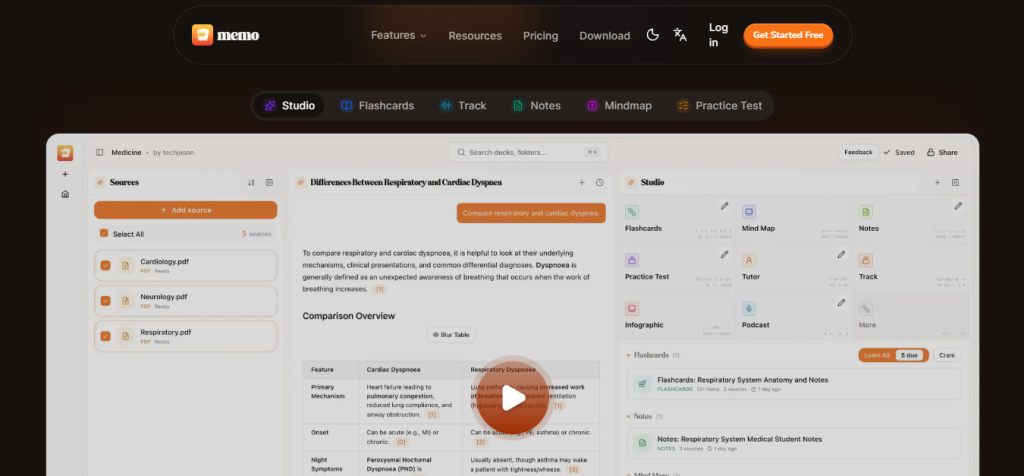
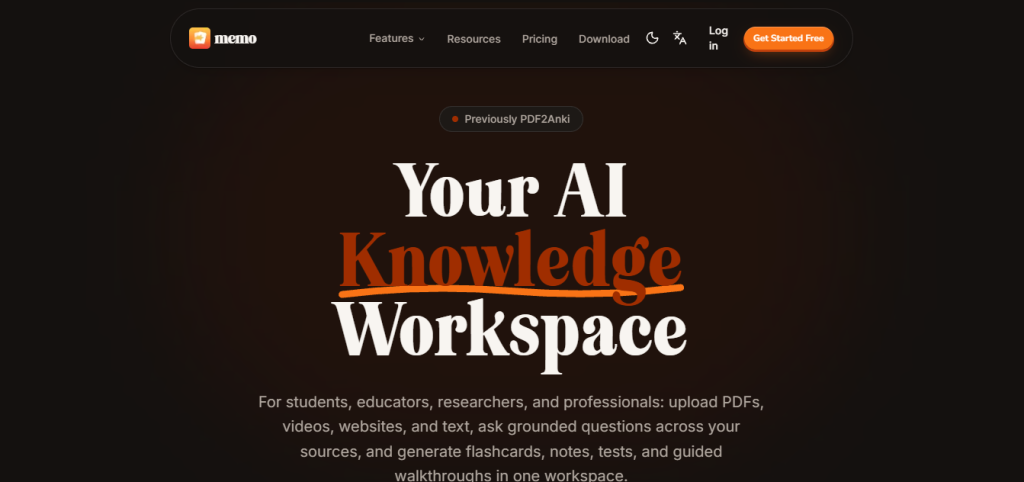
Memo A, previously PDF2Anki, is an AI-native knowledge workspace built by co-founders Jason Chan and a co-founder who were medical students buried in hundreds of pages of dense material. It’s organized around one founding insight: the biggest problem in learning isn’t accessing information; it’s retaining it, and the tools people use to process information are stubbornly inefficient, fragmenting attention across apps and losing context. Memo is built to solve all three steps of that problem in one place: ingest any source, explore it with a grounded AI copilot, and generate whatever output format makes knowledge actually stick.
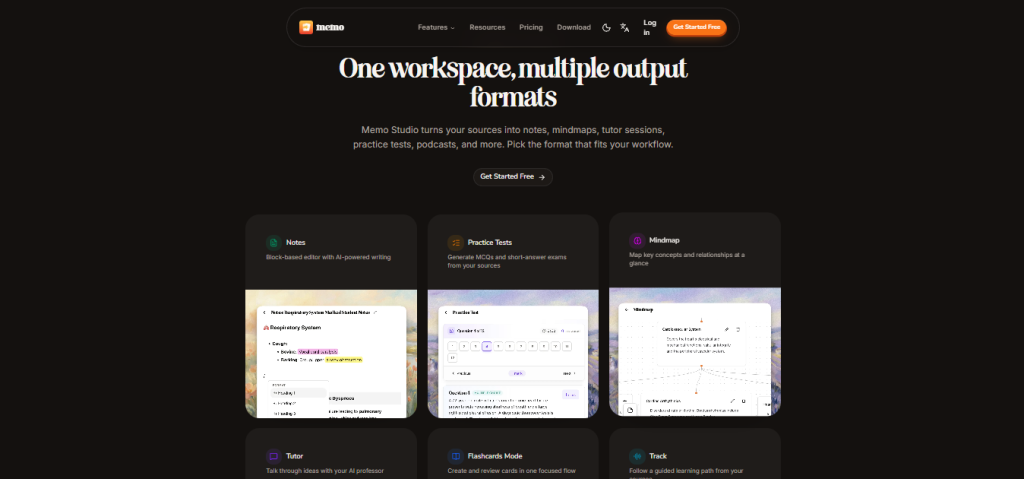
The platform covers every major study output format from a single source set: Flashcards (basic, quiz, and cloze with cited card generation via AI agent), Notes (bullet, table, Cornell, summary, toggles, or custom), Mind Maps, Practice Tests (MCQ, short-answer, or mixed), Podcasts (AI-generated audio from your sources), Infographics, Tutor sessions (Feynman and Strict Professor personas), and Track Mode a voice-guided walkthrough where an AI Professor narrates your documents page by page with comprehension checks, supporting 32 languages for voice output and up to 99 for input understanding. Available on web, macOS, Windows, Linux, iOS, and Android.
What You Get (and What You Don’t)
Feature | What’s Included | Limitations |
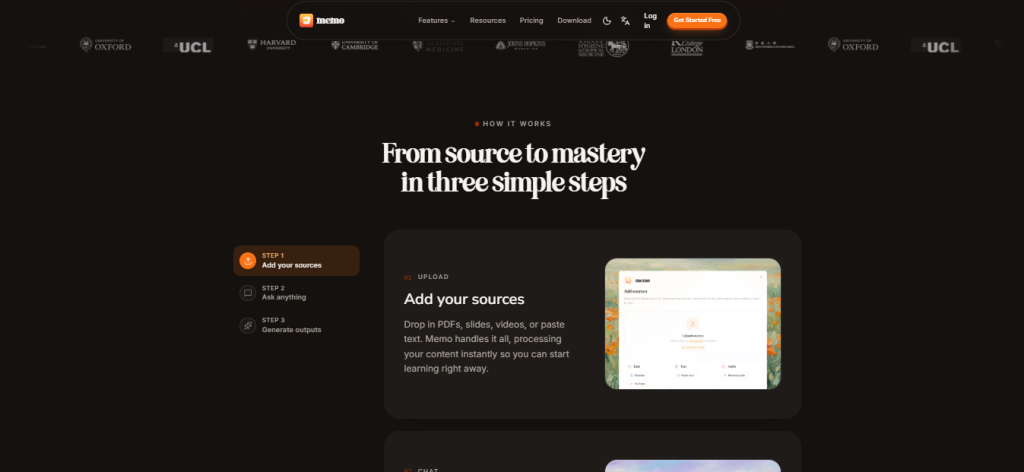
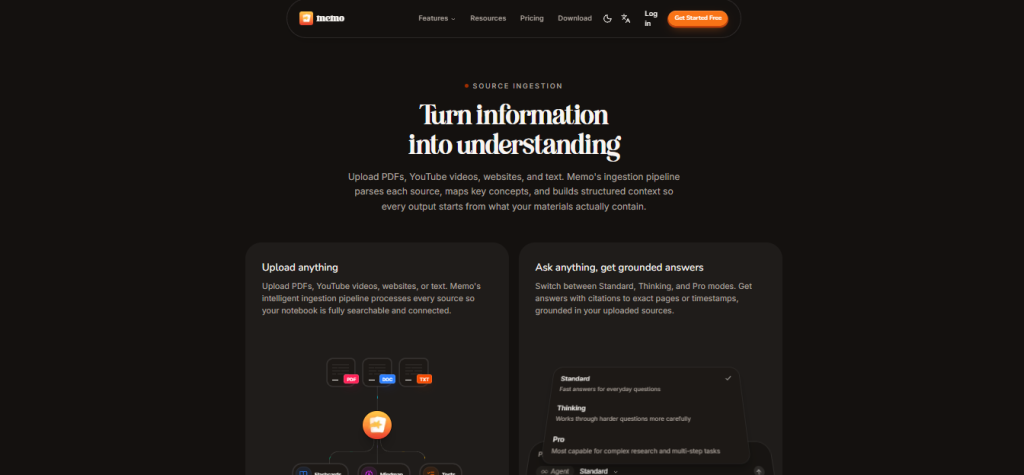
Source Ingestion | Upload PDFs (select exact page ranges), YouTube videos (transcript-based), websites, and pasted text, processed and indexed instantly into a searchable, connected notebook | File size limits apply by plan: up to 50 MB on Free, up to 1 GB on Pro and Max |
AI Copilot Chat | Grounded Q&A with citations to exact pages or timestamps; three modes: Standard (fast everyday answers), Thinking (harder multi-step questions), Pro (complex research and multi-step tasks) | Thinking and Pro chat modes are locked to paid plans; Standard mode is available on Free |
Flashcard Generator (AI Agent) | AI agent reads all sources together, maps key concepts, generates cited flashcards linked to exact source page or timestamp with live generation trace and progress checklist | Generation volume is usage-capped per plan; Free plan has limited headroom; high-volume flashcard generation requires Pro or Max |
Five Flashcard Review Modes | Column view, toggle view, list view, typing mode (active recall), and Learn Mode (guided pacing with progress feedback) plus manual grading for difficulty control | No built-in spaced repetition scheduling inside Memo for FSRS or SM-2 spaced repetition; export to Anki |
Notes Generator | Six output styles: bullet, table, Cornell, summary, toggles, or custom block-based editor with AI-powered writing | Notes are generated from your source content, not from internet knowledge; quality scales with source material depth |
Practice Tests | MCQ, short-answer (SAQ), or mixed generated from your actual course material | Generation volume applies per plan; verify test depth on Free tier before upgrading |
Mind Maps | Visual concept mapping from your source content: key ideas and relationships at a glance | Mind maps are generated outputs, not an interactive whiteboard editor; for collaborative live mapping, a dedicated tool is more appropriate |
Track Mode (AI Professor) | Voice-guided walkthrough of your documents; pages auto-flip as AI narrates, comprehension checks verify understanding, supports 32 languages for voice output and 99 for input | This is Memo’s most distinctive feature; it transforms passive reading into an interactive learning session and requires good source audio/text quality to perform well |
AI Professor Tutor | Two tutor personas: Feynman (accessible, clear explanations from first principles) and Strict Professor (rigorous, tests understanding more than reassures) | The tutor works from your uploaded sources; it’s not a general AI tutor that knows everything; it knows what you give it |
Podcasts & Infographics | AI-generated podcast-style audio from your sources with style and duration controls; infographic generation from source content | Volume-capped; these are Studio outputs alongside flashcards, notes, and tests, not unlimited on Free |
Anki / PDF / Markdown Export | Export flashcards to Anki-compatible format, PDF, text, or Markdown; your outputs are portable and reusable | Export is a paid feature. Free plan does not include Anki/PDF/Markdown export |
Cram Review | Rapid review mode for due cards with source context available during review | A focused cramming tool rather than a full FSRS spaced repetition system |
Multi-Language Support | Generate outputs in 30+ languages; Track Mode voice in 32 languages; input understanding up to 99 languages | Language coverage is strong for major world languages; niche or academic languages may have less consistent generation quality |
Teams / Institutional Plan | Available for schools, bootcamps, and teams with shared curricula; contact via Tally form | Custom pricing via sales conversation; not self-serve on the standard pricing page |
Platform | Web, macOS, Windows, Linux, iOS, Android fully cross-platform | Some advanced features may have different availability across platforms; verify at memo.cards/en/download |
The takeaway: Memo AI’s clearest differentiator is the combination of grounded, cited AI chat with a full multi-format output studio flashcards, notes, mind maps, tests, podcasts, infographics, and a voice-guided walkthrough all from the same source set, in one workspace. The free plan is a genuine evaluation environment. The trade-off is that generation volume is capped per plan, export to Anki requires a paid plan, and native spaced repetition scheduling requires exporting to Anki rather than using Memo’s own review system. For learners who primarily use Anki and want AI-generated decks, the export flow matters more than the in-app review experience.
Pricing: What You Actually Pay
Memo AI uses three-tier pricing: Free, Pro, and Max, with monthly, quarterly, and annual billing options. Annual billing saves 20% versus monthly.
Plan | Monthly Price | Annual Price | File Size | Key Inclusions |
Free | $0 forever | $0 | 50 MB per file | Full feature access (source ingestion, AI chat Standard mode, all Studio outputs, flashcard review modes) with limited generation volume; output in 30+ languages; no Anki/PDF/Markdown export |
Pro | ~$8.99/month | $7.17/month | 1 GB per file | Everything in Free + much higher generation volume; Thinking and Pro chat modes; customization (difficulty, style, question count, prompts, language); Anki/PDF/Markdown export; built for weekly coursework and research |
Max | ~$17.00/month | $14.17/month | 1 GB per file | Everything in Pro + highest monthly usage capacity; extra headroom for tutor, podcast, and practice test workflows; multi-source notebooks; repeated Studio runs; built for daily intensive workflows |
Teams | Custom | Custom | Custom | For schools, bootcamps, and teams: custom pricing via contact form |
Real-world cost context: Pro at $7.17/month annually is one of the lowest-priced full-featured AI knowledge workspace subscriptions available, significantly cheaper than Notion AI ($10/month), less than half the price of Atlas’s paid tiers in comparable tools, and at a price point that most students can justify for the time saved converting dense source material into usable study assets. Max at $14.17/month annually is the right tier for learners processing large volumes daily, heavy medical, legal, or research workloads where repeated Studio runs across multi-source notebooks are the norm rather than the exception.
Worth checking before you subscribe: the Free plan’s generation volume is limited; it’s enough to evaluate the output quality for your specific source material before committing, but it’s not designed to sustain a full semester’s study workflow without upgrading. The most important thing to test on the free plan is flashcard and Track Mode quality on the actual type of document you use; a dense medical PDF is a different test than a YouTube lecture transcript. Anki export is not available on Free. If your existing workflow is Anki-based and you need AI-generated decks exported immediately, Pro is the minimum tier.
AI Knowledge Workspace vs. Single-Purpose Study Tools: The Core Trade-Off
Memo AI’s core argument is that a workspace built to handle the full pipeline source ingestion, grounded AI exploration, and multi-format output generation beats assembling a stack of single-purpose tools (a PDF reader, an AI chat tool, a flashcard generator, and a separate podcast tool) for learners who process large volumes of material regularly. Co-founder Jason Chan put it directly in his founder letter: “We were never given tools designed for how memory actually works. Content Processing, AI Copilot, and Retention Tools work together and improve with every session. That’s what makes Memo a complete AI-native knowledge workspace.”
The trade-offs show up consistently in two places. First, Memo’s flashcard review system is a solid tool for active recall but doesn’t include native FSRS or SM-2 spaced repetition scheduling, Anki’s defining feature. Learners whose entire study system is built around spaced repetition scheduling will still need Anki as their review engine; Memo’s strongest position in that workflow is as the AI deck generator rather than the full replacement. Second, generation volume is capped per plan; heavy daily users on Pro may find themselves constrained before month end on high-volume source sets, making Max the more appropriate tier for medical school, law, or research workflows.
Who Memo AI Is Built For
Memo AI’s practical value depends on whether your learning workflow involves dense, volume-heavy source material that needs to become usable study assets quickly:
- Medical and professional students processing hundreds of pages of dense material per week who need the full pipeline from source to flashcards, tests, and guided walkthroughs without building each output manually.
- University and postgraduate researchers turning research papers, lecture recordings, and academic PDFs into cited Q&A, structured notes, and exportable mind maps without losing track of where each insight came from.
- Law and professional exam candidates working through dense case law, statutes, and study guides who need multiple output formats (MCQ, SAQ, cloze cards, notes) from the same source material.
- Language learners using Memo’s 30+ language output support and Track Mode’s 32-language voice tutor to study in or translate content to their target language.
- Corporate and professional learners processing internal training docs, technical manuals, quarterly reports, and policy documents into searchable notebooks with cited AI answers and exportable summaries.
- Educators and instructional designers turning lecture packs, mixed media, and course materials into reusable flashcard sets, practice tests, and guided learning tracks for students or teams.
- Anki users who want AI-generated decks and want to keep Anki as their review engine but remove the manual card-creation bottleneck with an AI agent that reads their sources and generates cited, accurate decks for export.
What Are the Downsides of Using Memo AI?
No native spaced repetition scheduling: Memo’s review system includes Learn Mode, Cram review, and due-card tracking, but not FSRS or SM-2 algorithm-based scheduling. Learners whose study system depends on true spaced repetition intervals need to export to Anki for that layer. Memo’s strongest position in an Anki workflow is as the AI card generator, not the full replacement.
Generation volume caps on all plans, including Free: The Free plan’s generation allowance is designed for evaluation and light use, not a sustained semester workflow. Pro and Max have higher allowances, but Max exists specifically because Pro may not cover the heaviest daily workflows, medical school, bar prep, or intensive research work. Monitor generation usage in the first week to calibrate which plan tier actually fits your workload.
Anki export is locked to paid plans: If your primary reason for trying Memo is generating Anki-compatible decks from your PDFs, the Free plan won’t support your workflow end-to-end; you’d need to evaluate on Free and then upgrade to Pro immediately for export access.
Track Mode quality scales with source quality: The AI Professor voice walkthrough is one of Memo’s most distinctive features, but its quality scales directly with how cleanly the source material is structured. Dense, poorly formatted PDFs, low-quality audio transcripts, or heavily visual materials (chemistry diagrams, complex formulae) produce less accurate narration than well-structured text-heavy sources.
Teams and institutional pricing require a sales conversation: There’s no self-serve team plan; schools, bootcamps, and professional teams need to contact Memo via a Tally form for custom pricing. For individual users and solo learners, this is irrelevant, but for department-wide or cohort rollouts it adds friction to the decision.
Memo AI vs. Alternatives: Where Each One Wins
Category | Memo AI | Anki | Quizlet | Atlas |
Best for | Full AI pipeline from source to multi-format study output: grounded chat, flashcards, notes, tests, podcasts, and voice walkthrough in one workspace | Spaced repetition scheduling: the benchmark for long-term memory retention with FSRS and SM-2 algorithms | Flashcard study sets with a large community library best for standardized exams with existing shared decks | Course-material-aware AI study workspace grounded on your uploaded class content with homework solver, lecture notes, and practice quizzes |
Free plan | ✓ Full feature access with generation limits; no credit card | ✓ Free desktop app (AnkiDroid free; AnkiMobile $24.99 one-time) | ✓ Limited with ads | ✓ Full workspace with usage limits; no credit card |
Source ingestion (PDF, YouTube, website) | ✓ All four | ✗ Manual only | ✗ Manual only | ✓ PDF, YouTube, Canvas/Blackboard |
Grounded AI chat with citations | ✓ Three modes | ✗ | ✗ | ✓ Course material only |
Flashcard AI generation | ✓ AI agent with citations | ✗ Manual | ✓ Basic AI | ✓ From course material |
Spaced repetition scheduling | ✗ (export to Anki) | ✓ FSRS + SM-2 best in class | ✓ Basic | ✗ |
Track Mode/voice walkthrough | ✓ 32 languages | ✗ | ✗ | ✗ |
Practice tests (MCQ + SAQ) | ✓ From your sources | ✗ | ✓ | ✓ From course material |
Mind maps | ✓ | ✗ | ✗ | ✗ |
AI podcast / audio output | ✓ | ✗ | ✗ | ✗ |
Anki export | ✓ (paid plans) | Native | ✗ | ✗ |
Desktop + mobile | ✓ macOS, Windows, Linux, iOS, Android | ✓ | ✓ | ✓ iOS + Android |
Starting paid price | $7.17/month (annual) | Free / $24.99 one-time (mobile) | Free / $7.99/month | Verify at atlas.org |
Neither wins outright; they suit different workflows and study priorities. If spaced repetition scheduling with FSRS is the core of your study system, Anki remains the benchmark tool; Memo’s strongest position there is as the AI deck generator for Anki export. If a large community library of pre-built decks for standardized exams is the primary need, Quizlet’s existing card ecosystem is unmatched. If you want a course-material-aware workspace focused on homework solving and class-specific grounding, Atlas covers that specific workflow. If you want a full AI pipeline from source ingestion to multi-format study output with grounded chat, voice walkthrough, and 30+ language support in one workspace at under $10/month, Memo AI covers more ground per dollar than any of the alternatives above.
Is Memo AI Worth It?
Likely worth it if:
- You process large volumes of PDFs, lecture recordings, and research papers regularly and currently spend hours manually creating flashcards, notes, or study guides from them
- Track Mode is the feature that closes the decision: a voice-guided AI walkthrough that narrates your documents with comprehension checks is the kind of feature that changes how studying feels, not just how fast it is
- You use Anki as your review engine and want AI-generated, cited decks exported directly. Pro at $7.17/month removes the manual card creation step entirely
- The Free plan’s generation allowance is enough to evaluate output quality on your specific source material before committing; test on your actual hardest document type before upgrading
- You want one workspace covering flashcards, notes, mind maps, practice tests, podcasts, and AI chat rather than five separate subscriptions
Probably not the right fit if:
- Your primary study method is spaced repetition scheduling, and you want to run the whole workflow inside one too. Memo’s review system covers active recall well but doesn’t replace Anki’s scheduling algorithm natively; you’d still need to export
- You primarily study from textbooks with no digital source access. Memo’s pipeline requires uploadable digital source material to function.
- Your generation volume is very high daily (multiple heavy multi-source notebooks per day), and you’re unsure whether Max’s allowance covers your workload. Monitor usage carefully in the first week before committing to an annual plan.
- You need a team or institutional plan and want self-serve pricing without a sales conversation.
The verdict: Memo AI is a well-built, genuinely useful AI knowledge workspace that does its core job well: turning dense source material into cited, accurate, multi-format study outputs in one place. Co-founders Jason Chan and his co-founder built the tool they needed as medical students, and it shows the depth of source processing, the citation layer on flashcards and chat, Track Mode’s voice walkthrough, and the export flexibility to Anki and Markdown all reflect design decisions made by people who actually live in dense material, not a product team guessing at what learners need. The trade-offs are real: no native spaced repetition scheduling, generation volume caps, and Anki export locked to paid plans. For students, researchers, and professionals who process large volumes of source material and want a complete AI pipeline from source to study asset t under $10/month on Pro, Memo AI is one of the best-value learning tools in the category right now.
Memo AI Pros:
- Full AI pipeline in one workspace: source ingestion, grounded AI chat, and multi-format study output (flashcards, notes, mind maps, tests, podcasts, infographics, voice walkthrough) without switching apps
- AI agent generates cited flashcards linked to exact source pages or timestamps; every card is traceable to where it came from
- Track Mode (AI Professor) narrates your documents page by page with voice tutoring and comprehension checks in 32 languages a genuinely distinctive feature
- Grounded AI chat in three modes (Standard, Thinking, Pro) answers questions with citations from your own uploaded material
- Anki, PDF, Markdown, and text export on paid plans; outputs are portable and reusable, not locked in the platform
- Free forever plan with full feature access and generation allowance; no credit card required
- Pro at $7.17/month annual is one of the lowest-priced full-featured AI study tools available
- Cross-platform: web, macOS, Windows, Linux, iOS, Android
- Used by 300,000+ learners in 106+ countries,s including at Harvard, Oxford, Stanford, Cambridge, King’s College London, and Johns Hopkins
Memo AI Cons:
- No native spaced repetition scheduling: FSRS and SM-2 require exporting to Anki; Memo’s review system covers active recall but not algorithmic scheduling
- Generation volume is capped per plan: the Free plan is for evaluation, not a full semester workflow; heavy daily users need Max.
- Anki export is locked to paid plans Free plan supports in-app review but not export; Anki-first users need to upgrade immediately.
- Track Mode and AI chat quality scale with source material quality; dense, poorly formatted, or highly visual PDFs produce less accurate outputs.
- Teams and institutional pricing require a sales conversation via Tally; no self-serve team plan.
 All-in-one workspace.
FAQs
For students, researchers, and professionals who process large volumes of PDFs, lecture recordings, and research papers and want a full AI pipeline from source to cited flashcards, notes, tests, and voice walkthroughs, Pro at $7.17/month annually is strong value.
Free forever (generation-limited, no Anki export, 50 MB per file, no credit card required). Pro at $7.17/month billed annually (~$8.99/month monthly): higher generation volume, Thinking and Pro chat modes, Anki/PDF/Markdown export, 1 GB per file. Max at $14.17/month annually (~$17/month monthly): highest volume, ideal for daily intensive workflows. Quarterly billing also available. Confirm current pricing at memo.cards/en/pricing.
It depends on how you use Anki. If you use Anki primarily as a deck storage and review tool and the manual card creation is your pain point, Memo AI eliminates that step with AI-generated, cited decks exported directly to Anki.
Track Mode is Memo’s AI Professor feature; it transforms your uploaded document into an interactive guided walkthrough where an AI voice narrates the content page by page, auto-flips as it goes, explains diagrams and visuals, asks comprehension check questions, and supports voice conversation in 32 languages.
Anki (for native FSRS spaced repetition scheduling, the benchmark for long-term memory retention, free on desktop), Quizlet (for a large community deck library for standardized exam prep), Atlas (for a course-material-aware AI workspace focused on homework solving and class-specific grounding), and Notion AI (for a knowledge workspace with AI writing and database organization, if structured note-taking is the primary need) are the most commonly cited alternatives depending on whether spaced repetition scheduling, existing card libraries, class-specific grounding, or note organization is the primary priority.