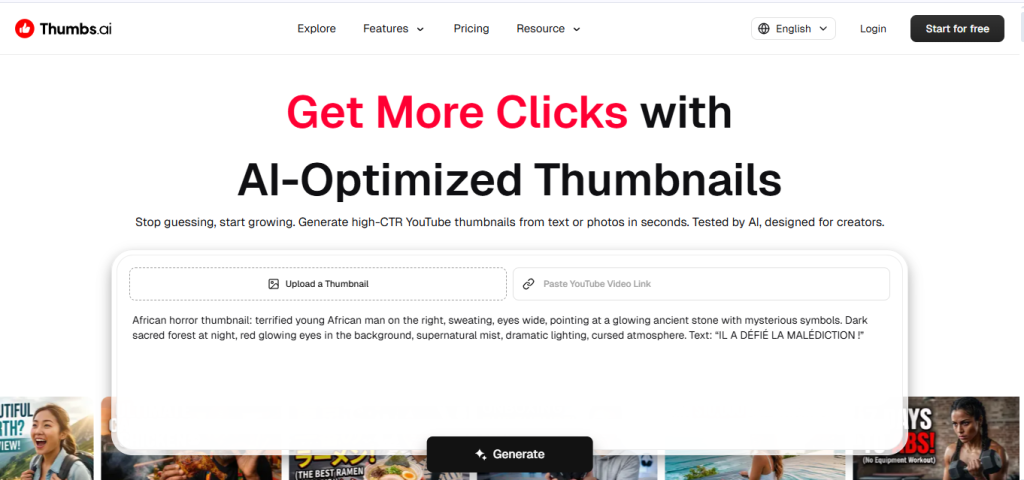
You’ve probably landed here because you’re trying to figure out if Thumbs is worth paying for over just hiring a thumbnail designer on Fiverr, or sticking with Canva templates. That’s the right question, because Thumbs’ whole pitch is speed and click-psychology, generating a designer-quality, high-CTR thumbnail from a text prompt or an existing photo in seconds, and whether that trade pays off depends on how often you’re publishing and how much you currently spend per thumbnail.
🔗 Try Thumbs
Why Trust SaaSTrac?
This review is built from Thumbs’ own pricing and product pages, plus independent write-ups and user reviews on directories like Utilo and Comparateur-IA. We haven’t personally run a paid subscription on this account, so anything about day-to-day generation quality, prompt consistency, or support responsiveness reflects what verified users and independent reviewers report, not a private hands-on test. Pricing and feature naming for AI tools in this category shift often as providers iterate, so we’ve gone with the most recently verified figures from Thumbs’ own pricing page rather than relying on any single third-party source.
What Thumbs Is
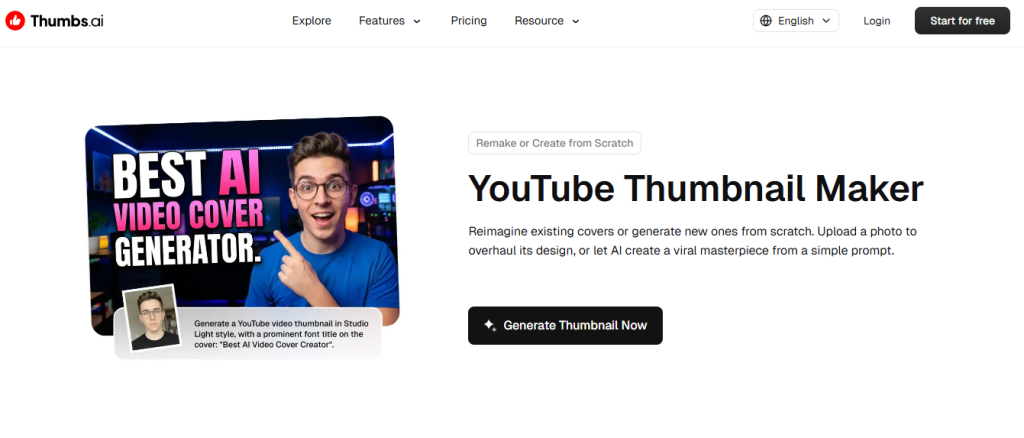
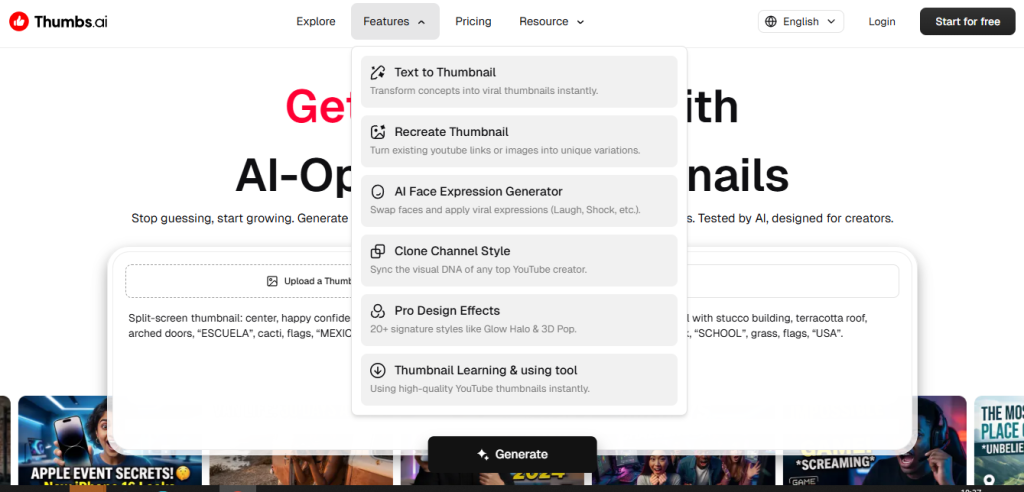
Thumbs is an AI-powered design tool built specifically for YouTube thumbnail creation rather than general-purpose graphic design. Instead of opening Photoshop or Canva and manually compositing a face, background, and bold text overlay, Thumbs generates a finished thumbnail from a text prompt or an uploaded photo, and can also clone the visual style of any existing YouTube channel. It’s built around click psychology, with tools that swap and pose faces, apply viral-style expressions like shock or laughter, and score a finished design’s likely click-through performance before you publish. It’s aimed at solo creators, gaming and commentary channels, beginner vloggers, and marketing managers overseeing multiple channels who want a fast, repeatable way to produce on-brand, high-CTR thumbnails, rather than teams needing fully custom illustration or brand design work.
What You Get (and What You Don’t)
Feature | What’s Included | Limitations |
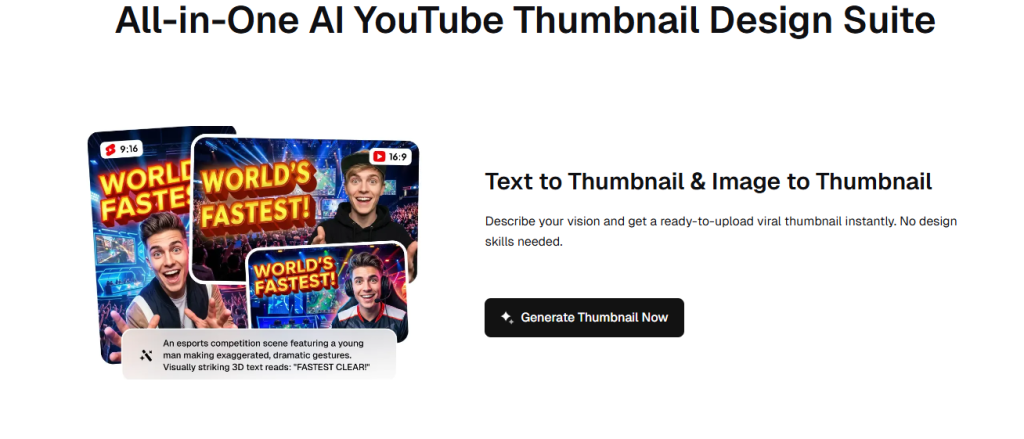
Thumbnail Generation | Text-to-thumbnail and image-to-thumbnail generation, ready to upload | Free plan output carries a watermark, so it’s not truly publish-ready until you upgrade |
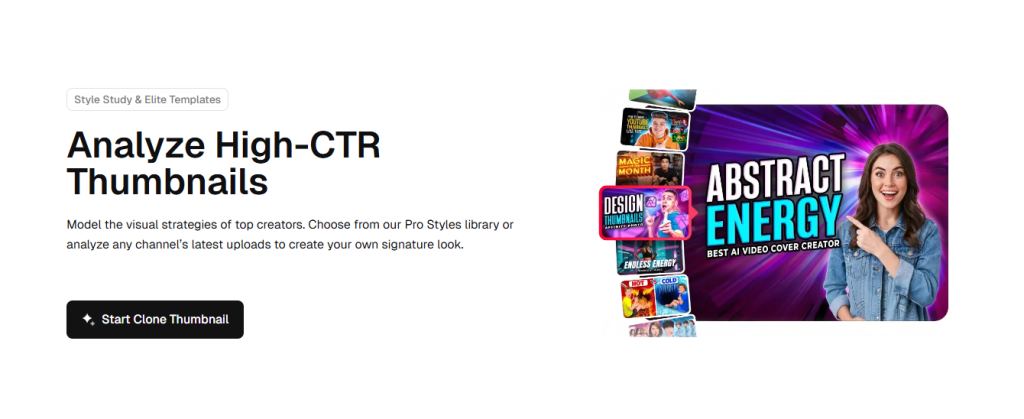
Style Cloning | Analyzes a channel’s last 9 uploads (or reference images) to replicate a proven visual style | Cloning depends on the source channel’s own thumbnail quality; results still need review |
Face & Expression Tools | AI face swap, pose matching, and an Expression Lab to dial in shock, joy, or suspense | Best results reported with clear reference photos; occasional regeneration needed |
Design Effects & Templates | 20+ signature effects (Glow Halo, 3D Pop-Out, Neon Glitch) plus a template library | Full template access and effects are gated to paid tiers |
CTR Rater & Batch Testing | Instant AI-generated performance score, plus bulk generation for A/B testing | Score is a predictive estimate, not a guarantee of real-world CTR |
Commercial Use Rights | Explicit YouTube & commercial use rights included from the Ultimate tier up | Premium tier doesn’t include commercial use rights, only Ultimate and above do |
The takeaway: Thumbs goes deep on the specific job of making a thumbnail that gets clicked, rather than trying to be a general design tool. For creators who publish regularly and want a repeatable, on-brand process, that focus is the appeal. If you only need the occasional one-off graphic, or want full manual control over layout, a general design tool may still serve you better.
Pricing: What You Actually Pay
Thumbs uses a four-tier freemium, credit-based model, with a straightforward discount for paying yearly.
Plan | Price (monthly / yearly) | What’s Included |
Free | $0/mo | 20 trial credits (~10 generations), text-to-thumbnail, image-to-thumbnail, watermarked output |
Premium | $11/mo or $137/yr | 160 monthly credits (~80 thumbnails), no watermark, high quality, face generation, style cloning, all templates |
Ultimate | $29/mo or $353/yr | 800 monthly credits (~400 thumbnails), everything in Premium plus YouTube & commercial use rights and priority queue |
Master | $71/mo or $857/yr | 2,000 monthly credits (~1,000 thumbnails), everything in Ultimate plus priority access to new features |
Real-world cost context: paying yearly is listed as roughly 40% cheaper than paying monthly across every paid tier, worth factoring in if you know you’ll be a regular user. It’s also worth noting that unused credits are reported to roll over to the next month on paid plans, so occasional lighter months aren’t wasted spend. Since credit-based AI tools tend to adjust pricing and credit allotments as usage patterns shift, confirm current figures directly on Thumbs’ pricing page before budgeting.
Worth checking before you subscribe: the free plan is generous enough to test the core generation and style-cloning workflow, but output carries a watermark and lacks commercial use rights, so you won’t get a publish-ready thumbnail without upgrading at least to Premium.
AI Generation vs. Hiring a Designer or Using Canva: The Core Trade-Off
Thumbs’ core argument is that a purpose-built, click-psychology-aware generator beats both a slow manual design process and a generic template tool, since it’s trained specifically on what drives YouTube click-through rather than general aesthetics. Independent reviewers and user testimonials consistently cite the speed (seconds instead of hours) and the style-cloning feature as real strengths, since it removes the guesswork of “what actually works for my niche.” The trade-off shows up in two places worth weighing: results occasionally need a regeneration or manual tweak to nail the exact vibe requested, and the free tier’s watermark means you can’t fully evaluate publish-ready quality without paying at least once.
Who Thumbs Is Built For
Thumbs’ practical value depends on how often you publish and how much manual design work you’re currently doing per thumbnail:
- Solo YouTube creators — replacing hours in Photoshop with a text prompt or photo upload for each new video.
- Gaming and commentary channels — using face expression tools and high-energy effects to match fast-turnaround, high-frequency upload schedules.
- Beginner vloggers — using templates and style cloning to produce professional-looking thumbnails with zero design background.
- Marketing managers — running the CTR Rater and batch generation across multiple channels to A/B test designs and keep branding consistent.
What Are the Downsides of Using Thumbs?
- Free plan output is watermarked. You can test the workflow, but you can’t publish a free-tier thumbnail without the watermark showing.
- Commercial use rights are tier-gated. Only Ultimate and Master plans explicitly include YouTube and commercial use rights, something to check before relying on Premium for monetized content.
- Results occasionally need a nudge. Some independent testers report needing to regenerate or tweak prompts to land the exact mood or lighting requested.
- Credit-based limits. Higher-volume creators or teams managing several channels will burn through lower-tier credits quickly and need to budget for Ultimate or Master.
- Newer, narrower tool category. As a specialized thumbnail generator rather than a general design suite, it won’t replace broader creative or brand design work.
Thumbs vs. Hiring a Designer or Using a General Design Tool: Where Each One Wins
Category | Thumbs | Freelance Designer / Canva |
Best for | Creators wanting fast, click-optimized thumbnails generated from text or photos | Creators wanting fully custom, hand-designed graphics or broader brand assets |
Starting cost | Free (watermarked), paid tiers from $11/mo | $0 for Canva’s free tier, or $20–$100+ per thumbnail for a freelance designer |
Turnaround | Seconds per generation | Minutes in Canva; hours to days with a freelancer |
Consistency | Style cloning keeps a channel’s look consistent automatically | Requires manual template discipline or ongoing freelancer briefing |
Click optimization | Built-in CTR Rater and face/expression tools aimed specifically at clicks | Depends entirely on the designer’s or creator’s own instincts |
Customization depth | Strong within its thumbnail-specific toolset | Fully open-ended, but requires more time or budget per asset |
Neither approach “wins” outright, they suit different creator stages. If you’re publishing frequently and want a fast, repeatable, click-optimized process, Thumbs’ generation and CTR tools are the more efficient path. If you need fully custom brand design work beyond thumbnails, a freelancer or a general tool like Canva may still be worth keeping in the mix.
Is Thumbs Worth It?
Likely worth it if:
- You publish YouTube videos regularly and want a fast, repeatable thumbnail workflow
- You want to clone a proven visual style from your own back catalog or a top channel in your niche
- You have little to no design background and want professional-looking results without learning Photoshop
- You’re comfortable testing the free plan first, since publish-ready output requires at least the Premium tier
Probably not the right fit if:
- You only need the occasional one-off thumbnail and don’t publish often enough to justify a subscription
- You need commercial use rights on a budget tier below Ultimate
- You want fully custom, hand-illustrated brand design rather than AI-generated visuals
- You’re highly price-sensitive and would rather use Canva’s free templates manually
The verdict: Thumbs is a genuinely focused AI thumbnail generator that leans into the specific psychology of YouTube clicks rather than trying to be a general design tool. Its style cloning, face expression tools, and CTR Rater are the features reviewers and users highlight most, and the credit-based, tiered pricing scales reasonably with how often you publish. The trade-offs worth weighing are the watermarked free tier and the fact that commercial use rights only kick in from Ultimate up. For active creators who’d otherwise spend hours per thumbnail or pay a freelancer per design, Thumbs is a reasonable and often cheaper alternative. For occasional uploaders, the free plan or Premium tier is likely enough to start.
Thumbs Pros:
- Text-to-thumbnail and image-to-thumbnail generation in seconds, no design skills required
- Style cloning replicates a channel’s proven visual identity automatically
- AI face expression and pose tools built specifically for high-CTR thumbnails
- CTR Rater and batch generation support real A/B testing before publishing
- Unused credits reported to roll over on paid plans, and yearly billing cuts cost by roughly 40%
Thumbs Cons:
- Free tier output is watermarked and not publish-ready
- Commercial use rights are limited to the Ultimate and Master tiers, not Premium
- Some results reportedly need regeneration or prompt tweaks to nail the exact request
- Credit-based limits mean high-frequency publishers will need a higher tier
- Narrower scope than a general design tool, built specifically for thumbnails rather than broader brand assets
 Instant thumbnails. Better CTR.
FAQs
For creators who publish regularly and want a fast, click-optimized thumbnail workflow, yes, the speed and style-cloning tools are generally seen as strong value against the time cost of manual design or the price of a freelancer.
Current listings show a free plan, with paid tiers at $11/month (Premium), $29/month (Ultimate), and $71/month (Master), each with a roughly 40% discount for paying yearly.
Yes, the free plan includes 20 trial credits (about 10 generations) covering text-to-thumbnail and image-to-thumbnail generation, but output carries a watermark and lacks commercial use rights.
Yes, the Clone Channel Style feature analyzes a channel’s recent uploads or reference images to replicate their visual approach for your own thumbnails.
General design tools like Canva, freelance thumbnail designers on platforms like Fiverr, and other specialized AI thumbnail generators are the most commonly cited alternatives, depending on whether you want a fast AI-generated workflow or fully custom design work.