You’ve probably landed here because you’re trying to figure out if Kittl is worth paying for on top of (or instead of) Canva or Adobe Illustrator, or if you can get the same print-ready results from a free tool. That’s the right question, because Kittl’s whole pitch is sitting in the middle: more vector control and typography depth than Canva, without Illustrator’s steep learning curve, and whether that trade pays off depends on how much of your work is text-driven, vector-based, or headed for a physical product.
🔗 Try Kittl
Why Trust SaaSTrac?
This review is built from Kittl’s own pricing and product pages, plus independent write-ups and verified user reviews on platforms like G2 and SoftwareSuggest. We haven’t personally run a paid subscription on this account, so anything about day-to-day generation quality, export performance, or support responsiveness reflects what verified users and independent reviewers report, not a private hands-on test. Pricing figures for Kittl vary across sources and review dates, some cite the Pro plan starting near $15/month and others closer to $10/month annualized, so we’ve gone with the most recently verified figures and flagged the discrepancy rather than presenting one number as fixed.
What Kittl Is
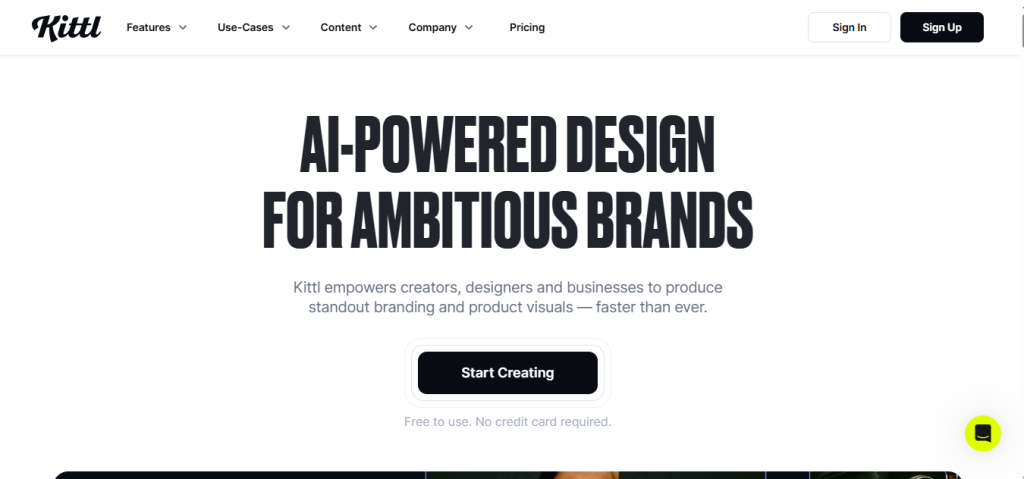
Kittl is a browser-based, AI-first graphic design platform built around advanced typography and editable vector work, rather than general-purpose templating. Instead of assembling a design from static templates the way Canva does, Kittl leans on an integrated AI stack, including a text-to-vector generator, an AI vectorizer that turns raster images into clean editable SVGs, a background remover, and an upscaler, layered on top of a non-destructive vector editor and 1,400+ fonts. It’s built for text-driven, retro-inspired, and merch-focused work: logo typography, vintage lettering, t-shirt and print-on-demand graphics, and branded social posts. It’s aimed at print-on-demand sellers, merch and apparel designers, small business owners building their own brand assets, and designers who want Illustrator-level vector precision without Illustrator’s learning curve, rather than teams needing a massive all-purpose template library or native mobile editing.
What You Get (and What You Don’t)
Feature | What’s Included | Limitations |
Typography & Vector Tools | 1,400+ fonts (including premium Monotype and exclusive Kittl typefaces), non-destructive vector editing, path editing and shape combining | Design strength is concentrated in text-driven and vector work, not general-purpose templating |
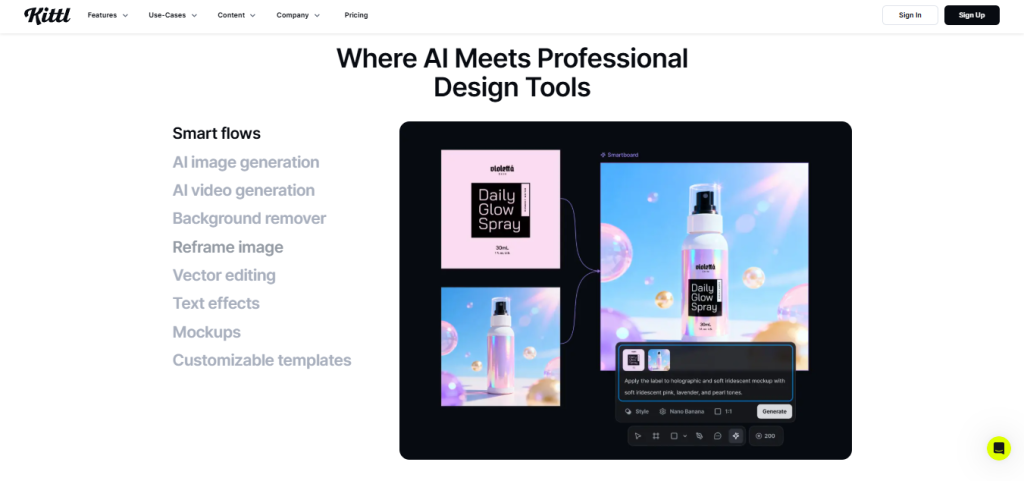
AI Generation Stack | Multiple AI models integrated in one canvas (image generation, text-to-vector, AI vectorizer, background remover, upscaler) | AI image output is reported as less consistent than dedicated tools like Midjourney |
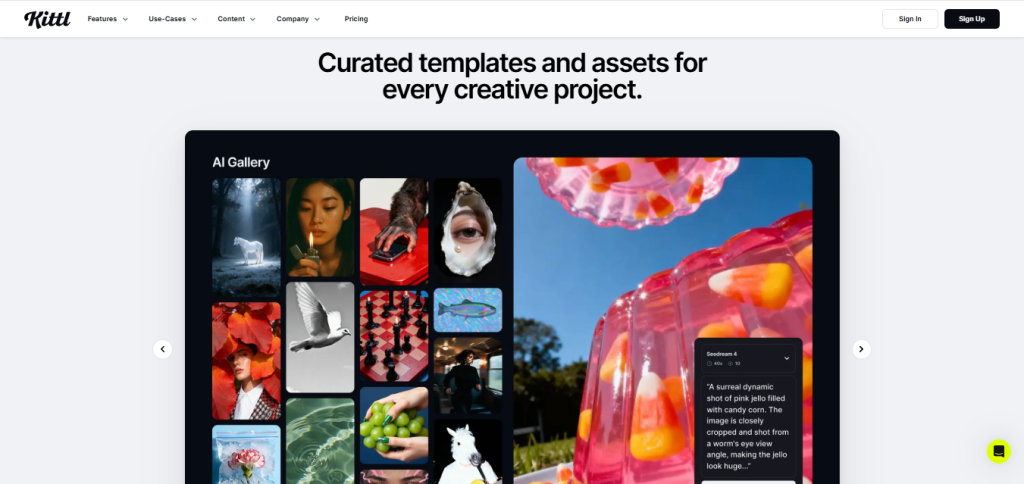
Templates & Mockups | Hundreds of thousands of customizable templates, plus a mockup library for apparel, posters, and packaging with automatic perspective and lighting | Template library is smaller than Canva’s, and leans bold/retro rather than clean/corporate |
Exports & Licensing | High-resolution exports up to 10,800px at 300 DPI, SVG and PDF vector export, commercial license on paid tiers | Free plan exports are capped at roughly 800px/72 DPI, unusable for print, and carry no commercial license |
Storage & Projects | 10GB (Pro) to 100GB (Expert) upload space, unlimited projects on paid tiers | Free plan limits total projects and gives only a one-time AI token allowance rather than a monthly refresh |
Platform | Clean, fast-loading browser-based editor | No mobile app and minimal third-party integrations, so it works best as a standalone web tool |
The takeaway: Kittl goes deep on the specific combination of typography, vector control, and print-ready output, rather than trying to out-template Canva. For creators whose work is text-heavy, vector-based, or destined for a physical product, that focus is the appeal. If you need a huge general template library, native mobile editing, or the most consistent possible AI image generation, another tool may still serve you better.
Pricing: What You Actually Pay
Kittl uses a three-tier model (plus a quote-based Business tier), with a meaningful discount for paying annually.
Plan | Price (monthly / annual) | What’s Included |
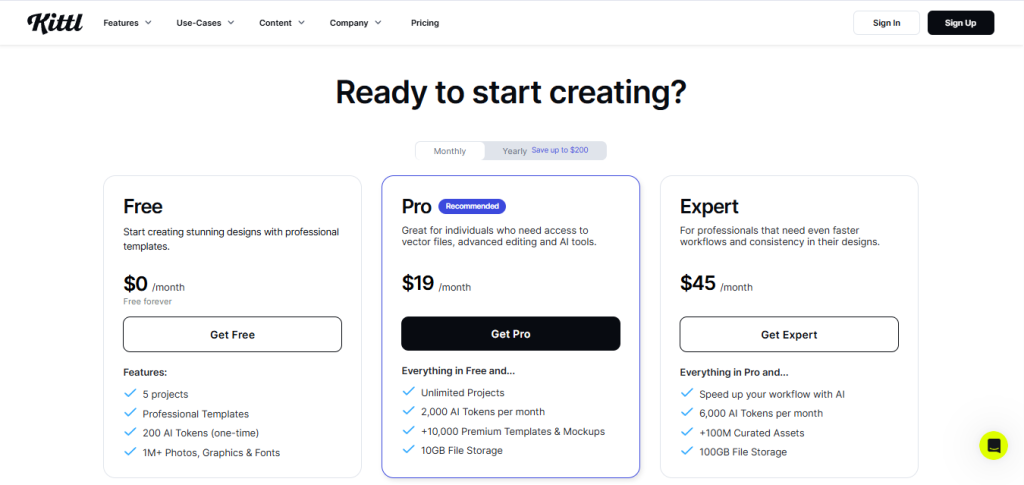
Free | $0/mo | A handful of projects, a one-time AI token allowance, exports capped at ~800px/72 DPI, no commercial license |
Pro | $15/mo or $10/mo billed annually ($120/yr) | Unlimited projects, 2,000 AI tokens/month, 10GB storage, high-res exports up to 10,800px/300 DPI, SVG/PDF export, commercial license (up to 500,000 copies) |
Expert | $30/mo or $24/mo billed annually ($288/yr) | Everything in Pro, 6,000 AI tokens/month plus a daily top-up, 100GB storage, brand kits, print-on-demand export presets |
Business | Custom quote | Team access, dedicated support, and professional design services, available through early access |
Real-world cost context: annual billing is reported to save around 20% compared to paying monthly on both Pro and Expert. It’s worth flagging that reported pricing has varied across review dates and sources, some older write-ups cite the Pro plan starting near $15/month flat with no annual discount mentioned, while more recent figures show the lower annualized numbers in the table above. Given that spread, confirm current pricing directly on Kittl’s site before budgeting, rather than relying on any single review’s numbers, including this one.
Worth checking before you subscribe: the free plan is genuinely useful for testing the interface and AI workflow, but the 800px/72 DPI export cap and lack of a commercial license mean you can’t use free-tier output for print or client work, so you won’t see Kittl’s actual differentiator (high-res, print-ready, commercially licensed vector output) without upgrading at least to Pro.
Vector-and-Typography Focus vs. a General Template Tool: The Core Trade-Off
Kittl’s core argument is that a platform built specifically around text-to-vector generation, deep typography controls, and print-ready mockups beats a general template tool for merch, branding, and logo work, both in output quality and in avoiding the extra step of exporting to Illustrator for vector cleanup. Reviewers consistently cite the typography engine and AI vectorizer as standout strengths, since they solve a specific workflow gap that tools like Canva don’t address natively. The trade-off shows up in two places reviewers flag repeatedly: a template library that’s smaller and more retro-leaning than Canva’s broader, more corporate-friendly catalog, and AI image generation that’s described as less consistent than dedicated image generators, a sharper contrast for users expecting Midjourney-level output from the same canvas.
Who Kittl Is Built For
Kittl’s practical value depends on how much of your work is typography, vector, or print-on-demand focused:
- Print-on-demand sellers — using the vectorizer and high-res exports to get print-ready, commercially licensed merch graphics without an Illustrator subscription.
- Merch and apparel designers — leaning on the mockup library and 1,400+ fonts to produce t-shirt and product designs with automatic perspective and lighting.
- Small business owners — building logos, branding assets, and social posts without hiring a designer or learning a full vector suite.
- Designers wanting Illustrator-level control — using non-destructive vector editing and path tools without Illustrator’s steeper learning curve.
What Are the Downsides of Using Kittl?
- Free plan isn’t commercially usable. Exports are capped at roughly 800px/72 DPI with no commercial license, so free-tier work can’t be sold or used for client projects.
- Smaller template library than Canva. Kittl’s templates lean bold, textured, and retro rather than covering the broad, corporate-friendly range Canva offers.
- AI image generation is inconsistent. Multiple reviewers note the integrated AI image generator produces less reliable results than dedicated tools like Midjourney.
- No mobile app. Kittl works best as a standalone browser tool, with minimal third-party integrations to fill the gap.
- Pricing reported inconsistently across sources. Older reviews and current listings show different numbers for the same tiers, worth confirming directly before budgeting.
Kittl vs. Canva or Adobe Illustrator: Where Each One Wins
Category | Kittl | Canva / Adobe Illustrator |
Best for | Typography-heavy, vector-based, and print-on-demand design work | Canva: broad template library and general social/marketing graphics. Illustrator: full professional vector control |
Starting cost | Free (limited), paid tiers from $10/mo annualized | Canva Pro from ~$15/mo; Adobe Illustrator around $22.99/mo |
Learning curve | Clean browser editor, easier entry point than Illustrator | Canva: very low. Illustrator: steep, professional-grade tool |
Vector control | Non-destructive editing, AI vectorizer, text-to-vector generation | Canva: limited. Illustrator: industry-standard, but manual |
Template breadth | Smaller, retro/textured-leaning library | Canva: much larger, broader stylistic range |
Print-ready output | High-res export to 10,800px/300 DPI plus mockups on paid tiers | Illustrator: fully print-ready by design; Canva varies by plan |
Neither approach “wins” outright, they suit different workflows. If your work is typography-heavy, vector-based, or headed for a physical product, Kittl’s focused toolset is the more efficient path, often at a lower cost than stacking Illustrator, font subscriptions, and stock graphics separately. If you need the broadest possible template range or full professional vector control beyond what an AI-assisted tool offers, Canva or Illustrator may still serve you better.
Is Kittl Worth It?
Likely worth it if:
- You design merch, apparel, or print-on-demand products and need print-ready, commercially licensed vector exports
- You want strong typography and vintage-lettering capabilities without learning Illustrator
- You want an AI vectorizer and text-to-vector generator built into the same canvas as your editor
- You’re comfortable evaluating the free plan first, since commercial-quality export requires at least the Pro tier
Probably not the right fit if:
- You need the broadest possible template library for general marketing and social content
- You want the most consistent AI image generation available, rather than a bundled, general-purpose model stack
- You need native mobile editing or deep third-party integrations
- You’re highly price-sensitive and would rather compare Kittl against a free-tier general design tool first
The verdict: Kittl is a genuinely well-regarded, typography-and-vector-focused AI design platform that does its core job well: turning text-driven and print-on-demand design work into a fast, browser-based workflow with real vector control. The trade-offs reviewers raise most often are a smaller template library than Canva’s and less consistent AI image generation than dedicated tools. For print-on-demand sellers, merch designers, and small business owners who’d otherwise be paying for Illustrator plus separate font and stock subscriptions, Kittl is a reasonable and often cheaper alternative. For anyone needing the broadest general template library or the most reliable AI imagery, it’s worth weighing against Canva or a dedicated AI image tool first.
Kittl Pros:
- Strong typography engine with 1,400+ fonts, including premium Monotype and exclusive Kittl typefaces
- AI text-to-vector generation and an AI vectorizer built directly into the design canvas
- Non-destructive vector editing that rivals Illustrator without the steep learning curve
- Integrated mockup library for apparel, posters, and packaging with automatic perspective and lighting
- Commercial license and high-res export (up to 10,800px/300 DPI) included from the Pro tier up
Kittl Cons:
- Free plan exports are capped at ~800px/72 DPI and carry no commercial licence
- The template library is smaller and more retro-leaning than Canva’s broader catalogue.
- AI image generation is reported as less consistent than dedicated tools like Midjourney
- No mobile app and minimal third-party integrations
- Reported pricing has varied across review dates, worth confirming current figures directly.
 Typography and vector design
FAQs
For print-on-demand sellers, merch designers, and small business owners who’d otherwise pay for Illustrator plus separate font and stock subscriptions, verified reviews suggest yes, the bundle is generally seen as good value.
Current listings show a free plan, with paid tiers around $10/month (Pro, billed annually at $120/year) and $24/month (Expert, billed annually at $288/year); monthly billing runs higher at $15 and $30 respectively.
Yes, but the free plan caps exports at roughly 800px/72 DPI and includes no commercial license, so it works well for testing the platform but not for print or client work.
Yes, reviewers note it’s particularly strong for print-on-demand work, with high-resolution vector exports, a mockup library, and a commercial licence included on paid tiers.
Canva (for a broader general template library) and Adobe Illustrator (for full professional vector control) are the most commonly cited alternatives, depending on whether you want an AI-assisted middle ground or one of the two established extremes.