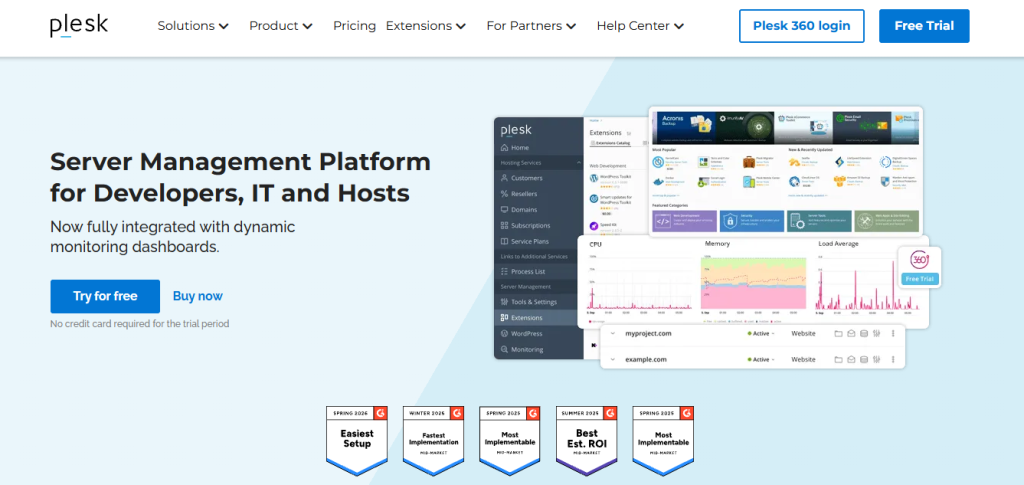
You’ve probably landed here because you’re running a VPS, dedicated server, or cloud instance and you’re trying to decide whether to pay for Plesk, stick with cPanel, use a free alternative like CyberPanel, or just manage everything via command line. That’s exactly the right question to ask before committing to a control panel license because the control panel you pick determines how you interact with every server you run for years, and the pricing model has changed significantly since 2024. Plesk raised prices roughly 25% effective January 2026. cPanel raised prices before that. Both are now meaningfully more expensive than they were three years ago, and the free alternatives have gotten better. This review covers what Plesk actually includes, what each tier realistically covers, where it wins against cPanel and free panels, and where it doesn’t so you can make the decision on current numbers rather than outdated reviews.
🔗 Start your 14-day free Plesk trial no credit card required
Why Trust SaaSTrac?
This review is built from Plesk’s own product and pricing pages, cross-checked against independent sources including Capterra (4.6/5, 269 ratings), SaaSworthy, CostBench (verified July 2026), AdminBolt, ISPManager’s cPanel vs. Plesk comparison, and Hostinger’s technical documentation. Pricing figures vary across sources because Plesk’s pricing has changed multiple times since 2024 the figures below reflect the most recently verified rates from July 2026. Confirm current pricing directly at plesk.com before purchasing, as license rates are subject to ongoing revision. Note specifically: a ~25% price increase took effect January 1, 2026 across all standard Plesk tiers.
What Plesk Is?
Plesk is a server management control panel developed by Virtuozzo (formerly Parallels, now Virtuozzo following a 2015 restructuring) one of the two dominant commercial web hosting control panels in the industry alongside cPanel. It’s been in continuous development since 2003 and is used by 500,000+ server administrators and 18,000+ hosting providers worldwide.
Unlike shared hosting platforms (GreenGeeks, Hostinger, Bluehost) where the panel is bundled with the hosting, Plesk is a standalone license that you install on your own VPS, dedicated server, or cloud instance on Linux (AlmaLinux, Rocky Linux, Ubuntu, Debian, CloudLinux) or Windows. That distinction matters: Plesk is software you buy to manage infrastructure you already have or are renting from a cloud provider. Its core job is to abstract the command-line complexity of running Apache or Nginx, managing virtual hosts, creating email accounts, handling SSL certificates, managing databases, and administering DNS into a GUI that a business owner, agency, or developer can operate without full sysadmin expertise.
It’s aimed at individual server administrators managing their own infrastructure, web developers and agencies hosting multiple client sites, web hosting resellers who need customer management and subscription billing built in, and hosting providers who need multi-server orchestration, reseller management, and a branded customer interface rather than developers who prefer command-line server management or end users on shared hosting who never touch a control panel directly.
What You Get (and What You Don’t)
Feature | What’s Included | Limitations |
Website & Domain Management | Manage unlimited websites on Web Host Edition; domain creation, DNS zone management, subdomain creation, alias management; multi-tenant customer and reseller accounts | Web Admin capped at 10 domains; Web Pro at 30 domains; unlimited only on Web Host ($62.99/month) |
WordPress Toolkit | One-click WordPress installation, staging environments, automatic updates, security scanning, clone and migrate WordPress sites Toolkit SE (limited) on Web Admin, full Toolkit Pro on Web Pro and above | WordPress Toolkit SE on Web Admin lacks staging, clone, and bulk management; full Toolkit requires Web Pro ($29.99/month) minimum |
Email Management | Create and manage email accounts, forwarders, mailing lists, spam filters (SpamAssassin), virus scanning, webmail (Roundcube, Horde); IMAP/POP3/SMTP | Email account limits depend on subscription plan configuration; Plesk does not bundle email deliverability tools separate MX record and PTR configuration required |
Database Management | MySQL, MariaDB, PostgreSQL, Microsoft SQL (Windows only), phpMyAdmin integration, remote database access | Microsoft SQL Server requires Plesk on Windows Linux installations support MySQL/MariaDB/PostgreSQL only |
Security Tools | Fail2Ban for brute-force protection, ModSecurity WAF, IP banning, SSL/TLS management with Let’s Encrypt automation (free), password strength enforcement, 2FA, permission hardening | Imunify360 (advanced malware scanning and WAF) is a paid extension (~12–16/month/server) not bundled; ModSecurity is included but requires ruleset configuration |
Git Integration | Deploy code directly from Git repositories (GitHub, GitLab, Bitbucket) into your hosting environment webhooks supported for automatic deployment on push | Git integration is a developer-facing feature; production deployment workflows still require your own CI/CD setup for complex multi-environment pipelines |
Docker Support | Run Docker containers directly from the Plesk interface pull images from Docker Hub, manage containers alongside websites on the same server | Docker management in Plesk covers basic container operations; complex Docker Compose or Kubernetes orchestration requires CLI |
Backup & Restore | Scheduled backup to local storage or remote destinations (FTP, SFTP, S3-compatible, Dropbox, Google Drive, OneDrive) with incremental backups and point-in-time restore | Backup storage is external to Plesk you pay for your own backup destination; large environments can generate significant backup storage costs |
Extensions Marketplace | 400+ one-click extensions including Imunify360, Cloudflare, LiteSpeed Cache, Redis, Node.js, Ruby, Watchdog monitoring, Let’s Encrypt, WHMCS integration, and more | Many high-value extensions are paid separately Imunify360, Cloudflare CDN, and LiteSpeed are not included in base license cost |
Windows Server Support | Full Plesk functionality on Windows Server including IIS, ASP.NET, MSSQL, .NET Framework management | Windows Plesk is the only major control panel with full Windows server support cPanel is Linux-only |
Reseller Management | Create reseller accounts with custom branding, subscription plans, resource allocation, and billing integration; included on Web Host Edition | Reseller management requires Web Host Edition ($62.99/month); not available on Web Admin or Web Pro |
Multi-Server Management | Manage multiple Plesk servers from a central interface; multi-server clustering for load balancing and failover | Multi-server features require Web Host Edition; each additional server requires a separate Plesk license |
14-Day Free Trial | Full feature access across all editions no credit card required; all extensions available during trial | Trial is time-limited; you need to select a plan before the trial ends to maintain access; server must already be set up |
Extended Lifecycle Support | ELS available for CentOS 7, CloudLinux 7, Ubuntu 18.04, and Debian 10 through December 31, 2026 | After December 31, 2026, ELS for these OS versions ends verify your server OS before relying on this support window |
The takeaway: Plesk’s most defensible position is Windows server support (no comparable alternative exists for IIS/ASP.NET/.NET hosting environments), WordPress Toolkit (the most feature-complete WP management tool in any control panel), and the 400+ extension ecosystem that covers monitoring, caching, CDN, security, and billing integrations without custom development. The limitation is that pricing has increased substantially since 2024, and the most useful features full WordPress Toolkit, reseller management, unlimited domains all require the Web Host Edition at $62.99/month, not the entry-level Web Admin tier.
Pricing: What You Actually Pay
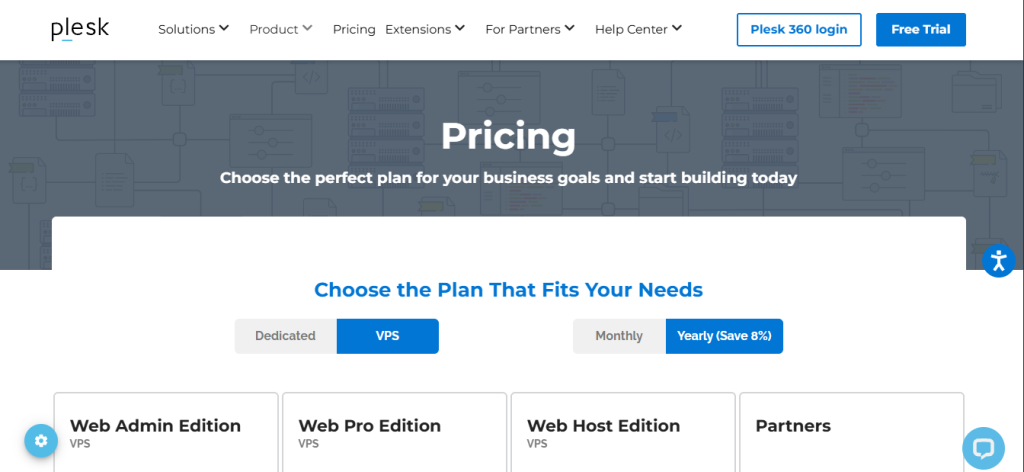
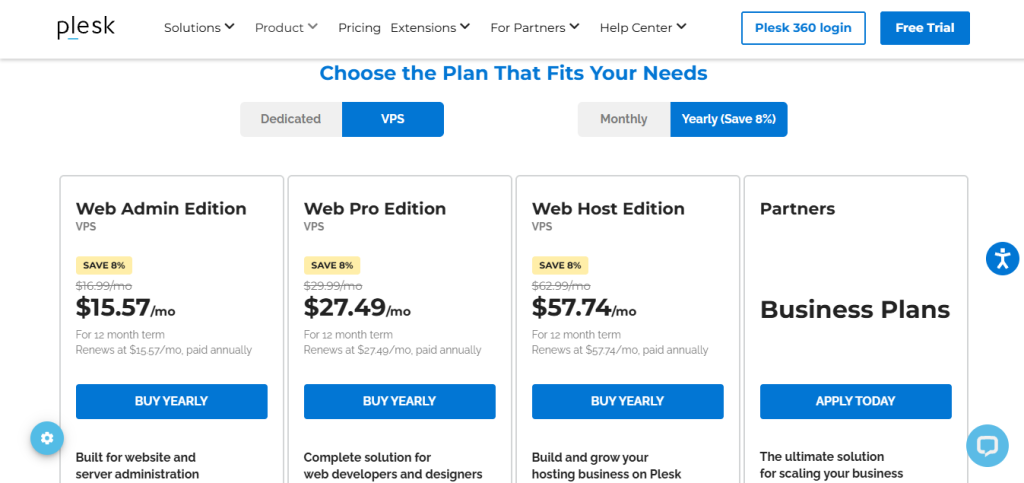
Plesk uses per-server, per-month licensing across three standard tiers, with a Partners program for hosting businesses. Note: pricing increased ~25% effective January 1, 2026. Monthly billing only on standard plans no annual contract option on self-serve tiers. A 14-day free trial covers all features.
Edition | Monthly Price | Domains | Key Inclusions |
Web Admin | $16.99/month | Up to 10 | Control panel access, file manager, email management, database management, FTP, basic security tools, WordPress Toolkit SE (limited), Let’s Encrypt SSL automation, 24/7 chat support |
Web Pro | $29.99/month | Up to 30 | Everything in Web Admin + full WordPress Toolkit Pro (staging, clone, bulk updates), subscription management, account management, Git integration, Docker |
Web Host | $62.99/month | Unlimited | Everything in Web Pro + reseller management, unlimited customer accounts, multi-server management, full extension access, premium support, white-label branding |
Partners | From $250/month | All editions | All Plesk editions and extensions, partner discounts up to 45%, priority 24/7 support, dedicated account manager, volume licensing |
Total cost of ownership context (first year, Web Admin on a VPS):
- Plesk Web Admin license: 203.88/year(16.99 × 12)
- Imunify360 add-on (if needed): ~$144/year
- VPS server cost (varies by provider): separate
- Total Year 1 cost (license + Imunify360): approximately $348/year before server cost
Real-world cost context: Web Admin at $16.99/month is the entry point for a solo server administrator managing up to 10 sites covering the basics of website, email, and database management with WordPress Toolkit SE. The practical limitation is that Toolkit SE lacks staging environments and bulk management, which most developers use regularly. Web Pro at $29.99/month is the realistic minimum for web developers and agencies; Web Host at $62.99/month is the minimum for anyone running a hosting reseller operation or managing more than 30 domains. The Partners program at $250/month minimum covers full volume licensing for hosting providers who need to license Plesk across multiple servers with partner-level pricing.
Worth checking before you subscribe: Plesk’s pricing page at plesk.com is the authoritative source prices listed across independent review sites reflect different verification dates and may not reflect post-January 2026 pricing. The 14-day free trial (no credit card) is the correct starting point for evaluating whether the feature set justifies the license cost for your specific use case before committing to monthly billing.
Commercial Control Panel vs. Free Alternatives: The Core Trade-Off
Plesk’s core argument is that the time, expertise, and operational risk of managing a Linux or Windows server without a control panel or with a free panel like CyberPanel, HestiaCP, or Webmin exceeds the license cost for most non-specialist operators. A control panel doesn’t just provide a GUI; it provides tested, maintained automation for SSL renewal, backup scheduling, security hardening, email deliverability configuration, and DNS management that would otherwise require custom scripting and ongoing maintenance.
The trade-off shows up in two places that reviewers consistently flag. First, price: Plesk’s 2026 pricing, after the ~25% January increase, positions it materially above free alternatives and makes the per-server cost significant for small operators who previously had multiple Plesk servers at lower historical rates. AdminBolt’s total cost of ownership analysis shows Web Admin at approximately $1,548/year (license + Imunify360 + sysadmin hours) and Web Host at $4,656/year for a single server which is the honest picture for anyone modeling infrastructure costs rather than just license costs. Second, extension costs: the base license doesn’t include Imunify360 (the most commonly deployed advanced security suite for Plesk), LiteSpeed, or Cloudflare CDN all of which are paid extensions that add to the total monthly cost.
Who Plesk Is Built For
Plesk’s practical value depends on your server infrastructure profile, technical level, and whether the license cost is justified by the operational complexity it removes:
- Web developers and freelancers hosting 10–30 client sites: who want a reliable GUI for managing websites, email, databases, and WordPress deployments on their own VPS without full sysadmin expertise at the Web Admin or Web Pro tier.
- Web agencies and hosting resellers: who need customer account management, subscription billing, white-label branding, and unlimited domain support on Web Host Edition, with WHMCS integration for automated billing.
- Windows server operators: for whom Plesk is the only viable commercial control panel option; no alternative provides comparable IIS, ASP.NET, MSSQL, and .NET Framework management in a control panel GUI.
- WordPress-heavy operations: who want WordPress Toolkit Pro’s staging, clone, bulk security scanning, and automatic update management across dozens of WP installations from one interface.
- Hosting providers: who need multi-server management, reseller infrastructure, volume licensing through the Partners program, and dedicated account management at scale.
- Developers deploying modern web stacks: who want Git-based deployment automation, Docker container management, Node.js, Ruby, and Redis support alongside traditional PHP hosting, all managed from one panel.
What Are the Downsides of Using Plesk?
- Prices increased ~25% in January 2026 and the trajectory matters: Plesk Web Host went from roughly $50/month to $62.99/month in 2026. cPanel has had similar increases. Both panels have raised prices multiple times since 2021. If you’re modeling long-term infrastructure costs, budget for continued annual increases rather than assuming current pricing is stable.
- Web Admin at $16.99/month includes WordPress Toolkit SE, not Pro: The marketing material for all editions mentions WordPress Toolkit, but SE and Pro are meaningfully different products. Staging environments, site cloning, and bulk update management the features most developers actually need require Web Pro at $29.99/month minimum. This distinction is important when comparing tier pricing.
- High-value extensions are paid separately: Imunify360 (advanced malware scanning and WAF) costs approximately 12–16/month per server on top of the Plesk license. LiteSpeed Cache, Cloudflare, and enterprise monitoring tools are also paid. The realistic monthly cost for a secure, performant hosting environment is higher than the license cost alone suggests.
- Free alternatives have improved significantly: CyberPanel (LiteSpeed-based, free), HestiaCP, and CloudPanel now cover the core use cases Plesk addresses at the Web Admin level website management, email, databases, Let’s Encrypt SSL, and basic WordPress management at zero license cost. For solo operators who primarily need functionality rather than WordPress Toolkit Pro or reseller features, the free alternatives are worth evaluating before paying for a Plesk license.
- Monthly-only billing on standard tiers: Plesk’s self-serve plans (Web Admin, Web Pro, Web Host) are billed monthly there are no annual discount contracts available directly from Plesk on standard tiers. Some hosting providers offer discounted Plesk licenses bundled with their VPS plans, which is typically the lowest-cost path.
Plesk vs. Alternatives: Where Each One Wins
Category | Plesk | cPanel/WHM | CyberPanel | DirectAdmin |
Best for | Linux and Windows server management the most complete commercial panel for agencies, resellers, and WordPress-heavy operations | Linux shared hosting management the most widely deployed commercial panel with the largest shared hosting ecosystem and broadest host support | Free LiteSpeed-powered web hosting management best zero-cost option for operators who want LiteSpeed performance without commercial license costs | Linux server management lower-cost commercial alternative to cPanel and Plesk with a clean modern UI and competitive pricing |
Windows server support | ✓ Full IIS, ASP.NET, MSSQL support | ✗ Linux only | ✗ Linux only | ✗ Linux only |
Free plan | ✗ (14-day trial only) | ✗ (14-day trial) | ✓ Free open-source version | ✗ (30-day trial) |
WordPress Toolkit (staging, clone) | ✓ Web Pro+ ($29.99/month) | ✓ Via JetBackup/third-party | ✗ Basic WP management only | ✗ Basic WP management only |
Docker integration | ✓ Built-in | ✗ | ✗ | ✗ |
Git integration | ✓ Built-in | ✗ (manual or via plugin) | ✗ | ✗ |
Reseller management | ✓ Web Host ($62.99/month) | ✓ WHM at $45/month (30 accounts) | ✓ Basic | ✓ |
Extension marketplace | ✓ 400+ extensions | ✓ cPanel plugins | Limited | Limited |
Starting price | $16.99/month | ~$30/month (5 accounts) | Free | ~$5/month |
UI modernity | Modern (Obsidian) | Modernized (Jupiter) | Modern | Modern |
Linux distro support | AlmaLinux, Rocky, Ubuntu, Debian, CloudLinux | AlmaLinux, Rocky, CloudLinux | AlmaLinux, Ubuntu, CloudLinux | AlmaLinux, Rocky, Ubuntu, CloudLinux |
Neither wins outright they suit different infrastructure profiles. If your servers run Windows or your hosting business involves ASP.NET and IIS management, Plesk is the only viable option in the comparison. If you need the broadest shared hosting ecosystem compatibility and your hosts already offer cPanel, it remains the most widely deployed option. If you’re a solo operator or developer who primarily needs Linux web hosting management without the WordPress Toolkit Pro or reseller features, CyberPanel’s free version or DirectAdmin’s lower price point are worth evaluating before paying for Plesk.
Is Plesk Worth It?
Likely worth it if:
- You run Windows servers Plesk is the only commercial control panel in the category with full IIS, ASP.NET, MSSQL, and .NET Framework support; there is no meaningful alternative for this use case
- You manage 10–30+ WordPress sites across one or more servers and want WordPress Toolkit Pro’s staging, clone, bulk scanning, and automatic updates from a centralized interface
- You operate a web hosting reseller business that needs customer subscription management, white-label branding, and multi-tenant account control on Web Host Edition
- The 14-day free trial with no credit card is enough to evaluate whether the GUI, extensions, and WordPress Toolkit cover your specific workflow before monthly billing starts
- You value the 400+ extension ecosystem particularly Imunify360, Cloudflare, LiteSpeed, and WHMCS integration as a managed marketplace rather than custom server configuration
Probably not the right fit if:
- You primarily manage Linux servers with standard PHP/WordPress deployments and need only basic control panel functionality CyberPanel (free) or DirectAdmin (from ~$5/month) cover that use case at significantly lower cost
- You are sensitive to ongoing price increases Plesk has raised prices significantly since 2021 and the trajectory suggests further increases; model multi-year costs, not just current rates
- Your budget for a Web Host license ($62.99/month) needs to be justified across a small number of domains where a lower-tier or free alternative could cover the domain count
- You prefer annual billing with locked-in pricing Plesk’s standard tiers are monthly-only with no annual contract, which means you pay the current market rate with no price protection
The verdict: Plesk is a well-maintained, feature-rich commercial web hosting control panel that earns its place in the infrastructure stack for agencies, hosting resellers, WordPress-heavy operations, and any organization running Windows servers. The combination of WordPress Toolkit Pro, Git and Docker integration, a 400+ extension marketplace, and the only viable commercial Windows server control panel in the category gives it defensible advantages over both free alternatives and cPanel for specific use cases. The trade-offs are also real: prices have increased substantially since 2024, the most useful features require Web Pro or Web Host rather than the entry-level Web Admin tier, and high-value extensions like Imunify360 are paid separately. For the specific use cases where Plesk’s features are genuinely required particularly Windows servers and WordPress-at-scale operations the license cost is justifiable. For operators who primarily need basic Linux hosting management, the free alternatives have improved enough to be worth evaluating first.
Plesk Pros:
- The only commercial web hosting control panel with full Windows Server support IIS, ASP.NET, MSSQL, and .NET Framework management in one panel
- WordPress Toolkit Pro (Web Pro+) is the most complete WordPress management tool in any control panel staging, clone, bulk security scan, automatic updates, one-click install
- Git integration and Docker support built into the base license deploy code from GitHub/GitLab and manage containers alongside websites on the same server
- 400+ one-click extensions including Imunify360, Cloudflare CDN, LiteSpeed Cache, Node.js, Redis, WHMCS integration, and enterprise monitoring
- Let’s Encrypt SSL automation included on all plans free, auto-renewing SSL for all domains without manual certificate management
- 14-day free trial with full feature access and no credit card evaluate all editions and extensions before committing to billing
- Runs on all major Linux distributions (AlmaLinux, Rocky Linux, Ubuntu, Debian, CloudLinux) and Windows Server
- Trusted by 500,000+ server administrators and 18,000+ hosting providers worldwide
Plesk Cons:
- Prices increased ~25% in January 2026 Web Host Edition now $62.99/month, up from approximately $50; continued increases are a reasonable budget assumption
- WordPress Toolkit SE on Web Admin (16.99/month)lacksstaging,clone,andbulkmanagementfullToolkitProrequiresWebPro(29.99/month) minimum
- Imunify360, LiteSpeed, and Cloudflare CDN are paid extensions the realistic security and performance cost is higher than the base license suggests
- Standard self-serve plans are monthly-only no annual contract option for price protection on Web Admin, Web Pro, or Web Host tiers
- Free alternatives (CyberPanel, HestiaCP, CloudPanel) have improved significantly and cover basic Linux hosting management without a license cost
 WordPress, Docker, Git & ASP.NET
FAQs
For Windows server operators, web agencies managing 15+ WordPress sites with staging and clone needs, and hosting resellers who need subscription billing and reseller management yes, at Web Pro or Web Host tiers.
Web Admin: $16.99/month (10 domains, WordPress Toolkit SE). Web Pro: $29.99/month (30 domains, full WordPress Toolkit Pro). Web Host: $62.99/month (unlimited domains, reseller management). Partners: from $250/month (volume licensing, all editions). Monthly billing only on standard tiers no annual contract. Prices reflect a ~25% increase effective January 2026. Confirm current pricing at plesk.com.
WordPress Toolkit SE (included in Web Admin) covers one-click WordPress installation, basic updates, and basic security scanning. WordPress Toolkit Pro (included in Web Pro and Web Host) adds staging environments, site cloning, bulk security scanning across all WP installations, bulk automatic updates, smart update testing, and migration tools.
Yes, with caveats. The visual canvas builder and 10,000+ templates make many common automations accessible without code, and the n8n Assistant (available in preview on all cloud plans except Enterprise) helps build workflows from natural language prompts.
cPanel/WHM (for the most widely deployed commercial panel with the broadest shared hosting ecosystem support on Linux, from 5/month on Linux with a modern UI), and HestiaCP or CloudPanel (for free open-source alternatives covering standard PHP/WordPress hosting without commercial licensing costs) are the most commonly cited alternatives depending on whether ecosystem breadth, zero-cost, lower price, or specific OS support is the primary priority.