Overall Value:
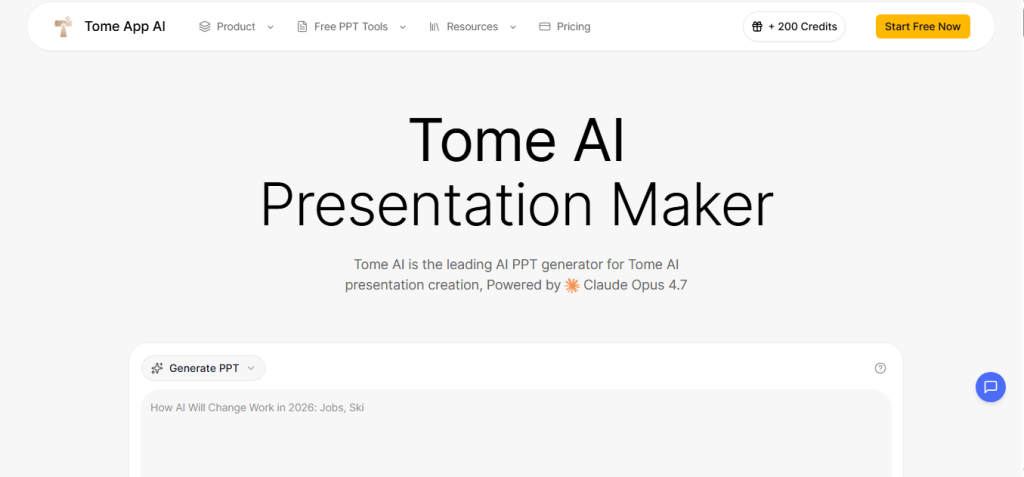
Tome App AI is the AI PPT maker built for professionals, educators, marketers, and creators who need polished presentations fast from any source material, not just a blank prompt. Most AI presentation tools only go one direction: text in, slides out. Tome App AI goes further by accepting YouTube videos, PDFs, web pages, Word docs, and Excel files as inputs, so your existing content becomes a deck without manual reformatting.
TomeApp Review:
Key Features:
- AI-Generated PPT (Claude-Powered): Describe your topic, audience, or goals in plain text, and Tome App AI uses Claude to generate a fully structured, designed PowerPoint presentation complete with layout, content, and imagery – no slide-by-slide manual work needed.
- Multi-Format to PPT Conversion: Turn YouTube videos, PDFs, Word documents, Excel files, HTML web pages, Markdown files, and plain text into clean, professional PowerPoint slides with the broadest input range of any AI PPT tool in the category.
- AI Beautify PPT: Upload an existing presentation and let Tome App AI’s Claude-powered redesign engine enhance the layout, visual hierarchy, typography, and imagery, transforming outdated or plain slides into polished, professional decks instantly.
- PPT Reverse Prompt: Upload any existing PowerPoint, and the AI extracts the underlying prompts and structure behind the slides, useful for reverse-engineering competitor decks, templates, or past presentations you want to recreate.
- AI Speech Notes From PPT: Generate contextually accurate, natural-sounding speaker notes for every slide automatically so you walk into any presentation knowing exactly what to say without writing notes manually.
- Claude Opus 4.7 on Premium: Premium plan users access Claude Opus 4.7, Anthropic’s most capable model, for the highest-quality slide content, nuanced narrative structure, and 4K image generation from Nano Banana 2.
- Free PPT Tools (No Account Needed): Convert PPT to PDF, compress PPTX files, merge presentations, generate speech from slides, and convert PPT to JPG or Word, all free with no login or subscription required.
Features:
- AI presentation generation from text prompts using Claude Sonnet 4.6 and Opus 4.7
- Multi-format conversion: YouTube, PDF, Word, Excel, HTML, Markdown, text → PPT
- AI Beautify PPT to redesign and enhance existing slides instantly
- PPT Reverse Prompt to extract structure and prompts from any uploaded presentation
- AI Speech Notes generator for automatic speaker notes per slide
- Nano Banana 2 image generation: 2K on Starter/Standard, 4K on Premium
- 100+ professional templates on Premium plan
- Export to PPTX and PDF on all paid plans
- Free tools: PPT to PDF, PPT to JPG, PPT to Word, compress PPTX, merge PPT, generate speech
- Credit-based system: Starter 1,000/mo, Standard 3,000/mo, Premium 7,500/mo
- Rated 4.9/5 by verified users
- Featured in Superhuman AI, AiNews.com, AI Marketing Newsletter
Use Cases:
- Generate a client pitch deck or business presentation from a topic prompt in minutes
- Convert a YouTube tutorial or webinar into a structured slide deck for training
- Turn a PDF report, whitepaper, or research paper into a polished presentation instantly
- Refresh old or plain presentations with AI-powered slide beautification
- Create speaker notes automatically for any existing presentation before a meeting
- Reverse-engineer any presentation to understand its structure and recreate the style
- Produce weekly or monthly presentations from Excel data or Word reports without manual formatting
Technical Overview:
- AI Capabilities: Text-to-PPT generation, multi-format conversion, slide beautification, speaker note generation, prompt extraction, AI image generation
- AI Models: Claude Sonnet 4.6 (Starter and Standard), Claude Opus 4.7 (Premium)
- Image Model: Nano Banana 2 2K quality (Starter/Standard), 4K quality (Premium)
- Input: Text prompts, PDFs, Word docs, Excel files, YouTube URLs, HTML pages, Markdown files, plain text, uploaded PPTX files
- Output: Professional PPTX, PDF export, speaker notes, JPG slides, converted Word docs
- Platform: Web-based, browser-only; no download or install required
- Usage: Credit-based subscription (Starter, Standard, Premium) + free tools with no login needed
 Professional Slides from Any Content
FAQs
The Tome App AI is a Claude-powered AI presentation platform launched in February 2026 that generates, converts, and beautifies PowerPoint slides from text prompts, PDFs, YouTube videos, Word docs, web pages, and more with free PPT conversion tools included and no install required.
Starter and Standard plans run on Claude Sonnet 4.6, Anthropic’s fast and capable model. The Premium plan upgrades to Claude Opus 4.7, Anthropic’s most powerful model, for the highest-quality content, narrative depth, and 4K image generation.
Yes. Tome App AI accepts YouTube URLs, PDFs, Word documents, Excel files, HTML web pages, Markdown, and plain text as inputs and converts any of them into clean, structured PowerPoint slides one of the broadest input ranges in the AI PPT category.
Tome App AI provides a full set of free PPT tools with no login required: PPT to PDF, PPT to JPG, PPT to Word, compress PPTX, merge PPT, generate speech from slides, and the PPT Reverse Prompt extractor are all accessible directly from the website.
Yes. Tome App AI currently offers 40% off with code TOMEAPP40OFF, and annual billing saves an additional 20% compared to monthly. The Starter plan on annual billing comes to $9.50/mo, making it one of the most affordable Claude-powered AI tools available.
Conclusion:
Tome App AI is a powerful AI PPT maker built for professionals, educators, marketers, and creators who need polished presentations from any source material, not just a blank prompt. Its combination of Claude-powered generation (Sonnet 4.6 and Opus 4.7), the widest multi-format input range in the category (YouTube, PDF, Word, Excel, HTML, Markdown), AI slide beautification, speaker note generation, and free no-login conversion tools makes it one of the most complete AI presentation platforms available in 2026. With plans starting at $9.50/mo annually, a 40% off promo code, a 4.9/5 user rating, and free tools that work without an account, it’s the easiest way to turn any content into a professional presentation in minutes.
Top Alternatives

Gamma
AI platform for presentations, websites, and docs

Beautiful
Smart templates with auto-adjusting layouts

Canva
AI design suite covering decks, graphics, and video content

Presentations
AI deck generator with brand sync and PPTX export