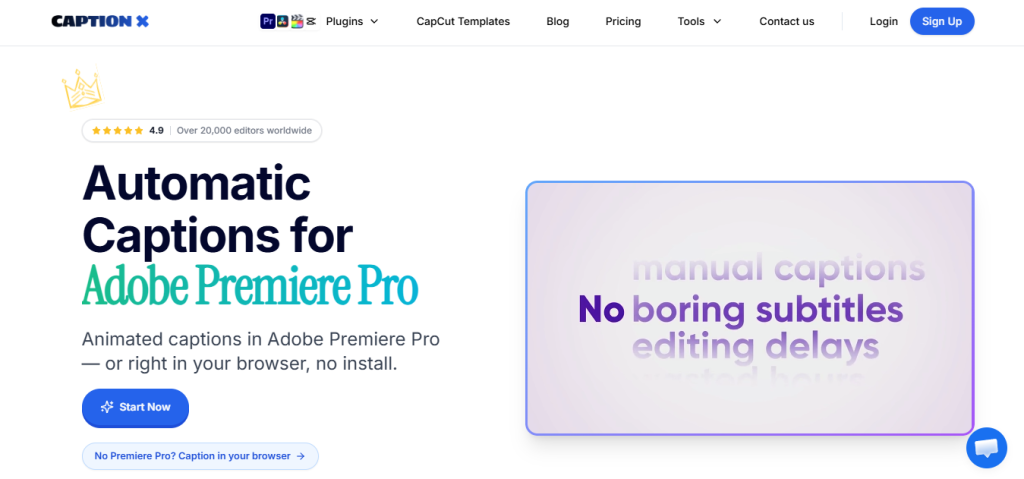
You’ve probably landed here because you’re trying to figure out whether CaptionX is actually worth paying for on top of Premiere Pro’s built-in captions, or whether a free tool gets you close enough. That’s the right question. CaptionX’s pitch is a narrow but genuinely useful one: styled, animated, multilingual captions dropped directly into your Premiere Pro timeline in seconds — and whether that trade pays off depends on how much of your workflow involves captioning, and how much time you’re currently losing to manual subtitle cleanup.
🔗 Try Caption X
Why Trust SaaSTrac?
This review is built from CaptionX’s own pricing and product pages, verified user reviews, and publicly available information. Pricing figures are drawn from the live pricing page and flagged where they may vary by billing period or region. We recommend confirming current pricing directly on the CaptionX site before budgeting, rather than relying solely on any single review.
What Is CaptionX?
CaptionX is a browser-installable AI caption plugin for Adobe Premiere Pro that automatically generates accurate, styled, and animated captions from your video’s audio — in 100+ languages — and drops them directly into your Premiere Pro timeline. Rather than manually transcribing audio, adjusting timing, or styling subtitle boxes by hand, editors install the extension, run it on a clip, review the auto-generated transcript, and hit create. The plugin handles the rest: timing, styling, font, animation, and placement on the timeline. Beyond Premiere Pro, CaptionX also offers a web-based Caption Studio for editors who don’t use Premiere, plus a growing suite of Premiere-specific AI tools including a Silence Remover, AI Eye Contact Correction, and a Profanity Filter. It’s built for freelance video editors, podcast producers, YouTube and social media creators, documentary editors, corporate video teams, and course creators — anyone who produces captioned video regularly and wants to cut the manual work out of the process.
What You Get (and What You Don’t)
Feature | What’s Included | Limitations |
Caption Generation | AI-generated, accurately timed captions in 100+ languages, dropped directly into Premiere Pro timeline | Optimized for Premiere Pro v24 and later; earlier versions may work but aren’t guaranteed |
Caption Styling | 8 trending caption style presets; fully customizable fonts, colors, sizes, animations, and transitions | Basic styling only on free plan; full style control on paid tiers |
Languages | 100 languages including English, Spanish, Hindi, Arabic, French, Japanese, Korean, Russian, Bengali, Urdu, and more; right-to-left support for Arabic, Hebrew, Persian, Urdu, Sindhi, and Pashto | A small number of languages are listed as experimental (e.g. Icelandic, Tagalog) and may produce less reliable results on complex audio |
Web Caption Studio | Browser-based caption generator — upload a clip, generate animated captions, export a captioned MP4 — no Premiere Pro required | Web studio watermark present on free plan; removed on Pro and above |
Silence Remover | One-click dead air removal inside Premiere Pro; shows time saved and silence count before applying | Available on Pro and Pro+ only (5 uses on free plan) |
AI Eye Contact Correction | Makes every speaker appear to look directly at the camera; useful for interview and talking-head content | Included only on Pro+ plan; 2 uses available on free plan |
Profanity Filter | Auto-bleep and clean version export for videos with strong language | 3 uses on free plan; unlimited on Pro and above |
Platform | Premiere Pro plugin (Windows and macOS); also works via web browser without install | No native DaVinci Resolve, Final Cut Pro, or CapCut plugins yet — all listed as “coming soon” |
The takeaway: CaptionX goes deep on one specific workflow — accurate, styled, animated captions inside Premiere Pro — rather than trying to cover every NLE or every video editing use case. For editors whose captioning workflow currently involves manual transcription, manual timing, or export to a third-party subtitle tool and back, CaptionX removes most of that friction. If you primarily edit in DaVinci Resolve or Final Cut Pro, the plugin isn’t ready for you yet.
Pricing: What You Actually Pay
CaptionX uses a four-tier model — Free, Pro, Pro+, and Lifetime — with a 17% discount available on annual billing for Pro and Pro+.
Plan | Price | What’s Included |
Free | $0/forever | 5 caption generations, 5 silence removals, 3 profanity filters, 2 eye contact corrections, all 100+ languages, basic styling, no credit card required |
Pro | $19.95/month (monthly) | Unlimited Premiere Pro captions, web Caption Studio (no watermark), silence remover, profanity filter, priority access, animated captions, all 100+ languages |
Pro+ | $79.00/month (monthly) | Everything in Pro plus unlimited AI Eye Contact Correction, highest priority during busy periods, early access to new AI features, direct founder support |
Lifetime | One-time purchase | Unlimited Premiere Pro captions, web Caption Studio (no watermark), silence remover, profanity filter, priority access — no monthly fee |
Real-world cost context: The 17% annual discount applies to Pro and Pro+ when billed yearly — confirm exact annual pricing on the CaptionX pricing page, as the per-month figure when billed annually will be lower than the monthly rate shown above. The Lifetime plan’s current price is not listed statically on the page and loads dynamically, so check the pricing page directly before purchasing. The free plan is genuinely useful for testing the core workflow with 5 caption generations, but it won’t cover ongoing production volume or remove the Caption Studio watermark.
Worth checking before you subscribe: the free plan is the right place to start — it gives you real caption generations, not just a preview — but the 5-use limit on most tools means you’ll hit the ceiling quickly if you produce video regularly. The Pro plan at $19.95/month covers unlimited usage across captions, silence removal, and the profanity filter, which is where the daily workflow value shows up.
Narrow Caption Focus vs. a General Subtitle Tool: The Core Trade-Off
CaptionX’s core argument is that a plugin built specifically for Premiere Pro — one that drops styled, animated captions directly into your timeline without leaving the editor — beats a general subtitle tool for editors who already live in Premiere. Verified user reviews consistently cite the speed of the caption generation, the quality of the styling presets, and the fact that it doesn’t require a separate app or a manual import step as standout strengths. The trade-off shows up in two places: the tool is Premiere-specific (DaVinci Resolve and Final Cut Pro support is coming but not live), and the free plan’s 5-use limit means serious evaluating requires either treating those 5 uses carefully or moving to Pro quickly.
Who CaptionX Is Built For
CaptionX’s practical value depends on how much of your work involves captioned video inside Premiere Pro:
- Freelance video editors — cutting caption time significantly per project and delivering faster without manual subtitle work.
- Podcast producers — turning long-form audio-heavy content into captioned video without transcribing manually or using a separate tool.
- YouTube and social media creators — adding styled, on-brand animated captions to videos for Shorts, Reels, and TikTok content directly inside Premiere.
- Corporate video and marketing teams — producing high volumes of captioned internal and external video consistently and on schedule.
- Documentary editors — handling multi-language interview content and needing accurate captions across languages without leaving the edit suite.
- Course creators — captioning long educational videos for accessibility and engagement without turning every lesson into a manual subtitle session.
What Are the Downsides of Using CaptionX?
- Free plan caps out fast. Five caption generations cover testing but not a real production week, so the free tier is genuinely useful for evaluation rather than ongoing use.
- Premiere Pro only for now. DaVinci Resolve, Final Cut Pro, and CapCut plugins are listed as coming soon but aren’t currently available, which is a hard stop for editors on other NLEs.
- Pro+ is a significant price jump. The gap between Pro ($19.95/month) and Pro+ ($79/month) is large, and the main addition in Pro+ is unlimited AI Eye Contact Correction, which won’t be relevant for every editor.
- Experimental languages carry a caveat. A small number of languages (Icelandic, Tagalog) are listed as experimental, meaning results on complex audio may be less reliable than the core supported languages.
- Lifetime pricing loads dynamically. The one-time price isn’t shown statically, so you’ll need to visit the pricing page directly to see the current figure.
CaptionX vs. Premiere Pro Built-In Captions or a Third-Party Tool: Where Each One Wins
Category | CaptionX | Premiere Pro Built-In / Rev / Descript |
Best for | Editors who want styled, animated captions generated and placed inside Premiere in seconds | Premiere built-in: basic SRT-level captions with manual styling. Rev: human-reviewed transcription. Descript: full transcript-based editing |
Starting cost | Free (5 uses), paid from $19.95/month | Premiere captions: included in CC subscription. Rev: from $1.50/min (human). Descript: from $12/month |
Language support | 100 languages with right-to-left support | Premiere built-in: limited. Rev: 36+ languages. Descript: English primarily |
Style and animation | 8 trending style presets, fully customizable in Premiere | Premiere built-in: limited default styling. Rev/Descript: transcript-only, no in-Premiere animation |
Workflow friction | Plugin stays inside Premiere — no export/import loop | Third-party tools require export, transcription, re-import; Premiere built-in requires manual styling |
Additional AI tools | Silence Remover, Profanity Filter, AI Eye Contact Correction (Pro+) | Not available in comparable tools at this price |
Neither approach wins outright for every editor. If your work is Premiere-based and captioning is a recurring bottleneck, CaptionX’s focused toolset removes most of the friction at a lower cost than stacking Premiere CC with a separate transcription service. If you primarily edit in another NLE or need human-reviewed transcription for high-stakes accuracy, one of the alternatives may serve you better for now.
Is CaptionX Worth It?
Likely worth it if:
- You edit in Adobe Premiere Pro regularly and captioning takes meaningful time per project
- You want styled, animated captions dropped into your timeline in seconds rather than manually timed and formatted
- You need captions in multiple languages and want right-to-left support without a separate tool
- You’re comfortable starting on the free plan with 5 caption generations to evaluate the output quality before committing
Probably not the right fit if:
- You primarily edit in DaVinci Resolve, Final Cut Pro, or CapCut — the Premiere-specific plugin won’t help you yet
- You need human-reviewed transcription accuracy for high-stakes legal, medical, or broadcast captioning
- You want the broadest possible NLE support in a single caption tool right now
- You produce very low caption volumes and a free web-based subtitle tool would cover your needs
The verdict: CaptionX is a well-regarded, tightly focused AI caption plugin that does its core job well — turning audio into accurate, styled, animated captions inside Premiere Pro without leaving the editor. The trade-offs are a free plan that caps out quickly and a current limitation to Premiere Pro while other NLE plugins are in development. For Premiere-based editors who caption regularly, it’s a reasonable and often faster alternative to manual subtitle work or a separate transcription subscription. For anyone on another NLE or needing human-reviewed accuracy, it’s worth waiting for the DaVinci Resolve and Final Cut Pro releases, or evaluating a dedicated transcription service in the meantime.
CaptionX Pros:
- AI caption generation in 100+ languages with right-to-left support, dropped directly into the Premiere Pro timeline
- 8 trending animated caption style presets with full font, color, size, and transition customization
- Silence Remover built into the same plugin — removes dead air in one click inside Premiere
- Web-based Caption Studio available as a no-install fallback for non-Premiere editors
- Free plan with real caption generations (no credit card required) for genuine pre-purchase evaluation
- Rated 4.9/5 from 1,392+ verified ratings by editors, podcast producers, course creators, and agency teams
CaptionX Cons:
- Free plan limited to 5 caption generations, 5 silence removals, 3 profanity filters, and 2 eye contact corrections
- Currently Premiere Pro only — DaVinci Resolve, Final Cut Pro, and CapCut plugins listed as coming soon, not live
- Large price gap between Pro ($19.95/month) and Pro+ ($79/month)
- Lifetime plan pricing loads dynamically — not shown statically on the pricing page
- A small number of languages (Icelandic, Tagalog) are experimental and may produce variable results
 100 languages 8 animated styles.
FAQs
For Premiere Pro editors who caption regularly, YouTubers, podcast producers, freelancers, and agency teams, verified reviews consistently indicate yes. If you edit in another NLE, hold off until the DaVinci Resolve or Final Cut Pro plugins launch.
The Pro plan is $19.95/month (monthly billing), with a 17% discount available on annual billing. The Pro+ plan is $79/month (monthly billing). A lifetime plan is available as a one-time purchase; check the pricing page for the current figure, as it loads dynamically. A free plan is available with no credit card required.
Yes. The free plan includes 5 caption generations, 5 silence removals, 3 profanity filters, and 2 eye contact corrections enough to fully evaluate the caption quality, workflow, and styling before committing.
Not yet. CaptionX currently works with Adobe Premiere Pro (v24 and later, Windows and macOS). DaVinci Resolve, Final Cut Pro, and CapCut plugins are listed as coming soon on the site, but no release date is confirmed.
Premiere Pro’s built-in caption tools (for editors who want basic SRT-level captions without a plugin), Rev (for human-reviewed transcription accuracy), and Descript (for transcript-based video editing with built-in captions) are the most commonly cited alternatives, depending on whether you want speed and style inside Premiere, or human-level accuracy with a different editing workflow.