You’ve probably landed here because you’re trying to figure out whether Atlas is actually better than just using ChatGPT for school or whether it’s a thin wrapper on the same model that won’t know anything specific to your class, your professor, or your syllabus. That’s the right question, because Atlas’s core pitch is precisely the thing most AI tools fail at in an academic context: instead of answering from generic internet knowledge, Atlas trains on your actual course materials your lecture recordings, your PDFs, your syllabus, your Canvas or Blackboard uploads so every answer it gives is grounded in what your professor actually taught, not what the internet says about the topic. Whether that pays off depends on how much of your study struggle comes from information that exists in your class materials but not in any textbook search.
🔗 Start your free Atlas workspace no credit card required
Why Trust SaaSTrac?
This review is built from Atlas’s own product pages, feature pages, student testimonials, and published blog content, cross-checked against independent reviews on AIChief, There’s An AI For That, and community feedback on Discord, TikTok, and review platforms. We haven’t run a private accuracy benchmark comparing Atlas against ChatGPT on a controlled question set, so accuracy claims reflect what the company publishes and what verified students report not a privately scored test. Atlas is currently free to access verify whether any paid tiers have been introduced at atlas.org before relying on this review’s pricing section, as the platform is actively developed and plan structures may have changed since this review was last updated.
What Atlas Is?
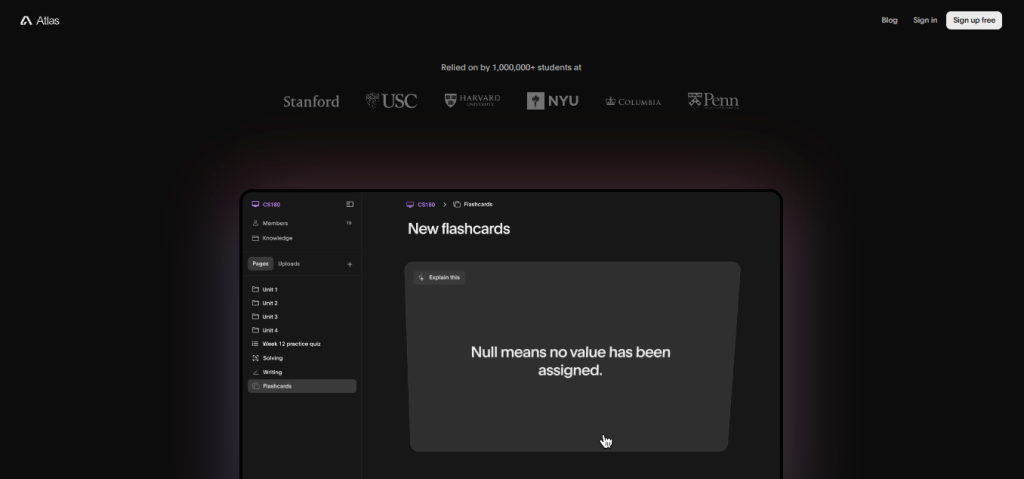
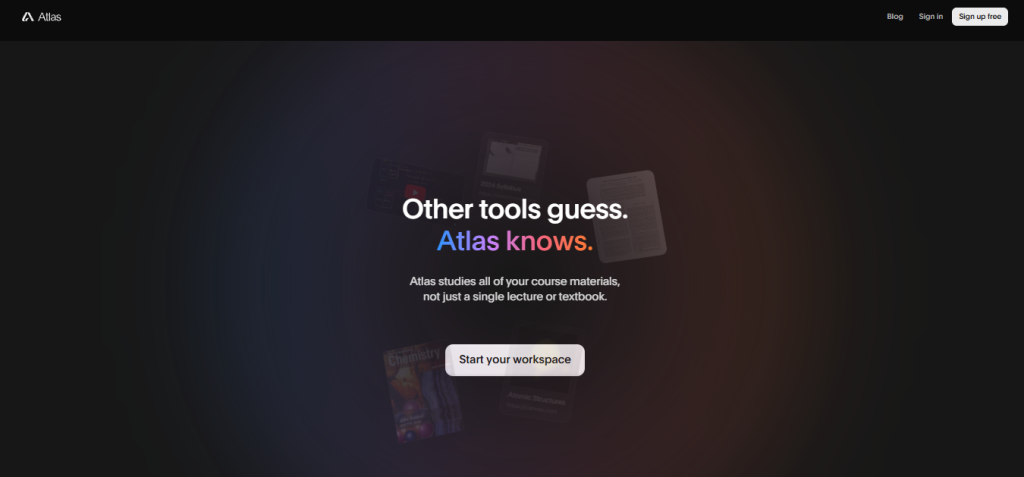
Atlas is a student AI workspace built by Triangle Labs a team of current and former students and teachers on a mission to make learning accessible and engaging. It’s designed around a single insight that separates it from general-purpose AI tools: other AI assistants guess from the internet; Atlas knows from your class materials.
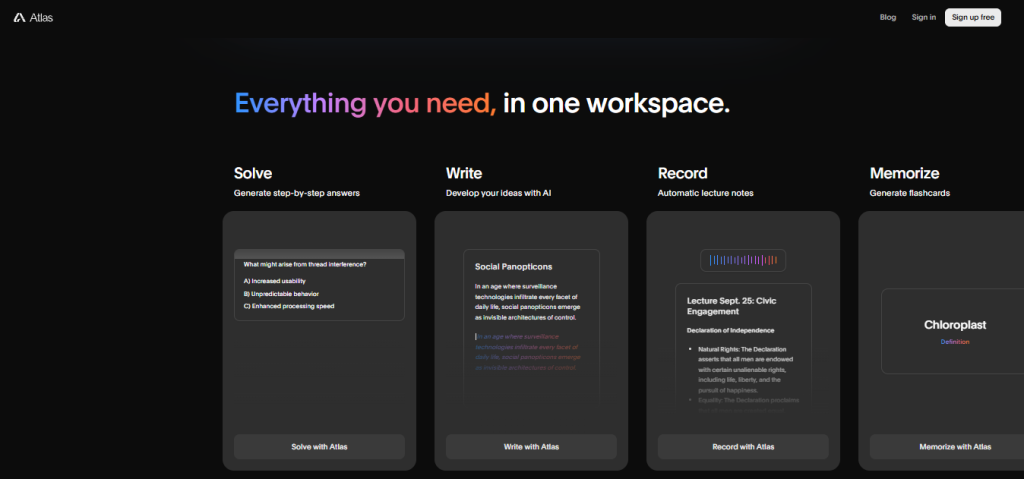
The platform integrates six core study tools Solve (step-by-step homework answers), Write (AI-assisted essay and assignment development), Record (automatic lecture note-taking), Memorize (AI flashcard generation), Practice (AI practice quiz builder), and Chat (AI assistant trained on your uploaded files and course materials) into a single workspace students use to get through their entire academic workflow without switching between five different tools. Available on web, iOS, and Android. Used by 1,000,000+ students worldwide. Built by a team based in Los Angeles and New York City.
What You Get (and What You Don’t)
Feature | What’s Included | Limitations |
AI Homework Solver (Solve) | Step-by-step answers across subjects math, science, humanities, computer science, and more; correct answer + full reasoning walkthrough | Best for understanding solutions, not for bypassing learning; accuracy is highest when course materials are uploaded alongside the question |
AI Writing Assistant (Write) | Develop essays, assignments, and structured written work with AI idea development, drafting, and refinement | Not a ghostwriting tool; designed to develop your thinking rather than replace it results depend on the quality of prompting and input |
Automatic Lecture Notes (Record) | Record lectures directly in Atlas and get auto-generated notes organized by topic, key points, and important details | Recording quality affects transcription accuracy; works best in clear audio environments |
AI Flashcard Generator (Memorize) | Generate flashcards from uploaded materials, lecture notes, or any course content study sets ready in seconds | Flashcard quality scales with the quality and breadth of the source material uploaded |
AI Practice Quiz Builder (Practice) | Generate practice quizzes from your course materials with multiple-choice and short-answer questions | Quiz difficulty and relevance are highest when built from your actual course content rather than generic subject prompts |
Course-Aware AI Chat (Chat) | Upload any file PDF, syllabus, lecture notes, YouTube videos, Canvas/Blackboard content and chat with an AI trained on those materials; answers cite which resources they drew from | AI chat answers are only as good as the materials uploaded; gaps in uploaded content produce gaps in answer quality |
Material Integrations | Supports PDFs, syllabi, YouTube videos, Canvas, Blackboard, and uploaded documents | Third-party LMS integrations (Canvas, Blackboard) listed on site verify current integration depth at atlas.org |
Mobile App | iOS and Android apps available full workspace accessible on phone and tablet | Verify current feature parity between web and mobile app versions at atlas.org |
Free Access | Full workspace free to access no credit card required | Verify whether usage limits, message caps, or paid tiers have been introduced since this review was last updated |
Student Testimonials | 1,000,000+ students across global markets; student quotes across Australia, US, Germany, Canada, Spain, France | Testimonials are student-reported; individual results vary by subject, course complexity, and material quality |
The takeaway: Atlas’s clearest differentiator is course material awareness the ability to upload your actual class content and get answers grounded in what your professor taught, not what the internet says. For students who’ve tried ChatGPT and found it confidently wrong about things specific to their course, that distinction is the entire value proposition. The trade-off is that Atlas’s accuracy ceiling is set by what you upload a student who uploads their full course materials gets a fundamentally different (and better) experience than one using it as a generic AI chat tool.
Pricing: What You Actually Pay
Atlas is currently free to access the platform’s stated positioning is “free for students” with no credit card required.
Plan | Price | What’s Included |
Free | $0 no credit card required | Full AI workspace: Solve, Write, Record, Memorize, Practice, Chat all six core tools; web, iOS, and Android access |
Paid tiers | Verify at atlas.org | Atlas is under active development paid tiers with expanded limits, priority access, or advanced features may have been introduced since this review was last updated |
Real-world cost context: as of the time of writing, Atlas presents itself as entirely free for students one of the few AI study tools at this feature depth that doesn’t immediately gate core functionality behind a subscription. Independent listings confirm the free tier as the primary access model, with no published paid tier prices as of this review. This is worth verifying directly at atlas.org before assuming free access is unlimited active development means plan structures can change. If paid tiers have been introduced, the pattern in this category typically involves message limits, file upload caps, or priority processing on free plans with expanded access on paid plans.
Worth checking before you rely on Atlas as your primary study tool: confirm current usage limits, file upload caps, and any message rate limits on the free plan at atlas.org. The platform’s free positioning is a genuine differentiator but the practical question for heavy users is whether there are daily or monthly limits that affect consistent study use across a full semester.
Course-Aware AI vs. Generic AI Assistants: The Core Trade-Off
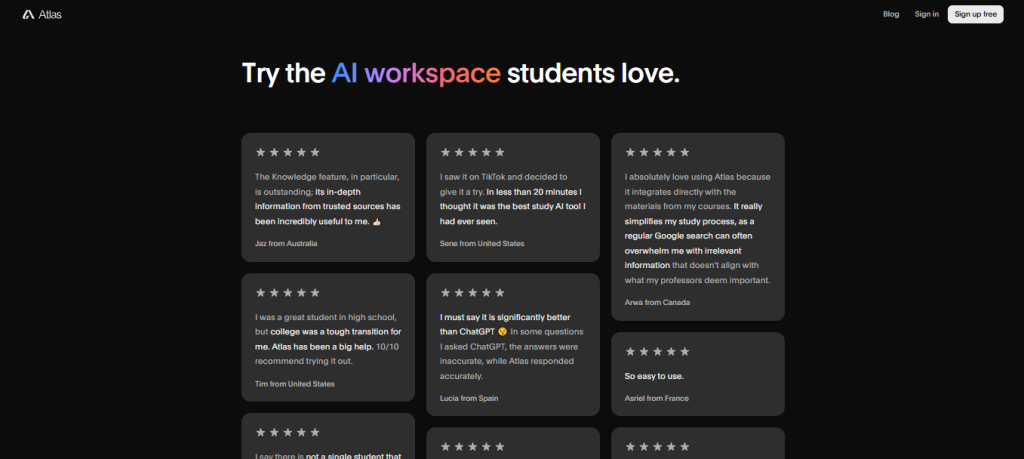
Atlas’s core argument is that a study tool trained on your specific course materials is more accurate and more useful than a general AI assistant answering from broad internet knowledge because your professor’s interpretation, your class’s specific framing, and your course’s particular emphasis are not the same as what a general AI has learned from the web. Student testimonials consistently support this positioning: Lucia from Spain noted that “in some questions I asked ChatGPT, the answers were inaccurate, while Atlas responded accurately.” Arwa from Canada highlighted that “it integrates directly with the materials from my courses a regular Google search overwhelms me with irrelevant information that doesn’t align with what my professors deem important.” Celeste from the US described it bluntly: “ChatGPT could never. I think Atlas is the only reason I’m passing my classes still.”
The trade-off shows up in one place reviewers and the platform are both transparent about: Atlas is only as good as what you upload. Students who take the time to upload their syllabus, lecture notes, readings, and recordings get a materially different experience from students who open Atlas and type a homework question cold. The investment of uploading course materials at the start of a semester rather than assembling them ad hoc before each assignment is what separates students who describe Atlas as transformative from those who find it similar to other AI tools.
Who Atlas Is Built For
Atlas’s practical value depends on how much of your academic struggle comes from material that exists in your class but that you haven’t fully processed, organized, or internalized:
- University and college students managing multiple courses simultaneously who want one AI workspace that knows all their courses rather than switching between tools per subject.
- Students transitioning from high school to college for whom the step-up in reading volume, lecture density, and self-directed study is the actual challenge, not subject difficulty.
- Students who learn better by doing who want to turn passive lecture recordings and PDFs into active flashcard study sessions, practice quizzes, and Q&A without manually creating those materials.
- Students who miss lectures who need structured notes from recordings they weren’t present for or couldn’t follow in real time.
- Students preparing for exams who want to generate practice questions from their actual course materials rather than generic study guides that may not match their professor’s emphasis.
- Students who struggle with writing who have ideas but need help structuring, developing, and refining them for academic assignments without having the work done for them.
- Non-native English speakers studying in English-language institutions who need help with both content comprehension and written expression in academic English.
What Are the Downsides of Using Atlas?
Atlas is only as useful as the materials you upload: Students who invest time uploading their full course content at the start of a semester get a significantly better experience than those who use it as a generic AI chat. The course-awareness that makes Atlas different from ChatGPT doesn’t activate until your materials are in the system.
Pricing and usage limits need direct verification: Atlas positions itself as free, but usage limits, message caps, or paid tiers may have been introduced since this review was last updated. Confirm current access terms at atlas.org particularly if you’re planning to rely on it as a primary study tool across a full semester.
Lecture recording accuracy depends on audio quality: Automatic note-taking from lectures works well in clear audio environments crowded lecture halls with background noise, thick accents, or low-quality microphones produce less accurate transcripts. Reviewing generated notes before studying from them is always recommended.
Not a substitute for understanding: Atlas is designed to develop comprehension step-by-step explanations, guided writing development, practice quizzes rather than produce answers students can submit without learning. Students looking for an answer-copying shortcut will find Atlas pushes back on that use case by design.
Feature parity between web and mobile needs verification: Both iOS and Android apps are available, but whether all six core tools (Solve, Write, Record, Memorize, Practice, Chat) are fully functional on mobile versus web is worth confirming at atlas.org before relying on mobile as your primary access method.
Atlas vs. Alternatives: Where Each One Wins
Category | Atlas | ChatGPT | Quizlet | Notion AI |
Best for | Course-material-aware AI study workspace accuracy grounded in your own class content | General-purpose AI assistant for broad knowledge questions and writing assistance | Flashcard-first study tool with a large existing card library and live tutoring | Note-taking and writing workspace with AI assistance for organization and drafting |
Free plan | ✓ Full workspace, no credit card | ✓ Limited (GPT-3.5 level, message caps) | ✓ Limited (ads, capped features) | ✓ Limited (AI blocks capped) |
Trained on your course materials | ✓ Core feature | ✗ Generic internet knowledge only | ✗ | ✗ |
Automatic lecture notes | ✓ | ✗ | ✗ | ✗ (manual recording only) |
AI flashcard generation | ✓ From your materials | ✗ | ✓ (manual + AI) | ✗ |
Practice quiz builder | ✓ From your materials | Partial (prompting required) | ✓ | ✗ |
Step-by-step homework solver | ✓ | ✓ | ✗ | ✗ |
AI writing assistant | ✓ | ✓ | ✗ | ✓ |
Canvas / Blackboard integration | ✓ | ✗ | ✗ | ✗ |
iOS and Android app | ✓ | ✓ | ✓ | ✓ |
Starting price | Free | Free (GPT-4 from $20/month) | Free (Plus from $7.99/month) | Free (AI from $10/month) |
Neither wins outright they suit different study workflows. If you primarily need a general AI assistant for broad research, writing, and coding, ChatGPT is more powerful and versatile outside academic contexts. If flashcard memorization is your primary study method and you want a large existing card library, Quizlet’s established deck ecosystem is unmatched. If you want a full AI study workspace homework solver, lecture notes, flashcards, quizzes, writing, and course-aware chat all in one place, grounded in your actual class content, Atlas covers more ground per student than any of the alternatives above.
Is Atlas Worth It?
Likely worth it if:
- You’re in a course where your professor’s specific framing, emphasis, and materials diverge significantly from what a generic AI would tell you about the subject which describes most university courses
- You want to turn your existing lecture recordings, PDFs, and syllabi into active study tools (flashcards, quizzes, notes) rather than just rereading them passively
- You’ve tried ChatGPT for school and found it confidently wrong about things specific to your course Atlas’s course material grounding is the direct fix for that problem
- The free workspace (no credit card, all six tools) is a genuine evaluation environment for your actual courses before you decide it’s part of your semester toolkit
- You’re a student who learns by practice generating quizzes and flashcards from your own materials rather than from third-party study guides that may not match your professor
Probably not the right fit if:
- You want an AI tool that works well without uploading any course materials Atlas’s differentiation depends on the materials you put in, and without them it’s a less specialized tool than it appears
- Your primary need is broad research, coding assistance, or creative writing at professional quality ChatGPT or Claude are better general-purpose tools for those workflows
- You need a large pre-built flashcard library for a standardized exam (MCAT, LSAT, SAT) Quizlet’s existing community decks cover those better than Atlas’s generated-from-scratch approach
- You want a note-taking and project workspace that goes beyond study tools into task management and knowledge organization Notion is more purpose-built for that combined workflow
The verdict: Atlas is a well-regarded, genuinely student-focused AI workspace that does its core job better than any general-purpose AI tool: giving students accurate, relevant answers grounded in what their professor actually taught. The trade-offs are real the quality of your Atlas experience scales directly with the quality of the materials you upload, and usage limits or paid tiers may have been introduced since this review was written. For students who take the setup seriously uploading their course materials at the start of each semester Atlas consistently draws the reaction that Brianne from Canada put most plainly: “This is the best app ever I swear, and I can’t believe it’s free.”
Atlas Pros:
- Course-material-aware AI trains on your actual syllabus, lecture recordings, PDFs, and Canvas/Blackboard content, not generic internet knowledge
- Six integrated study tools in one workspace Solve, Write, Record, Memorize, Practice, and Chat cover the full academic workflow without switching apps
- Automatic lecture note-taking record lectures and get structured, organized notes without manual transcription
- AI flashcard and practice quiz generation from your own course materials not generic third-party study guides
- Free to access, no credit card required full workspace available to students from day one
- iOS and Android apps alongside web accessible across all student devices
- Used by 1,000,000+ students worldwide verified by student testimonials from Australia, US, Germany, Canada, Spain, and France
Atlas Cons:
- Output quality scales directly with uploaded material quality students who don’t upload course content get a materially worse experience than those who do
- Pricing and usage limits need direct verification at atlas.org the free positioning may have evolved since this review was last updated
- Lecture recording accuracy depends on audio quality noisy environments and low-quality microphones produce less accurate automatic notes
- Feature parity between web and mobile apps needs confirmation verify that all six core tools are fully available on iOS and Android
- Not designed for passive answer retrieval students looking for shortcuts rather than comprehension tools may find the experience less useful than a simpler AI chat
 AI that studies your class materials
FAQs
Yes, students who upload their course materials consistently describe it as one of the most accurate study tools available. The free plan with no credit card is the right starting point before committing to it for a full semester.
Free; no credit card required. Verify whether paid tiers have been introduced since this review was last updated at atlas.org.
For course-specific work, yes. Atlas answers from your uploaded class materials; ChatGPT answers from the internet — which is often wrong about your professor’s specific framing and emphasis.
PDFs, syllabi, lecture recordings, YouTube videos, and Canvas/Blackboard content. The more you upload at the start of the semester, the better Atlas’s answers throughout the course.
ChatGPT for general AI use, Quizlet for pre-built flashcard libraries, Notion AI for note-taking and project organisation, and Mindgrasp ($9.99/month) for similar lecture-to-notes functionality.