You’ve probably landed here because you’re trying to figure out whether Auvik is worth the (unlisted) price tag or whether a simpler, cheaper monitoring tool already covers what you need. That’s the right instinct, because Auvik isn’t a general IT toolkit; it’s a network-specific monitoring and mapping platform, and how much value you get from it depends almost entirely on how complex your network actually is.
🔗 Try Auvik
Why Trust SaaSTrac?
This review is built from Auvik’s own product and pricing pages, plus independent write-ups and verified user reviews on G2, Capterra, and TrustRadius. We haven’t personally run a paid subscription on this account, so anything about day-to-day setup experience, alert tuning, or support responsiveness reflects what verified users report, not a private hands-on test. Auvik doesn’t publish flat pricing; every source we checked confirms it’s quote-based, so we’ve been upfront about that rather than guessing at numbers.
What Auvik Is
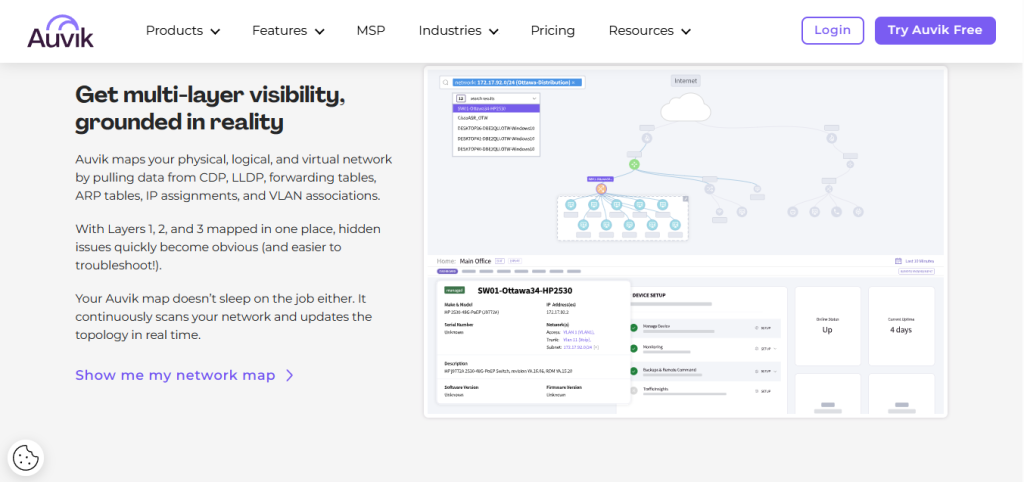
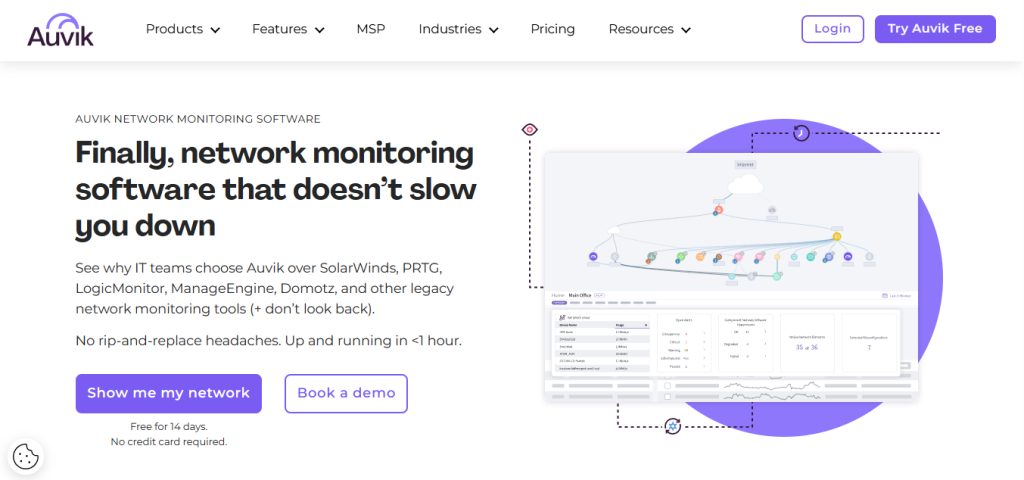
Auvik is a cloud-based network monitoring and management platform built for IT teams and managed service providers (MSPs) who need real-time visibility into switches, routers, firewalls, access points, and everything else sitting on a network. It automatically discovers connected devices, builds a live topology map that updates as the network changes, and continuously tracks performance, traffic, and configuration changes, flagging problems before they turn into outages. It’s aimed at organisations with complex, multi-site, or multi-client infrastructure: internal IT departments and MSPs managing dozens of client networks, schools, and healthcare systems, rather than solo operators or small offices with a handful of devices.
What You Get (and What You Don’t)
| Feature | What’s Included | Limitations |
| Network Discovery & Mapping | Automated device discovery, live topology maps that update on network changes | Some users report device misidentification requiring manual correction |
| Traffic & Bandwidth Analysis | Real-time traffic monitoring, bandwidth usage by device/application | Larger networks can slow dashboard load times, per user reports |
| Alerting | Customizable alerts for outages, config changes, and anomalies | Alerts can be noisy out of the box; tuning thresholds takes setup time |
| Configuration Backup | Automatic backup and change tracking for switches and firewalls | Not a full disaster-recovery tool on its own |
| Multi-Tenant Dashboards | Built for MSPs managing multiple client networks from one login | No dedicated endpoint patching, scripting, or remote-control suite like a full RMM |
| Integrations | 40+ integrations, including ConnectWise, Datto RMM, Autotask, Freshdesk, Cisco Meraki | No native API for fully custom automation outside listed integrations |
The takeaway: Auvik goes deep on one job, knowing exactly what’s on your network and telling you the moment something’s wrong with it, and does it well, according to reviewers. It is not a service desk, not a full RMM with endpoint patching and scripting, and not a general observability platform like Datadog. If your pain point is network visibility specifically, that focus is the appeal. If you need ticketing, endpoint management, or full-stack APM in the same tool, you’ll be pairing it with something else.
Pricing: What You Actually Pay
This is the part where Auvik differs sharply from a tool like Placeit. There’s no public price list; you request a custom quote based on your device count.
| Plan | Price | What’s Included |
| Free Trial | $0 | 14-day trial, full features, no credit card required |
| Basic Tier | Custom quote | Core network monitoring and mapping, billed per device |
| Core Tier | Custom quote | Basic tier features plus additional analytics and advanced capabilities; higher per-device rate |
| MSP Pricing | Custom quote | Dedicated multi-tenant packages for managed service providers |
Real-world cost context: Auvik bills per network, infrastructure, and edge device you choose to license, not per user or per site, both of which are unlimited on every plan. Devices like access points, printers, UPS units, and network storage are monitored for free regardless of tier. Third-party analysis reports per-device costs that decrease with volume and describe the model as generally cheaper than consumption-based observability platforms for network-specific monitoring, though exact figures require a quote.
Worth checking before you subscribe: the 14-day trial includes full features with no paywall, which is actually one of the more generous free tiers in this category. Use it to get real device-count numbers before you request pricing, since that’s the figure Auvik will quote you against.
Depth vs. Breadth: What Auvik Trades Off
Independent reviews are consistent on one point: Auvik’s automated mapping and device discovery are its standout strengths, and its interface is generally rated easier to learn than legacy monitoring platforms. The trade-off shows up in two places. First, pricing opacity because nothing is public; comparing Auvik to a competitor on cost alone takes a sales conversation rather than a quick spreadsheet. Second, scope: Auvik is explicitly a network monitoring and management tool, not a full RMM or ITSM platform, so teams expecting endpoint patching, ticketing workflows, or service-catalogue features will need a second tool alongside it.
Integrations for IT Teams and MSPs
Auvik’s practical value leans heavily on how well it plugs into existing MSP and IT stacks rather than trying to replace them:
- PSA and RMM tools offer direct integrations with ConnectWise PSA, ConnectWise Automate, Autotask PSA, and Datto RMM for ticketing and device sync.
- Documentation platforms sync with IT Glue for automated network documentation.
- Alerting and dashboard integrations with AlertOps and BrightGauge for downstream notification and client-facing reporting.
- Network hardware vendors’ native support for Cisco Meraki, Aruba Central, and other major switch/router/firewall brands.
There’s no fully open API for custom, outside-the-box automation; you work within the 40+ listed integrations rather than building your own connectors.
What Are the Downsides of Using Auvik?
- No public pricing: Every quote requires a sales conversation, which adds friction if you just want a quick cost comparison.
- Not a full RMM or ITSM tool: No endpoint patching, scripting, or service-desk/ticketing workflows built in; you’ll likely need a companion tool.
- Alert tuning takes work: Multiple reviewers note the alerting system is noisy by default and needs deliberate threshold configuration to avoid fatigue.
- Performance on large networks: Some users report that the dashboard and network map slow down on bigger, more complex environments.
- Device correlation quirks: A handful of reviews mention retired devices sometimes staying inventoried under reassigned IPs, requiring manual cleanup.
Auvik vs. PRTG Network Monitor: Where Each One Wins
| Category | Auvik | PRTG Network Monitor |
| Best for | MSPs and IT teams needing automated mapping + multi-tenant visibility | Teams wanting an all-in-one on-prem or cloud sensor-based monitoring tool |
| Pricing model | Per-device, quote-only | Per-sensor, publicly listed tiers |
| Deployment | Cloud-only (SaaS), lightweight local collector | On-premises or cloud/hosted |
| Multi-tenant / MSP support | Built-in multi-tenant dashboards | Available but less MSP-native |
| Network mapping | Automated, real-time topology | Manual/semi-automated mapping |
| API access | No open API; fixed integration list | Yes, a documented API is available |
Neither tool “wins” outright; they suit different buyers. If automated discovery, live mapping, and MSP multi-tenancy matter most, Auvik’s specialization is the draw. If you want transparent, sensor-based pricing you can budget against without a sales call, PRTG is easier to evaluate up front.
Is Auvik Worth It?
Likely worth it if:
- You manage a multi-site network or multiple client networks and need automated discovery and mapping
- You’re an MSP that wants multi-tenant visibility without juggling logins per client
- You want proactive alerting to catch outages before clients or end users notice
- You’re willing to go through a quote process in exchange for a tool that reviewers rate highly on ease of use
Probably not the right fit if:
- You want a single tool that also handles endpoint patching, scripting, and ticketing
- You need transparent, publicly listed pricing to compare quickly against alternatives
- Your network is small enough that a lighter, cheaper monitoring tool would cover the same ground
- You want an open API for fully custom integrations beyond the built-in list
The verdict: Auvik is a specialist network monitoring platform that does automated discovery, mapping, and alerting well, according to a consistent body of user reviews, at the cost of pricing transparency and broader RMM functionality. For its intended audience, MSPs and IT teams managing genuinely complex network environments that trade-off is reasonable. For anyone hoping to replace a full RMM or ITSM stack with one login, it won’t be enough on its own.
Auvik Pros:
- Automated device discovery and real-time network mapping, consistently praised across review platforms
- Unlimited users and sites on every tier pricing scales with devices, not headcount
- 14-day free trial with full features and no credit card required
- Strong integration list with major PSA, RMM, and documentation tools
- Multi-tenant dashboards built specifically for MSP workflows
Auvik Cons:
- No public pricing; every quote requires a sales conversation
- Not a substitute for a full RMM or ITSM platform
- Default alerting can be noisy and needs manual tuning
- Some reported slowdowns on larger, more complex networks
- No open API for fully custom integrations
 Automated network visibility
Try Auvik
FAQs
Q1: Is Auvik worth it in 2026?
For MSPs and IT teams managing multi-site or multi-client networks, user reviews consistently rate it well for automated mapping and proactive alerting. If your network is small or your priority is full RMM/ITSM functionality, it’s worth comparing against alternatives before committing.
Q2: How much does Auvik cost?
Auvik doesn’t publish fixed pricing. It bills per network, infrastructure, and edge device you license, with unlimited users and sites included.
Q3: Does Auvik have a free plan?
There’s no permanent free plan, but there is a 14-day free trial with full features and no credit card required.
Q4: Is Auvik a full RMM platform?
No. Auvik is network-focused discovery, mapping, monitoring, and alerting. It doesn’t include endpoint patching, scripting, or service-desk/ticketing features the way a full RMM suite does.
Q5: What are the best Auvik alternatives?
PRTG Network Monitor, LogicMonitor, NinjaOne, and Kaseya VSA are the most commonly cited alternatives, depending on whether you need network-specific monitoring or a broader RMM/ITSM feature set.
🔗 Start your free trial