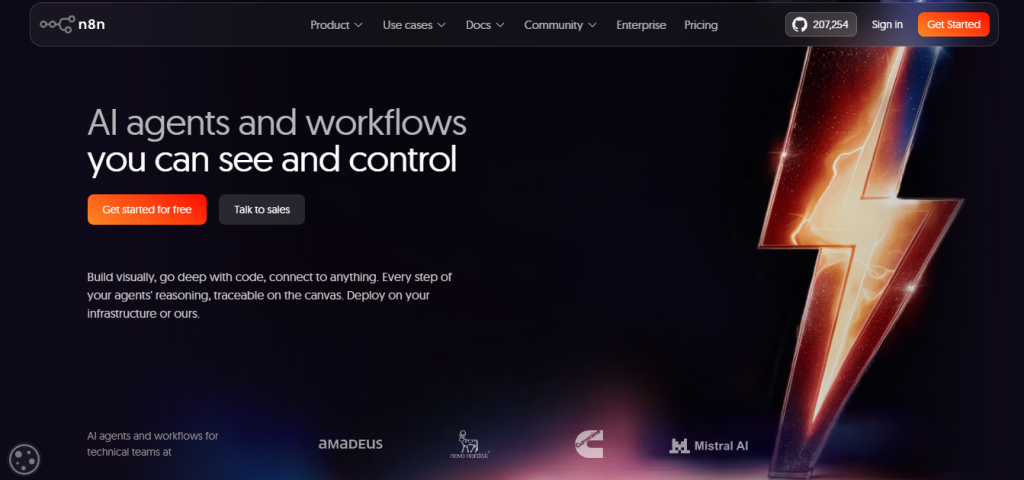
You’ve probably landed here because you’re evaluating workflow automation platforms and you’ve hit the ceiling on Zapier’s per-task pricing, Make’s operational limits, or whatever no-code tool you’re currently using and you want to know whether n8n is genuinely more powerful or just more complicated for the same result. That’s exactly the right question, because n8n sits in a specific position that most automation platforms don’t occupy: it’s designed for technical teams who need code-level flexibility with visual-builder speed, and it prices on full workflow executions rather than per-step or per-task which means a workflow with 50 steps costs the same as one with 5. Whether that pays off depends on how complex your automations are, how important self-hosting and data sovereignty are to your organization, and whether your team has the technical fluency to get value from a platform that doesn’t hide what’s happening under the hood.
🔗 Start your n8n free trial no credit card required
Why Trust SaaSTrac?
This review is built from n8n’s own homepage, pricing page, feature pages, case studies, and published community testimonials, cross-checked against G2 (4.7/5 stars), the n8n GitHub repository (207,122 stars top 50 on GitHub), and published case studies including Huel and Vodafone. We haven’t run a private benchmark comparing execution throughput or agent accuracy on this account performance claims and productivity figures reflect what published case studies report, not a private test. Pricing figures are taken directly from n8n.io/pricing at the time of writing and are in euros. Confirm current execution tier pricing and plan availability directly at n8n.io/pricing the Business plan is currently self-hosted only (cloud waitlist available), and pricing changes as n8n continues to develop.
What n8n Is?
n8n (pronounced “nodemation”) is a workflow automation platform built specifically for technical teams developers, DevOps engineers, IT ops, security operations, and technically fluent business builders who need the speed of a visual builder and the flexibility of code in the same tool, without the per-step pricing model that makes complex automation expensive at scale.
The platform’s core design decision is what makes it different from every other automation tool: executions are priced as a complete workflow run regardless of how many steps are inside, and unlimited users are included on every plan. A workflow with 1 step and a workflow with 500 steps cost exactly the same single execution which changes the economics of complex automation entirely. Pair that with JavaScript and Python code nodes available anywhere in any workflow, 500+ pre-built integrations, native AI agent building with full step-by-step traceability on the canvas, MCP server and MCP client support, human-in-the-loop approval nodes, RAG pipeline building, and a full self-hosting option on a source-available license and n8n is the automation platform that the Vodafone security team used to save £2.2 million, that Huel used to build an AI-first company culture and save 1,000 hours of manual work, and that 207,000+ GitHub stars suggest is trusted by the developer community at a scale no other open-source automation platform has reached.
What You Get (and What You Don’t)
Feature | What’s Included | Limitations |
Visual Canvas Builder | Drag-and-drop workflow editor where every step shows inputs and outputs side by side no extra clicks to see what’s happening at each node | Technical teams get the most from the canvas; non-technical users who want a truly no-code experience may find the learning curve steeper than Zapier or Make |
Code Nodes (JS + Python) | Write JavaScript or Python anywhere in a workflow for data transformation, custom logic, API calls, or anything the visual builder doesn’t cover natively | Code nodes require coding ability n8n doesn’t hide this or apologize for it; it’s a feature for technical teams, not a workaround |
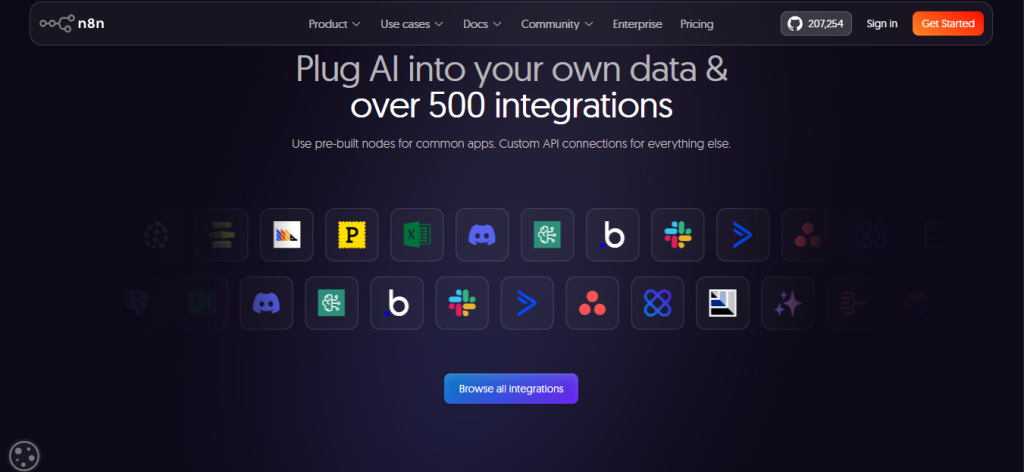
500+ Integrations | Pre-built nodes for Slack, Gmail, HubSpot, Salesforce, GitHub, Airtable, Postgres, MySQL, Google Sheets, Notion, Jira, Linear, and 500+ more; custom API connections via HTTP node for everything else | Integration depth varies by node some have full API coverage, others cover the most common operations; verify specific API calls you need before committing |
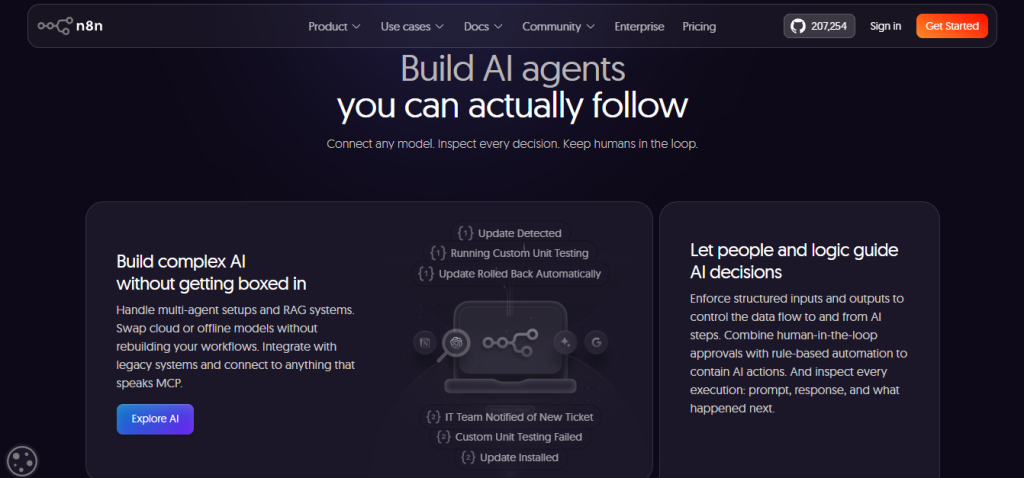
AI Agent Building | Build AI agents on the visual canvas with every step of reasoning traceable see the prompt, the model’s response, and what happened next at every decision point | Agent complexity scales with technical fluency; n8n’s transparency is a strength for debugging and control, but requires more setup than simpler AI chat tools |
MCP Server + MCP Client | n8n can act as an MCP server (expose workflows to AI assistants like Claude) and as an MCP client (call external MCP servers from inside workflows) full bidirectional MCP integration | MCP is a newer standard verify current integration depth with your specific AI tools at n8n.io/mcp |
Human-in-the-Loop | Approval nodes pause workflow execution until a human approves or rejects built into the canvas, not bolted on | Requires thoughtful workflow design; not a one-click setup for every approval scenario |
RAG Pipelines | Build retrieval-augmented generation pipelines natively vector store nodes, embedding nodes, and document loaders included without custom code | RAG pipeline depth is strong for a general automation platform; for purely ML-focused production RAG, purpose-built tools may offer more specialized controls |
Self-Hosting | Full source-available code on GitHub deploy on any server, Docker, air-gapped if required; Community Edition is free forever with core features | Business and Enterprise features require a paid license key even on self-hosted; the Community Edition excludes SSO, LDAP, version control, and advanced scaling features |
Execution-Based Pricing | Pay per complete workflow run, not per step a 500-step workflow costs the same single execution as a 5-step workflow; unlimited users on every plan | Executions are the pricing unit high-frequency scheduled workflows (every 5 minutes = ~8,800 executions/month) consume budget quickly; model your execution volume before choosing a plan |
Unlimited Users | Every paid plan includes unlimited users no per-seat charges | Shared projects are capped per plan (1 on Starter, 3 on Pro, unlimited on Enterprise) which functionally limits collaboration even with unlimited users on lower tiers |
10,000+ Workflow Templates | Community-contributed and official templates across IT ops, security, marketing, CRM, AI, and more | Template quality varies official templates are well-maintained; community templates should be reviewed before production deployment |
Insights Dashboard | Track workflow performance, execution counts, error rates, and trends 7-day history on Starter, 7–14 days on Pro, up to 365 days on Enterprise | Insights data retention scales with plan tier; Starter’s 7-day window is limited for trend analysis |
Git-Based Version Control | Push workflows to Git repositories, manage environments, and track workflow diffs Business and Enterprise | Not available on Starter or Pro cloud plans; requires Business (self-hosted only, currently) or Enterprise |
n8n Assistant | AI assistant built into the canvas that helps build and edit workflows from natural language prompts included on all cloud plans except Enterprise | Currently in preview; 1,600 credits/month on Starter, up to 9,600/month on Pro; credits don’t roll over |
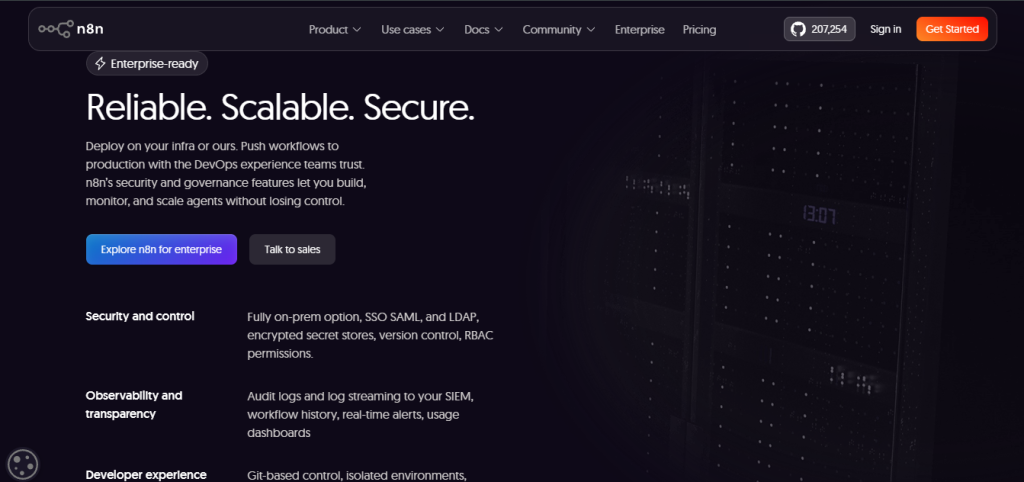
Security & Compliance | Encrypted credential store, SSO/LDAP (Enterprise), RBAC, audit logs, log streaming to Datadog/SIEM (Enterprise), external secret store, data stored in Frankfurt EU for cloud | HIPAA, SOC 2, and other specific compliance certifications verify current certification status at n8n.io/legal/security before using for regulated data |
The takeaway: n8n’s core structural advantages are the execution-based pricing model (unlimited steps per execution), unlimited users on every plan, genuine code flexibility via JS/Python nodes, and self-hosting with full source access. The trade-offs are a steeper learning curve than purely no-code platforms, a Business plan that’s currently self-hosted only on cloud, and an execution model that requires upfront volume modeling to choose the right tier particularly for high-frequency scheduled workflows.
Pricing: What You Actually Pay
n8n uses execution-based pricing across four tiers Starter, Pro, Business, and Enterprise billed monthly or annually (annual saves 17%). All prices in euros. Unlimited users and unlimited workflow steps are included on all plans.
Plan | Annual Price | Monthly Price | Executions | Concurrent | Key Inclusions |
Starter | €20/month | ~€24/month | 2,500/month | 5 | 1 shared project, AI agents, MCP, 1,600 Assistant credits/month, AI models without API keys, forum support |
Pro | €50/month | ~€60/month | 10,000/month | Up to 50 | 3 shared projects, 7-day Insights, up to 9,600 Assistant credits/month, admin roles, metric-based evaluations, workflow history, email support |
Business | €667/month | N/A (annual only) | 40,000/month | Queue mode | 6 shared projects, SSO + LDAP, 30-day Insights, multiple environments, version control via Git, queue mode for scaling self-hosted only (cloud waitlist open) |
Enterprise | Custom | Custom | Custom | 200+ | Everything in Business + unlimited projects, 365-day Insights, external secret store, log streaming, extended data retention, dedicated support with SLA |
Additional options:
- Community Edition: Free forever on GitHub self-hosted, core features, no license key required
- Startup Plan: 50% off Business for companies under 20 employees verify eligibility at n8n.io/pricing/startup-plan
- Business plan overage: €4,000 per additional 300,000 executions
- Free trial: Pro-level features, 1,000 executions, 5 concurrent executions, no credit card required
Real-world cost context: the execution-based model is n8n’s most important pricing distinction from Zapier and Make. In Zapier, a 10-step workflow that runs 1,000 times = 10,000 operations billed. In n8n, the same workflow costs 1,000 executions regardless of steps on Starter (2,500 executions/month at €20), that leaves 1,500 executions for other workflows. For teams running complex multi-step automations at moderate frequency, this model is dramatically more cost-effective than per-step pricing. For teams running simple 2-step integrations at very high frequency (thousands of times per day), the per-execution model may not offer the same advantage model your specific use case before choosing between n8n and a simpler per-step tool.
Worth checking before you subscribe: the Business plan is currently self-hosted only if you need Business-tier features (SSO, Git version control, multiple environments, queue mode) on n8n Cloud, join the waitlist at n8n.io/pricing. The free trial gives Pro-level features for 14 days with no credit card required enough to build and test real workflows at meaningful complexity before committing to a plan.
Execution-Based Pricing vs. Per-Step/Per-Task Automation: The Core Trade-Off
n8n’s core argument is that charging per complete workflow execution regardless of how many steps, nodes, or data transformations are inside aligns the platform’s pricing with the value of automation rather than penalizing complexity. A workflow that calls 5 APIs, transforms data through 3 code nodes, and writes to 2 databases is doing 10x the work of a 1-step notification but in n8n, it costs 1 execution either way. In Zapier, it costs 10 operations. That gap compounds dramatically at scale and for complex workflows.
Published case results make the value concrete: Vodafone’s security team used n8n to save £2.2 million by automating threat intelligence workflows that would have been prohibitively expensive at per-step pricing scales. Huel built an AI-first culture and saved 1,000 hours of manual work across their organization. Community users describe the experience consistently Francois Laßl called it “the holy grail of automation”: “What would’ve taken me 3 days to code from scratch? Done in 2 hours.” Felix Leber described building “a Slack agent that can basically do everything, in half an hour.” Ollie Scheers summarized it cleanly: “n8n was the big unlock. Tools like ChatGPT and Claude are great, but n8n is the thing that allows you to integrate AI into your work and processes in a safe and controlled way.”
The trade-off shows up in two places consistently. First, n8n has a real learning curve it’s not designed for people who want automation in five minutes without reading documentation. Maxim Poulsen acknowledged it directly: “You just need some technical knowledge + imagination.” Second, the Business plan being self-hosted only (cloud waitlist pending) is a genuine friction point for teams that want Business-tier features without managing their own infrastructure verify this status at n8n.io/pricing before committing.
Who n8n Is Built For
n8n’s practical value scales directly with technical fluency and automation complexity:
- Developers and engineering teams who want the speed of a visual builder with the flexibility of code, and who don’t want to be limited to what pre-built integrations support when they need to call a custom API or transform data in a specific way.
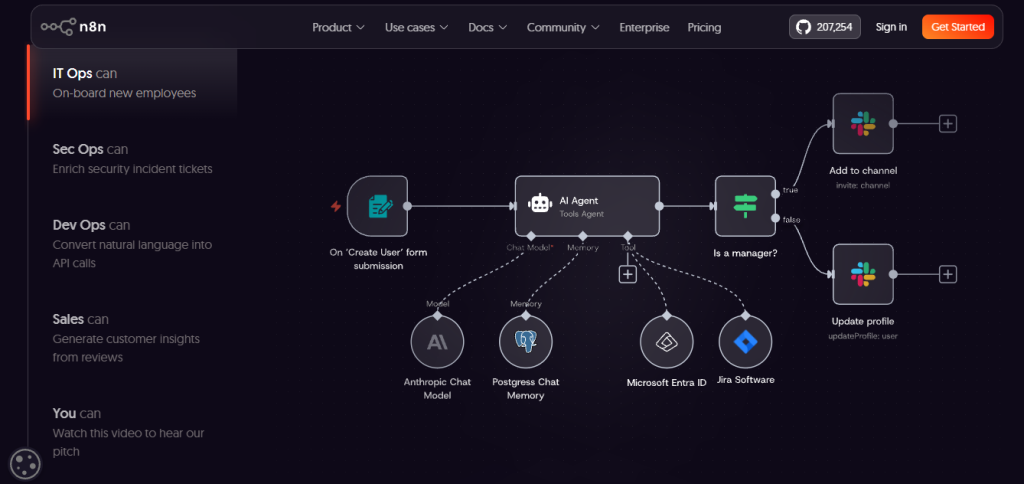
- IT operations teams automating employee onboarding, system monitoring, alerting, and internal tooling with workflows that span multiple systems and require conditional logic that simple no-code tools can’t handle.
- Security operations teams building threat intelligence pipelines, incident response workflows, and SIEM integrations where data sovereignty, self-hosting, and auditability matter as much as functionality.
- AI builders and agent developers who want to build AI agents with full step-by-step reasoning traceability on the canvas, human-in-the-loop approval steps, RAG pipelines, and MCP connectivity without losing visibility into what the AI actually did.
- Technical marketers and RevOps teams running complex lead automation, CRM enrichment, and multi-system data sync workflows that exceed what Zapier or HubSpot Workflows can handle without custom code.
- Organizations with data residency requirements who need to self-host on their own infrastructure, air-gapped if necessary, with full source code access and no third-party data processing.
- Startups under 20 employees who qualify for the Startup Plan at 50% off Business and want enterprise-level workflow automation without the enterprise price tag.
What Are the Downsides of Using n8n?
- Steeper learning curve than purely no-code platforms: n8n is built for technical teams, and it shows in a good and a bad way. The depth and flexibility that make it powerful for developers are the same things that make it less immediately accessible for non-technical users who want automation in five minutes. The community forum (200,000+ members) and learn.n8n.io help significantly, but there’s a real investment in understanding how n8n thinks before you can build fluently.
- Business plan is currently self-hosted only: If your team needs SSO, LDAP, Git version control, multiple environments, and queue mode scaling but wants n8n Cloud rather than self-hosted deployment those features are currently unavailable on cloud without joining the waitlist. Verify the current status of Business on Cloud at n8n.io/pricing before making a plan decision.
- High-frequency scheduled workflows consume executions quickly: A workflow that runs every 5 minutes generates approximately 8,600–8,900 executions per month which exhausts Starter (2,500/month) in under 9 hours and Pro (10,000/month) in under two days. If scheduled high-frequency triggers are your primary use case, model your execution volume carefully before choosing a plan tier.
- Execution history retention is limited on lower tiers. Starter retains executions for 7 days; Pro for 30 days. For debugging issues that surface a week or two after deployment, or for compliance audit trails, lower-tier retention may not be sufficient Business and Enterprise provide 30-day and unlimited retention respectively.
- Community Edition excludes enterprise features even when self-hosted. The free self-hosted Community Edition is genuinely powerful for most automation use cases, but SSO, LDAP, version control, queue mode, and advanced security features require a paid license key even on your own infrastructure. Organizations that need those features but prefer self-hosting pay Business or Enterprise licensing regardless.
n8n vs. Alternatives: Where Each One Wins
Category | n8n | Zapier | Make (Integromat) | Activepieces |
Best for | Technical teams who need code-level flexibility, complex AI agents with full traceability, self-hosting, and execution-based pricing that doesn’t penalize complexity | The broadest integration library and the most beginner-friendly experience best for simple 2–3 step workflows between popular apps | Visual automation for complex multi-branch workflows at a lower per-operation price than Zapier better for mid-complexity automation without code | Open-source AI agent and automation platform with human-in-the-loop, unlimited MCP servers, and MIT license best for teams prioritizing open-source and $5/flow pricing |
Free / self-hosted | ✓ Community Edition free forever | ✗ Limited free tier (5 zaps) | ✓ Free tier (1,000 ops/month) | ✓ MIT license, unlimited runs |
Pricing model | Per execution (unlimited steps) | Per task / operation | Per operation | Per active flow ($5/flow/month) |
Self-hosting | ✓ Full source available | ✗ | ✗ | ✓ MIT license |
Code nodes (JS/Python) | ✓ Anywhere in workflow | ✗ | ✗ | ✓ Code steps |
AI agent building | ✓ Full canvas visibility + MCP | Basic (AI steps only) | ✗ | ✓ Native agent builder |
MCP support | ✓ Server + client | ✗ | ✗ | ✓ Unlimited MCP servers |
Human-in-the-loop | ✓ Native approval nodes | ✗ | ✗ | ✓ Native |
Execution traceability | ✓ Every step visible on canvas | ✗ | Partial | ✓ Full input/output logging |
Git version control | ✓ Business + Enterprise | ✗ | ✗ | ✗ |
Unlimited users | ✓ All plans | ✗ (per seat) | ✗ (per seat) | ✓ |
207K GitHub stars | ✓ Top 50 on GitHub | ✗ Closed source | ✗ Closed source | ✓ Open source |
Starting paid price | €20/month (cloud) / free (self-hosted Community) | ~$29.99/month | ~$9/month | $5/active flow/month |
Neither wins across every scenario. If the broadest integration library and the simplest onboarding are the priorities, Zapier’s ecosystem is unmatched for non-technical users. If mid-complexity visual automation at the lowest per-operation price is the goal, Make is the stronger choice for teams without coding skills. If open-source, MIT-licensed self-hosting with unlimited runs and $5/flow pricing is the priority, Activepieces covers that ground. If your team is technical, your workflows are complex, your data has residency requirements, and you want AI agents you can actually trace and debug on a canvas n8n is the platform the rest of the category is measured against.
Is n8n Worth It?
Likely worth it if:
- Your automations are complex multi-step, multi-system, with conditional logic, data transformation, or custom API calls where the execution-based pricing model saves significant money versus per-step tools
- You’re building AI agents and want full step-by-step reasoning traceability, human-in-the-loop controls, MCP connectivity, and RAG pipelines in one platform without losing visibility into what the AI did
- Data sovereignty and self-hosting matter compliance requirements, data residency, or a preference for owning your infrastructure mean the Community Edition or a paid self-hosted license is the right architecture
- Your team is technically fluent and willing to invest in learning a platform that rewards that fluency with genuinely unlimited flexibility “anything is possible with n8n” is a community quote that’s warranted, not a marketing line
- You’re under 20 employees and qualify for the Startup Plan at 50% off Business a significant discount for early-stage teams that need enterprise-level automation from the start
Probably not the right fit if:
- You want automation in five minutes without documentation, a community forum, or any technical understanding of how data flows between steps Zapier’s simpler mental model and broader pre-built Zap library is the better starting point
- Your primary use case is high-frequency simple triggers (thousands of executions per day from webhook or schedule) where execution-count pricing becomes expensive relative to flat-fee alternatives
- You need Business-tier features (SSO, Git version control, environments) on n8n Cloud right now and can’t wait for the waitlist self-hosting is the current path to Business features
- Your team has zero coding familiarity and no appetite to build that familiarity n8n’s code nodes are optional, but the platform’s full value is only accessible to teams that can use them
The verdict: n8n is the automation platform that developers and technical teams consistently describe as the one that finally doesn’t box them in. The G2 quote “I can move fast and never feel boxed in” is the consistent refrain across 207,000 GitHub stars, 200,000 community members, and published case studies that include £2.2 million saved at Vodafone and 1,000 hours saved at Huel. The execution-based pricing model, unlimited users, code nodes, AI agent traceability, MCP connectivity, and self-hosting option are a genuinely differentiated combination that no comparable platform offers in full. The trade-offs learning curve, Business plan currently self-hosted only, execution count modeling required are real and worth planning for. For technical teams that are ready for a platform that matches their fluency rather than constraining it, n8n is the right tool.
n8n Pros:
- Execution-based pricing with unlimited steps per execution a 500-step workflow costs the same as a 5-step workflow; dramatically more cost-effective than per-step tools for complex automation
- Unlimited users on all plans no per-seat charges regardless of team size
- JavaScript and Python code nodes available anywhere in any workflow genuine code flexibility without leaving the visual builder
- Full AI agent building with step-by-step reasoning traceability on the canvas every prompt, response, and action visible and debuggable
- MCP server and MCP client support n8n works bidirectionally with Claude, ChatGPT, and any MCP-compatible AI tool
- Human-in-the-loop approval nodes built natively into workflow canvas
- Self-hosting on source-available license Community Edition free forever; full source code on GitHub with 207,122 stars (top 50 on GitHub)
- 500+ pre-built integrations plus HTTP node for any custom API no integration gaps
- 10,000+ workflow templates across IT ops, security, marketing, AI, and CRM
- Free trial with Pro-level features and no credit card required
- Startup Plan at 50% off Business for companies under 20 employees
- Trusted by Microsoft, Meta, NVIDIA, Vodafone, Mercedes-Benz, Huel, Novo Nordisk, and Deutsche Telekom
n8n Cons:
- Steeper learning curve than purely no-code platforms designed for technical teams, not five-minute setup
- Business plan currently self-hosted only cloud availability on waitlist; teams needing SSO, Git, and environments on cloud must wait
- High-frequency scheduled workflows consume executions quickly model your use case before choosing a plan tier
- Execution history retention limited on lower tiers 7 days on Starter, 30 days on Pro; insufficient for some audit and debugging scenarios
- Community Edition excludes SSO, LDAP, version control, and enterprise scaling even on self-hosted those require a paid license key
- n8n Assistant credits don’t roll over month to month unused allowance is lost at cycle reset
 Traceable AI agents. Limitless automation.
FAQs
For technical teams running complex multi-step automations, building AI agents with traceability requirements, or needing self-hosted deployment with data sovereignty the G2 rating (4.7/5), 207,000+ GitHub stars, and published case studies (Vodafone’s £2.2M saved, Huel’s 1,000 hours saved) consistently say yes.
Community Edition: free forever, self-hosted, core features. Cloud plans (annual billing): Starter €20/month (2,500 executions), Pro €50/month (10,000 executions), Business €667/month (40,000 executions, self-hosted only currently), Enterprise custom. Monthly billing is available at approximately 20% higher rates. Annual billing saves 17%. Startup Plan: 50% off Business for companies under 20 employees. Confirm current pricing at n8n.io/pricing.
An execution is a single complete run of a workflow from trigger to final action regardless of how many steps, nodes, or data transformations are inside. This is fundamentally different from Zapier (which charges per “operation,” meaning each step counts separately) and Make (which charges per “operation”). A 50-step n8n workflow costs 1 execution.
Yes, with caveats. The visual canvas builder and 10,000+ templates make many common automations accessible without code and the n8n Assistant (available in preview on all cloud plans except Enterprise) helps build workflows from natural language prompts.
Zapier (for the broadest integration library and the most beginner-friendly no-code experience, ideal for simple workflows between popular apps), Make (for visual multi-branch automation at lower per-operation pricing, suited to mid-complexity workflows without code), Activepieces (for open-source MIT-licensed automation with AI agents, human-in-the-loop, and $5/active-flow pricing with unlimited runs), and Zapier Tables + Interfaces (for teams wanting Zapier’s ecosystem with basic database and interface functionality bundled in) are the most commonly cited alternatives depending on whether simplicity, per-operation cost, open-source licensing, or ecosystem breadth is the primary priority.