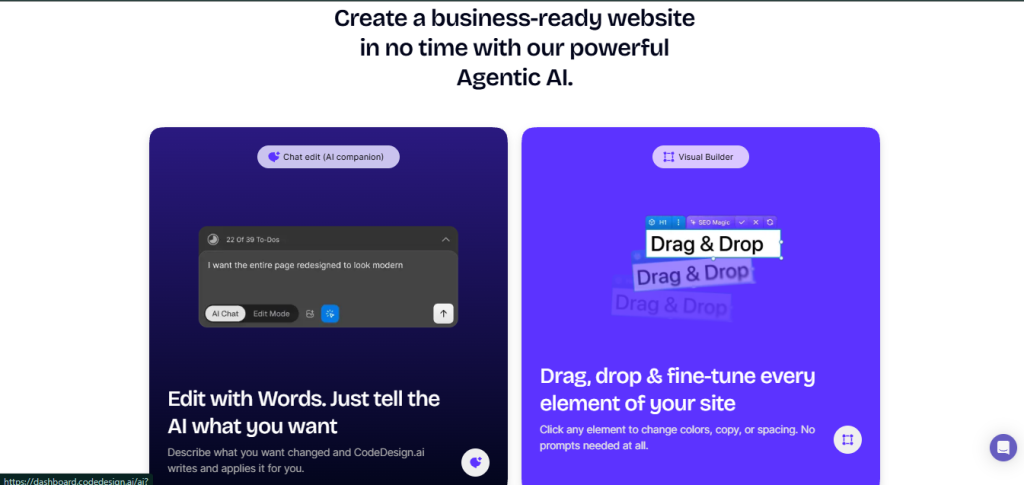
You’ve probably landed here because you’re trying to decide whether CodeDesign.ai is actually different from Wix, Squarespace, or Webflow, or whether it’s just another AI wrapper on a template library that still requires the same two hours of clicking. That’s the right question, because CodeDesign.ai’s pitch is a specific one: agentic AI generation first (describe the site, get the site), full visual editing second, and the option to export clean code and host it anywhere if you decide you don’t want to stay on their platform. Whether that combination pays off for you depends on how much of your time disappears into setup, how much you care about owning your code, and whether you need WordPress integration built in.
🔗 Start building with CodeDesign.ai free, no credit card required
Why Trust SaaSTrac?
This review is built from CodeDesign.ai’s own product and pricing pages, plus verified user reviews on Trustpilot (4.8/5, 195+ reviews) and G2, cross-checked against independent write-ups. We haven’t run a private speed or SEO audit benchmark on this account, so generation quality, site performance, and support responsiveness reflect what the company publishes and what verified users report, not a private hands-on test. The pricing page renders plan details dynamically; the numbers below reflect what was visible at the time of writing, but confirm current pricing at codedesign.ai/pricing before purchasing. Where plan features aren’t fully itemized on the pricing page, we flag that rather than presenting assumptions as fact.
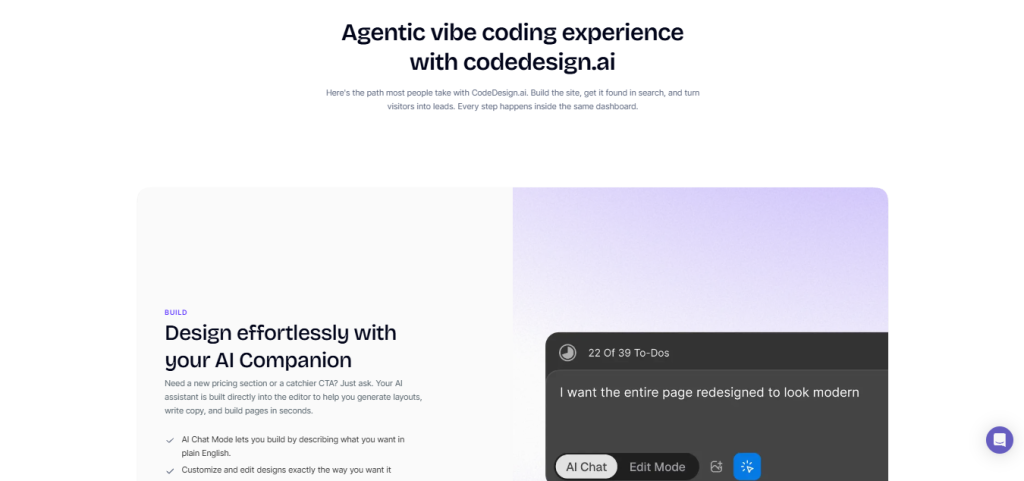
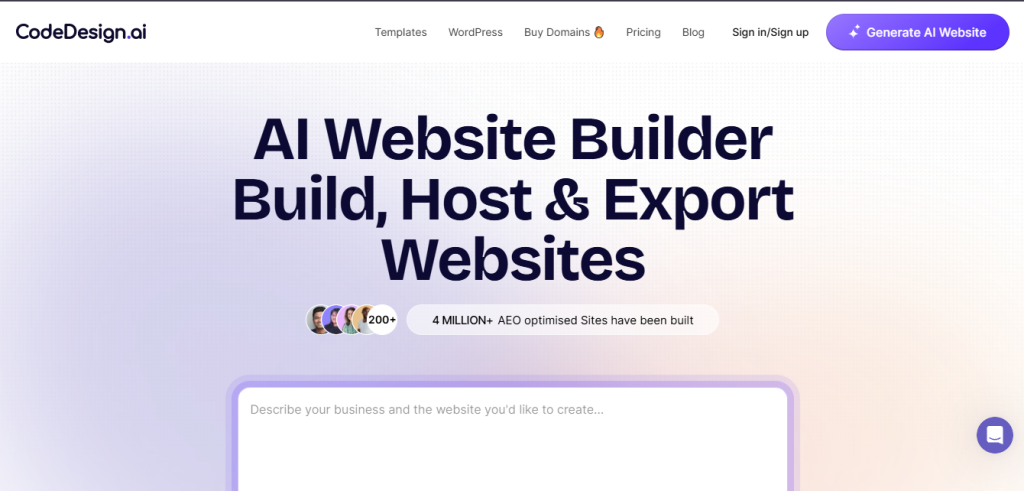
What CodeDesign.ai Is ?CodeDesign.ai is an AI website builder built around two parallel workflows an AI Chat (vibe coding) mode where you describe what you want and the AI builds it, and a visual drag-and-drop editor where you click, adjust, and control manually layered on top of 200+ industry templates across SaaS, agency, healthcare, hospitality, real estate, restaurant, portfolio, and more. The key differentiator from most AI website builders is deployment flexibility: you can host on CodeDesign.ai’s cloud, publish directly to WordPress (no separate plugin step), or export clean React and HTML code to host anywhere you choose, including your own server.
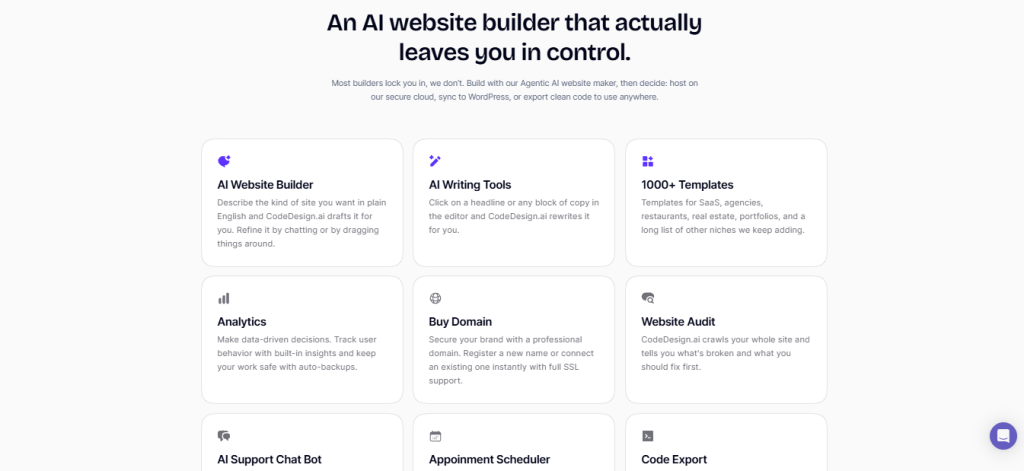
Beyond site building, the platform includes a built-in SEO audit that crawls your full site and flags errors, warnings, and notices; real-time analytics (visitors, page views, bounce rate, traffic sources) with no tracking script to install; an AI chatbot builder you can deploy on your site trained on your own pages and PDFs; an appointment scheduler; domain registration at cost across 400+ extensions; free SSL via Let’s Encrypt with auto-renewal; and a suite of AI writing tools (brand name generator, meta description generator, blog title generator, content idea generator, and more). It has 4 million+ sites built, 400,000+ makers using the platform, and a Lifetime Deal currently available at $79 (down from $194).
What You Get (and What You Don’t)?
Feature | What’s Included | Limitations |
AI Website Generation | Describe your site in plain English (up to 1,800 characters); agentic AI generates a full site in seconds; regenerate if you don’t like the result | Generation quality varies with prompt specificity; broader prompts produce more generic results |
Vibe Coding Builder | Prompt-based editor where you describe changes and the AI applies them; built-in code editor for full control | Relies on AI interpretation; complex layout changes may need visual editor follow-up |
Visual Drag-and-Drop Builder | Click-to-edit elements, color/font/spacing controls, manual-first with optional AI for text and image generation | Two separate editors (vibe coding vs. visual) suit different building styles; not identical feature sets |
200+ Templates | 18+ industry categories; SaaS, agency, healthcare, hospitality, real estate, restaurant, portfolio, wedding, gym, and more | Template library is smaller than Wix or Squarespace; templates lean modern/startup rather than traditional/corporate |
Code Export | Export clean React and HTML code to take your project off the platform entirely | Code export availability per plan tier; verify on pricing page; not all export formats on all plans |
WordPress Publishing | Publish directly to WordPress from the dashboard in one click | Requires a WordPress install; not a hosted WordPress solution |
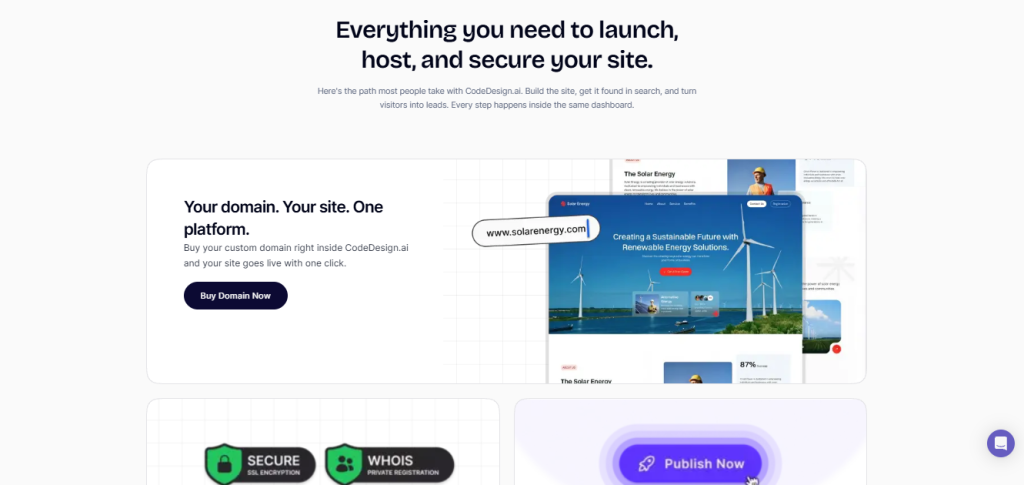
Built-in Hosting | Publish to CodeDesign’s cloud with custom domain connection, free SSL (Let’s Encrypt, auto-renews), and one-click publish | Free plan limited to 3 projects on CodeDesign subdomain; custom domain on paid plans |
SEO Audit | Full-site crawler; health score; flagged errors, warnings, and notices (missing H1s, duplicate titles, missing meta/OG tags, thin content); track fixes over time | Audit is a crawler and diagnostic tool; it flags issues but doesn’t auto-fix them |
Built-in Analytics | Visitors, page views, bounce rate, dwell time, top pages, traffic sources, live “online now” count; no tracking script to install | No integration with Google Analytics shown as a native feature; built-in analytics covers core metrics |
AI Chatbot | Deploy an AI chatbot on your site trained on your own pages and PDFs to handle visitor questions | Availability and limits by plan tier; verify on pricing page |
Appointment Scheduler | Take bookings from your site directly into your calendar with time zone and reminder handling | Verify current feature availability and any plan restrictions on the pricing page |
Domain Registration | Buy and register domains inside CodeDesign.ai: 400+ extensions at cost pricing | Domains purchased separately from hosting plan; verify extension pricing at codedesign.ai/domains |
Free Plan | 3 projects, CodeDesign subdomain, AI generation, templates, and core building features; no credit card required | Custom domain, code export, and advanced features require a paid plan |
Lifetime Deal | $79 one-time (down from $194) permanent access to paid features without a recurring subscription | Lifetime deal terms and availability subject to change; verify at codedesign.ai/pricing before purchasing |
Zero Data Retention | OpenAI Zero Data Retention policy signed; your data is not stored or used for training by OpenAI | Company-reported policy; verify current terms at codedesign.ai/privacy |
CodeDesign.ai’s clearest differentiator is the combination of agentic AI generation with genuine code export and WordPress publishing, three deployment options in one builder. For users who’ve been burned by platform lock-in (building a site and then discovering you can’t take it anywhere), the code export alone changes the risk calculus. The trade-off is a template library that’s smaller than Wix or Squarespace, two distinct editor modes that suit different workflows, and a pricing page that renders plan details dynamically and is worth verifying directly before committing.
Pricing: What You Actually Pay
CodeDesign.ai uses a tiered model with monthly and annual billing, plus a one-time Lifetime Deal. The pricing page renders details dynamically; the figures below are from the page at the time of writing, but confirm current plan limits and inclusions directly at codedesign.ai/pricing.
Plan | Price | What’s Included |
Free | $0 no credit card required | 3 projects, CodeDesign subdomain, AI generation, 200+ templates, drag-and-drop editor, AI chat mode, core features |
Basic / Starter (paid) | Verify at codedesign.ai/pricing | Custom domain connection, additional projects, upgraded hosting, access to advanced features; exact price rendered dynamically |
Pro / Growth (paid) | Verify at codedesign.ai/pricing | Full feature access, code export, WordPress publishing, SEO audit, analytics, AI chatbot, appointment scheduler, priority support |
Lifetime Deal | $79 one-time (was $194) | Permanent access to paid-tier features; no recurring billing; terms subject to change |
Annual billing | 20% discount vs. monthly | Annual plans include a free domain |
Real-world cost context: the Lifetime Deal at $79 is the most clearly stated price point on the platform and for users who want to avoid recurring SaaS subscriptions, a one-time payment for permanent access to a website builder that includes code export, WordPress publishing, SEO audit, and analytics is unusually good value compared to Wix ($17/month), Squarespace ($23/month), or Webflow ($23–$39/month ongoing. Annual plans save 20% and include a free domain.
Worth checking before you subscribe: the free plan is limited to 3 projects on a CodeDesign subdomain; it’s a genuine evaluation environment but not a permanent business hosting solution. Custom domain connection requires a paid plan. Code export availability by plan tier is worth verifying before you build a project expecting to export it. The pricing page renders dynamically, so specific monthly prices for paid tiers are best confirmed live rather than from any review.
AI Generation vs. Template-First Builders: The Core Trade-Off
CodeDesign.ai’s core argument is that starting from an AI-generated site built specifically around your business description is a better starting point than choosing from 1,000 generic templates and filling in your own content. Verified users consistently cite the generation speed as the primary win: Henry Seet, a business owner in Singapore, described it as “remarkably simple and intuitive” with no coding knowledge needed. SJ Parker in Australia called out the code export specifically as “clean and easy to work with if you need to host it elsewhere,” as what separated it from tools that lock you in. Bryan Davis noted the “integrated web hosting is seamless; everything just works.” Tobias Thies, a two-year user in Germany, highlighted continuous feature improvements and pricing value. Jae Chris in the US described getting their clinic site live “after paying a lump sum to someone who promised to build our site and delivered nothing.” CodeDesign let them do it themselves.
The trade-off shows up in two places reviewers flag: the two-editor model (vibe coding builder vs. visual drag-and-drop) suits different building styles and isn’t identical in capability, so some users find themselves switching between them rather than staying in one. And the template library at 200+, while growing, is smaller and more startup/modern-leaning than Wix or Squarespace’s broader catalogues; users looking for traditional, corporate, or highly niche-specific starting points may find fewer exact matches.
Who Is CodeDesign.ai Built?
CodeDesign.ai’s practical value depends on what’s slowing you down in getting a website live:
- Small business owners who need a real website this week without learning a page builder, and want to describe their clinic, shop, or service and get a professional result without a freelancer or agency.
- Freelancers and agencies who want to generate a client-ready first draft in minutes, refine it in the visual editor, and hand off exportable code the client can host anywhere.
- Founders and side-project builders who need a credible site live before the product ships and want to keep iterating fast without filing tickets or waiting on developers.
- Marketers and non-technical teams who need to stand up a landing page, microsite, or campaign page without waiting on engineering or submitting a Jira ticket.
- Coaches and creators who want a portfolio or personal brand site that looks credible from day one and can be updated without technical help.
- WordPress users who want AI-generated sites published directly to their existing WordPress install without a separate plugin workflow.
- Developers who want to start from a clean, AI-generated, standards-compliant base and export React or HTML code instead of scaffolding another boilerplate.
What Are the Downsides of Using CodeDesign.ai?
- Pricing page renders dynamically; exact monthly plan prices aren’t stated in static copy: The free plan and Lifetime Deal are clearly priced ($0 and $79 respectively), but monthly and annual paid tier prices are rendered dynamically. This makes third-party comparison harder; confirm live at codedesign.ai/pricing before budgeting.
- Two distinct editors suit different workflows: The vibe coding builder (prompt-driven) and the visual drag-and-drop builder are separate modes with partially overlapping but not identical capabilities. Users who start in one and need something the other handles better will switch between them, which adds a learning curve that a single unified editor wouldn’t have.
- The template library is smaller and more startup-leaning than Wix or Squarespace: 200+ templates across 18+ categories is a solid library, but Wix and Squarespace offer thousands. Users looking for highly specific niche templates or traditional/corporate aesthetics may find fewer options.
- Code export availability by plan tier needs verification: Code export (React and HTML) is a headline feature, but whether it’s available on entry-level paid plans or only higher tiers isn’t clearly stated in static copy. Verify before building a project you intend to export.
- AI chatbot and appointment scheduler limits by plan: Both are listed as features, but plan-level limits and inclusions aren’t fully detailed in static content. Verify on the pricing page if these are core to your use case.
CodeDesign.ai vs. Alternatives: Where Each One Wins
Category | CodeDesign.ai | Wix | Webflow | Squarespace |
Best for | AI-generated sites with code export and WordPress publishing; no lock-in | Broadest template library and app market for general websites | Designer-grade no-code with CMS; developer-preferred | Design-first websites for creatives and small businesses |
Free plan | ✓ 3 projects, no credit card | ✓ Limited (Wix ads on site) | ✓ Limited (2 projects, Webflow subdomain) | ✗ Trial only |
AI generation | ✓ Agentic: describe site, get site | ✓ Wix ADI (less agentic) | Limited | Limited |
Code export | ✓ React & HTML | ✗ | ✓ (paid plans) | ✗ |
WordPress publishing | ✓ Direct one-click | ✗ | ✗ | ✗ |
Drag-and-drop editor | ✓ | ✓ | ✓ | ✓ |
Built-in SEO audit | ✓ Full-site crawler | Partial | ✓ (paid) | Partial |
Built-in analytics | ✓ No script needed | ✓ | ✓ | ✓ |
Lifetime deal | ✓ $79 | ✗ | ✗ | ✗ |
Starting paid price | Dynamic verify live | ~$17/month | ~$23/month | ~$23/month |
Template library | 200+ | 900+ | 1,000+ | 180+ |
Trustpilot rating | 4.8/5 (195+ reviews) | 1.6/5 | Not listed | 1.5/5 |
Neither wins outright across every scenario. If template breadth is your primary need, Wix has the largest library. If designer-grade CMS and developer-grade output are the goal, Webflow is the purpose-built tool. If you want agentic AI generation, zero lock-in via code export, WordPress publishing, built-in SEO audit and analytics, an AI chatbot, and a Lifetime Deal at $79, CodeDesign.ai is the most complete package at the lowest long-term cost.
Is CodeDesign.ai Worth It?
Likely worth it if:
- You want to describe a site in plain English and get a professional result in seconds without starting from a blank page or choosing from 900 templates manually
- Code export (React or HTML) matters to you; you want to own your site and be able to host it anywhere without being locked into a platform’s ecosystem.
- You’re publishing to WordPress and want AI site generation integrated directly into that workflow.
- The Lifetime Deal at $79 for permanent paid-tier access is a better fit than recurring monthly SaaS fees from Wix, Squarespace, or Webflow.w
- You want SEO auditing, analytics, an AI chatbot, and appointment scheduling bundled into your website builder without subscribing to separate tools.
- The free plan (3 projects, no credit card) gives you enough to evaluate whether the generation quality works for your specific use case before paying anything.
Probably not the right fit if:
- Template breadth is your primary buying criterion. Wix’s 900+ templates cover more niches and aesthetic styles.
- You need designer-grade CMS features, staging environments, and developer-grade output with complex interactions. Webflow is purpose-built for that.
- You need fully static pricing details before evaluating; the dynamic pricing page adds a research step competitors with published price lists don’t require
- You want a single unified editor rather than switching between a vibe coding builder and a visual drag-and-drop editor depending on the task.
The verdict:
CodeDesign.ai is a well-regarded, genuinely no-lock-in AI website builder that does its core job well: generating a usable, professional site from a plain-language description, then giving you three ways to deploy it: cloud hosting, WordPress, or clean exported code. The trade-offs reviewers raise most consistently are the two-editor model and a template library that’s smaller than the incumbents. For small business owners, freelancers, founders, and developers who want agentic AI generation, zero platform lock-in, and a Lifetime Deal at $79, CodeDesign.ai is one of the most compelling options in the category right now.
CodeDesign.ai Pros:
- Agentic AI generation: describe your business, get a complete site in seconds with no blank-page problem
- Code export (React & HTML): take your project off the platform and host it anywhere, eliminating lock-in entirely
- Direct WordPress publishing: one-click publish from the CodeDesign dashboard to your WordPress install
- Built-in SEO audit: full-site crawler with health score, prioritized errors, warnings, and notices; no separate subscription needed
- Built-in analytics: visitors, page views, bounce rate, traffic sources with no tracking script to install
- AI chatbot builder: deploy on your site, trained on your own pages and PDFs, to handle visitor questions
- Lifetime Deal at $79: permanent paid-tier access for a one-time payment (verify availability before purchasing)
- Free plan with 3 projects and no credit card required; evaluate generation quality before paying anything
- Rated 4.8/5 on Trustpilot (195+ reviews) significantly higher than Wix (1.6/5) and Squarespace (1.5/5)
- OpenAI Zero Data Retention: your data is not stored or used for training
CodeDesign.ai Cons:
- Pricing page renders dynamically; monthly paid-tier prices require visiting the live page rather than a published price list
- Two distinct editors (vibe coding builder and visual drag-and-drop) suit different building styles and aren’t feature-identical; some users switch between them
- Template library at 200+ is smaller and more startup-modern-leaning than Wix (900+) or Webflow (1,000+)
- Code export and AI chatbot feature availability by plan tier needs direct verification on the pricing page before building.
- No native Google Analytics integration shown as a built-in feature; built-in analytics covers core metrics but may not replace GA for data-heavy teams.
 AI Website Builder
FAQs
For small business owners, freelancers, founders, and developers who want AI-generated sites with genuine code export and WordPress publishing at a one-time Lifetime Deal price of $79, verified reviews on Trustpilot (4.8/5) consistently say yes. The key is evaluating the free plan first; 3 projects with no credit card aree enough to verify generation quality before committing.
Free plan at $0 (3 projects, CodeDesign subdomain, no credit card). Paid monthly and annual tiers are priced dynamically; confirm current rates at codedesign.ai/pricing. Annual plans save 20% and include a free domain. A Lifetime Deal is available at $79 (was $194) for permanent paid-tier access; verify current availability before purchasing. All paid plans include a 7-day money-back guarantee; cancel anytime.
Yes: 3 projects, AI generation, 200+ templates, both editor modes, and core features with no credit card required. The free plan uses a CodeDesign subdomain rather than a custom domain. It’s a genuine evaluation environment, enough to test generation quality and workflow before deciding whether to upgrade.
Yes, CodeDesign.ai exports clean React and HTML code, letting you take your project off the platform and host it on your own server or anywhere else. This is the platform’s strongest lock-in differentiator versus Wix and Squarespace, which don’t offer code export. Verify which plan tier includes code export before building a project you intend to export.
Wix (for the broadest template library and app market), Webflow (for designer-grade no-code with CMS and staging environments), Squarespace (for design-first sites for creatives), and Framer (for developer-preferred AI generation with advanced interactions) are the most commonly cited alternatives depending on whether template breadth, CMS depth, design quality, or developer control is the primary priority.