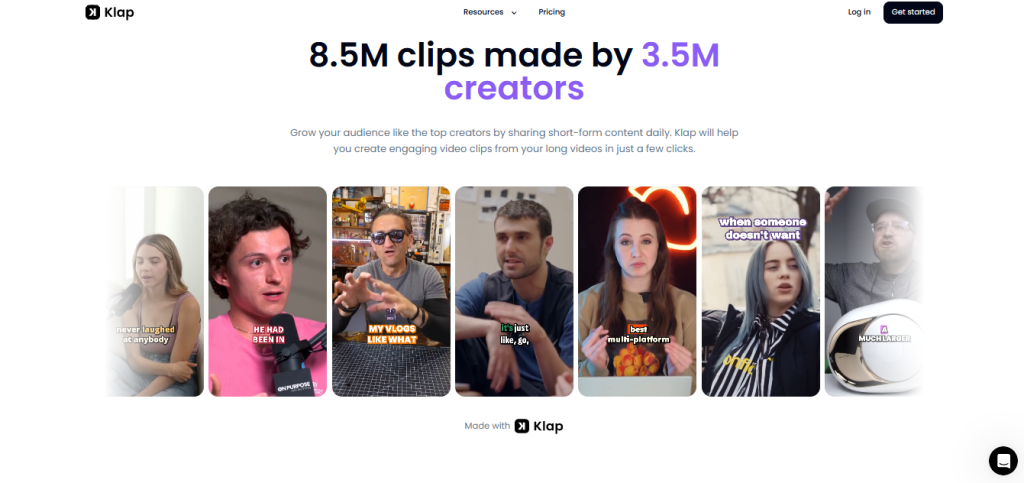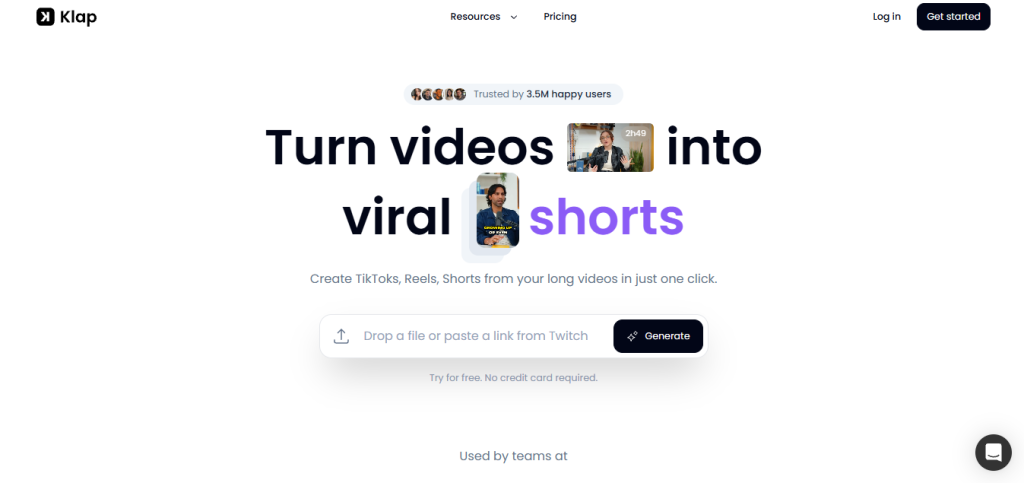
You’ve probably landed here because you create long-form video a YouTube video, a podcast, a webinar, a Twitch stream and you know you should be repurposing it into short-form clips for TikTok, Instagram Reels, and YouTube Shorts, but you don’t have the hours to clip, caption, and reframe each one manually. That’s exactly the gap Klap is built for. The question is whether it actually identifies the right moments and produces clips you can post without a heavy editing pass or whether it’s a rough output generator that still requires significant manual work before anything goes live. 3.5M creators and 8.5M generated clips suggest the answer is mostly the former, but what you need to understand before subscribing is how the clip-based pricing maps to your actual publishing volume, because the plan you pick determines how many clips you can generate each month and a 1-hour podcast can produce a lot of clips.
🔗 Try Klap free → https://klap.app/?via=sumit-ghosh
Why Trust SaaSTrac?
This review is built from Klap’s own homepage, pricing page, FAQ, and feature documentation, cross-checked against third-party coverage and the live pricing page at klap.app/pricing. We haven’t run a private accuracy benchmark on this account clip selection quality, reframing accuracy, and viral score reliability reflect what Klap publishes and what independent users report, not a private timed test. Pricing figures are taken directly from klap.app/pricing at the time of writing. Klap’s pricing page shows annual billing as the default the $14, $39, and $94 figures are annual rates, not monthly. Monthly billing exists but is higher; the FAQ mentions Pro at $29/month when billed monthly. Verify current monthly vs. annual rates at klap.app/pricing before committing.
What Klap Is ?
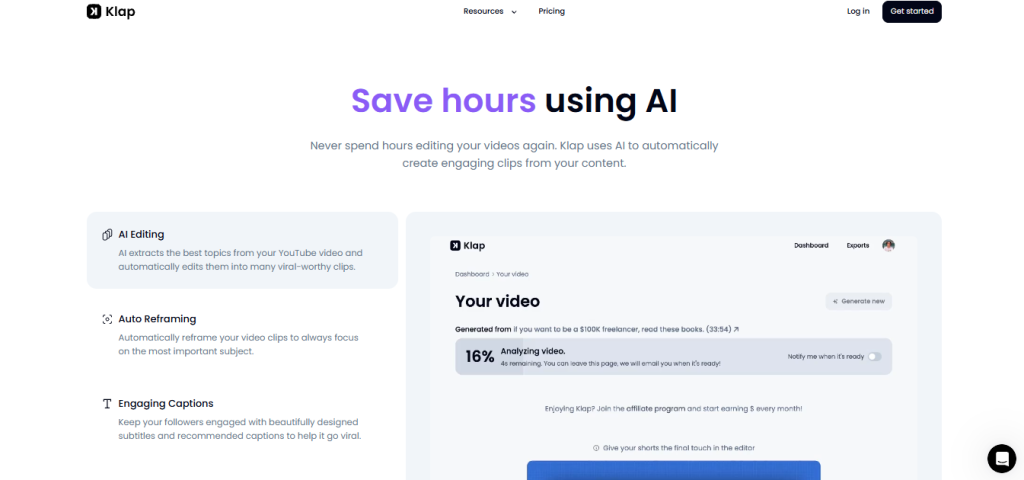
Klap is an AI video clipping and repurposing tool built by @theo and @victor (ZIGG SAS, France) designed around a single-click pipeline that takes a long-form video and returns multiple short-form clips ready to post on vertical platforms. The workflow is: paste a YouTube link or upload a video file → Klap’s AI identifies the most engaging moments (based on speech, topics, and pacing) → extracts and reframes each moment into a vertical clip → adds styled captions → scores each clip for viral potential → lets you customize branding → export or schedule to your social channels.
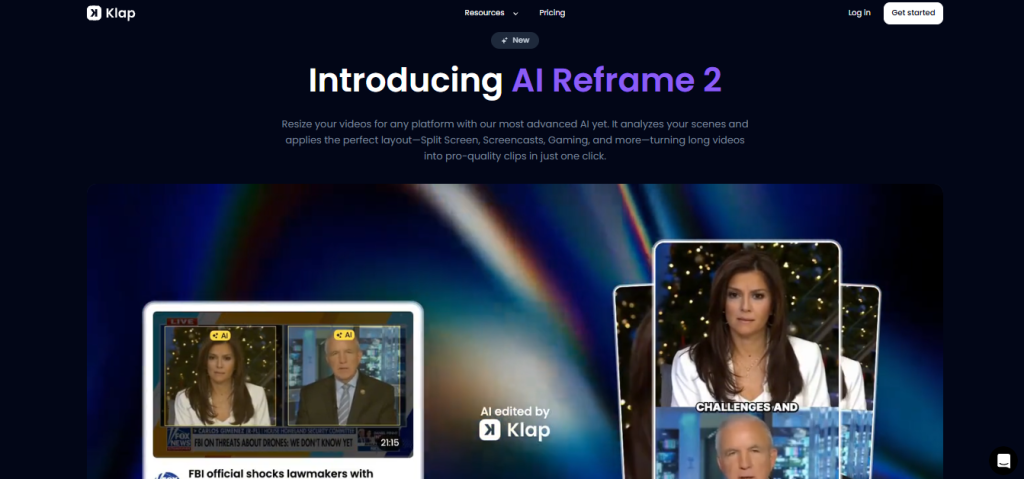
The platform’s newest feature is AI Reframe 2 described as Klap’s most advanced reframing model yet, which analyzes scene content and applies the optimal layout automatically: Split Screen for dual-speaker interviews, Screencasts for tutorial content, Gaming layouts for gaming footage, and standard vertical framing for single-speaker content. Beyond clipping and reframing, Klap offers direct publishing to TikTok, Instagram, YouTube, and LinkedIn; an analytics layer to track clip performance; brand customization (fonts, colors, logos); 52-language support; a REST API; an MCP server; and integrations with Zapier, Make, and n8n for workflow automation.
What You Get (and What You Don’t)
Feature | What’s Included | Limitations |
AI Clipping | AI extracts the best moments from a long video identifies engaging topics, pacing, and speech patterns then clips each into a standalone short | Works best with speech-heavy video: podcasts, interviews, educational content, product reviews, webinars; less accurate on music videos, sports, or heavy B-roll footage where speech detection can’t anchor clip selection |
AI Reframe 2 | Scene-analysis reframing: Split Screen for dual-speaker, Screencast for tutorials, Gaming layout, and standard vertical for single-speaker applied automatically in one click | Reframing accuracy on complex scenes (multiple speakers, dynamic camera movement) is better than v1 but can still require manual adjustment; test on your specific content type before committing |
AI Captions | Styled, animated captions generated automatically and synced to audio 52 language support | Captions are AI transcribed accuracy is high for clear audio but may need review for heavy accents, jargon-heavy content, or low-quality audio recordings |
Viral Score | Each generated clip receives an AI-estimated viral-potential score helps prioritize which clips to post first | Viral scores are AI estimates, not guarantees; use them as a prioritization signal, not as a prediction of actual performance |
Brand Customization | Customize fonts, colors, logos, and framing to match your brand identity applies across all generated clips | Customization is per-project; bulk brand application across historical clips requires re-processing |
Social Scheduling | Directly schedule and publish clips to TikTok, YouTube Shorts, Instagram Reels, and LinkedIn unlimited social accounts on all plans | Platform API limits apply; scheduling during platform outages or API changes requires manual posting; verify current connected platform list at klap.app |
Analytics | Track clip performance across channels from inside Klap | Analytics depth (views, engagement, click-through) depends on what platform APIs expose; not a full social analytics suite |
Clip Volume (per plan) | 100 clips/month (Basic), 300 clips/month (Pro), 1,000 clips/month (Pro+) | Clips are the primary billing unit a 1-hour podcast produces approximately 5 clips per 1 minute of content; model your expected monthly clip output before choosing a plan |
REST API | Klap API for programmatic video clipping at scale available to all users | API documentation at docs.klap.app; rate limits and per-call pricing may apply; verify current API terms before building production workflows |
MCP Server | Klap MCP server for connecting Klap into AI assistant workflows available to all users | One of the few video clipping tools with an MCP server; enables Claude, ChatGPT, and other MCP-compatible assistants to trigger Klap clip generation natively |
Integrations | Zapier, Make, n8n integrations for workflow automation connect Klap to your publishing, storage, or CMS workflows | Integration depth depends on the connected platform’s API capabilities; verify specific workflows at klap.app/integrations |
Language Support | 52 languages including Arabic, Chinese, French, German, Hindi, Japanese, Korean, Portuguese, Russian, Spanish, and more | The full 52-language list is available at klap.app; verify your specific language before subscribing if non-English captioning accuracy is critical to your workflow |
Free Trial | Generate 1 clip free no credit card required | One clip only; not enough to evaluate clip selection across a full long-form video, but enough to assess reframing quality and caption output on your content type |
The takeaway: Klap’s clearest differentiator is the combination of AI clip selection, automatic scene-aware reframing (AI Reframe 2), viral scoring, and direct social scheduling all in a pipeline that goes from raw long-form video to posted short-form clip in one workflow without manual editing. The limitation is the clip-based pricing model: you pay per clip generated, not per video processed, so understanding how many clips your content type produces is essential to choosing the right plan. A 1-hour podcast produces roughly 20–30 extractable clips; at 100 clips per month (Basic), that’s 3–5 long-form videos processed before the plan’s limit.
Pricing: What You Actually Pay
Klap uses three clip-based plans Basic, Pro, and Pro+ with annual billing saving 50% versus monthly. All plans include AI clipping, unlimited social accounts, and analytics.
Plan | Annual Price | Monthly Equivalent | Clips/Month | Best For |
Basic | $14/month (billed annually) | ~$19/month (verify) | 100 clips/month | Individual creators with 3–5 long-form videos per month who post daily to one or two platforms |
Pro | $39/month (billed annually) | $29/month (billed monthly) | 300 clips/month | Professional creators and podcasters with higher output volume; the most popular plan |
Pro+ | $94/month (billed annually) | ~$127/month (verify) | 1,000 clips/month | Teams, agencies, and high-volume creators managing content across multiple shows or clients |
How clips are counted:
- One generated short clip = one clip credit
- A 1-minute long-form video produces approximately 5 clips
- A 30-minute video produces approximately 150 clips
- A 1-hour video produces approximately 300 clips (Pro plan’s monthly limit in one video)
- Clips reset monthly; unused clips do not roll over (verify current rollover policy at klap.app)
Real-world cost context: Pro at $39/month (annual) is the plan most creators will land on 300 clips/month covers approximately 1–2 hours of long-form content processed per month, which maps to a daily posting schedule across one or two platforms from a weekly podcast or YouTube show. Basic at $14/month works for lighter use: a bi-weekly YouTube creator who wants 5–10 short-form clips per video. Pro+ at $94/month is the tier for agencies, shows with multiple episodes per week, or creators posting to multiple accounts simultaneously who need 1,000 clips as a floor rather than a ceiling.
Worth checking before you subscribe: the free trial generates 1 clip enough to evaluate the AI’s reframing and caption quality on your specific content type, but not enough to see how well it selects moments across a full long video. Before committing to a plan, process one real video during the trial and assess whether the clip selection matches what you’d have manually chosen. Monthly billing is significantly more expensive than annual (Pro is $29/month monthly vs. $39/month annual billed as $468/year note: annual saves 50% per klap.app pricing but the exact monthly rate at higher tiers should be confirmed directly at klap.app/pricing). The FAQ references Pro at $29/month, which may mean monthly pricing at that tier.
One-Click Repurposing vs. Manual Short-Form Editing: The Core Trade-Off
Klap’s core argument is that a creator who produces one long-form video per week is sitting on 20–30 short-form clips that could grow their audience on TikTok, Reels, and Shorts but doesn’t post them because clipping, captioning, and reframing each one manually takes hours they don’t have. The 3.5M creators and 8.5M clips generated validate the demand. The question is always whether the AI’s moment selection matches what a human editor would have chosen.
The trade-off shows up in two places consistently. First, clip selection quality is speech-dependent Klap works best with podcasts, interviews, educational videos, and product reviews where speech carries the narrative and the algorithm can anchor clip selection on topic shifts and engaging moments. Music videos, sports highlights, B-roll-heavy documentary content, and visual-first formats where speech isn’t the primary signal produce less reliable automated selection. Second, the viral score is a prioritization tool, not a promise it helps you decide which of 30 generated clips to post first, but it can’t guarantee that the top-scored clip will perform better than a lower-scored one on your specific audience. Use it as a decision aid, not a substitute for your editorial judgment.
Who Klap Is Built For
Klap’s practical value scales directly with how much long-form content you produce and how consistently short-form repurposing falls off your to-do list because of the time it takes:
- YouTube creators who produce weekly long-form content (10–60 minutes) and want the highlights automatically clipped into 10–30 Shorts and Reels without a manual editing pass or a video editor hire.
- Podcast producers and hosts where the entire episode is speech-first content that Klap’s algorithm handles well, and every episode should become 10–20 short clips for YouTube Shorts, TikTok, and Instagram Reels but never does because it takes too long to produce manually.
- Webinar and online course creators who have hours of educational content sitting on platforms like Zoom or YouTube and want it converted into daily social content that drives back to their main content or offer.
- Content marketers and brand teams who record product reviews, demo videos, interviews, or event recordings and need to repurpose them into social assets without a dedicated video editor on staff.
- Agencies managing multiple creator clients on the Pro+ plan, processing 1,000 clips per month across multiple shows, channels, and client accounts from one dashboard.
- Developers and automation builders who want to connect Klap into a publishing workflow via the REST API, MCP server, Zapier, Make, or n8n rather than using the web interface manually for every video.
What Are the Downsides of Using Klap?
- Clip selection is less reliable on non-speech-heavy content: Klap explicitly acknowledges it works best for speech-driven video. If your primary content involves significant music, visual storytelling, sports, or heavy B-roll, the algorithm’s clip selection will underperform relative to a human editor who understands your editorial judgment.
- The free trial is one clip not enough to evaluate selection quality: One generated clip shows you what a Klap output looks like, but it doesn’t show you how well the AI selects moments across a full 30- or 60-minute video. You’re partly committing to a plan before you’ve tested the core selection quality on your content library. The lowest-risk path is starting with Basic ($14/month annual), processing a full video to evaluate selection quality, and upgrading to Pro if it delivers.
- Clips are the billing unit, not videos: This model is honest you only pay for what you generate but it requires planning. A creator who processes a 1-hour video and generates 300 clips has used Pro’s entire monthly allowance in one session. Heavy generators who process multiple long videos per week need Pro+ at $94/month or to use the API for volume.
- Viral scores are estimates, not guarantees: The AI scoring helps prioritize which clips to post, but creators who rely on it heavily without applying editorial judgment can end up deprioritizing clips that would have performed better on their specific audience. Treat it as a starting filter, not a final decision.
- Annual billing is required for the best rate: Annual saves 50% Pro is meaningfully cheaper at $39/month (annual) than monthly billing. If you’re not ready to commit annually before testing, the monthly rate is higher and some third-party sources reference older pricing that doesn’t reflect the current tier structure. Confirm both rates at klap.app/pricing before deciding.
Klap vs. Alternatives: Where Each One Wins
Category | Klap | OpusClip | Descript | Crayo AI |
Best for | One-click long-to-short AI clipping with viral scoring, scene-aware reframing, and direct social scheduling for speech-first video content | AI-powered auto clipping with strong highlight detection and speaker-focused reframing for podcasters and interviews | Transcript-based video editing where you edit video by editing text best for talking-head and narrative content with editorial precision | Format-specific short-form automation for Reddit stories, fake texts, streamer clips, and faceless channel content |
Free trial | ✓ 1 clip, no credit card | ✓ Limited free credits | ✓ Limited free tier | ✗ No free trial |
AI clip selection | ✓ Speech-based topic extraction | ✓ Core feature | ✓ Via transcript | ✗ (template-based, not clip extraction) |
Viral scoring | ✓ | ✓ | ✗ | ✗ |
AI Reframe (scene-aware) | ✓ AI Reframe 2 Split Screen, Screencast, Gaming | ✓ Speaker-focused | ✗ | ✗ |
AI Captions | ✓ 52 languages | ✓ | ✓ | ✓ |
Social scheduling | ✓ TikTok, Instagram, YouTube, LinkedIn | ✓ | ✓ | ✗ |
REST API | ✓ | ✓ | ✓ | ✗ |
MCP server | ✓ | ✗ | ✗ | ✗ |
Zapier / Make / n8n | ✓ | ✓ | Partial | ✗ |
Pricing model | Per clip (100/300/1,000 per month) | Per video/per seat | Per seat | Per workflow credit |
Starting paid price (annual) | $14/month | ~$13/month | ~$24/month | $13/month |
No single tool wins outright. If transcript-based editorial video editing with precise control is the priority, Descript is purpose-built for that workflow. If format-specific faceless channel automation (Reddit stories, fake texts) is the use case, Crayo is designed specifically for that. If AI-powered long-to-short clipping with scene-aware vertical reframing, viral scoring, direct scheduling, and a clip-based pricing model that scales with your output is what you need and your content is speech-first Klap and OpusClip are the two closest options. Klap’s AI Reframe 2 scene detection and MCP server availability distinguish it from OpusClip for teams embedding clipping into broader AI workflows.
Is Klap Worth It?
Likely worth it if:
- You produce weekly long-form speech-heavy content podcasts, YouTube videos, webinars, interviews and repurposing it into daily short-form posts falls off your list because of editing time
- Basic at $14/month covers your volume: 100 clips/month maps to approximately 3–5 long-form videos processed per month at typical clip density
- You want viral scoring to prioritize which clips to post without manually reviewing all 20–30 outputs from each video
- Direct scheduling to TikTok, Instagram, YouTube, and LinkedIn from inside Klap matters you want one tool that covers clip generation and posting rather than exporting to a separate scheduler
- You want to embed Klap into an automated workflow via the REST API, MCP server, Zapier, Make, or n8n particularly if you’re building AI assistant workflows that need native video clipping capability
Probably not the right fit if:
- Your primary content is visual-first (music videos, sports, B-roll-heavy documentary, or heavily produced narrative) where speech detection won’t anchor reliable clip selection
- You need to evaluate clip selection quality across a full video before committing the one-clip free trial doesn’t expose that well enough; consider the Basic monthly plan as a lower-commitment test
- Your monthly clip volume exceeds 1,000 (Pro+ ceiling) and you need a volume-priced API arrangement contact Klap directly via Discord for above-Pro+ volume needs
- You want transcript-level editorial control adjusting exactly what words are in each clip and editing the content itself rather than accepting the AI’s moment selection
The verdict: Klap does its core job clearly and consistently: take a long video, extract the best short-form moments, reframe them for vertical platforms, add captions, score their viral potential, and let you schedule them all in one click. The 3.5M creators and 8.5M generated clips reflect a platform that has earned its position in the repurposing category. The clip-based pricing rewards creators who know their monthly video volume and choose the right plan for it; it frustrates creators who process a high volume of videos in one sitting and drain the monthly pool unexpectedly. Understand your clip math before subscribing, and for most podcast creators and YouTube producers who have been leaving short-form content on the table, Klap Pro at $39/month annual is a straightforward investment that pays for itself the first week it saves you from opening a video editor.
Klap Pros:
- One-click pipeline from long-form video to multiple vertical short clips no manual editing required for the base output
- AI Reframe 2 applies scene-aware layout automatically: Split Screen, Screencast, Gaming, and vertical framing based on content type
- Viral scoring for every generated clip helps prioritize which to post without reviewing all outputs
- AI captions in 52 languages synced automatically, styled and animated, no separate captioning tool needed
- Direct social scheduling to TikTok, Instagram, YouTube Shorts, and LinkedIn with unlimited social accounts on all plans
- MCP server one of the only AI video clipping tools with native MCP integration for AI assistant workflow automation
- REST API, Zapier, Make, and n8n integrations for embedding Klap into production publishing pipelines
- Free trial with no credit card required generate 1 clip to evaluate reframing and caption quality before entering payment details
- Trusted by 3.5M creators with 8.5M clips generated established scale in the category
Klap Cons:
- Clip selection is speech-dependent podcasts, interviews, and educational videos work best; music, sports, and B-roll-heavy content produce weaker automated selection
- Free trial is 1 clip only not enough to evaluate clip selection quality across a full long-form video before committing to a plan
- Clips reset monthly; high-volume sessions can drain the plan limit quickly a 1-hour video can generate ~300 clips (Pro’s full monthly allowance in one video)
- Viral scores are AI estimates, not guarantees use as a prioritization aid, not as a final editorial decision
- Annual billing required for the best rate the 50% annual discount means monthly billing is significantly more expensive; confirm current monthly rates at klap.app/pricing
 Get ready-to-post short clips
FAQs
For podcast hosts, YouTube creators, and webinar producers who generate speech-heavy long-form content and don’t currently repurpose it into short-form clips because of editing time yes. At Pro ($39/month annual), the clip volume covers a typical weekly podcast or YouTube show with headroom for daily posting. Use the free 1-clip trial to evaluate reframing and caption quality on your specific content before committing.
Basic at $14/month (annual, 100 clips), Pro at $39/month (annual, 300 clips), and Pro+ at $94/month (annual, 1,000 clips). Annual billing saves approximately 50% over monthly. Monthly billing exists; Pro is $29/month on monthly billing; verify Basic and Pro+ monthly rates at klap.app/pricing. All prices should be confirmed directly at klap.app/pricing, as rates may change.
Klap offers a free trial that generates 1 clip no credit card required. There is no ongoing free plan: after the trial clip, continued use requires a paid plan. The trial is enough to evaluate AI reframing quality and caption accuracy on your content, but not enough to evaluate how well Klap selects moments across a full long-form video.
Each generated short clip from a long-form video counts as one clip against your monthly allowance. A 1-minute source video produces approximately 5 clips. A 30-minute podcast produces roughly 150 clips; a 1-hour video roughly 300 clips.
Yes, Klap supports 52 languages for transcription and caption generation, including Arabic, Chinese, French, German, Hindi, Italian, Japanese, Korean, Portuguese, Russian, Spanish, and more. The full language list is at klap.app. Clip selection quality in non-English languages depends on a speech-detection test on a real video in your language during the free trial before you rely on it for production volume.