You’ve probably landed here because you’re paying for ChatGPT, Claude, or both, and you’re wondering whether one subscription that gives you every major model plus an agent, image, video, and voice tools is actually better than juggling separate plans, or whether a credit-based workspace will leave you rationing usage mid-month. Those are the right questions. Krater’s core promise is simple: one login, one credit pool, every leading model, and an agent that finishes multi-step work instead of just chatting about it. What you need to understand before paying is how the credit system maps to your real usage, because heavy video, image, and agent runs draw far more than chat does, and the plan you pick determines how much headroom you get.
🔗 Try Krater AI → https://go.krater.ai/saas-admin
Why Trust SaaSTrac?
This review is built from Krater’s own homepage, pricing page, and Pro plan page, cross-checked against third-party listings on Capterra, G2, Toolradar, and AIGearBase, with pricing verified against October 2026 data. We haven’t run a private benchmark on this account, so model quality, agent reliability, and credit consumption reflect what Krater publishes and what independent users report. The 100K+ user count and 4.8/5 rating are Krater’s own figures. Where sources disagree, we flag it: several third-party directories still list older Krater pricing ($7.50 to $25/month), while Krater’s current official pricing is $20, $49, and $119. We use the official figures. Verify current credit costs and plan limits at krater.ai/pricing before committing.
What Krater AI Is
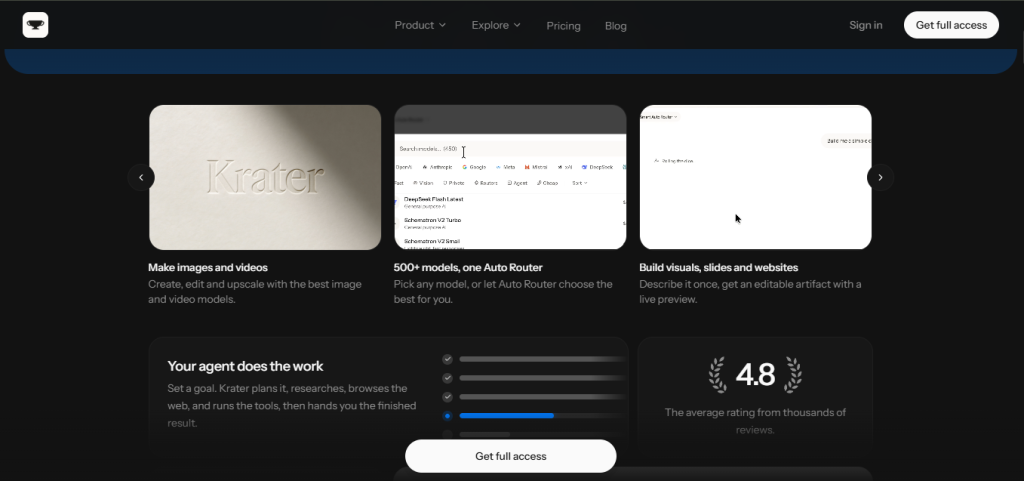
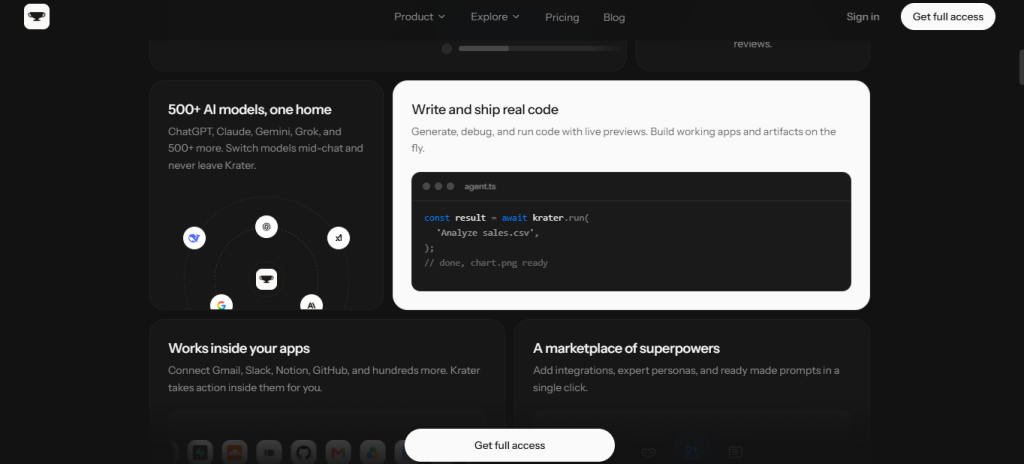
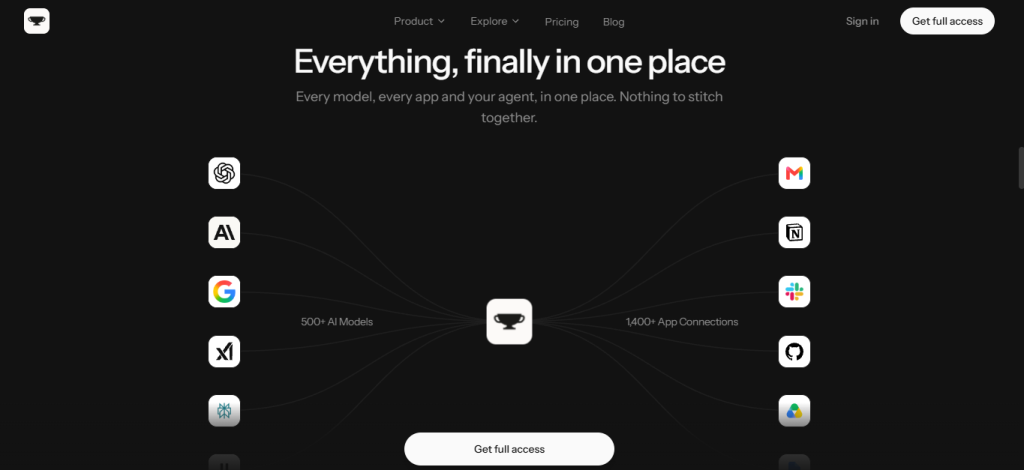
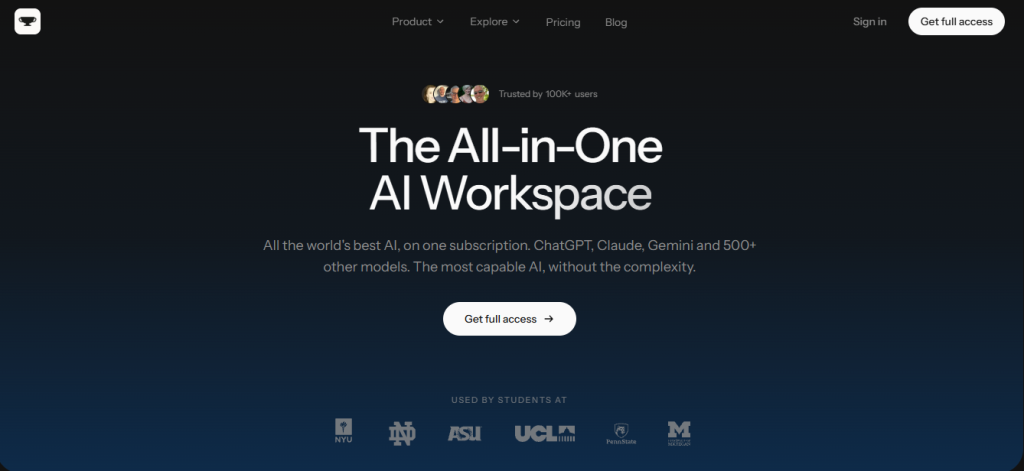
Krater AI is an all-in-one AI workspace that gives you access to ChatGPT, Claude, Gemini, Grok, Mistral, DeepSeek, Perplexity, and 500+ other models through a single interface. You can switch models mid-chat without leaving the app, or let the Auto Router pick the best model for the task. Third-party listings show the company has been operating since 2023.
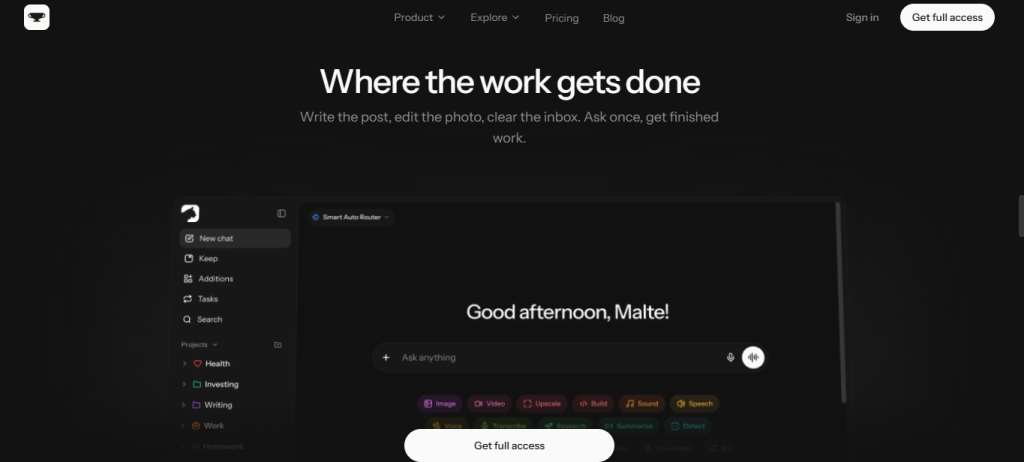
Beyond chat, Krater has grown into a full workspace. Krater Agent is an autonomous agent that takes a goal, plans the steps, researches, browses the web, runs tools, and returns finished deliverables. 1,400+ app connections (Gmail, Slack, Notion, GitHub, Google Drive, and more) let the agent act inside your real tools. Image generation, video generation (Kling, Seedance, Sora, HeyGen and others), music and sound, text-to-speech, voice changing, and transcription are all included. So are deep research, slides, documents, and a build mode that produces live-preview websites and apps. Scheduled tasks run prompts and agent work on a timer, Memory and Projects keep your context, and Keep stores your files. Krater says it is EU-hosted, GDPR compliant, and never sells or trains on your data.
What You Get (and What You Don’t)
Feature | What’s Included | Limitations |
500+ AI Models | ChatGPT, Claude, Gemini, Grok, Mistral, DeepSeek and more in one window; switch mid-chat; Auto Router picks the best model | Auto Routers are Ultra and above; on Pro you choose manually |
Krater Agent | Plans and executes multi-step work with tools, browses the web, returns finished deliverables | Agent runs draw more credits than chat; Krater shows the cost before you confirm, but heavy use drains the pool faster |
App Connections | 1,400+ apps including Gmail, Slack, Notion, GitHub, Drive, Calendar, Figma, HubSpot, Stripe; the agent takes action inside them | The pricing page marks Apps with an asterisk on Pro; verify exactly which connections your plan covers |
Image & Video | Multiple image models with aspect ratio and quality controls; video via Kling, Seedance, Sora, HeyGen and others | Video is the most credit-hungry feature; budget accordingly |
Voice, Sound & Music | Text-to-speech and transcription via ElevenLabs and OpenAI voices, sound effects, voice changing, music | Draws from the same credit pool |
Deep Research | Web-connected research with findings saved straight into Keep | Credit-metered like everything else |
Build, Slides & Docs | Generate editable slides, documents, websites, and apps with live preview from one prompt | Publishing websites is capped by plan: 1 on Pro, 2 on Ultra, 5 on Max |
Scheduled Tasks | Automations that run prompts and agent work on a schedule | 3 on Pro, 20 on Ultra, 50 on Max |
Memory, Projects & Keep | Persistent context, style and files; Keep storage of 25 GB (Pro), 100 GB (Ultra), 250 GB (Max) | Storage tiers differ by plan |
Context Window | 150k (Pro), 400k (Ultra), 1M (Max) | Long-context work on Pro is capped at 150k |
API Access | Included on Ultra and Max | Not on Pro |
Team Collaboration | Included on Max and Enterprise | Not available on Pro or Ultra; teams on a budget face a big jump to Max |
Privacy | EU-hosted, GDPR compliant, no training on your data | EU hosting and SSO/SAML are Enterprise features |
AI for Beginners Course | 44 lessons with certificate, included with every paid plan ($247 value, limited time) | Marked as a limited-time offer |
The takeaway: Krater’s clearest differentiator is breadth in one place. Every major model, an autonomous agent, 1,400+ app connections, and the full creative stack (image, video, voice, music, slides) all draw from one credit pool, so you’re not paying for five separate tools. The trade-off is that the credit pool is shared across everything: a month of video generation and agent runs will burn through 1,500 Pro credits far faster than a month of chat. Understanding your mix of work before choosing a plan is the most important step.
Pricing: What You Actually Pay
Krater uses four plans with a single shared credit pool. Yearly billing covers 12 months for the price of 10 (two months free, about 17% off).
Plan | Monthly | Yearly | Credits/Month | Best For |
Pro | $20 | $200 | 1,500 | Individuals, freelancers, solo operators; includes 500+ models, Agent, voice mode, 3 scheduled tasks, 1 published website |
Ultra | $49 | $490 | 4,000 | Heavier users; adds API access, Auto Routers, usage analytics, priority support, 400k context, 2 websites |
Max | $119 | $1,190 | 10,000 | Power users and teams; adds team collaboration, 1M context, 250 GB storage, dedicated support, 5 websites |
Enterprise | Custom | Custom | Custom | Organizations needing unlimited seats, SSO/SAML, SCIM, EU data hosting, DPA, SLA support |
How credits work: Credits are one pool covering chat, images, video, voice, music, and agent runs. They reset each billing cycle. A typical chat message costs well under one credit, while video and agent runs cost more. Krater shows the cost before you confirm heavier jobs.
Real-world cost context: Pro at $20/month sits at roughly the same price as a single ChatGPT or Claude consumer plan, but bundles every major model plus image, video, voice, and an agent. If you currently pay for two or more AI subscriptions, consolidation is where the value shows up. The meaningful question is whether 1,500 credits covers your actual month. Light chat users will be fine, while video-heavy or agent-heavy users will likely want Ultra.
Worth checking before you subscribe: Krater’s Pro page says you can top up credits when you run out, but the main pricing page lists credit top-ups as an Ultra and Max feature. Confirm the current rule before you rely on it. We also couldn’t confirm a permanent free plan on the official pricing page. Some third-party listings mention a free guest tier or trial, so check krater.ai for the current offer. Cancellation is straightforward: Krater says you can cancel in a few clicks and keep access until the end of the billing period, with no cancellation fees.
Multi-Model Workspace vs. Single-Assistant Subscriptions: The Core Trade-Off
Krater’s argument is that paying separately for ChatGPT, Claude, an image generator, a video tool, and a voice tool is a tax on your wallet and your attention. One workspace, one credit pool, and the freedom to pick the best model per task removes that stitching. Users in Krater’s own reviews describe replacing multiple AI subscriptions with one.
The trade-off shows up in two places. First, you’re on a credit budget instead of a flat “unlimited within fair use” model, so your usage mix matters more. Second, a multi-model aggregator can lag a model maker’s own app on brand-new, first-party features, so if you depend on one vendor’s latest native tool (a specific desktop app or vendor-only feature), the original subscription may still win. Krater says it uses the real models rather than downgraded versions, but we haven’t independently verified model parity.
Who Krater AI Is Built For
- Everyday AI users: who currently pay for one assistant and want every leading model plus image, video, and voice tools for the same $20.
- Freelancers and solo operators: producing content, ads, documents, and client deliverables from one workspace instead of five subscriptions.
- Small businesses: who want a team-ready AI stack with app connections, Keep storage, and scheduled automations without an enterprise contract.
- Content creators and marketers: generating posts, images, video teasers, and copy, then sending them through connected apps.
- Developers and builders: who want code generation with live preview, plus API access and Auto Routers on Ultra and above.
- Agencies and teams: who need collaboration on the Max plan, or custom seats and SSO on Enterprise.
- Researchers and students: running deep research and chatting with PDFs, URLs, and videos in one place.
What Are the Downsides of Using Krater AI?
One shared credit pool means heavy creative work drains it fast: Video and agent runs cost far more than chat. A Pro user who generates video regularly can exhaust 1,500 credits well before month end. Krater shows costs up front, but you still need to plan around them.
Credit top-up rules are unclear on Pro: The Pro plan page says you can top up when you run out, while the main pricing page lists top-ups under Ultra and Max. Confirm which applies before you depend on it.
Team features sit behind the Max plan: Team collaboration isn’t on Pro or Ultra, so a small team that wants shared access faces a jump from $49 to $119/month, or an Enterprise conversation.
Third-party listings show conflicting pricing: Directories like Capterra, Toolradar and AIGearBase still show older tiers, and G2 notes pricing isn’t clearly supplied. A G2 reviewer also said clearer pricing tiers would help. Trust Krater’s official pricing page.
Not a replacement for vendor-native features: An aggregator may not match a model maker’s own app on brand-new first-party tools. If you rely on one vendor’s exclusive features, keep that in mind.
Self-reported ratings: The 4.8/5 score and 100K+ user figure come from Krater itself. Several Capterra reviews are labeled incentivized, so weigh them accordingly.
Krater AI vs. Alternatives: Where Each One Wins
Category | Krater AI | ChatGPT (paid plan) | Claude (paid plan) | Poe |
Best for | One subscription covering 500+ models, an agent, 1,400+ app connections, and image/video/voice tools | The deepest OpenAI ecosystem, native apps, and first-party features | Long-context writing, analysis, and coding with Anthropic’s own tooling | Chatting with many models and community bots in one place |
Multi-model access | ✓ 500+ models incl. ChatGPT, Claude, Gemini, Grok | ✗ OpenAI models only | ✗ Anthropic models only | ✓ Many models |
Autonomous agent | ✓ Krater Agent | ✓ (vendor agent features) | ✓ (vendor agent features) | Limited |
App connections | ✓ 1,400+ | ✓ (varies) | ✓ (varies) | Limited |
Image & video generation | ✓ Multiple image and video models | ✓ Image; video varies | Limited | ✓ Via bots |
One shared credit pool | ✓ | ✗ | ✗ | ✓ (points) |
Team collaboration | Max and Enterprise | Team plans available | Team plans available | Limited |
Entry price | $20/month | About $20/month; verify | About $20/month; verify | Verify at poe.com |
No one wins outright. If you live inside one vendor’s ecosystem and want its newest native features first, the original app is tighter. If you want to compare models, use the best one per task, and fold image, video, voice, and an agent into one bill, Krater’s value proposition is strongest.
Is Krater AI Worth It?
Likely worth it if:
- You pay for two or more AI tools today and want to consolidate them into one subscription
- You switch between models depending on the task and want to do it in one window
- You want an agent that works inside your real apps (Gmail, Slack, Notion, GitHub) rather than only chatting
- You create content across formats (text, images, video, voice, slides) and want one credit pool
- You want scheduled tasks that run on their own
- You’re a freelancer, small business, or creator who values breadth over depth in any single vendor’s tools
Probably not the right fit if:
- You only use one model and depend on that vendor’s newest native features
- Your work is mostly video generation or heavy agent runs and you don’t want to monitor credits
- You need team collaboration but can’t justify the Max plan
- You need SSO, SAML, or EU data hosting without a sales conversation (all Enterprise)
- You want a guaranteed permanent free tier (we couldn’t confirm one on the official pricing page)
The verdict: Krater AI is a well-packaged all-in-one workspace that does its core job clearly: give you every major model, an agent that finishes work, 1,400+ app connections, and a full creative toolkit under one subscription and one credit pool. At $20/month for Pro, it’s price-competitive with a single-assistant plan while offering far more breadth. The credit model rewards planning, since your usage mix decides which plan fits. For freelancers, creators, small businesses, and anyone consolidating multiple AI subscriptions, Krater is a strong and practical pick, especially if you test it against your real workload first.
Krater AI Pros
- 500+ models in one workspace, including ChatGPT, Claude, Gemini, Grok, Mistral and DeepSeek, with mid-chat switching
- Krater Agent plans and executes multi-step work and returns finished deliverables
- 1,400+ app connections so the agent can act inside Gmail, Slack, Notion, GitHub, and more
- One shared credit pool covers chat, images, video, voice, music, and agent runs
- Image, video, music, speech, and transcription tools included, not sold as add-ons
- Scheduled tasks automate repeat work on a timer
- Pro at $20/month is priced in line with a single assistant plan, and yearly billing gives two months free
- Privacy-forward: EU-hosted, GDPR compliant, and no training on your data, per Krater
- Cancel anytime with no fees; access continues until the end of the billing period
- AI for Beginners course (44 lessons, certificate) included with paid plans
Krater AI Cons
- A shared credit pool means video and agent-heavy use can drain Pro’s 1,500 credits quickly
- Credit top-up rules are inconsistent between the Pro page and the main pricing page
- Team collaboration requires the Max plan at $119/month or Enterprise
- Third-party directories show outdated or conflicting pricing, which can confuse new buyers
- Aggregators may trail a model maker’s own app on brand-new first-party features
- User count and rating are self-reported, and some reviews on third-party sites are incentivized
 All-in-one subscription
FAQs
For freelancers, creators, small businesses, and anyone paying for multiple AI subscriptions, yes. At $20/month on Pro you get every major model plus an agent and creative tools in one place. Test it against your real workflow first, especially if you’ll lean on video or agent runs.
Pro is $20/month or $200/year (1,500 credits), Ultra is $49/month or $490/year (4,000 credits), Max is $119/month or $1,190/year (10,000 credits), and Enterprise is custom. Yearly billing is two months free. Confirm current pricing at krater.ai/pricing.
We couldn’t confirm a permanent free plan on Krater’s official pricing page. Some third-party listings mention a free guest tier or trial, so check krater.ai for what’s currently offered before you sign up.
Credits are one pool shared across chat, images, video, voice, music, and agent runs, and they reset every billing cycle. A typical chat message costs well under one credit, while heavier jobs like video and agent runs cost more. Krater shows the cost before you confirm. If you run out, Krater says you can top up or upgrade, though top-up availability on Pro is inconsistent across its pages, so verify it.
It’s an autonomous agent that takes a goal, plans the steps, researches, browses the web, and uses tools and connected apps to deliver a finished result. It’s included on all paid plans, and runs draw from your credit pool.