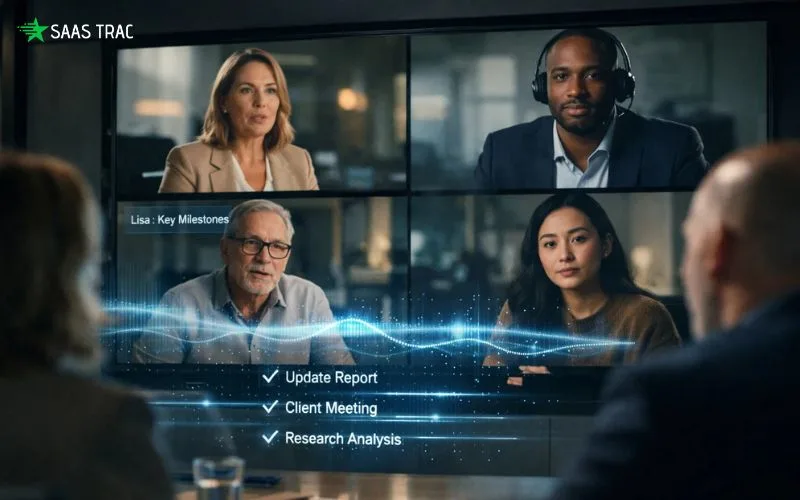
If you spend a big chunk of your workweek on Zoom, Microsoft Teams, or Google Meet, you already know the pain. Meetings stack back-to-back, action items get lost in notebooks, and nobody has time to write up clean minutes afterward. By Friday, half of what was discussed on Monday is already gone.
That’s the exact gap Sembly is built to close. It joins your calls, transcribes every word with speaker attribution, extracts action items, and generates polished summaries, investment memos, or client-ready follow-ups automatically. In short, it’s like having a silent analyst in every meeting who never misses a beat.
In this detailed Sembly review, I’ll walk you through what the platform actually does, how its features perform in real-world use, what it costs, and whether it’s worth the subscription in 2026. By the end, you’ll know whether it’s the right tool for your workflow or whether a competing option might fit better.
What Is Sembly?
Sembly is an AI-powered meeting intelligence and automation platform that transcribes, summarizes, and extracts insights from virtual and in-person conversations. Unlike a traditional meeting assistant that simply records audio and spits out a transcript, this tool pushes further. It identifies decisions, risks, action items, buyer signals, and sentiment trends, then syncs the intelligence directly to Salesforce, Slack, HubSpot, Notion, and 50+ other business tools.
Founded to replace manual note-taking in professional services, Sembly is trusted by consultants, sales teams, venture capital firms, HR teams, legal professionals, and educators around the world. It supports 48 languages, identifies multiple speakers with high accuracy, and plugs into every major conferencing platform.
Whether you’re a solo consultant recording client calls or a global enterprise running dozens of weekly internal syncs, the tool is built to scale with you. Best of all, you don’t need any new hardware, plugins, or browser extensions. Just connect your calendar, and the agent shows up to every scheduled call automatically.
Key Features:
Here’s a breakdown of what you get when you sign up for this Sembly software.
1. Automatic Meeting Attendance:
Once connected to your calendar, the agent automatically joins every scheduled Zoom, Google Meet, Microsoft Teams, or Webex call. You don’t have to launch anything, click anything, or remember anything. If the meeting is on your calendar, the bot is there.
2. High-Accuracy Transcription in 48+ Languages:
The platform transcribes conversations with industry-leading accuracy across 48 languages. It identifies multiple speakers, handles accents cleanly, and manages mixed-language conversations without losing context. Every transcript is fully searchable s, so you can jump back to any exact moment in seconds.
3. Sembly AI Chat (Semblian 2.0):
This is the Sembly feature that genuinely feels magical. It’s a ChatGPT-style assistant trained on your meeting history. Ask it to draft a follow-up email, summarize a week of client calls, write a proposal based on a discovery call, or surface every mention of a competitor, and it delivers in seconds. For most users, this single feature justifies the entire subscription.
4. Action Items & Smart Summaries:
After every meeting, you automatically get a clean summary, a list of decisions made, action items with owners, and a breakdown of discussion topics. No more post-meeting scrambles to write notes. Everything lands in your inbox or Slack channel, already formatted and ready to share.
5. Deep CRM & Workflow Integrations:
The tool syncs with Salesforce, HubSpot, Notion, Slack, Microsoft 365, Google Workspace, Trello, Asana, and 50+ other platforms. Action items push to project boards automatically. Deal updates flow into your CRM. Meeting notes land in the right Notion workspace. It’s genuinely hands-off automation.
6. Sembly Collections:
Group related conversations into structured data sets, for example, every call with a specific client, every interview for a hiring round, or every sales call for a target account. You can then run AI queries across the entire collection to spot patterns across weeks or months of meetings.
7. Workspace Analytics:
A dashboard shows total meeting hours across your team, average meeting length, active participants, and how much time the AI has saved on note-taking. Useful for managers, operations leaders, and anyone trying to reduce meeting fatigue.
8. Enterprise-Grade Security:
The platform is SOC 2 Type II certified, GDPR compliant, HIPAA audited, and holds Microsoft 365 Certification. Your meeting data is encrypted in transit and at rest, and enterprise users get SSO, custom retention policies, and dedicated support.
Sembly Pricing: How Much Does It Cost?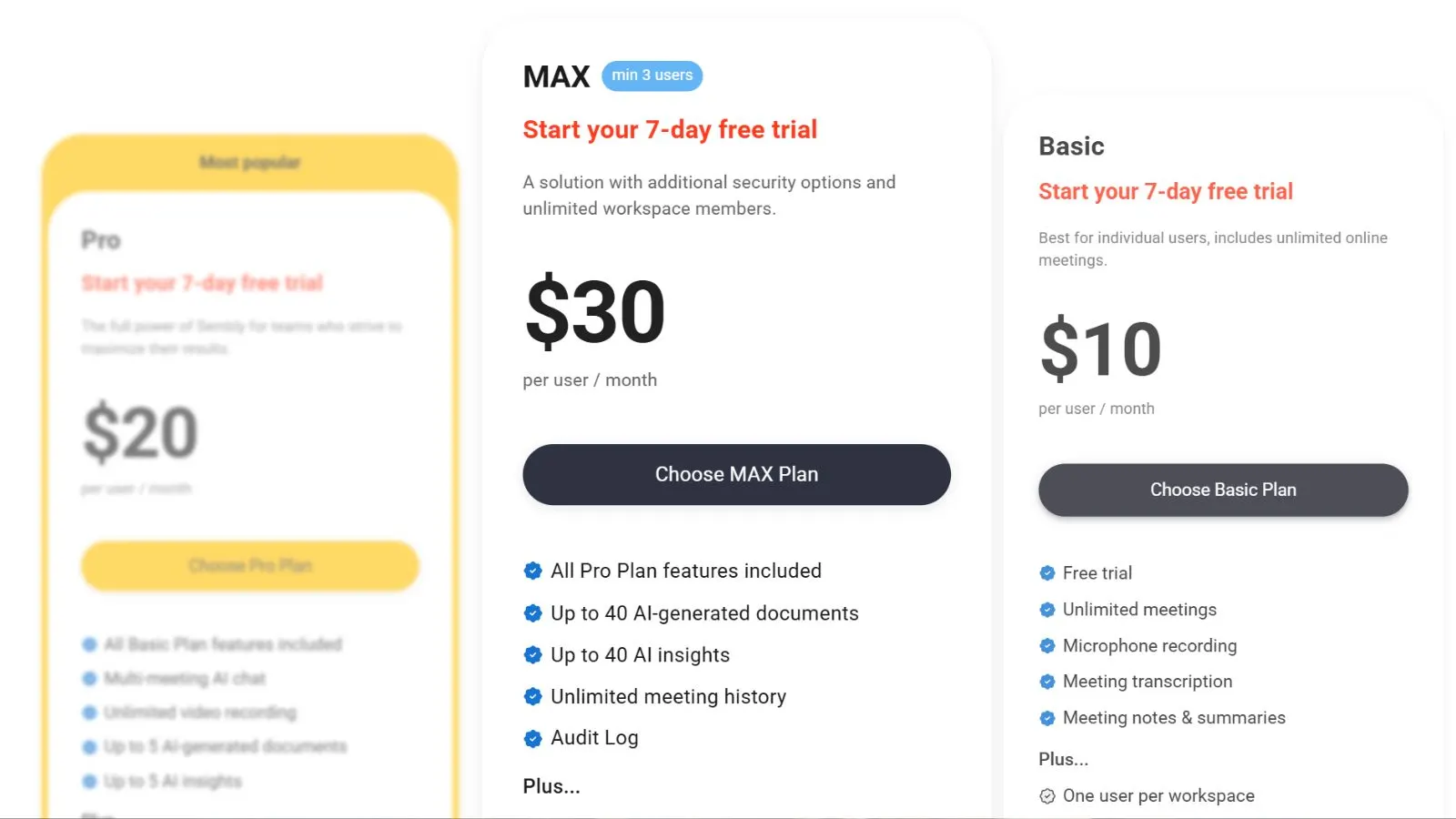
The cost structure is tiered to fit everyone from solo professionals to large enterprise teams. Here’s a quick snapshot:
- Personal (Free): Up to 4 hours of transcripts per month, 10 AI chat prompts, and basic meeting notes. Good for testing the waters.
- Professional – ~$10/user/month: Unlimited transcripts, advanced AI chat, full summaries, integrations, and action item tracking. The sweet spot for freelancers and individual professionals.
- Team – ~$20/user/month: Everything in Professional plus workspace analytics, team collections, admin controls, and collaborative features. Best for small to mid-sized teams.
- Enterprise – Custom pricing: SSO, custom contracts, dedicated success manager, advanced security reviews, and priority support for regulated industries.
Annual billing saves you roughly 30% over monthly. Compared to alternatives like Otter.ai (limited transcription minutes), Fireflies, or premium options like Gong ($250+/month), the platform sits firmly in the affordable-but-powerful sweet spot of the market.
👉 Check Live Sembly Plans & Current Deals
Pros of Using the Platform:
Here’s what genuinely makes this tool stand out in the crowded meeting intelligence space.
- Automatic calendar integration: Set it once, and every meeting gets captured without lifting a finger.
- 48-language support: Truly global. International teams and multilingual clients are handled natively.
- Sembly AI Chat is powerful: ChatGPT-style querying of your meeting history is a genuine productivity unlock.
- Clean, accurate summaries: Action items, decisions, and follow-ups are extracted reliably, not just pasted in.
- 50+ integrations: Pushes data into the tools your team already uses without custom automation.
- In-person meetings are supported, and the mobile app captures face-to-face conversations too, not just virtual ones.
- Strong security posture, SOC 2, GDPR, HIPAA, and Microsoft 365 certification make it safe for regulated industries.
- Speaker identification, Knows who said what, even in large group calls, with impressive accuracy.
- Searchable meeting history: Find any moment from months ago in seconds with a keyword or topic search.
Cons to Keep in Mind:
No platform is perfect. Here are a few honest downsides worth knowing before you commit.
- The free plan is fairly limited, with only 10 AI Chat prompts and a capped transcript quota, which most users will outgrow quickly.
- Occasional speaker attribution errors, Large meetings with overlapping voices, or poor audio can trip up the speaker labels.
- Higher cost for small teams. At $20/user/month for the Team plan, costs add up quickly for growing teams.
- Integration reliability varies. Most integrations are solid, but a few users report occasional sync hiccups.
- Learning curve on advanced features: AI Chat, Collections, and custom templates take a little exploration to master.
- Limited offline functionality, designed for cloud-first teams, so offline access is minimal.
- Privacy considerations, Recording every meeting raises consent questions that teams need to handle thoughtfully.
What Makes It Stand Out From the Crowd:
The AI note-taking space is crowded, but a few things genuinely set this platform apart in 2026. First, it doesn’t just transcribe; it generates client-ready deliverables. Most competing tools stop at the summary. This one goes further and drafts proposals, investment memos, HR interview debriefs, and sales follow-ups straight from the conversation.
Second, the agentic capabilities are ahead of the pack. Instead of you asking “what did we decide?”, the system proactively detects risks, buyer sentiment shifts, and commitment slippage across your meeting history. For revenue teams and consultants, this kind of pattern detection genuinely differentiates.
Third, security and compliance are treated as core, not as an afterthought. With SOC 2 Type II, HIPAA, GDPR, and Microsoft 365 certifications, it’s one of the few AI meeting tools that enterprise IT teams approve without a long procurement battle. For industries like legal, healthcare, and financial services, that alone narrows the shortlist dramatically.
Who Should Use It?
This tool is a strong fit for:
- Consultants and agency professionals who run discovery calls, strategy sessions, and client workshops need clean deliverables afterward.
- Sales and customer success teams are tracking action items, objections, and buyer sentiment across accounts.
- Venture capital and private equity firms are running pitch calls, LP updates, portfolio reviews, and board meetings.
- HR and recruiting teams are conducting multi-round interviews and need structured candidate insights.
- Legal and healthcare professionals who need compliant, accurate recording and transcription of sensitive sessions.
- Remote-first teams are spending large portions of their week on virtual calls and drowning in meeting fatigue.
- Students and educators are capturing lectures, seminars, and research interviews for later study or reference.
If you only attend a handful of meetings a month, you probably don’t need it. But if meetings are a core part of your workflow, this tool pays for itself quickly.
How to Get Started?
Getting up and running takes about five minutes:
- Sign up for free using this link.
- Connect your calendar, Google Calendar, Outlook, or Microsoft 365 via secure OAuth.
- Choose your default agent settings, give your Sembly bot a custom name and avatar if you want.
- Let it run, the bot will auto-join your upcoming meetings. Notes, summaries, and action items appear after each call.
- Use AI Chat to query, summarize, or draft follow-ups from any conversation in your workspace.
Our Final Verdict:
After months of real-world use and thousands of verified user reviews, Sembly lands firmly on the positive side. It’s one of the most capable and most flexible meeting intelligence platforms you can buy in 2026. The combination of multilingual transcription, powerful AI Chat, strong integrations, and enterprise-grade security makes it genuinely hard to beat for professional teams.
Yes, the free tier is tight, and the per-seat cost can add up for growing teams. But the Professional plan at around $10/user/month delivers remarkable value compared to the hours it saves every week. For consultants, sales teams, and knowledge workers, the ROI is measured in days, not months, not weeks, or quarters.
Once you see the first round of automatically generated action items and client-ready summaries land in your inbox, it becomes very hard to go back to manual note-taking and scattered post-meeting follow-ups. If you’re still unsure about which plan to pick, start with the free plan. You’ll see the value within your first few calls.
Conclusion
Meetings aren’t going away in 2026, but the time you waste on them can. If you want accurate transcripts, automatic action items, polished summaries, and an AI assistant that actually understands your conversations, Sembly is one of the smartest investments you can make this year. The AI Chat, deep CRM integrations, and agentic document generation alone are worth the signup. Add in 48-language support and enterprise-grade security, and it’s clear why professionals across consulting, sales, and venture capital rely on it daily. Click below to create your free account and try it today.
FAQ’s:
Q1. Is Sembly really free?
Ans: Yes. The Personal plan offers limited transcripts and 10 AI Chat prompts per month.
Q2. Which platforms does Sembly support?
Ans: Zoom, Microsoft Teams, Google Meet, and Webex, plus mobile recording for in-person meetings.
Q3. How many languages does it support?
Ans: 48 languages, including English, Spanish, French, German, Japanese, and Mandarin.
Q4. Is it secure for regulated industries?
Ans: Yes. It’s SOC 2 Type II, GDPR, HIPAA audited, and Microsoft 365 Certified.
Q5. Does it integrate with my CRM?
Ans: Yes. Salesforce, HubSpot, Slack, Notion, and 50+ other tools are supported natively.