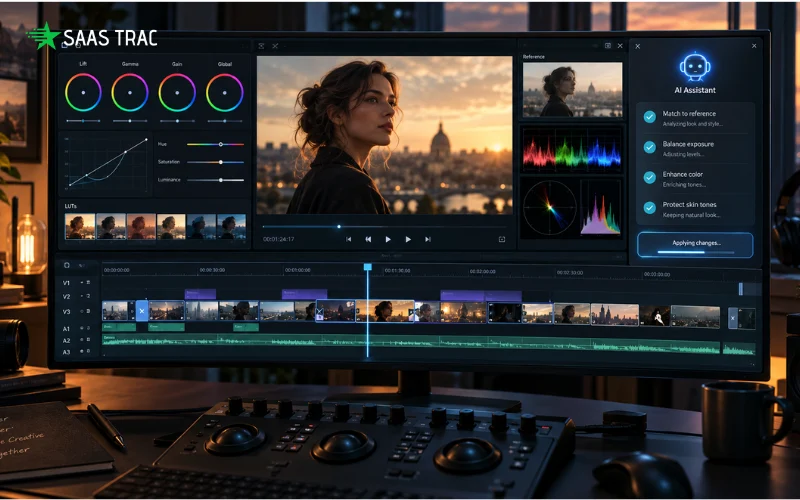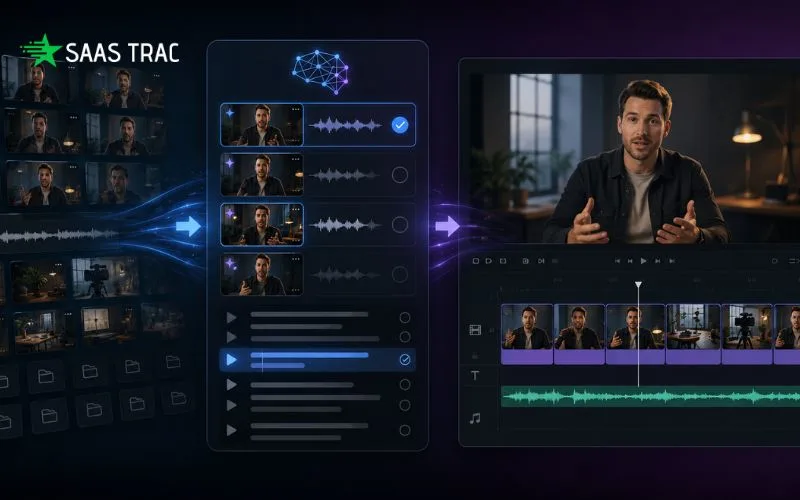
Building faster video edits from raw footage with AI starts with reducing repetitive work before creative decisions begin. AI video editing tools can review footage, find usable takes, remove pauses, and create a first draft that editors can refine. The best workflows keep human control over the final story, timing, and visual choices.
Raw footage is often the hardest part of video production. A creator may spend hours reviewing clips, finding the best takes, removing mistakes, and arranging scenes before the real editing begins.
This problem grows as projects become longer. A podcast, interview, documentary, or YouTube recording can create hours of footage that need careful review. YouTube alone receives around 500 hours of video uploads every minute, showing how much content creators are producing today.
AI video editing is changing this early stage of production. Instead of replacing the editor, AI can handle repetitive tasks- such as footage review, take selection, cleanup, and first draft assembly.
The goal is not to remove creative decisions. It’s to give editors a stronger starting point so they can spend more time improving the story, pacing, and final look.
How Does AI Help Edit Raw Footage Faster?
AI video editing speeds up the editing process by handling repetitive tasks like reviewing footage, identifying useful moments, removing unwanted sections, and creating an editable first draft. Editors can then focus on storytelling, pacing, and creative improvements instead of starting from an empty timeline.
Traditional editing often begins with footage organization. Editors need to watch clips, mark sections, compare takes, and decide what belongs in the final sequence.
AI editing workflows can support this process by understanding what is inside the footage. For example, AI can find spoken lines, repeated takes, important moments, and sections that need cleanup.
A faster raw footage workflow usually includes:
- Uploading footage into an editing workspace
- Allowing AI to review clips and identify usable sections
- Creating a first timeline based on direction
- Reviewing and refining the edit manually
This approach keeps the editor involved. AI handles the operational steps, but the creative judgment remains with the person making the video.
From Raw Footage to First Draft
AI video editing tools can turn raw footage into a starting timeline by reviewing clips, selecting cleaner takes, removing repeated sections, and arranging usable content based on instructions. The result is an editable first draft that creators can review and improve.
A major time-saving step is moving from a blank timeline to a working edit. Instead of searching through every clip manually, editors can begin with a sequence that already contains the strongest material.
For example, an interview project may include several versions of the same answer. AI can identify the cleaner delivery, remove false starts, and organize the conversation into a smoother structure.
Invideo Editor follows this approach through AI editing agents that work on the timeline. The agents can review footage, select takes, remove unusable sections, and assemble a base cut that stays editable for further changes.
The process can work with different types of footage:
- Single-camera videos with or without scripts
- Interviews and talking-head recordings
- Multicam projects with multiple angles
- Music-driven edits and highlight videos
The first draft is not the final video. It is a faster starting point that gives editors more time for creative refinement.
How can AI video editing improve editing workflows?
AI video editing improves workflows by reducing manual tasks across the editing process. It can help with searching footage, removing filler, creating versions, improving audio, and preparing content for different platforms.
Editing involves many small tasks that take time but require less creative thinking. These include finding specific moments, cleaning dialogue, making shorter versions, and preparing different formats.
Modern AI editing workflows can support tasks such as:
- Searching footage by spoken words or visual details
- Removing long pauses and repeated sections
- Creating shorter clips from longer videos
- Preparing platform-specific versions
- Cleaning audio and improving consistency
A connected workflow also reduces the need to move between multiple tools. Editors can keep footage, timeline changes, and revisions in one place.
The idea behind directed video workflows is that creators can guide AI through a process instead of asking it for a single output. This makes AI more useful for larger editing projects where context and revision matter.
Why does browser-based editing matter?
Browser-based video editing makes it easier to continue projects across devices because the work stays connected online. Creators can open the editor from different devices, continue from the same project, and collaborate without managing local files.
Invideo Editor runs in the browser, so there is no need for software installation or a project tied to one computer. The workspace can be opened from a desktop, laptop, tablet, or phone, and assigned AI jobs continue running in the cloud. Teams can join the same project, see who is working, and share review links when the edit is ready.
For creators looking for a browser-based editing workflow, its video editor online can make the first steps easier. Invideo’s editor works inside a browser and lets users cut clips, add captions, adjust audio, improve footage, and make changes through a timeline with agentic editing with your assistance, without having to download & install separate software.
This type of setup is useful for distributed teams, freelance editors, and creators who switch between devices during production.
What should editors look for in AI video editing tools?
The best AI video editing tools should combine automation with manual control. Editors need AI support for repetitive work, but they also need access to the timeline and the ability to change every decision.
A useful AI editing workflow should include:
- Editable timelines where every change can be reviewed
- Clear control over AI-generated edits
- Support for different types of footage
- Collaboration features for teams
- Export options for different platforms
Invideo Editor combines AI editing agents with a professional timeline. Users can assign editing work to agents, review the results, and continue refining the project manually. The platform supports footage understanding, editing changes, color work, audio improvements, cutdowns, and version creation.
The important difference is control. AI should help remove repetitive steps, not remove the editor from the process.
Building a Faster AI Editing Workflow
Creators can build a faster AI editing process by organizing footage clearly, giving specific direction, reviewing AI results, and making creative decisions after the first draft is ready.
A practical workflow looks like this:
- Upload all relevant footage into the editing workspace.
- Add a script or transcript if available.
- Explain the type of edit needed.
- Review the first assembled timeline.
- Adjust pacing, visuals, sound, and final details.
Good results depend on the quality of direction. AI works best when creators explain the purpose of the video, the audience, and the style they want.
Invideo Editor is designed around this idea. Creators can give direction in natural language, let AI agents handle parts of the editing process, and keep the final timeline available for personal edits.
The future of editing is not about choosing between AI and human editors. It is about combining automation with creative control.
Conclusion
AI video editing helps creators move faster by reducing the time spent on repetitive editing tasks. Reviewing footage, selecting takes, removing pauses, and building a first draft can happen faster when AI supports the workflow.
The strongest editing process keeps humans involved. AI can organize and prepare footage, but creators still decide the story, pacing, and final creative direction.
Tools like invideo editor show how AI agents can work inside an editable timeline instead of creating a finished video that cannot be changed. If you work with long recordings or large amounts of footage, exploring an AI-assisted editing workflow can help you spend more time creating and less time sorting clips.
Also Read
How AI Video Generators Are Changing Modern Video Production Workflows
Frequently Asked Questions
Can AI video editing replace professional editors?
No. AI video editing is designed to support editors by handling repetitive tasks. Creative decisions such as storytelling, pacing, visual style, and final approval still require human judgment.
Can AI edit videos without a script?
Yes. Some AI editing workflows can understand footage without a script. Invideo Editor can work with scripted footage or unscripted recordings by identifying usable moments and building a timeline based on direction.
Is AI video editing useful for YouTube creators?
Yes. YouTube creators often work with long recordings, multiple takes, and repeated editing tasks. AI can help organize footage, create first drafts, and prepare shorter versions for different platforms.
Can I still manually edit after AI creates a draft?
Yes. A strong AI editing workflow keeps the timeline editable. Editors can change cuts, replace clips, adjust timing, and refine the final version manually.
Do AI video editing tools work for team projects?
Yes. Some AI editing platforms support shared projects where multiple people can review, edit, and comment on the same timeline.
Does browser-based video editing need powerful hardware?
Browser-based editors can reduce the need for heavy local processing because much of the work happens online. They run in the browser and keep projects, footage, and AI work connected through the cloud.